Skip to content
Skip to main content
Ahosting Logo
  • Hosting
    • WordPress Hosting
      Fast, secure hosting for WordPress sites
    • Web Hosting
      Reliable, affordable hosting for sites
    • FFMpeg Hosting
      Fast hosting for FFmpeg projects
    • Reseller Hosting
      Start hosting biz with white-label plans
    • VPS Hosting
      Scalable VPS with full control & power
    • Dedicated Server
      High-power servers for max security
    • WooCommerce Hosting
      Fast hosting for WooCommerce shops
  • Domain
    • Register a Domain
      Secure your domain name in minutes
    • Domain Transfer
      Move domains to Ahosting with ease
    • Premium SSL Certificate
      Enterprise SSL to build customer trust
  • Support
    • Submit A Ticket
      Expert 24/7 help from our support team
    • Abuse Report
      Report abuse to keep network safe
    • Knowledge Base
      Quick answers via step-by-step guides
  • Company
    • Blog
      Expert articles to power your online growth
    • Compare Hosts
      Side-by-side comparison
    • Datacenter
      Secure, high tech datacenter for hosting
    • About Us
      Learn about our mission, values & team
    • Contact Us
      Contact sales for plans, pricing & advice
    • Sitemap
      Find info fast with our clear site map
My Account
Ahosting Logo
  • Hosting
    • Web Hosting
    • WordPress Hosting
    • FFMpeg Hosting
    • Reseller Hosting
    • VPS Hosting
    • Dedicated Server
    • WooCommerce Hosting
  • Domain
    • Register a Domain
    • Domain Transfer
    • Premium SSL Certificate
  • Support
    • Knowledge Base
    • Abuse Report
    • Submit A Ticket
  • Company
    • About Us
    • Contact Us
    • Blog
    • Sitemap
    • Datacenter
  • Legal
    • Privacy Policy
    • Terms of Service
    • Acceptable Use Policy
    • Service Level Agreement
    • Resource Abuse Policy
My Account

Blog Home

Category: Security

  • OV SSL vs DV: What the Extra Money Actually Buys

    OV SSL vs DV: What the Extra Money Actually Buys

    • What an OV SSL Certificate Actually Asserts — and What It Does Not
      • Four Certificate Types, Not Three
      • The Sentence the Rulebook Puts in Its Own Profile Section
    • OV SSL Factor 1: The Browser Stopped Showing the Difference in 2019
    • OV SSL Factor 2: The Validity Clock Is 200 Days and Falling
      • Why the Two Reuse Clocks Disagree
      • What Ballot SC102 Took Away From EV in July 2026
    • OV SSL Factor 3: The Premium Feature Is the One That Blocks Automation
    • What Each Certificate Type Is Actually Required to Contain
    • The Reissuance Arithmetic: What an OV SSL Certificate Costs in Labor
    • When an OV SSL Certificate Is Genuinely the Right Call
      • eIDAS, QWACs, and the One Place Identity Is Legally Required
      • Procurement Checklists, and How to Answer One Without Overbuying
    • What Our Support Queue Says About OV SSL and Certificate Types
    • Which Certificate Type Does Your Site Actually Need?
    • A Practical Checklist Before You Buy an OV SSL Certificate
    • Frequently Asked Questions About OV SSL Certificates
      • DV vs OV SSL in 2026: which one does an ordinary business site need?
      • What does an OV SSL certificate prove that a DV certificate does not?
      • Does AHosting include a free alternative to an OV SSL certificate in 2026?
      • EV vs OV SSL: is extended validation worth the extra vetting time?
      • When does a WooCommerce store processing card payments actually need an OV SSL certificate?
      • How can I check which validation type my certificate actually has?
      • How often will a certificate need reissuing under the 2026 validity rules?
      • Why does AHosting recommend against an OV SSL certificate for most hosting customers?
      • Is an OV certificate more secure than a DV certificate?
      • Does AHosting charge extra for the certificate types most sites actually need?
    TL;DR

    An OV SSL certificate proves the same thing about your domain as a free DV one. The rulebook says so, browsers stopped displaying the difference in 2019, and the organization name is what you are actually buying.

    Every hosting control panel now hands out a free certificate, and every certificate authority still sells a more expensive one. The upgrade is usually described in the language of trust: a DV certificate proves you control a domain, while an OV SSL certificate proves a real organization stands behind it. That description is accurate. What it leaves out is that the body writing the rules for every public certificate authority has already stated, in the section of its own rulebook that defines these certificates, that the two are equivalent for the job a certificate does on the wire.

    Listen: what an OV SSL certificate actually asserts, why browsers stopped displaying the difference in 2019, and how the 200-day validity ceiling changed the arithmetic. By Matt Chrust, Director of Business Development, AHosting.

    This post is the reassessment rather than the explainer. It sets out what the standards actually require, what changed in 2026, and the four situations where paying more still earns its cost. For the neighboring question of what a free certificate includes and why renewal quietly fails, see our guide to what free SSL and domain management actually covers.

    What an OV SSL Certificate Actually Asserts — and What It Does Not

    An OV SSL certificate asserts one thing a DV certificate cannot: a verified legal entity, placed in the certificate subject and checked by the issuing authority against business records. Everything else about the two certificates is the same. Consequently, the useful question is not which is stronger but who reads that entity name, and how often.

    Four Certificate Types, Not Three

    Most explainers list three tiers. In fact the CA/Browser Forum Baseline Requirements define four subscriber certificate profiles, each asserting a fixed Reserved Certificate Policy Identifier. Individual Validated sits alongside the familiar three and names a natural person rather than a company. Notably, that identifier is the only part of this subject a buyer can verify without taking a reseller at their word.

    The Sentence the Rulebook Puts in Its Own Profile Section

    Directly beneath the table listing those four types, the Baseline Requirements add a note: “Although each Subscriber Certificate type varies in Subject Information, all Certificates provide the same level of assurance of the device identity (domain name and/or IP address).” In other words, the organization that certificate authorities collectively write their own rules through has recorded that the tiers are equivalent for identifying the server you connected to. No certificate authority markets that sentence, and it is the single most load-bearing fact on this page.

    OV SSL Factor 1: The Browser Stopped Showing the Difference in 2019

    For years the argument for validation tiers rested on what a visitor would see. That argument ended in September 2019. Chrome 76 displayed an Extended Validation badge beside the URL; Chrome 77 moved it into the Page Info panel behind the lock icon, where essentially nobody looks. Apple had made the equivalent change to Safari a year earlier.

    Furthermore, the Chromium security team published its reasoning rather than leaving it to be inferred. Their documented rationale for moving the EV indicator states that “Users do not appear to make secure choices (such as not entering password or credit card information) when the UI is altered or removed, as would be necessary for EV UI to provide meaningful protection.” That is a measured finding from a field experiment, not an opinion about design. Therefore any pitch resting on visitor-visible trust is describing a browser that has not existed for seven years.

    OV SSL Factor 2: The Validity Clock Is 200 Days and Falling

    Meanwhile the operational ground shifted underneath every validation tier at once. Ballot SC081v3 passed in April 2025 and wrote a reduction schedule into the Baseline Requirements. Certificates issued before 15 March 2026 could run 398 days. From that date the ceiling is 200 days; from 15 March 2027 it is 100 days; from 15 March 2029 it is 47. Above all, these limits apply to every subscriber certificate equally, so buying a higher tier buys no relief from them.

    Why the Two Reuse Clocks Disagree

    Interestingly, the schedule moves two clocks at different speeds, and the gap between them is the whole operational story of an OV SSL certificate. Subject Identity Information validation data may be reused for 398 days. Domain Name and IP Address validation data may be reused for 200 days today, 100 from March 2027, and just 10 from March 2029. As a result, the organization vetting you paid for stays valid for roughly a year while the certificate carrying it must be replaced at least twice inside that same year.

    Two clocks, moving apart CA/Browser Forum Baseline Requirements, sections 4.2.1 and 6.3.2 ORGANIZATION IDENTITY DATA REUSE 398 days, unchanged the paperwork MAXIMUM CERTIFICATE VALIDITY, EVERY TYPE 398 200 100 47 the certificate to Mar 2026 Mar 2026 Mar 2027 Mar 2029 The vetting you paid for stands for a year. The certificate it sits in does not. ahosting.net

    What Ballot SC102 Took Away From EV in July 2026

    Six weeks before this post was written, ballot SC102 was adopted and quietly removed the last places where Extended Validation had rules of its own for the domain half of the job. The EV Guidelines had carried a hardcoded 398-day domain data reuse period and their own validity text; both now simply point at the Baseline Requirements. The ballot also dropped the EV-only registrant re-check against WHOIS and RDAP. Accordingly, EV and DV are now validated against the domain by the same procedures on the same clock.

    OV SSL Factor 3: The Premium Feature Is the One That Blocks Automation

    Put those two facts together and the commercial logic inverts. The feature that makes a certificate premium is a human checking business records, and a human checking business records is precisely what cannot be automated. Let’s Encrypt states the position plainly: it does not offer organization or extended validation “primarily because we cannot automate issuance for those types of certificates.”

    That was a defensible trade when a certificate lasted three years. Currently it is a commitment to a manual vetting pass at least twice a year, rising toward eight times a year once the 47-day ceiling arrives. Our own product page quotes EV issuance at one to three business days. Multiply that by the reissuance cadence rather than by a single purchase, and the real price of the tier becomes visible. Meanwhile the free alternative on every AHosting shared hosting plan is issued and renewed by cPanel AutoSSL, which “automatically installs domain-validated SSL certificates” and uses Let’s Encrypt as its default provider.

    What Each Certificate Type Is Actually Required to Contain

    Below is the profile the Baseline Requirements impose on each of the four types, reduced to the parts a buyer can act on. Specifically, the policy identifier is machine-readable: open any certificate, find its certificate policies extension, and the value tells you what you were sold regardless of what the invoice called it.

    TypePolicy identifierOrganization name in subjectDomain validated byAssurance of device identity
    Domain Validated (DV)2.23.140.1.2.1Forbidden — any attribute beyond country and a deprecated common name must not be presentBaseline Requirements domain control methodsSame
    Individual Validated (IV)2.23.140.1.2.3A verified natural person, with localityBaseline Requirements domain control methodsSame
    Organization Validated (OV)2.23.140.1.2.2A verified legal entity, with country and localityBaseline Requirements domain control methodsSame
    Extended Validation (EV)2.23.140.1.1A verified legal entity under the EV Guidelines, with no placeholder characters permittedBaseline Requirements domain control methods, since ballot SC102Same
    The Four Subscriber Certificate Profiles. Source: CA/Browser Forum Baseline Requirements, sections 7.1.2.7.1 through 7.1.2.7.5. The final column is quoted from the standard itself.

    The Reissuance Arithmetic: What an OV SSL Certificate Costs in Labor

    Price comparisons treat a certificate as an annual purchase. That framing expired on 15 March 2026. Ultimately the cost that matters is issuance events per year multiplied by the human effort each one demands, and only one of those two numbers is falling.

    PeriodMaximum validityDomain data reuseReissues per yearAutomated DV effortOV or EV effort at 1–3 business days per pass
    Until 14 Mar 2026398 days398 days1None1–3 business days
    15 Mar 2026 — 14 Mar 2027200 days200 days2None2–6 business days
    15 Mar 2027 — 14 Mar 2029100 days100 days4None4–12 business days
    From 15 Mar 202947 days10 daysabout eight reissues a yearNone8–24 business days
    The AHosting Certificate Reissuance Arithmetic. Validity and reuse periods are quoted from Baseline Requirements sections 6.3.2 and 4.2.1; the vetting duration is the figure AHosting publishes for EV issuance on its own product page. Effort columns are arithmetic, not estimates.

    Notably, the DV column never changes. Automation is indifferent to frequency, which is exactly why the schedule was written the way it was. For an agency carrying certificates across dozens of client domains on reseller plans, that indifference is the difference between a background process and a recurring calendar obligation nobody owns.

    When an OV SSL Certificate Is Genuinely the Right Call

    An argument that ends in “never” is not an honest argument. There are real cases, and they share a shape: something other than a browser reads the organization name. In practice that means a regulator, an auditor, or a counterparty with a contract.

    eIDAS, QWACs, and the One Place Identity Is Legally Required

    In the European Union, identity inside a certificate is not decorative. The European Commission’s guidance on trust services explains that a qualified website authentication certificate “makes it possible to authenticate a website and to link the website to the identity of the person to whom the certificate is issued”. The same guidance states that the Regulation obliges web browsers to accept a QWAC and to display the identity data of the website owner in a user-friendly manner. That is the one context where the identity assertion is guaranteed a reader. However, the same guidance is explicit that use of such certificates “should be voluntary”, so this is a real exception rather than a requirement on ordinary sites.

    Procurement Checklists, and How to Answer One Without Overbuying

    The commonest genuine trigger is a contract. Enterprise security questionnaires, acquiring banks and public-sector frameworks still name validation tiers, and a supplier who argues with the clause loses the deal rather than the argument. Similarly, a store taking card payments may find its processor asking, even though no card scheme rule turns on the tier. Buy exactly what the clause names. Do not let an OV requirement become an EV purchase on a security argument the standards do not support, and read our note on where checkout trust is actually won or lost before attributing conversion problems to a certificate.

    When the answer is genuinely OV or EV, the certificate stops being a plan feature and becomes a purchase, and the validation is the part you are buying. Accordingly it is worth buying from somewhere that will do the vetting alongside you rather than emailing a form: our SSL certificate options start at $9.99 for the coverage cases and run through to EV for the contractual ones.

    What Our Support Queue Says About OV SSL and Certificate Types

    Search data reveals what people ask a search engine. A support queue reveals what actually goes wrong afterwards, and the two rarely agree. Over the last twelve months our three brands logged 341, 447 and 254 technical tickets respectively, of which 76 concerned SSL and certificates — 11 at AHosting, 42 at ASEOHosting and 23 at SEOHost.net.

    Interestingly, the recurring subjects in that set are uniformly operational: SSL Renew, renew SSL, SSL Cert, SSL Certs, ssl problem, Weird SSL. Not one of the recurring subjects concerns which validation tier to buy. The tier is a decision made once, usually at purchase, and then never revisited. Renewal is the thing that breaks, repeatedly, for years.

    That is worth stating plainly because it inverts the sales conversation. The problem customers actually bring us is the problem automation solves and manual vetting worsens. For the mechanics of why renewals fail in the first place, which is almost always a DNS question rather than a certificate one, our post on server-level protection and what it does not cover sets out where certificate handling sits relative to everything else on a host.

    Which Certificate Type Does Your Site Actually Need?

    Rather than reasoning from a comparison table, answer four questions about the site you actually run. Above all, note that three of the four have nothing to do with security — which is itself the finding.

    OV SSL Decision Checker

    Four questions. Nothing is sent anywhere; the verdict is calculated in your browser.

    1. Does a contract, acquiring bank, or procurement questionnaire name the validation tier in writing?

    2. Do you serve EU users under a rule that requires a qualified website authentication certificate?

    3. Do you need one certificate covering a wildcard or several unrelated domain names?

    4. Can somebody complete a vetting call on demand, twice a year, every year?

    Answer all four to see your result.

    A Practical Checklist Before You Buy an OV SSL Certificate

    Take this to any certificate reseller, including this one. Each item has a factual answer, and a vague response to any of them is itself the answer:

    • Which Reserved Certificate Policy Identifier will the issued certificate assert, and can you confirm it before I pay?
    • What is the maximum validity period I will actually receive, given the current 200-day ceiling?
    • How many separate vetting passes will that require from my staff over the next three years?
    • Is the organization name you will verify the one on my incorporation documents, or the one on my invoice?
    • If my requirement is wildcard or multi-domain coverage, can I buy that scope at the DV tier?
    • Which named contract, regulation, or scheme rule requires the tier you are recommending?
    • What happens to my certificate if a vetting call cannot be completed inside the reissuance window?

    Finally, a note on migration that catches people out. Certificate vetting does not travel with a site, so a move to a new provider means reissuing, and an organization-validated certificate means re-vetting on somebody else’s schedule. That is worth planning for before the move rather than during it — see our guide to moving a site with zero downtime.

    Frequently Asked Questions About OV SSL Certificates

    DV vs OV SSL in 2026: which one does an ordinary business site need?

    Typically, an ordinary business site needs DV and nothing more. Both certificate types encrypt the connection identically, and the CA/Browser Forum states in its own certificate profile section that every subscriber certificate type provides the same level of assurance of the device identity. What OV adds is a verified organization name inside the certificate, which no mainstream browser has surfaced in its address bar since 2019. The decision table in this post sets out the four cases where that name still earns its cost.

    What does an OV SSL certificate prove that a DV certificate does not?

    Specifically, an OV SSL certificate carries a verified legal entity in its subject field, where a DV certificate is forbidden from carrying one at all. The Baseline Requirements permit only a country code and a deprecated common name in a DV subject, and require that any other attribute must not be present. Both certificates prove exactly the same thing about the domain, because both are validated by the same domain control methods under the same section of the same rulebook.

    Does AHosting include a free alternative to an OV SSL certificate in 2026?

    Indeed, every AHosting hosting plan includes a free domain-validated certificate issued and renewed automatically through cPanel AutoSSL, which uses Let’s Encrypt as its default provider. That covers the encryption and the domain assurance in full. It does not carry an organization name, because Let’s Encrypt does not issue organization-validated certificates at all, and the reason it gives is the reason this post exists.

    EV vs OV SSL: is extended validation worth the extra vetting time?

    In practice, extended validation is now harder to justify than it was a year ago. Ballot SC102 passed in July 2026 and replaced the EV Guidelines’ own validity period and domain data reuse period with plain references to the Baseline Requirements, so EV no longer has separate rules for the domain half of the job. What remains distinct is the organizational vetting, which our own product page quotes at one to three business days per issuance.

    When does a WooCommerce store processing card payments actually need an OV SSL certificate?

    Notably, almost never on the strength of the payments alone. Card processing requirements are satisfied by a validly issued certificate and a correctly configured server, not by a particular validation tier, and no browser shows a checkout visitor the difference. The genuine triggers are contractual rather than technical: an acquiring bank, an enterprise customer, or a procurement questionnaire that names the tier explicitly.

    How can I check which validation type my certificate actually has?

    Fortunately, this is machine-checkable rather than a matter of trust. Every publicly trusted certificate asserts a Reserved Certificate Policy Identifier that names its type, and the four values are fixed by the Baseline Requirements. Open the certificate in your browser, find the certificate policies extension, and read the identifier. The table in this post maps each of the four values to the type it declares.

    How often will a certificate need reissuing under the 2026 validity rules?

    In practice, at least twice a year. The maximum validity period for any subscriber certificate fell to 200 days on 15 March 2026, drops to 100 days on 15 March 2027, and reaches 47 days on 15 March 2029. Those limits apply to every validation tier equally, so a certificate that requires manual vetting to reissue requires that vetting on the same shrinking schedule as a free one that renews itself.

    Why does AHosting recommend against an OV SSL certificate for most hosting customers?

    Ultimately, because the tier that costs more is the tier that cannot be automated, and the calendar is moving against manual issuance. Let’s Encrypt states that it does not offer organization or extended validation primarily because issuance for those types cannot be automated. Set that against a validity period falling from 200 days to 47, and the premium purchase becomes the one that generates recurring work for an assurance the browser does not display.

    Is an OV certificate more secure than a DV certificate?

    However tempting the assumption, no. The cryptography, the key sizes, the signature algorithms and the domain validation methods are identical, and the standards body that governs every public certificate authority says so directly in the section that defines the certificate profiles. The difference is what the certificate asserts about the organization behind the domain, and that assertion is read by auditors and procurement teams rather than by browsers.

    Does AHosting charge extra for the certificate types most sites actually need?

    Accordingly, no. The domain-validated certificate that covers the overwhelming majority of sites is included on every plan at no cost and renews without anyone touching it. Paid certificates start from $9.99 and exist for the cases this post identifies as genuine, which are wildcard and multi-domain coverage, and the contractual situations where a verified organization name is required rather than merely offered.
    September 2, 2026
  • Stop REST API User Enumeration in WordPress (2026)

    Stop REST API User Enumeration in WordPress (2026)

    • What REST API User Enumeration Exposes on a WordPress Site in 2026
    • Why Your Scanner Reports a 2017 CVE on a Patched WordPress 7.0 Site
    • The Four Doors That Leak Author Slugs Before You Stop REST API User Enumeration
    • How to Stop REST API User Enumeration Without Breaking the Block Editor
      • First, Gate the Users Routes by Capability
      • Next, Close the Author Archive Redirect
      • Then, Drop the Users Sitemap Provider
      • Finally, Strip Author Fields From oEmbed
    • Blast Radius: What Each Way to Stop REST API User Enumeration Breaks
    • WordPress 7.0 Changed the Cost of Blocking REST Traffic Site-Wide
    • Check Your Own Exposure Before You Stop REST API User Enumeration
    • Where Hosting Sits: Server-Level Context on AHosting WordPress Hosting
      • What It Costs to Leave REST API User Enumeration Open
    • A Checklist to Stop REST API User Enumeration and Keep It Closed
    • Frequently Asked Questions: Stop REST API User Enumeration
      • How do I turn off the REST API in WordPress without breaking Gutenberg in 2026?
      • rest_endpoints vs rest_authentication_errors: which filter should I use to stop REST API user enumeration?
      • Does WordPress 7.0 expose more user data through the wp-abilities/v1 namespace in 2026?
      • Should I stop REST API user enumeration on an AHosting reseller account hosting 30 client sites?
      • Why does my security scanner still report CVE-2017-5487 on a fully patched WordPress 7.0 site?
      • Author archive redirect vs REST endpoint restriction: which closes more username exposure?
      • Can an mu-plugin stop REST API user enumeration on AHosting WordPress hosting in 2026?
      • What happens if I stop REST API user enumeration on a headless WordPress site using the users endpoint?
      • What is the AHosting Username Exposure Matrix and which four vectors does it cover?
      • Does a dedicated IP address help stop REST API user enumeration attempts before they reach WordPress?
    TL;DR

    To stop REST API user enumeration, gate the users routes by capability in an mu-plugin, then close the author redirect, the users sitemap, and the oEmbed author fields. Verify all four while logged out.

    You can stop REST API user enumeration on a WordPress site in about ten minutes. The complication is that most of the code circulating for this job either breaks the block editor or, since WordPress 7.0, quietly disables a surface you may not know you are running.

    Listen: why closing the REST users route alone still leaves three doors publishing the same author slugs. By Matt Chrust, Director of Business Development, AHosting.

    This guide separates the four routes that publish author information, gives one mu-plugin that closes all of them, and shows what each competing method to stop REST API user enumeration actually costs you. Notably, it also explains why a clean vulnerability scan is not what you are aiming for here.

    What REST API User Enumeration Exposes on a WordPress Site in 2026

    Before you can stop REST API user enumeration you need to know what it discloses, and the honest answer is narrower than most guides claim. Enumeration is reconnaissance, not intrusion. A request to the users collection returns every account that has authored a published post in a post type that opts into REST, and the response carries an ID, a display name, an author slug, an avatar URL, and a link to the author archive.

    Precision matters here, because most write-ups overstate it. The public response exposes the author slug, stored as user_nicename, and not the login name. Per the REST API users reference, the login name appears only in the authenticated edit context. However, WordPress seeds the slug from the login name when an account is created, so unless someone deliberately changed it afterwards the two match. On the majority of installations, therefore, the slug is the login name in practice.

    That distinction decides how seriously to treat the finding. Half of a login pair is not a breach, but it is a permanent advantage handed to whoever asks. The OWASP Web Security Testing Guide entry on account enumeration classifies this as an identity-management weakness precisely because it converts blind guessing into targeted guessing. Furthermore, the NIST guidance on memorized secrets in SP 800-63B assumes the password carries the authentication weight, which is exactly the assumption that weakens when the other half is published.

    Why Your Scanner Reports a 2017 CVE on a Patched WordPress 7.0 Site

    If a vulnerability scan flagged this and sent you here, read this section before you change anything. The finding is usually a misattribution rather than an unpatched core.

    CVE-2017-5487 describes a flaw in WordPress 4.7 that was fixed in 4.7.1 in January 2017. In 4.7.0 the users endpoint returned authors of any public post type. The 4.7.1 release narrowed that to post types which explicitly declare they should appear in REST, which is the behavior every modern release ships.

    Consequently, what a scanner detects on WordPress 7.0 today is the remaining intended behavior, not the old defect. Several scanner templates map any reachable users route to that 2017 identifier, and at least one open-source template project has removed the CVE tag for this reason. In practice you should treat the alert as a configuration decision with a real security rationale, and never as evidence that core is out of date. The difference matters when you are reporting to a client, because promising to patch a CVE that was fixed nine years ago is a promise you cannot keep.

    The Four Doors That Leak Author Slugs Before You Stop REST API User Enumeration

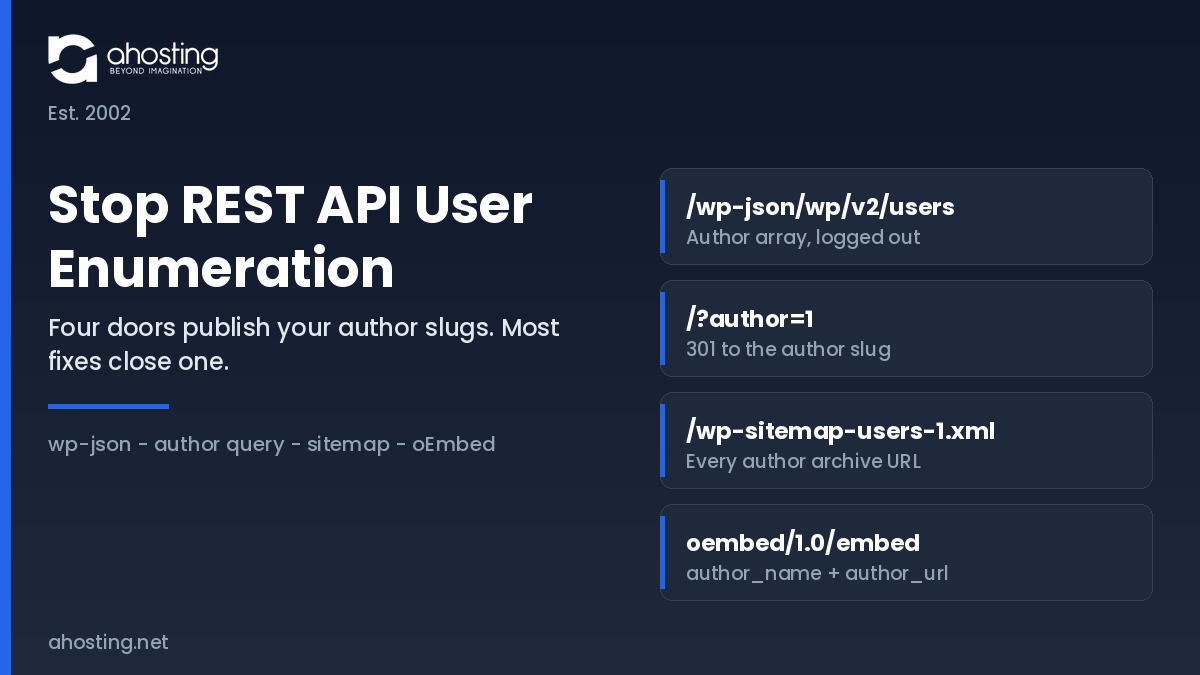
    The REST route is the one scanners probe first, which is why it collects the attention. It is not the only one. Three further core features publish the same author slugs by different means, and closing the REST route alone simply moves the collection to whichever door is still open.

    DoorAnonymous requestWhat it returnsClosed byOpen after a REST-only fix
    1. REST users routes/wp-json/wp/v2/usersID, display name, author slug, avatar, archive linkCapability gate via rest_endpointsNo
    2. Author query redirect/?author=1A 301 to /author/slug/, printing the slug in the URLtemplate_redirect guard or a rewrite ruleYes
    3. Core users sitemap/wp-sitemap-users-1.xmlEvery author archive URL on the sitewp_sitemaps_add_provider filterYes
    4. oEmbed endpoint/wp-json/oembed/1.0/embed?url=author_name and author_url for any public postoembed_response_data filterYes
    The AHosting Username Exposure Matrix: the four core routes that publish author slugs, the fix that closes each, and which remain reachable if you close only the REST route.

    The users sitemap is the one that surprises people, because it arrived quietly with automatic sitemaps in WordPress 5.5 and is enabled by default. Agencies feel the combined effect hardest. An account running many client installations publishes a separate author list per domain, so reseller hosting environments need the same four fixes deployed uniformly rather than site by site.

    The four doors that leak WordPress author slugs Four core routes publish author slugs: the REST users routes, the numeric author query redirect, the core users sitemap, and the oEmbed endpoint. All four feed a single username list, which is then used for credential stuffing against the login endpoint, consuming entry processes on shared hosting. Four doors, one username list Closing only the REST route leaves three routes returning the same author slugs Door 1 /wp-json/wp/v2/users Door 2 /?author=1 redirect Door 3 /wp-sitemap-users-1.xml Door 4 oembed/1.0/embed Author slug list user_nicename, which on default installs matches login Credential stuffing Half the login pair is now known before the first password guess Entry process cost Probes bypass cache entirely and consume one PHP slot per request AHosting.net | Est. 2002

    How to Stop REST API User Enumeration Without Breaking the Block Editor

    To stop REST API user enumeration without breaking anything, restrict the two users routes behind a capability check rather than removing them, and close the other three doors in the same file.

    Deliver all four fixes as a single must-use plugin. Create wp-content/mu-plugins if it does not exist, then upload one PHP file. Files there load automatically, cannot be deactivated from the dashboard, and survive theme switches and core updates, which is where the usual functions.php advice fails.

    First, Gate the Users Routes by Capability

    The rest_endpoints filter edits the route table before dispatch. Rather than unsetting the routes, replace the permission callback so the routes still exist but answer only to a request that can list users.

    <?php
    /* Plugin Name: AHosting Author Slug Hardening */
    
    add_filter( 'rest_endpoints', function ( $endpoints ) {
        $routes = array( '/wp/v2/users', '/wp/v2/users/(?P<id>[\d]+)' );
        foreach ( $routes as $route ) {
            if ( ! isset( $endpoints[ $route ] ) ) {
                continue;
            }
            foreach ( $endpoints[ $route ] as $i => $handler ) {
                if ( ! isset( $handler['methods'] ) ) {
                    continue;
                }
                if ( false === strpos( $handler['methods'], 'GET' ) ) {
                    continue;
                }
                $endpoints[ $route ][ $i ]['permission_callback'] = function () {
                    return current_user_can( 'list_users' );
                };
            }
        }
        return $endpoints;
    } );

    An anonymous request now receives a 401 while an editor session continues to populate the author dropdown. By contrast, the widely copied unset approach deletes the route for everyone, including administrators.

    Next, Close the Author Archive Redirect

    The numeric author query is the oldest vector and predates REST entirely. Catch it early and send the visitor to the homepage.

    add_action( 'template_redirect', function () {
        if ( is_admin() ) {
            return;
        }
        if ( ! isset( $_GET['author'] ) ) {
            return;
        }
        wp_safe_redirect( home_url( '/' ), 301 );
        exit;
    } );

    Sites that genuinely publish author archives for readers should skip this one and accept the exposure knowingly. That is a legitimate editorial trade-off rather than an oversight.

    Then, Drop the Users Sitemap Provider

    Core registers a users provider inside its automatic sitemap index. Returning false for that provider removes the file and its index entry together.

    add_filter( 'wp_sitemaps_add_provider', function ( $provider, $name ) {
        if ( 'users' === $name ) {
            return false;
        }
        return $provider;
    }, 10, 2 );

    Verify afterwards that the sitemap index no longer references the users file, because a cached index will keep advertising a path that now returns a 404.

    Finally, Strip Author Fields From oEmbed

    The embed endpoint answers for any public post URL and includes the author name and archive link in its response.

    add_filter( 'oembed_response_data', function ( $data ) {
        unset( $data['author_name'] );
        unset( $data['author_url'] );
        return $data;
    } );

    Embedding your posts elsewhere continues to work; the embed card simply loses its byline. Additionally, if you never want other sites discovering embeds at all, remove the discovery links from the document head as a separate decision.

    Blast Radius: What Each Way to Stop REST API User Enumeration Breaks

    Three methods circulate for this problem and they are not interchangeable. The table below scores each against the surfaces a live site actually depends on, which is the comparison the published snippets leave out.

    SurfaceUnset the routesBlock all anonymous RESTCapability gate (recommended)
    Anonymous users routeBlocked (404)Blocked (401)Blocked (401)
    Block editor author dropdownBrokenWorksWorks
    WooCommerce admin REST callsWorksWorksWorks
    wp-abilities/v1 discovery (7.0)WorksBrokenWorks
    Headless front end author dataBrokenBrokenBroken unless exempted
    Other three enumeration doorsStill openStill openStill open
    Site Health REST loopbackWorksFailsWorks
    The REST Restriction Blast-Radius Table: what each of the three published methods costs across seven live surfaces.

    Two rows deserve emphasis, and both explain why teams that stop REST API user enumeration once still report breakage weeks later. Unsetting the routes removes them for authenticated administrators too, which is why sites that apply it report a broken author dropdown days later without connecting the two events. A site-wide anonymous block, applied through the rest_authentication_errors filter, is heavier still. Stores feel that second one first, since WooCommerce hosting environments run several integrations that assume REST answers predictably.

    The final row is the point of the whole exercise. Every method closes exactly one of the four doors, so no row in this table represents a finished job on its own.

    WordPress 7.0 Changed the Cost of Blocking REST Traffic Site-Wide

    The blunt fix got more expensive in 2026, and the reason is a namespace most site owners have never opened.

    The Abilities API arrived in WordPress 6.9 as a registry that lets plugins, themes, and core declare named capabilities with input and output schemas and permission rules. WordPress 7.0, released in May 2026, shipped its JavaScript client counterpart along with REST endpoints under the wp-abilities/v1 namespace, and core itself registers a small initial set covering site, environment, and current-user information. WordPress 7.1 extends how those abilities are discovered and filtered through the same REST collection.

    Those routes run their own permission callbacks, so they are not an anonymous disclosure problem. The consequence is the opposite one. A filter that returns an error for every unauthenticated REST request now takes down agent and AI-client discovery as a side effect, on a site whose owner was only trying to hide four usernames. Sites already reviewing what the 7.0 release turned on will find the same reasoning in our guide to disabling the WordPress AI features introduced in 7.0.

    Scoping the fix to the users routes avoids the trade entirely, which is why the capability gate is the recommendation here rather than a compromise.

    Check Your Own Exposure Before You Stop REST API User Enumeration

    Run the four checks below in a private browsing window, logged out, before and after you deploy the file. The checker records which doors are open and interprets the combination.

    Username Exposure Checker

    Answer for the site you are auditing. Each answer describes what an anonymous visitor gets today, not what you intend to configure.

    1. Does /wp-json/wp/v2/users return an author array when you are logged out?
    2. Does /?author=1 redirect to an author archive URL containing a slug?
    3. Does /wp-sitemap-users-1.xml list author archive URLs?
    4. Does the oEmbed response for any post carry author_name and author_url?
    Answer all four questions to see your exposure profile.
    See what ships hardened on AHosting WordPress Hosting

    Test while logged out without exception. An administrator session passes the capability check, so a logged-in test returns author data on a correctly hardened site and reads as a failure.

    Where Hosting Sits: Server-Level Context on AHosting WordPress Hosting

    Enumeration is an application-layer disclosure, so no hosting plan closes it for you. The server layer still governs what the probing costs while it happens.

    These routes are never served from cache. A cached page consumes no PHP worker at all, but a REST request and an author redirect both reach PHP, and each concurrent request occupies one entry process. AHosting allocates entry processes by tier, at 15 on Bronze, 25 on Silver, and 40 on Gold. A scripted sweep across a numeric ID range is therefore a small, sustained draw on the same pool your visitors use. When that pool saturates, CloudLinux queues requests rather than rejecting them instantly, and the LiteSpeed connection timeout of 120 seconds is the window before a queued request is answered with a 503. Our guide to the entry-process ceiling behind resource-limit errors covers that mechanism in full.

    What It Costs to Leave REST API User Enumeration Open

    Reconnaissance is also the first half of a longer sequence. A collected username list feeds the login and endpoint floods described in our guide to stopping an XML-RPC bot flood, and the server-side controls in our overview of WordPress hosting security below the plugin layer are what absorb the second half. Sites where sustained bot traffic competes with real visitors for the same worker pool are the usual candidates for moving to a VPS with a worker pool you size yourself, or for dedicated hardware once shared infrastructure is genuinely outgrown.

    One deployment note specific to shared accounts. Upload the file rather than pasting into a theme editor, and if a syntax error takes the site down, the recovery path is in our guide to the WordPress white screen of death. Every AHosting WordPress plan also ships a free dedicated IP and CloudLinux CageFS isolation, which govern reputation and containment rather than disclosure.

    A Checklist to Stop REST API User Enumeration and Keep It Closed

    Work through this once at deployment, then re-run the verification half after any migration, restore, or theme change. The steps that stop REST API user enumeration are code; the steps that keep it stopped are habit.

    • Create wp-content/mu-plugins and upload a single hardening file rather than editing a theme.
    • Gate the two users routes by capability instead of unsetting them.
    • Redirect the numeric author query, unless author archives are deliberately public.
    • Remove the users provider from the automatic sitemap and confirm the index no longer lists it.
    • Strip author_name and author_url from the oEmbed response.
    • Verify all four routes from a logged-out private window, never from an admin session.
    • Confirm the block editor author dropdown still populates after deployment.
    • Change the author slug on any account where it still equals the login name.
    • Re-test after every restore, because three of these fixes live in a file a rollback can remove.
    • Record the scan finding as a reviewed configuration decision rather than an open vulnerability.

    Above all, treat the slug change as the step that outlasts the rest. Fixing the routes hides the mapping, whereas breaking the link between slug and login name removes the value of the mapping even if a future change reopens a door.

    Frequently Asked Questions: Stop REST API User Enumeration

    How do I turn off the REST API in WordPress without breaking Gutenberg in 2026?

    Specifically, do not turn the whole REST API off. Gate only the two users routes behind a capability check with the rest_endpoints filter, which leaves every other route reachable. Gutenberg, WooCommerce admin screens, and the WordPress 7.0 ability endpoints all keep working because their requests carry an authenticated session. A site-wide authentication block is the version of this fix that breaks the editor, and the blast-radius table earlier in this guide shows exactly which six surfaces it takes down.

    rest_endpoints vs rest_authentication_errors: which filter should I use to stop REST API user enumeration?

    Therefore the answer depends on scope. The rest_endpoints filter edits the route table itself, so it can target the users collection and single-user routes and leave everything else alone. The rest_authentication_errors filter sits in front of every route at once, which makes it a blunt instrument for this job. Use rest_endpoints with a permission callback for enumeration, and reserve rest_authentication_errors for genuinely private installations where no route should answer an anonymous request.

    Does WordPress 7.0 expose more user data through the wp-abilities/v1 namespace in 2026?

    Notably, it adds a second REST namespace rather than more public user data. WordPress 6.9 introduced the Abilities API and WordPress 7.0 shipped its JavaScript client, registering a small core set covering site, environment, and current-user information under wp-abilities/v1. Those abilities run permission callbacks of their own, so they are not an anonymous disclosure route. The practical consequence is different: a blanket authentication block now silently disables agent and AI-client discovery as well.

    Should I stop REST API user enumeration on an AHosting reseller account hosting 30 client sites?

    Ultimately yes, and the reseller case is the strongest one. Every client site under a reseller account publishes its own author list, so a single scripted pass across 30 domains returns 30 username sets from one afternoon of work. Deploy the same mu-plugin file to each account rather than editing 30 themes, because a theme switch on any one site silently reopens the door. The exposure matrix in this guide lists the four vectors each deployment has to close.

    Why does my security scanner still report CVE-2017-5487 on a fully patched WordPress 7.0 site?

    In fact, that finding is almost always a misattribution. CVE-2017-5487 was fixed in WordPress 4.7.1 in January 2017, which narrowed the users endpoint to authors of post types that opt into REST. What your scanner detects today is the remaining intended behavior, not the unpatched flaw, and several scanner templates simply map any reachable users route to the old identifier. Treat it as a configuration finding to decide on, never as evidence of an unpatched core.

    Author archive redirect vs REST endpoint restriction: which closes more username exposure?

    By contrast with the common assumption, neither one closes the exposure alone. The REST restriction shuts the route most scanners probe first, while the author redirect shuts the oldest vector, the numeric author query that resolves to a slug in the URL. Two further doors stay open behind both of them, namely the core users sitemap and the oEmbed response. Closing any single door moves the attacker to the next one rather than stopping the collection.

    Can an mu-plugin stop REST API user enumeration on AHosting WordPress hosting in 2026?

    Fortunately yes, and an mu-plugin is the right delivery method on any cPanel account. Files placed in wp-content/mu-plugins load automatically, cannot be deactivated from the dashboard, and survive both theme changes and core updates, which is where functions.php edits usually fail. Create the directory through the cPanel File Manager if it does not exist yet, then upload a single PHP file containing all four fixes. No support ticket and no server-level change is required.

    What happens if I stop REST API user enumeration on a headless WordPress site using the users endpoint?

    Consequently, a headless front end that renders author bylines from the users route will start receiving empty responses. Handle it by exempting a specific application password or by embedding author data in the posts response with the _embed parameter instead of a separate users call. Test the front end against a staging copy before deploying, because the failure is a missing byline rather than a visible error, and that is easy to ship without noticing.

    What is the AHosting Username Exposure Matrix and which four vectors does it cover?

    Similarly to a pre-flight checklist, it is a four-row reference that maps every core route that publishes an author slug against the fix that closes it. The four vectors are the REST users routes, the numeric author query redirect, the core users sitemap added in WordPress 5.5, and the oEmbed embed endpoint. Each row also records what remains reachable if you close only the REST route, which is the mistake most published guides encourage.

    Does a dedicated IP address help stop REST API user enumeration attempts before they reach WordPress?

    Interestingly, a dedicated IP changes reputation rather than reachability. Enumeration probes target your domain, so they arrive whichever address answers, and the request still reaches PHP because these routes are never served from cache. What a dedicated IP does change is that your address carries no other tenant's history, so firewall reputation decisions about your traffic reflect only your own site. Isolation and the application-layer fix solve different halves of the problem.

    August 20, 2026
  • WordPress Hosting Security in 2026: The Server-Level Protection Plugins Can’t Add

    WordPress Hosting Security in 2026: The Server-Level Protection Plugins Can’t Add

    • Listen to the Podcast!
    • What WordPress Hosting Security Actually Means in 2026
    • Why WordPress Sites Get Hacked With Every Security Plugin Installed
      • The Three Failure Points Plugins Can't Reach
    • The Bad-Neighbor Problem: WordPress Hosting Security Risk #1
    • Account Isolation: How CageFS Contains the Spread
      • Isolation Also Stops the Resource Attack
    • Firewall at the Door: Blocking Attacks Before WordPress Loads
      • Real Operational Hardening, Not Just Defaults
    • Shared vs VPS vs Dedicated: How Much Isolation You Actually Need
    • Host vs Plugin: Who Protects What
    • The AHosting Approach: 22 Years of WordPress Hosting Security
    • A Practical WordPress Hosting Security Checklist
    • Conclusion: Real WordPress Hosting Security Starts Below the Plugin Layer
    • FAQ
    Home » Security
    TL;DR
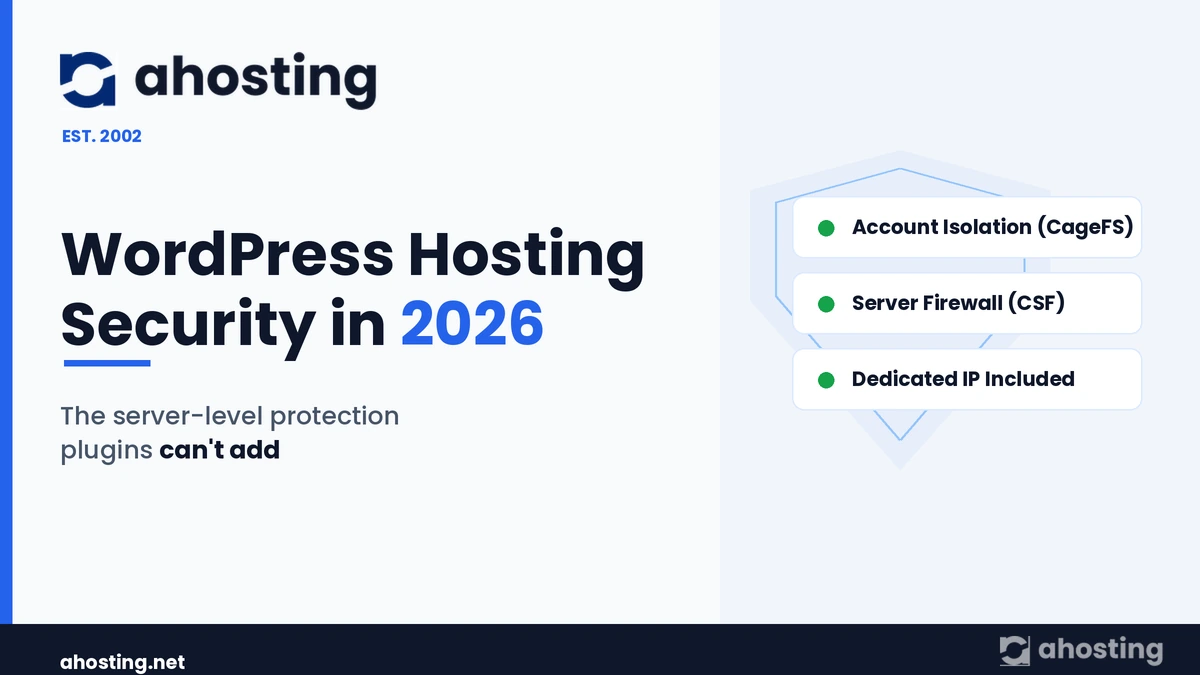
    WordPress hosting security in 2026 is decided below the plugin layer: account isolation, a server firewall, and a clean dedicated IP stop the cross-site hacks and brute-force floods that no plugin inside WordPress can reach.

    Listen to the Podcast!

    Hosted by Matt Chrust, AHosting

    You did everything the guides told you to do. You installed a security plugin, enabled two-factor login, set a long password, and kept WordPress core updated — yet the site still got defaced, or the host still suspended the account for sending spam. WordPress hosting security is the part of that story almost nobody explains, because the failure rarely happens inside WordPress at all. It happens one layer down, on the server, where your plugins have no visibility and no control.

    WordPress now powers a huge share of the web — around 43% of all websites — which also makes it the single most probed application on the internet. Consequently, the attacks that matter most in 2026 are automated, relentless, and aimed at the server first. This guide explains what your host controls that your plugins cannot, why shared servers leak from neighbor to neighbor, and how to tell whether your provider is actually protecting you.

    What WordPress Hosting Security Actually Means in 2026

    WordPress hosting security is the protection delivered by the server beneath your site — isolation, firewalling, secure PHP, and IP reputation — not the plugins running inside WordPress. In other words, it is everything that happens before a request reaches wp-load.php, plus everything that contains the damage if a site is ever compromised.

    Definition: WordPress hosting security is the set of server-level controls — per-account isolation, a network firewall, hardened PHP handling, and dedicated IP reputation — that protect a WordPress site from threats that application plugins cannot see or stop. It operates beneath WordPress, not inside it.

    Plugins, by contrast, defend the application layer: login forms, file changes, and known vulnerability signatures. That work is genuinely useful. However, a plugin only runs once WordPress has already loaded, which means it cannot stop traffic that never reaches PHP, and it cannot police the account next to yours. Therefore the two layers are complementary — and the lower layer is the one most site owners never see.

    Why WordPress Sites Get Hacked With Every Security Plugin Installed

    Most compromised sites were running a security plugin at the time. Typically, the breach arrives through a path the plugin was never positioned to guard: a single outdated component, a stolen credential, or a neighbor on the same machine.

    According to industry clean-up reports, the large majority of WordPress hacks trace back to a vulnerable plugin or theme rather than to WordPress core. Furthermore, credential attacks have industrialized: bots spray reused passwords against wp-login.php thousands of times a day, and a security plugin must wake up, evaluate, and respond to each attempt — consuming the very server resources the attacker is trying to exhaust.

    The Three Failure Points Plugins Can’t Reach

    First, there is traffic that never reaches your site logic. Brute-force and denial-of-service floods are most cheaply stopped at the network edge, before PHP spins up. Second, there is the neighbor problem, where another account on a shared server is breached and the infection walks across the file system. Third, there is IP reputation, where a stranger’s spam blacklists an address you happen to share. Notably, all three live below WordPress — so a plugin, however good, simply cannot intervene.

    The Bad-Neighbor Problem: WordPress Hosting Security Risk #1

    The bad-neighbor effect is the biggest WordPress hosting security risk that site owners never think about. Specifically, it is what happens when a different site on your shared server is hacked or blacklisted and the consequences spill onto you.

    On a poorly isolated shared server, every account can read across the same file system. As a result, when one site is compromised, the attacker scans the machine for other WordPress installations and harvests their databases — a documented, common shared-hosting attack pattern. Meanwhile, if a neighbor’s site starts blasting spam, the shared IP address lands on a blocklist, and suddenly your contact-form replies and password resets vanish into spam folders too.

    This is the failure mode that makes “is shared hosting safe?” the wrong question. The right question is whether the shared hosting is isolated. AHosting addresses the IP half of this problem directly: a dedicated IP is included with every WordPress hosting plan, so your reputation is never pooled with strangers. We covered the search-and-deliverability side of IP reputation in our earlier piece on how your hosting IP affects AI search

    Shared server, no isolation Hacked site A Site B exposed Site C exposed Site D exposed Shared file system + shared IP One breach spreads to all CloudLinux + CageFS Hacked site A (caged) Site B safe Site C safe Site D safe Each site sealed + dedicated IP Breach stays contained WordPress hosting security — server-level isolation, AHosting (est. 2002)

    Account Isolation: How CageFS Contains the Spread

    Account isolation is the server feature that stops one hacked site from reaching another, and it is the most important WordPress security control most buyers never check for. Essentially, it gives every account its own sealed environment so a breach stays contained.

    AHosting runs CloudLinux with CageFS on its WordPress servers. In practice, CageFS places each account inside a virtualized file system: from inside your cage, the other accounts on the machine do not appear to exist. Consequently, a compromised neighbor cannot read your wp-config.php, cannot reach your database credentials, and cannot list your files — the exact moves that turn one hacked site into ten.

    Isolation Also Stops the Resource Attack

    CloudLinux adds a second benefit that doubles as security. Because each account gets capped CPU, memory, and process limits, a neighbor under attack — or mining cryptocurrency after a breach — cannot starve your site of resources. Therefore the “noisy neighbor” crash and the “compromised neighbor” breach are contained by the same architecture. As AHosting’s own platform notes, every site “runs in its own secure environment, unaffected by traffic spikes or security issues on neighboring accounts,” on a LiteSpeed and LSCache stack. This server-side foundation is also why raw speed is a hosting decision, not a plugin one — a theme we detailed in the seven server-side speed factors no plugin can fix.

    Firewall at the Door: Blocking Attacks Before WordPress Loads

    A server firewall stops malicious traffic before it ever reaches PHP, which makes it the most efficient WordPress defense layer of all. Directly put: it is far cheaper to drop a brute-force flood at the network than to let WordPress and a plugin evaluate every request.

    AHosting uses ConfigServer Security & Firewall (CSF) at the server level. It watches for the signatures of automated abuse — repeated failed logins, request floods, and known scanner patterns — and blocks the source before the traffic touches your site. In Q1 2026, the average low-traffic site on our servers saw 50+ brute-force attempts blocked at this layer; higher-traffic sites saw exponentially more. A login plugin could, in theory, react to each of those attempts — but only after they had already consumed PHP workers and database connections.

    Real Operational Hardening, Not Just Defaults

    Furthermore, a firewall is only as good as how it is run. When a scanning subnet repeatedly probed our network, we blocked the entire range rather than chasing individual addresses, and we raised our deny-list capacity so that persistent offenders stay blocked rather than aging out. This is the kind of day-to-day operational work that WordPress’s own hardening guidance assumes a host is doing — and that no plugin can perform on your behalf.

    Shared vs VPS vs Dedicated: How Much Isolation You Actually Need

    The right amount of isolation depends on your traffic and your need for control, not on fear. For most WordPress sites, isolated shared hosting is genuinely secure; for large or sensitive workloads, a private environment adds a further wall.

    FactorIsolated Shared (CageFS)VPSDedicated Server
    Neighbor isolationPer-account cageFull OS-level containerEntire physical machine
    Root / config controlManaged by hostFull root accessFull root access
    Best forBlogs, business sites, small storesGrowing stores, membership sitesHigh-traffic or compliance-bound sites
    Resource limitsCapped per accountGuaranteed allocationAll hardware is yours
    Dedicated IPIncludedIncludedIncluded
    Winner for typical WordPress site✅ Sufficient for mostStep up under loadMaximum isolation

    In short, if you run a brochure site, a blog, or a modest store, isolated shared hosting with CageFS already gives you VPS-style separation. By contrast, once you need guaranteed resources, custom server software, or root-level control, a VPS adds a full container around your stack, and a dedicated server gives you the whole machine. All three include a dedicated IP as standard.

    Host vs Plugin: Who Protects What

    The clearest way to think about WordPress security is as a division of labor between two layers that cannot do each other’s jobs. Specifically, the host owns the server perimeter and isolation, while the plugin owns the application interior.

    ThreatStopped by the hostStopped by a plugin
    Brute-force login floods✅ Firewall drops at the edgePartial — reacts after PHP loads
    Cross-site (neighbor) infection✅ CageFS isolation❌ No visibility outside WordPress
    Blacklisted shared IP✅ Dedicated IP❌ Cannot change your IP
    Outdated plugin/theme exploitPartial — secure PHP limits blast radius✅ Vulnerability scanning, virtual patching
    Weak admin password❌✅ 2FA, login limits
    Resource-exhaustion abuse✅ CloudLinux limits❌

    Clearly, neither layer is optional. However, the layer most site owners never evaluate — the host — is the one that decides whether a single mistake becomes a single hacked site or a server-wide disaster.

    The AHosting Approach: 22 Years of WordPress Hosting Security

    AHosting’s approach to WordPress hosting security is to make isolation and firewalling the default, not an upsell. Fundamentally, we have operated multi-tenant servers since 2002, and that longevity is itself a security signal.

    “Security you can’t see is the kind that works. Isolation, a firewall, and a clean IP do their job silently — long before any plugin would have a chance to react.” — Matt Chrust, Director of Business Development

    Across our plans, every WordPress account runs inside CloudLinux with CageFS isolation, behind CSF at the network layer, on LiteSpeed with LSCache, with a dedicated IP included as standard. Together, these close the three gaps plugins cannot: the neighbor, the flood, and the shared reputation. For teams managing many client sites, the same isolation model underpins our web hosting plans, so one compromised client never threatens the rest.

    Is Your Host Actually Protecting You?

    Answer 6 questions about your current WordPress host’s server-level security.

    Score: 0 / 6
    Answer the questions to see how protected you are.
    See AHosting’s secure WordPress plans

    A Practical WordPress Hosting Security Checklist

    Use this checklist to judge whether your current host is doing the server-level work that plugins cannot. Generally, a “no” on any of the first four is a reason to move.

    Server-level (the host’s job):

    • Does every account run in its own isolated environment (CloudLinux / CageFS or equivalent)?
    • Is there an active server firewall dropping brute-force and scanner traffic before PHP?
    • Do you get a dedicated IP, so a neighbor’s reputation is never yours?
    • Are current, supported PHP versions available and enforced?

    Application-level (your job — and your plugin’s):

    • Are WordPress core, plugins, and themes updated promptly?
    • Is two-factor authentication enabled on every admin account?
    • Are unused plugins and themes removed entirely, not just deactivated?
    • Do you keep tested, off-site backups you could actually restore from?

    Importantly, the top group is the half most people skip — and the half a plugin can never cover for you.

    Conclusion: Real WordPress Hosting Security Starts Below the Plugin Layer

    For two decades the WordPress security conversation has pointed inward, toward plugins and passwords. Those things matter. Ultimately, though, the attacks that take sites down in 2026 — automated brute-force floods, cross-site neighbor infections, and shared-IP blacklisting — all strike below the application, where only the host can answer.

    AHosting was built for that layer. Since 2002, every WordPress site we host has run isolated by CageFS, guarded by CSF, and given its own dedicated IP — the protection plugins can’t add. To put that foundation under your site, explore our WordPress hosting plans and see what your current host has been leaving to chance.


    FAQ

    Frequently Asked Questions
    Everything you need to know about WordPress hosting security
    0 of 10 answered
    May 27, 2026
  • CMS-Targeted Attacks Are Only Going To Get More Frequent: Here’s How To Protect Yourself

    CMS-Targeted Attacks Are Only Going To Get More Frequent: Here’s How To Protect Yourself

    Recently, Finnish security researcher Joukou Pynnonen revealed a security flaw in Yoast’s WordPress SEO plugin which allowed hackers to take over the administrator account of any CMS on which the plugin was installed. One of the most popular SEO tools on the web; Yoast’s plugin has been downloaded nearly seven million times – meaning there’s a staggering number of WordPress sites impacted by the vulnerability. Unfortunately, this story is nothing new. (more…)

    April 7, 2015
  • Protecting Your WordPress Blog From A DDoS Attack

    Protecting Your WordPress Blog From A DDoS Attack

    You could be forgiven for thinking Distributed Denial of Service attacks aren’t really anything to be taken seriously. After all, they’re basically the hacking equivalent of driving a truck into a storefront. Although they can wreak a bit of havoc, they don’t require any real technical skill, and as such they’re pretty easy to defend against, right?

    Right? (more…)

    February 3, 2015
  • Keeping Your Website Safe From WordPress’s XSS Vulnerability

    Keeping Your Website Safe From WordPress’s XSS Vulnerability

    Last month, a Finnish IT company by the name of Klikki Oy identified a critical vulnerability in WordPress – one which has been present in the platform for approximately four years. It allows attackers to enter comments which include malicious JavaScript. Once the script in these comments is executed, the attacker could then do anything from infecting the PCs of visitors to completely hijacking the website; locking the original administrator out of their account. (more…)

    December 2, 2014
Ahosting Logo

Hosting

  • WordPress Hosting
  • Web Hosting
  • FFmpeg Hosting
  • WooCommerce Hosting
  • Reseller Hosting
  • VPS Hosting
  • Dedicated Server

Domain

  • Register a Domain
  • Domain Transfer
  • Premium SSL Certificate

Support

  • Knowledge Base
  • Abuse Report
  • Submit A Ticket

Company

  • Compare Hosts
  • About Us
  • Datacenter
  • Contact Us
  • Blog
  • Sitemap

Legal

  • Privacy Policy
  • Terms of Service
  • Acceptable Use Policy
  • Service Level Agreement
  • Resource Abuse Policy
  • Hosting
    • WordPress Hosting
    • Web Hosting
    • FFMpeg Hosting
    • WooCommerce Hosting
    • Reseller Hosting
    • VPS Hosting
    • Dedicated Server
  • Domain
    • Register a Domain
    • Domain Transfer
    • Premium SSL Certificate
  • Support
    • Knowledge Base
    • Abuse Report
    • Submit A Ticket
  • Company
    • About Us
    • Datacenter
    • Contact Us
    • Blog
    • Sitemap
  • Legal
    • Privacy Policy
    • Terms of Service
    • Acceptable Use Policy
    • Service Level Agreement
    • Resource Abuse Policy

Copyright © 2026 All Rights Reserved

Ahosting, Inc. BBB Accredited Business, A+ rating
Facebook X/Twitter Instagram LinkedIn YouTube