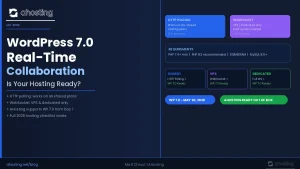
WordPress 7.0 recommends PHP 8.3+ and MySQL 8.0 or MariaDB 10.6. It still runs on PHP 7.2.24+ and MySQL 5.5.5+, but both are end-of-life and a security risk. If your host has not upgraded, you risk a broken dashboard the moment you hit “update.”
- 🎧 Listen to This Post as a Podcast
- WordPress 7.0 Hosting Requirements: What Actually Changed
- The Full WordPress 7.0 Hosting Requirements: Minimum Specs
- PHP 8.1 Is End-of-Life: The Most Urgent WordPress 7.0 Hosting Requirement
- WordPress 7.0 Hosting Requirements for AI Features
- MySQL 8.0: The WordPress 7.0 Hosting Requirement Most Hosts Ignore
- Does Your Setup Meet the WordPress 7.0 Hosting Requirements?
- AHosting: Meeting WordPress 7.0 Hosting Requirements Since 2002
- How to Upgrade Your Hosting to Meet WordPress 7.0 Requirements
- WordPress 7.0 Hosting Requirements: Quick Reference Table
- Conclusion: Get Your WordPress 7.0 Hosting Requirements Right Before You Update
- Frequently Asked Questions About WordPress 7.0 Hosting Requirements
WordPress 7.0 is officially here. After months of work, two delays, and four release candidates, the biggest WordPress update in years landed on May 20, 2026. It is not just a feature drop. Indeed, it is a platform shift. The new Abilities API, WP AI Client, and DataViews admin redesign all point one way: the bar for hosting just went up. Do you know the WordPress 7.0 hosting requirements and is your host ready?
However, most upgrade guides cover what WordPress 7.0 does. This one covers whether your hosting can actually run it — and what to do right now if it can’t.
Whether you are a site owner who clicks “update” and hopes for the best, or a developer with a dozen client sites to manage, this post tells you exactly what to check before you hit that button.
🎧 Listen to This Post as a Podcast
WordPress 7.0 Hosting Requirements: What Actually Changed
In fact, the WordPress 7.0 hosting requirements changed because the platform itself changed. For most of the past decade, hosting specs barely moved. New blocks, better tooling, small tweaks. For example, PHP 8.0 worked fine. MySQL 5.7 kept running. Budget shared hosting plans kept pace without friction.
However, WordPress 7.0 breaks that pattern. Three things changed at once. Together, they raise the bar for what any host must provide.
The Three Requirements That Changed Everything
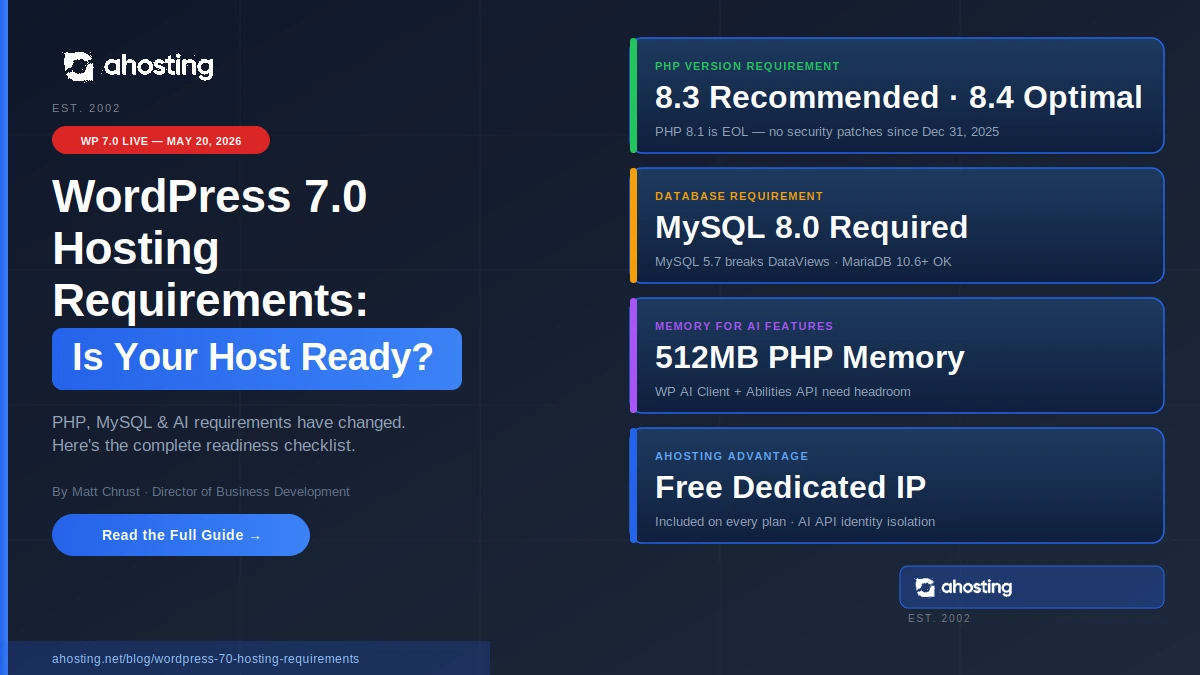
1. The PHP floor moved up. Specifically, WordPress 7.0 recommends PHP 8.3 or greater. It will still run on PHP 7.2.24+, but that version is end-of-life and WordPress.org warns it may expose your site to security
vulnerabilities. In particular, PHP 8.3 is the recommended version, with PHP 8.4 offering the best speed of any supported release. If your host still defaults to PHP 8.1, that version went end-of-life on December 31, 2025. Your site is running without security patches.
2. The database bar rose. Additionally, WordPress 7.0 recommends MySQL 8.0 or MariaDB 10.6. The legacy floor is MySQL 5.5.5+, but anything below 8.0 is end-of-life. MySQL 5.7 lost support in January 2024. Indeed, many budget hosts still run MySQL 5.7. That problem shows up after you update — not before. Database issues on improperly configured environments can be made even worse for sites with dynamic content.
3. AI features need real memory. Furthermore, the new Abilities API and WP AI Client need at least 512MB of PHP memory to run well. The WordPress default has always been 64MB or 128MB. Plans capped at 256MB will, consequently, see AI features fail silently.
In practice, none of this is theory. If you upgrade on a host that has not kept up, you will see a broken admin panel, failed plugins, or a white screen from a database conflict. Typically, you will only find out when something breaks.
Let’s go through each WordPress 7.0 hosting requirement in detail.

The Full WordPress 7.0 Hosting Requirements: Minimum Specs
Before diving into the why, here is the complete list of WordPress 7.0 hosting requirements. These align with the official WordPress system requirements published on WordPress.org. Also, print it. Share it with your host. Check it before you update.
| Component | Legacy floor (EOL/Insecure) | Recommended | Optimal |
|---|---|---|---|
| PHP | 7.2.24+ (EOL) | 8.3 | 8.4 |
| MySQL | 5.5.5+ (EOL) | 8.0 | 8.4 |
| MariaDB | 5.5.5 (EOL) | 10.6 | 11.4 LTS |
| PHP Memory | 64MB | 256MB | 512MB+ |
| Disk Space | 1GB | 5GB+ | Varies |
| HTTPS | Required | Required | With HTTP/2 |
| PHP Extensions | mod_rewrite, cURL, DOM, Exif, Fileinfo, Hash, Imagick or GD, JSON, Mbstring, OpenSSL, pcre, XMLReader, Zip | Same | Same |
Notably, the most important row for existing site owners is PHP. Meeting the WordPress 7.0 hosting requirements for PHP means running at least version 7.2.24+. In practice, you want 8.3 or 8.4. Specifically, anything below 8.2 is either end-of-life or close to it.
However, the database row is the one most people miss. That jump from MySQL 5.7 to MySQL 8.0 is not a small update. It changes how the database handles queries. Moreover, the new DataViews admin is optimized for MySQL 8.0 behavior. If you are on a WordPress hosting plan set up years ago on a cheap shared tier, there is a real chance your host has not upgraded the database. Most do not announce it. Typically, you only find out when something breaks.
How to Check Your Current PHP and MySQL Versions
The fastest way to check your WordPress 7.0 hosting requirements is to open Tools → Site Health → Info → Server in your WordPress admin. Your PHP version, database type, and database version are all listed there.
From the command line, for VPS hosting users:
php -v          # Shows your PHP version
mysql -V        # Shows your MySQL/MariaDB version
By contrast, shared hosting users depend on their host to make upgrades. If your host has not moved to MySQL 8.0, it is time to push them — or find a host that already meets the WordPress 7.0 hosting requirements as standard.
PHP 8.1 Is End-of-Life: The Most Urgent WordPress 7.0 Hosting Requirement
Here is the WordPress 7.0 hosting requirement that gets the least attention. PHP 8.1 went end-of-life on December 31, 2025. That means no patches at all — not limited, and not critical-only. PHP 8.1 is therefore fully unsupported now.
Consequently, many shared hosting plans still default new installs to PHP 8.1. Budget hosts avoid upgrade costs. As a result, you — the site owner — carry the security risk.
Here is the full PHP lifecycle for 2026, based on the PHP supported versions page:
| PHP Version | Active Support | Security Support | Status in 2026 |
|---|---|---|---|
| PHP 7.4 | Ended Nov 2021 | Ended Nov 2022 | ⛔ Critical: unsupported 4+ years |
| PHP 8.0 | Ended Nov 2022 | Ended Nov 2023 | ⛔ Critical: unsupported 3+ years |
| PHP 8.1 | Ended Nov 2023 | Ended Dec 31, 2025 | ⚠️ EOL — no patches, active risk |
| PHP 8.2 | Ended Dec 2024 | Ends Dec 2026 | ⚠️ Security-only until year end |
| PHP 8.3 | Ends Dec 2025 | Ends Dec 2027 | ✅ Safe through 2027 |
| PHP 8.4 | Ends Dec 2026 | Ends Dec 2028 | ✅ Best — safe through 2028 |
| PHP 8.5 | Ends Dec 2027 | Ends Dec 2029 | ✅ Newest — broadest coverage |
Which PHP Version Should You Run on WordPress 7.0?
Therefore, the answer for the WordPress 7.0 hosting requirements is clear: skip PHP 8.2 and go straight to 8.3 or 8.4. PHP 8.2 loses all support in December 2026. That is less than seven months away. You would upgrade only to face another upgrade before the year ends.
As a result, PHP 8.4 is the smarter long-term pick. Security patches run through December 2028. Independent 2026 benchmarks show it delivers a 6.6% speed gain for standard WordPress sites versus PHP 7.4 — and a 21% gain for WooCommerce stores.
Fortunately, AHosting’s WordPress hosting plans support PHP 8.3 and 8.4 on every tier. You switch versions in seconds via cPanel’s MultiPHP Manager. No support ticket, no wait, and no new plan needed.
WordPress 7.0 Hosting Requirements for AI Features
The biggest addition in WordPress 7.0 is not a new block. Specifically, it is the Abilities API and the WP AI Client. Together, they give WordPress a standard way to connect to AI services — OpenAI, Google Gemini, Anthropic Claude, and others — through one shared setup. This changes the WordPress 7.0 hosting requirements in ways most shared plans are not ready for. For more detail on what these tools do, see the WordPress core development blog.
Specifically, here is what the new AI system includes:
The Abilities API — A secure framework for AI-powered actions. Plugins use it to run tasks like content writing, image alt text, and translation. They request these through a gated system, so no plugin can grab your credentials directly.
WP AI Client — The connection layer. Set up your AI service once in Settings → Connectors. After that, every compatible plugin shares those settings. No more entering API keys in five different places.
AI Experiments Plugin — Ships with WordPress 7.0 core. It requires admin approval before plugins can access your AI setup. This stops a rogue plugin from quietly using your API credits.
Why Hosting Quality Affects WordPress 7.0 AI Performance
In practice, the WordPress 7.0 hosting requirements for AI features are not on a spec sheet. They show up in whether the features actually work. The AI tools make outbound calls from your server to an AI provider. As such, your hosting affects every one of those calls:
- Memory limits: The WP AI Client needs headroom. A 256MB PHP limit may not be enough when several AI tasks run at once. For WooCommerce hosting stores using AI at scale, 512MB is the floor.
- Response time: Server speed sets how fast your AI calls start and finish. Overloaded shared servers add delay to every AI task. In other words, a slow server means slow AI — every time.
- Dedicated IP stability: AI providers track request origins. On a shared IP, your calls can be flagged or slowed due to a neighbour site’s activity — not yours. A dedicated IP gives your AI calls a clean identity. Notably, this is why email experts have always backed dedicated IPs: you control your own reputation. AHosting includes a free dedicated IP on every WordPress plan.
- Uptime: AI workflows depend on your server being up. For example, a host with 99.9% uptime is still down eight hours per year. That gap shows up in the reliability of every AI-powered task.
MySQL 8.0: The WordPress 7.0 Hosting Requirement Most Hosts Ignore
Of all the WordPress 7.0 hosting requirements, the MySQL 8.0 recommended minimum gets the least coverage. That is a mistake — and indeed, it carries the potential for, at worst, broken parts of your site.
Here is what the gap looks like:
| Feature | MySQL 5.7 | MySQL 8.0 | MariaDB 10.6 |
|---|---|---|---|
| DataViews admin tables | ⚠️ Errors possible | ✅ Full support | ✅ Full support |
| Common Table Expressions | Limited | ✅ Full support | ✅ Full support |
| Window functions | ⚠️ Errors possible | ✅ Full support | ✅ Full support |
| JSON functions | Basic | ✅ Enhanced | ✅ Enhanced |
| UTF-8 full support | Partial | ✅ Full | ✅ Full |
| Security patches | EOL Jan 2024 | ✅ Active | ✅ Active |
As a result, MySQL 5.7 has been end-of-life since January 2024. Running WordPress on MySQL 5.7 today means an unsupported PHP version and an unsupported database. The combined risk is, consequently, serious.
Fortunately, if you are on a modern plan, your host handles the MySQL upgrade during a maintenance window. With AHosting, WordPress hosting plans use MySQL 8.0 as standard. The WordPress 7.0 database recommendation is met before you even log in.
Does Your Setup Meet the WordPress 7.0 Hosting Requirements?
Therefore, before you update to WordPress 7.0, run through this checklist. Every unchecked box is something to resolve before you proceed. Think of it as the minimum standard for a safe update.
Manual checklist:
✅ PHP Version
- PHP 8.3 or 8.4 is available on your account
- You know how to switch PHP versions in cPanel
- Your key plugins work on PHP 8.3+ (check changelogs)
✅ Database Version
- Your account uses MySQL 8.0+ or MariaDB 10.6+
- You have checked this via Tools → Site Health → Info → Server
- You have contacted your host if you are still on MySQL 5.7
✅ Memory and Resources
- PHP memory limit is at least 256MB (512MB for AI features)
- You have a staging site to test the update before going live
- You have a full backup from the last 24 hours
✅ Server and IP Setup
- Your site has a dedicated IP address
- Your server has a valid SSL certificate
- mod_rewrite is enabled
Once all four sections are checked, you are ready to update. If PHP or MySQL is the blocker, the fastest fix is a hosting upgrade. Any host that makes PHP switching a support ticket is not meeting the WordPress 7.0 hosting requirements — let alone the spirit of them.
AHosting: Meeting WordPress 7.0 Hosting Requirements Since 2002
AHosting has built WordPress-optimized hosting since 2002, right in Detroit, MI. That is more than two decades before “managed WordPress hosting” became a product category. Interestingly, the choices we made long before WordPress 7.0 was announced line up exactly with the WordPress 7.0 hosting requirements.
“Every WordPress plan at AHosting meets the WordPress 7.0 hosting requirements from day one — PHP 8.3 and 8.4 support, MySQL 8.0, 512MB memory, and a free dedicated IP on every plan. When WordPress 7.0 launched today, our clients were already ready.” — Matt Chrust, Director of Business Development
What’s Included With Every AHosting WordPress Plan
Specifically, here is what every AHosting WordPress plan includes:
- Free dedicated IP — Vital for AI API reliability and email delivery. Included on every plan, not sold as an add-on.
- PHP 8.3 and 8.4 support — Switch in seconds via cPanel. No downtime, no ticket.
- MySQL 8.0 as standard — Every new account uses MySQL 8.0. The database requirement is met from the start.
- 512MB PHP memory — Set at the account level. Enough for the Abilities API and WP AI Client to run well.
- CloudLinux with CageFS — Each account is isolated. A neighbour site’s spike or breach does not touch your resources.
Additionally, for sites that need more than shared hosting — heavy AI work, WooCommerce at scale, or custom API setups — our VPS servers and Detroit dedicated server plans give you full control. Set your own PHP, database, and memory limits. No shared resources, no constraints.
How to Upgrade Your Hosting to Meet WordPress 7.0 Requirements
If you have found a gap — PHP too old, MySQL too old, memory too low — here is the safest path to meet the WordPress 7.0 hosting requirements before you run the update:
First Step: Back Up Everything
First and foremost, this step is non-negotiable. Before touching PHP, MySQL, or WordPress core, take a full backup. Use UpdraftPlus, Solid Backup, or your host’s own tool. Store the backup offsite — not just on the same server.
Second Step: Set Up a Staging Site
Next, create a staging copy of your site. Test every hosting change there before it touches live. Most good hosts offer one-click staging. If yours does not, that is worth noting.
Third Step: Upgrade PHP on Staging
In cPanel → MultiPHP Manager, switch to PHP 8.3 or 8.4. Then, test right away. The most common issues are:
- Curly brace syntax in old PHP strings (e.g.,
$var{0}→ use$var[0]) - Old plugin code using deprecated properties
- Composer autoloaders that need to be rebuilt for PHP 8.x
Fourth Step: Upgrade Your Database
Similarly, if you are on MySQL 5.7, talk to your host. That migration from 5.7 to 8.0 needs a database dump and restore. It also involves checking for old SQL syntax. For reseller hosting users with many client accounts, ask your host directly: “When are you upgrading to MySQL 8.0?”
Fifth Step: Update WordPress 7.0 on Staging, Then Live
Finally, once PHP 8.3+ and MySQL 8.0 are confirmed on staging, update WordPress 7.0 there. Check the admin, test DataViews in Posts and Pages, and confirm your theme and plugins are intact. Only then move to live.
In most cases, the whole process takes two to four hours. Updating directly on a live site, however, risks downtime that takes far longer to fix.
WordPress 7.0 Hosting Requirements: Quick Reference Table
For reference, here is a one-page summary of every WordPress 7.0 hosting requirement, why it matters, and what happens if you skip it. Share this with your developer or host.
| Requirement | WP 7.0 Minimum | Why It Matters | Risk if Ignored |
|---|---|---|---|
| PHP 7.2.24 (EOL) | Hard minimum | Core will not load below this | White screen / fatal error |
| PHP 8.3+ | Recommended | Best plugin support + security patches | Security gaps, warnings |
| MySQL 5.7 | Hard minimum | Min spec, but EOL | Broken admin, query errors |
| MariaDB 10.6 | MySQL alternative | Full support for all WP 7.0 features | Same as MySQL 5.7 |
| 512MB Memory | AI recommendation | Abilities API / WP AI Client need room | AI features fail silently |
| Dedicated IP | Best practice | Stable AI API identity | Rate limiting from neighbors |
| HTTPS/SSL | Required | AI Connectors need it | AI connections refused |
| Staging site | Best practice | Test before going live | Avoidable production downtime |
In other words, every row in this table is a specific WordPress 7.0 hosting requirement that affects whether the platform runs, stays secure, and uses AI features fully.
Conclusion: Get Your WordPress 7.0 Hosting Requirements Right Before You Update
WordPress 7.0 is the biggest infrastructure shift the platform has made in years. The PHP jump, the MySQL 8.0 recommendation, and the 512MB memory recommendation are not soft suggestions. They mark the direction the platform is heading. Moreover, every release from here will build on this base.
As a result, sites that check their WordPress 7.0 hosting requirements before updating will have a smooth upgrade. Those that update first and fix hosting second will face downtime, bugs, and unhappy users.
Ultimately, twenty-four years of WordPress hosting has taught us one thing at AHosting: hosting quality is the multiplier on everything else. Indeed, a well-tuned site on solid hosting will always beat a perfectly optimized site on weak hosting.
Consequently, if your host does not include PHP 8.3, MySQL 8.0, and a dedicated IP as standard, WordPress 7.0 is the right moment to switch. Every AHosting WordPress plan meets the WordPress 7.0 hosting requirements and recommendations from day one — free dedicated IP included, for the AI API reliability and email delivery that other hosts charge extra for.
Explore AHosting WordPress Hosting Plans →