Skip to content
Skip to main content
Ahosting Logo
  • Hosting
    • WordPress Hosting
      Fast, secure hosting for WordPress sites
    • Web Hosting
      Reliable, affordable hosting for sites
    • FFMpeg Hosting
      Fast hosting for FFmpeg projects
    • Reseller Hosting
      Start hosting biz with white-label plans
    • VPS Hosting
      Scalable VPS with full control & power
    • Dedicated Server
      High-power servers for max security
    • WooCommerce Hosting
      Fast hosting for WooCommerce shops
  • Domain
    • Register a Domain
      Secure your domain name in minutes
    • Domain Transfer
      Move domains to Ahosting with ease
    • Premium SSL Certificate
      Enterprise SSL to build customer trust
  • Support
    • Submit A Ticket
      Expert 24/7 help from our support team
    • Abuse Report
      Report abuse to keep network safe
    • Knowledge Base
      Quick answers via step-by-step guides
  • Company
    • Blog
      Expert articles to power your online growth
    • Compare Hosts
      Side-by-side comparison
    • Datacenter
      Secure, high tech datacenter for hosting
    • About Us
      Learn about our mission, values & team
    • Contact Us
      Contact sales for plans, pricing & advice
    • Sitemap
      Find info fast with our clear site map
My Account
Ahosting Logo
  • Hosting
    • Web Hosting
    • WordPress Hosting
    • FFMpeg Hosting
    • Reseller Hosting
    • VPS Hosting
    • Dedicated Server
    • WooCommerce Hosting
  • Domain
    • Register a Domain
    • Domain Transfer
    • Premium SSL Certificate
  • Support
    • Knowledge Base
    • Abuse Report
    • Submit A Ticket
  • Company
    • About Us
    • Contact Us
    • Blog
    • Sitemap
    • Datacenter
  • Legal
    • Privacy Policy
    • Terms of Service
    • Acceptable Use Policy
    • Service Level Agreement
    • Resource Abuse Policy
My Account

AHosting Blog

Author: admin

admin

  • Your Connection Is Not Private on WordPress: Whose Problem It Is and How to Fix It (2026)

    Your Connection Is Not Private on WordPress: Whose Problem It Is and How to Fix It (2026)

    • Your Connection Is Not Private on WordPress: What the Warning Actually Checks
      • Why a Plugin Cannot Cause It
    • Where Your Connection Is Not Private Gets Decided
    • Read the Code Under The Message Before You Touch Anything
    • Find Out Whose Problem It Is
    • Fix Your Connection Is Not Private When You Are the Visitor
      • Check the Clock First
      • Check the Network
    • Fix Your Connection Is Not Private When It Is Your Own Site
      • An Expired Certificate: Your Connection Is Not Private After a Failed Renewal
      • A Name the Certificate Does Not List: Your Connection Is Not Private on www or the Bare Domain
      • An Incomplete or Self-Signed Certificate: Your Connection Is Not Private Although One Is Installed
    • Lab Results: Five Ways to Get Your Connection Is Not Private
    • Confirm the Fix Before You Declare Your Connection Is Not Private Gone
    • When Your Connection Is Not Private Is the Wrong Warning
    • What to Hand Off Once Your Connection Is Not Private Is Fixed
    • Frequently Asked Questions: Your Connection Is Not Private on WordPress
      • What does it mean when a WordPress site says your connection is not private in 2026?
      • How do I fix your connection is not private when the certificate on my own site has expired?
      • Why do I see your connection is not private on my laptop but not on my phone in 2026?
      • Your connection is not private vs Not secure: which warning means the certificate is broken?
      • Does an AHosting free certificate vs a paid certificate change your connection is not private in 2026?
      • Can a WordPress plugin or theme cause your connection is not private for visitors?
      • Does AHosting renew the certificate automatically, and what usually stops the renewal?
      • What should I send AHosting support when my site shows your connection is not private?
      • Is it safe to click Proceed anyway on your connection is not private for my own WordPress site?
      • How long does your connection is not private take to clear after a certificate is renewed in 2026?
    TL;DR

    Your connection is not private on a WordPress site is decided before WordPress runs: the browser rejects the certificate and sends no request. Read the code under Advanced (date, name or authority), then ask whether the warning follows the site or the device. Site-wide, renew the certificate, add the missing name or install the full chain. One device only, check its clock and network.

    Listen: why a failed certificate check never reaches WordPress, and how to tell a site problem from a device problem. By Matt Chrust, Director of Business Development, AHosting.

    Your Connection Is Not Private on WordPress: What the Warning Actually Checks

    Your connection is not private is the warning Chrome shows when it refuses to trust the certificate a website presents, and on a WordPress site it is almost never a WordPress problem. The browser checks the certificate before it sends a single request, so the page, the theme and every plugin are never asked for anything. That one fact decides who has to fix the warning, and it is why deactivating plugins changes nothing.

    Chromium’s own source says what a failed check can mean. Its network error list describes a certificate that is expired or not yet valid by the browser’s clock, one that does not list the name in the address bar, and one signed by an authority the browser does not trust. For each, the comments list causes that range from a misconfigured server to a wrong clock on the visitor’s device. That is why this guide starts with the code under the warning and not with a list of fixes.

    We also reproduced the failures. On 2026-11-16 we built a private certificate authority and served one good and five broken certificates from nginx 1.31.6, then probed them with OpenSSL 3.6.4 and curl 8.7.1. The lab ran on one workstation, so it is not an AHosting server. We could not point Chrome at it, so the Chrome codes in this guide come from Chromium’s comments and not from watching Chrome. The OpenSSL and curl messages are real output.

    Why a Plugin Cannot Cause It

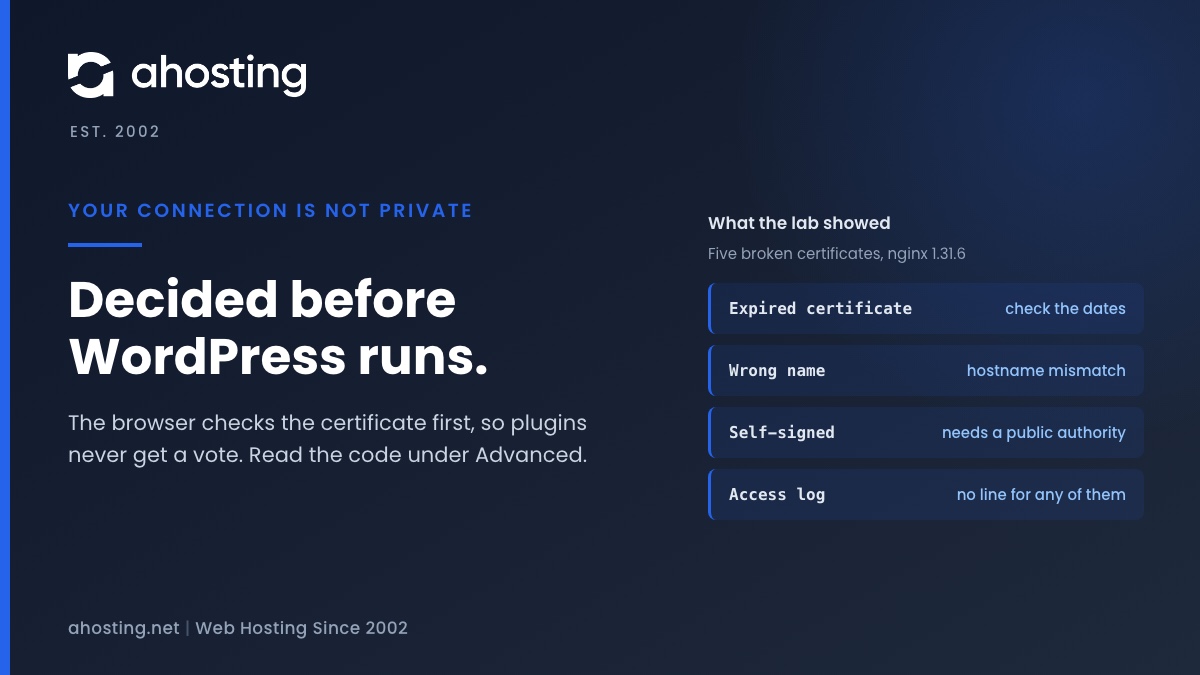
    In the lab, OpenSSL and curl both stopped at the handshake for all five broken certificates. We then read the nginx access log, and it held no line for any of them. The only requests that reached the site came from the good certificate and from one curl call with certificate checking switched off, which is what a visitor does when they click Proceed anyway. Because the request never arrives, nothing inside WordPress could have changed the outcome.

    So a caching plugin purge, a theme switch or a plugin audit is wasted effort here. The fix lives in the certificate the server presents, or in the device and network the visitor is using.

    Where Your Connection Is Not Private Gets Decided

    Where your connection is not private is decided A flow from the visitor browser to a TLS handshake. If the certificate check fails, the warning page appears, no HTTP request is sent and WordPress, its plugins and its theme never run. If the check passes, the request goes to the web server, then PHP and WordPress. Where your connection is not private gets decided Visitor browser and clock TLS handshake Server sends its certificate. Browser checks dates, name and chain. Check fails Warning page shown. No request is sent, so WordPress never runs. Check passes Request goes to the web server, then PHP, then WordPress. Lab, 2026-11-16: five failing certificates left no line in the nginx access log. ahosting.net | Est. 2002

    Read the figure left to right. The certificate check sits between the visitor and every piece of software you manage inside WordPress. Everything on the failing branch happens on the visitor’s device and in the server’s certificate configuration, which on a cPanel account is the certificate installed for the domain.
    Read the Code Under The Message Before You Touch Anything

    Click Advanced on the warning page and Chrome prints a code that starts with NET::ERR_CERT. That code is the diagnosis. The decoder below maps the common ones to what they mean, the usual cause on a WordPress site, and who can fix it.

    Code under AdvancedWhat it meansUsual cause on a WordPress siteWho fixes it
    NET::ERR_CERT_DATE_INVALIDThe certificate has expired or is not yet valid by the browser clockA renewal failed, or the visitor device has the wrong dateYou if every device sees it; the visitor if only one does
    NET::ERR_CERT_COMMON_NAME_INVALIDThe certificate does not list the name in the address barThe www name or the bare domain is missing, DNS points at the wrong server, or a public Wi-Fi login page intercepted the connectionYou if it is consistent; the visitor if it follows one network
    NET::ERR_CERT_AUTHORITY_INVALIDThe certificate is signed by an authority the browser does not trustA self-signed certificate, or an incomplete chain on the serverYou
    Other ERR_CERT codesA defect in the certificate itself, such as a weak key or a validity period that is too longA certificate issued with the wrong settingsYou, by reissuing it
    Certificate warning decoder: four code groups, their cause and who fixes them, following Chromium’s net_error_list.h.

    Two of the three common codes have a visitor-side cause and a site-side cause. The date code can be a wrong clock or a lapsed renewal. The name code can be a wrong certificate or a public Wi-Fi login page. One code cannot assign the blame by itself, so the second question is whether the warning follows the site or follows the device.

    Find Out Whose Problem It Is

    The widget turns the decoder and the follow-the-site test into three questions. It runs in your browser and sends nothing anywhere.

    Whose Problem Is This Warning?

    Three questions. The answer says whether to fix the site or the device. Nothing you pick leaves your browser.

    Pick your answers and press the button.

    Fix Your Connection Is Not Private When You Are the Visitor

    If the warning shows on other sites as well, or only on one device or network, the certificate is probably fine and something between you and the site is not. Two checks cover most cases.

    Check the Clock First

    A certificate has a start date and an end date, and the browser compares them with the clock of the device. In our lab, a certificate that starts in January 2027 produced the OpenSSL message that the certificate is not yet valid or the system clock is incorrect, so the message itself names the clock as a suspect. Chromium lists a wrong clock among the causes of the date error as well. On Windows, the Windows Time service keeps the clock in step using the Network Time Protocol, so a machine whose time sync has stopped is the first place to look.

    Check the Network

    Chromium’s comment on the name error lists two causes that have nothing to do with the site: a wireless network that redirects you to a login page, and an operating system DNS search suffix that turns a short name into one the certificate does not list. Open the same address on mobile data. If it loads cleanly there, your connection is not private only on that network, and the site is fine.

    Fix Your Connection Is Not Private When It Is Your Own Site

    If the warning follows your domain onto every device and network, the certificate your server presents is the problem. Work through the three failures below in order. Each one matches a row of the decoder.

    An Expired Certificate: Your Connection Is Not Private After a Failed Renewal

    First read the dates the server actually presents; the command is in the checking section below. On a cPanel account, AutoSSL runs for all users during the nightly update and again when an account is created, and before it orders a certificate it writes a CAA record into the zone. The SSL/TLS Status page filters domains by Expired, Expiring Soon and Has AutoSSL Problems, and its own example of a problem is a domain that does not resolve to an IPv4 address on the internet. It also says that conflicting CAA records must be removed, or one added for the authority you want.

    Our own record agrees with that order of suspects. The free SSL and domain management guide records four failed automated renewals on AHosting shared accounts, and all four traced to authoritative DNS pointing somewhere other than the hosting account. So check the nameservers before you touch the certificate.

    A Name the Certificate Does Not List: Your Connection Is Not Private on www or the Bare Domain

    In the lab we served a certificate that lists www.example.test and asked for example.test. OpenSSL answered with a hostname mismatch, and curl said that no alternative certificate subject name matches the target host name. That is the name error in plain words. Print the subject alternative names, as the checking section shows, and confirm that every address people type is on the list.

    The cPanel SSL/TLS Status page lists main, addon, parked, subdomain and www domains as separate types, so a missing www name shows up as its own row. If the names are right and the warning remains, DNS may point at a different server from the one holding the certificate.

    An Incomplete or Self-Signed Certificate: Your Connection Is Not Private Although One Is Installed

    We served a leaf certificate without its intermediate, and OpenSSL stopped with unable to get local issuer certificate. A self-signed certificate stopped at self-signed certificate. The same leaf served with the intermediate after it, leaf first, passed with verify code 0. So the repair for an incomplete chain is to install the full chain in order, not a new certificate. Chromium lists a self-signed certificate among the causes of the authority error, and cPanel states that no certificate authority secures a self-signed certificate, so the repair there is a certificate from a public authority.

    Lab Results: Five Ways to Get Your Connection Is Not Private

    Each row is one certificate served by nginx 1.31.6 on 127.0.0.1 and probed on 2026-11-16 with the private certificate authority trusted. The last column is the access log after all probes ran.

    Certificate servedOpenSSL verify resultcurl exit and messageLine in the access log
    Good, full chainVerify return code 0 (ok)Exit 0Yes, 200
    Expired (ended 2025-11-01)Code 10, certificate has expiredExit 60, certificate has expiredNone
    Not yet valid (starts 2027-01-01)Code 9, not yet valid or the system clock is incorrectExit 60, certificate is not yet validNone
    Wrong name (lists www only)Code 62, hostname mismatchExit 60, no alternative certificate subject name matchesNone
    Self-signedCode 18, self-signed certificateExit 60, self signed certificateNone
    Leaf without intermediateCode 20, unable to get local issuer certificateExit 60, unable to get local issuer certificateNone
    Lab results, 2026-11-16: one good and five broken certificates, with the exact verify message from OpenSSL 3.6.4 and curl 8.7.1. A failed check leaves no line in the nginx access log.

    The pattern is the finding. Every broken certificate failed at the handshake with a different message, and none of them produced a request. When we repeated the expired case with certificate checking off, the site answered and the log gained a line. The site was never the broken part.

    Confirm the Fix Before You Declare Your Connection Is Not Private Gone

    Do not trust the padlock on your own machine. Ask the server what it presents. The command is openssl s_client -connect www.ahosting.net:443 -servername www.ahosting.net, piped into openssl x509 -noout -subject -issuer -dates -ext subjectAltName. The -servername flag sends the hostname the way a browser does.

    We ran it against our own site on 2026-11-16. It returned a Let’s Encrypt certificate that started on September 23 and ends on December 22, 2026, which is 90 days, and it lists ahosting.net and *.ahosting.net. That is what a healthy answer looks like: a start date in the past, an end date in the future and the name you typed on the list.

    For a second opinion, the SSL Server Test from Qualys SSL Labs is a free online service that analyzes the configuration of any SSL web server on the public internet. Run it, then open the site from a second network before you tell anyone your connection is not private is gone.

    When Your Connection Is Not Private Is the Wrong Warning

    Three neighbors look similar and have different fixes. If the page loads but the browser says Not secure, the certificate is fine and something on the page is not: read the mixed content guide. If the fix is in and the browser now says the page redirected you too many times, see the redirect loop guide.

    A message inside the WordPress dashboard saying the site could not establish a secure connection to wordpress.org is the server making an outbound connection, not a visitor, and a separate guide covers it.

    What to Hand Off Once Your Connection Is Not Private Is Fixed

    The repair above is yours to do on any host. What does not need to be yours is the watching: the end date, the DNS check and the list of names are all things automation can do. Our free SSL guide repeats the renewal chain in full, so this section stays short.

    If you want a verified company name in the certificate, read OV vs DV certificates first, since a paid certificate changes what is said about you and not whether the browser accepts it, and then see the Premium SSL certificate options. For a site that should not need this checklist, our WordPress hosting plans and web hosting plans cover renewal as part of the account. On a VPS you own the certificate configuration the lab broke, so the checklist above is the job.

    Frequently Asked Questions: Your Connection Is Not Private on WordPress

    What does it mean when a WordPress site says your connection is not private in 2026?

    Specifically, it means the browser refused to trust the certificate the site presented, so it stopped before sending any request. The code under Advanced, such as NET::ERR_CERT_DATE_INVALID, says why. The cause is the certificate, the visitor clock or network, or the server configuration, and almost never WordPress itself.

    How do I fix your connection is not private when the certificate on my own site has expired?

    Typically the fix is to renew and install the certificate, then confirm the new end date. On a cPanel account, open SSL/TLS Status, filter for Expired or Has AutoSSL Problems, read the error and run AutoSSL again. If the domain does not resolve to the hosting account, renewal cannot validate, so fix the DNS first.

    Why do I see your connection is not private on my laptop but not on my phone in 2026?

    In practice, a warning that appears on one device only is about that device or its network, not the site. The usual causes are a wrong clock, a public Wi-Fi login page that intercepts the connection, or something else on the network path. Test the same address on mobile data. If it loads cleanly there, the certificate is fine.

    Your connection is not private vs Not secure: which warning means the certificate is broken?

    In contrast to the other warning, your connection is not private means the certificate check failed before the page loaded. Not secure means a page loaded but something about it is unsafe, such as plain HTTP or an insecure image on a secure page. The first is fixed on the server, the second inside WordPress.

    Does an AHosting free certificate vs a paid certificate change your connection is not private in 2026?

    Notably, the browser applies the same checks to both: dates, names and chain. As of August 2026 our free SSL guide lists a domain-validated certificate with automatic renewal on every AHosting shared plan, with wildcard, multi-domain, OV and EV certificates as paid options. Paid options change what the certificate says about the company, not whether the browser accepts it.

    Can a WordPress plugin or theme cause your connection is not private for visitors?

    Indeed, no. The browser rejects the certificate before it sends a request, so a plugin or theme never runs. In our lab, five failing certificates left no line in the nginx access log. A plugin can cause other warnings, such as mixed content after a URL change, but not this one.

    Does AHosting renew the certificate automatically, and what usually stops the renewal?

    Fortunately, automatic renewal is included on AHosting shared plans as of August 2026. What stops it is almost always DNS: our free SSL guide records four failed renewals on AHosting shared accounts, and all four traced to nameservers pointing somewhere other than the hosting account.

    What should I send AHosting support when my site shows your connection is not private?

    As such, send the code under Advanced, the exact address, the time, and whether another device or network shows the same warning. Add the output of the openssl command that prints the certificate dates and names. Those facts separate a lapsed renewal from a name mismatch in one reply.

    Is it safe to click Proceed anyway on your connection is not private for my own WordPress site?

    Ultimately, clicking through only proves the site responds. In our lab it was the same as sending the request with certificate checking off, and the site answered normally. That is useful for diagnosis, but nothing verified who answered, so never ask visitors to do it.

    How long does your connection is not private take to clear after a certificate is renewed in 2026?

    Typically the next fresh visit, because the browser checks the certificate the server presents each time it connects. If DNS still points at an old server, that server certificate is what visitors see, so DNS timing sets the delay rather than the browser. Test from a second network to be sure.
    November 17, 2026
  • Warning: Undefined Array Key in WordPress: What It Means and Whose Code to Blame (2026)

    Warning: Undefined Array Key in WordPress: What It Means and Whose Code to Blame (2026)

    • Undefined Array Key Warning in WordPress: PHP Reporting Someone Else's Missing Data
    • The Undefined Array Key Wording Map: Ten PHP 8 Messages That Look Alike
      • Guards that print nothing
    • Step 1: Read the File Path in the Undefined Array Key Warning
    • Step 2: Is the Undefined Array Key Warning Harmless or a Real Break?
      • Warning or fatal error: which one is stopping the page?
      • Can a printed warning break a login?
    • Step 3: Stop the Undefined Array Key Warning Showing on Your Site
      • What WP_DEBUG false does and does not do
      • Two safe recipes
    • When an Undefined Array Key Warning Corrupts a REST Response
    • Step 4: Fix the Undefined Array Key Warning at the Source
    • What a Host Should Handle for an Undefined Array Key Warning
    • Frequently Asked Questions: Undefined Array Key Warning in WordPress
      • What causes the undefined array key warning in WordPress, and how do you fix it in 2026?
      • Is the undefined array key warning dangerous, or can you safely ignore it on a live site?
      • Why did the undefined array key warning appear right after moving a site to PHP 8 in 2026?
      • Does setting WP_DEBUG to false hide an undefined array key warning in WordPress?
      • Undefined array key vs undefined index: what changed between PHP 7 and PHP 8?
      • Undefined array key warning vs fatal error: how do you tell which one is breaking your site?
      • Can AHosting customers choose a different PHP version per domain to stop an undefined array key warning in 2026?
      • Where does AHosting store the debug log for a WordPress site when WP_DEBUG_LOG is turned on?
      • What should you send AHosting support when an undefined array key warning keeps coming back?
      • Can a warning printed on the page break the WordPress REST API or the block editor save?
    TL;DR

    An undefined array key warning means a plugin or theme asked PHP for data that is not there. PHP 8 reports it loudly and keeps running, so the site usually still works. The file path in the message names the code to blame. Turning WP_DEBUG off does not hide it; display_errors decides whether visitors see it.

    Listen: why a PHP 8 warning is usually not a break, and how to find the plugin to blame. By Matt Chrust, Director of Business Development, AHosting.

    Undefined Array Key Warning in WordPress: PHP Reporting Someone Else’s Missing Data

    The undefined array key warning in WordPress means a piece of PHP code asked an array for an entry that is not in it. PHP 8 reports that as a warning, prints the file and line number, and carries on with an empty value where the missing entry should have been. Your site usually still works. It is just talking loudly about a gap in a plugin or theme.

    That message tends to appear the week a site moves to a newer PHP version, and that is not a coincidence. According to the PHP manual, reading an undefined array key is one of the notices PHP 8.0 converted into warnings, and the same manual page for error handling settings says the default error_reporting level was E_ALL minus notices, strict standards and deprecations before 8.0. Nothing in the plugin changed; the reporting did.

    We reproduced the behavior on PHP 8.5.10 with a fresh WordPress 7.1.4 install and a small test plugin that reads a key that does not exist. The lab ran on one workstation, so it is not an AHosting server and it is not LiteSpeed. Everything below that comes from it is marked as lab output. What the lab cannot show is what our servers print by default, so the post never claims that.

    The Undefined Array Key Wording Map: Ten PHP 8 Messages That Look Alike

    Several PHP 8 messages share the same shape and the same cause, so a search for one finds advice about all of them. We triggered each of the ten below on PHP 8.5.10 and copied the wording and the level exactly.

    Code that ranLevelMessage printed by PHP 8.5.10What PHP did next
    Read a missing string keyE_WARNINGUndefined array key "width"Used NULL, kept running
    Read a missing number keyE_WARNINGUndefined array key 9Used NULL, kept running
    Read a variable never setE_WARNINGUndefined variable $undefinedUsed NULL, kept running
    Read a property of nullE_WARNINGAttempt to read property "name" on nullUsed NULL, kept running
    Read a property of an arrayE_WARNINGAttempt to read property "name" on arrayUsed NULL, kept running
    Index into nullE_WARNINGTrying to access array offset on nullUsed NULL, kept running
    Index into a numberE_WARNINGTrying to access array offset on intUsed NULL, kept running
    Read a property the object lacksE_WARNINGUndefined property: C::$missingUsed NULL, kept running
    Set a new property on the flyE_DEPRECATEDCreation of dynamic property C::$dyn is deprecatedCreated it, kept running
    Read past the end of a stringE_WARNINGUninitialized string offset 10Kept running
    AHosting PHP 8 Warning Wording Map: ten messages, each reproduced on PHP 8.5.10 on 2026-11-14.

    Nine of the ten are warnings and none of them stops the script. The tenth, the dynamic property message, is a deprecation: it is advance notice about a future PHP version. After the warning, the line that caused it kept running and the value was NULL. The short PHP 8 summary on stitcher.io lists the undefined array index change in the same terms.

    Guards that print nothing

    Guards stay silent, and that matters for the fix. Reading the key with the null coalescing operator, checking isset() or calling array_key_exists() printed nothing in the lab. If you want to see how your own snippet words the message on other versions, 3v4l.org runs code on more than 500 PHP versions at once.

    Step 1: Read the File Path in the Undefined Array Key Warning

    Every message ends with a path and a line number, and the path is the answer to whose code to blame. Read the folder just after wp-content, not the file name at the end.

    • wp-content/plugins/NAME/ is the plugin called NAME. The folder name is the plugin slug, which is usually close to its name on the Plugins screen.
    • wp-content/themes/NAME/ is a theme. If you run a child theme, check whether the file belongs to the child or to its parent.
    • wp-content/mu-plugins/ holds must-use plugins. These load without being activated, and your host or an agency may have put them there.
    • wp-includes/ or wp-admin/ is WordPress core. Core is rarely the author of the bug, because a plugin or theme often hands it the missing data.

    The widget below does the same reading for you. Paste a line and it names the folder, the file and the line number, and gives the first thing to try. It runs in your browser and sends nothing anywhere.

    Decode Your Warning Line

    Paste one warning line from your debug log or from the page. Nothing leaves your browser.

    Step 2: Is the Undefined Array Key Warning Harmless or a Real Break?

    In the lab, the page returned status 200 in all seven setting combinations we tried, and the page content was intact every time. The line that raised the warning carried on with NULL. That is the whole reason the message is usually safe to read slowly.

    Harmless does not mean meaningless. A plugin that reads a missing key is often a plugin that lost a setting, received an empty reply from an API, or ran after a half-finished update. Look at what the affected feature does. A missing logo width is cosmetic. A checkout total built from a missing key is not.

    Warning or fatal error: which one is stopping the page?

    Only the word at the start of the message matters. A line beginning with Warning means the script went on. A line beginning with Fatal error means it stopped, and the symptom is a critical error screen, a blank page or a 500 status. If both appear, solve the fatal error first, because the warning is only noise beside it.

    Can a printed warning break a login?

    We tested it. We raised a warning before any output on wp-login.php with display on. The warning printed at the top of the page, but the form worked and a login returned the redirect and its cookie. That was the PHP built-in server, so do not assume a real server behaves the same: output sent before headers is the cause behind the error in our post on headers already sent, and it depends on how the server buffers output.

    Step 3: Stop the Undefined Array Key Warning Showing on Your Site

    Hiding the message from visitors is a settings job, and it is worth doing today even if the plugin author takes weeks. A printed warning gives every visitor the absolute path of your files. The flow below shows where the decision is made.

    Where an undefined array key warning goes Four steps left to right: plugin code reads a missing key, PHP raises a warning, error_reporting lets warnings through, display_errors chooses between printing in the page and writing to the log only. A bottom bar says the page keeps rendering in both cases. 1. Plugin code reads a key that is not in the array 2. PHP 8 raises a warning, value becomes NULL 3. error_reporting warnings pass, even with WP_DEBUG false 4. display_errors the switch that decides what visitors can see On: printed in the page path and line shown to visitors Off: log only In every lab row the page still returned status 200 and kept rendering

    What WP_DEBUG false does and does not do

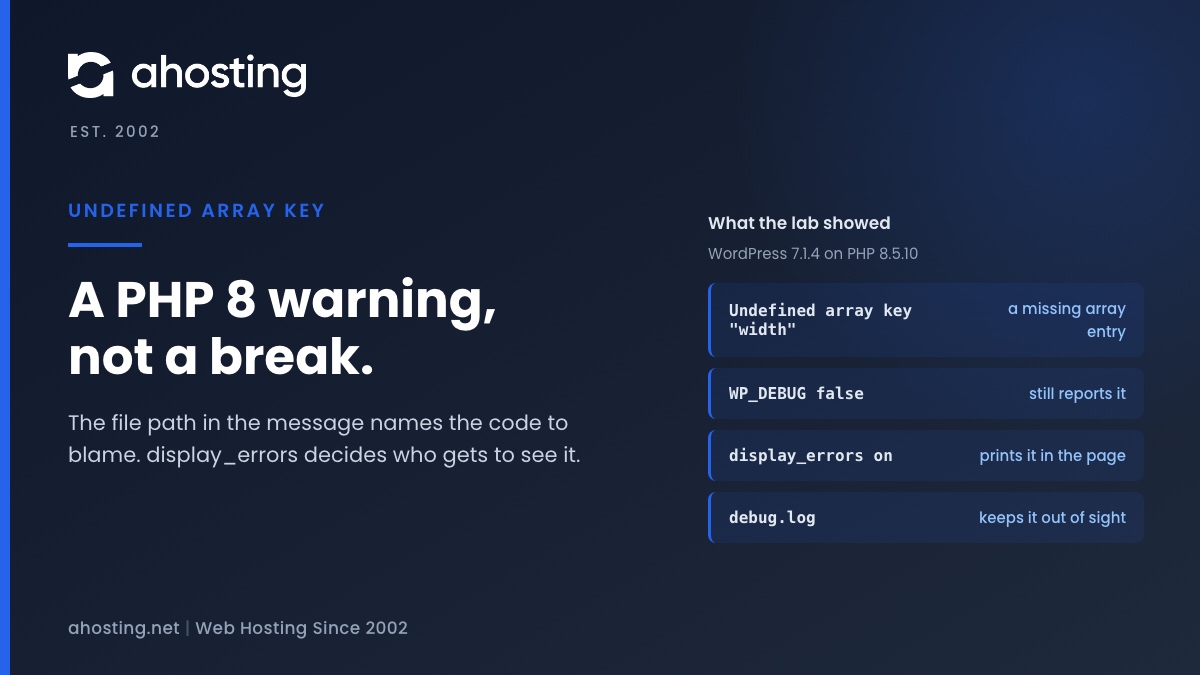
    WordPress sets PHP's error_reporting level at startup. With WP_DEBUG true it uses E_ALL. With WP_DEBUG false it uses a shorter list that still includes E_WARNING (wp-includes/load.php, line 635 in WordPress 7.1.4). So switching WP_DEBUG off does not silence this warning. Only notices and deprecations drop out.

    Whether a warning that gets through is printed is then up to display_errors. WP_DEBUG_DISPLAY can change display_errors, but only inside the WP_DEBUG branch. The matrix shows all seven combinations we ran.

    RowWP_DEBUGWP_DEBUG_DISPLAYWP_DEBUG_LOGPHP display_errorsPrinted on the pageWhere it was logged
    Anot setnot setnot setoffNoPHP error log
    Bnot setnot setnot setonYesPHP error log
    Cfalsenot setnot setonYesPHP error log
    Dtruenot setnot setoffYesNowhere
    EtruefalsetrueonNowp-content/debug.log
    Ftruenot settrueoffYeswp-content/debug.log
    Gfalsetruenot setoffNoPHP error log
    AHosting Show-or-Log Matrix: seven setting combinations on WordPress 7.1.4 and PHP 8.5.10, run 2026-11-14.

    In row C, WP_DEBUG was false and the warning still printed, because PHP's own display_errors was on. Row D is the other surprise: WP_DEBUG true switched display on even though PHP had it off, and with PHP's log_errors also off the warning went nowhere. The other rows had log_errors on. In row G, the lab shows that WP_DEBUG_DISPLAY does nothing while WP_DEBUG is false.

    Two safe recipes

    The first recipe keeps WordPress in debug mode and sends everything to a file. Add these constants to wp-config.php above the line that says to stop editing, following the WordPress debugging documentation:

    • define( 'WP_DEBUG', true );
    • define( 'WP_DEBUG_LOG', true );
    • define( 'WP_DEBUG_DISPLAY', false );
    • @ini_set( 'display_errors', 0 );

    WP_DEBUG_LOG true writes wp-content/debug.log, which is reachable over the web, so our post on a potentially public log file shows how to point it outside the public folder. The second recipe leaves WP_DEBUG false and turns display_errors off for the account. On the AHosting shared server we checked, a php.ini in the site folder is never read, but .user.ini is, and a change can take a few minutes to apply. Where your plan includes it, cPanel's MultiPHP INI Editor can write the file for you.

    When an Undefined Array Key Warning Corrupts a REST Response

    WordPress switches display off for AJAX, XML-RPC and REST requests, because a warning in the middle of a JSON reply makes the reply unreadable. It does that early in startup, in a function that cannot yet know every kind of request. In WordPress 7.1.4 the check includes wp_is_json_request(), which is true when the request's Accept or Content-Type header names JSON (wp-includes/load.php, lines 642 to 646 and 1917 to 1927).

    We tested what that means. With display on and a plugin raising a warning when the REST API starts, a request to a REST route with no JSON Accept header got status 200, a JSON content type and a body that began with the warning, so it did not parse. Sending Accept: application/json made the body parse. The block editor's fetch helper sends Accept: application/json, */*;q=0.1 (wp-includes/js/dist/api-fetch.js, line 480), so editor saves are protected from the display. A plain browser visit to the route, or a script that sends no JSON header, is not.

    That is one way to end up with a response that is not a valid JSON response. It is not the only cause, and we did not test a live block editor save. The fix for this one is the same as Step 3: keep the warning out of the page.

    Step 4: Fix the Undefined Array Key Warning at the Source

    1. Update the plugin or theme named in the path. An update is the first thing to try, because the fix belongs in the author's code.
    2. If it is current, send the author the exact message, the file, the line number and your PHP version. A report with a line number is one a developer can act on in minutes.
    3. If the warning started after an update, roll that plugin back on a staging copy and see whether it stops. Then report the version that introduced it.
    4. As a stop-gap only, choose an older PHP version for the domain. It hides the warning, it does not fix the code, and old versions stop receiving security fixes. Our guide to the best PHP version for WordPress on cPanel covers what each version costs you.

    Do not edit the plugin's files by hand. The next update overwrites your change and the warning returns. If you write the code yourself, the fix is a guard: the null coalescing operator, an isset() check, or making sure the key always exists. The Psalm documentation for PossiblyUndefinedArrayOffset shows both fixes on a short example.

    What a Host Should Handle for an Undefined Array Key Warning

    A host cannot rewrite a plugin author's code, and any host that says otherwise is guessing. What a host can do is make the three things around the fix easy: choosing the PHP version for each domain, reading the log, and trying a change on a copy first.

    On AHosting WordPress hosting, staging and daily backups are included, so a plugin update or a PHP version change can be tried on a copy and undone. The cPanel plans on web hosting set the PHP version per domain in MultiPHP Manager, and a VPS gives you the server's own PHP configuration to edit. For this warning specifically, that is all you need: a version to test, a log to read and a copy to break.

    If the warning keeps coming back after the plugin is updated, contact support with four things: the full message line, the time it appeared, the PHP version set for the domain, and whether it prints on the page or only in the log. Our post on the PHP version warning in Site Health explains how to read the version WordPress sees.

    Frequently Asked Questions: Undefined Array Key Warning in WordPress

    What causes the undefined array key warning in WordPress, and how do you fix it in 2026?

    Specifically, a plugin or theme asked PHP for an array entry that does not exist, and PHP 8 reports that as a warning. Read the file path in the message to find the plugin or theme, update it, and send its author the file, line and message if the warning stays. The page usually keeps working.

    Is the undefined array key warning dangerous, or can you safely ignore it on a live site?

    In practice it is not dangerous by itself, because PHP carries on with an empty value and the page still loads. However, a printed warning shows your server path to every visitor, and it can be the first sign that a plugin lost a setting. Hide it from the page, keep it in the log, and read the log.

    Why did the undefined array key warning appear right after moving a site to PHP 8 in 2026?

    Notably, the code did not change, the reporting did. PHP 8 turned undefined array key notices into warnings, and its default error_reporting level now includes them. Code that quietly read missing keys on an older version now prints a line each time. Fix the plugin, or hide the display while you wait for its update.

    Does setting WP_DEBUG to false hide an undefined array key warning in WordPress?

    In fact, WordPress still reports warnings when WP_DEBUG is false, so the answer is no. In our WordPress 7.1.4 lab the warning printed with WP_DEBUG false whenever PHP display_errors was on. As a result, the switch that decides whether visitors see the message is display_errors, which WP_DEBUG_DISPLAY can only change while WP_DEBUG is true.

    Undefined array key vs undefined index: what changed between PHP 7 and PHP 8?

    Specifically, the level and the default visibility changed. The PHP manual lists reading an undefined array key among the notices converted into warnings in PHP 8.0, and the default error_reporting stopped hiding notices. Consequently, a line that stayed silent on an older version can print a warning on a current one.

    Undefined array key warning vs fatal error: how do you tell which one is breaking your site?

    In contrast, a warning prints a line and the script continues, so the page still renders. A fatal error stops the script, and you see a critical error screen, a blank page or a 500 status. Check which word starts the message. If both appear, fix the fatal error first, because the warning is only noise beside it.

    Can AHosting customers choose a different PHP version per domain to stop an undefined array key warning in 2026?

    Indeed, cPanel MultiPHP Manager sets the PHP version for each domain, and the AHosting shared server we checked lists versions from 5.6 through 8.5. Stepping down hides the warning without fixing it, and old versions stop getting security fixes. Treat it as a short loan, and test it on a staging copy first.

    Where does AHosting store the debug log for a WordPress site when WP_DEBUG_LOG is turned on?

    Typically, WordPress writes wp-content/debug.log inside the site folder, and that path is reachable over the web. For example, you can set WP_DEBUG_LOG to a full path outside the public folder instead. Delete the log when you are done, because it records server paths and plugin names for every warning.

    What should you send AHosting support when an undefined array key warning keeps coming back?

    First and foremost, send the full message line, because the path and line number name the file. Add the time it appeared, the PHP version for the domain, and whether it prints on the page or only in the log. Together those four items let a person find the plugin without guessing.

    Can a warning printed on the page break the WordPress REST API or the block editor save?

    In practice, yes, for requests that do not ask for JSON. In our lab a REST route with no JSON Accept header returned a status 200 body that began with a warning and failed to parse. Fortunately the block editor sends a JSON Accept header, so WordPress turns display off for it, but plain fetches and browser visits are not protected.

    November 16, 2026
Ahosting Logo

Hosting

  • WordPress Hosting
  • Web Hosting
  • FFmpeg Hosting
  • WooCommerce Hosting
  • Reseller Hosting
  • VPS Hosting
  • Dedicated Server

Domain

  • Register a Domain
  • Domain Transfer
  • Premium SSL Certificate

Support

  • Knowledge Base
  • Abuse Report
  • Submit A Ticket

Company

  • Compare Hosts
  • About Us
  • Datacenter
  • Contact Us
  • Blog
  • Sitemap

Legal

  • Privacy Policy
  • Terms of Service
  • Acceptable Use Policy
  • Service Level Agreement
  • Resource Abuse Policy
  • Hosting
    • WordPress Hosting
    • Web Hosting
    • FFMpeg Hosting
    • WooCommerce Hosting
    • Reseller Hosting
    • VPS Hosting
    • Dedicated Server
  • Domain
    • Register a Domain
    • Domain Transfer
    • Premium SSL Certificate
  • Support
    • Knowledge Base
    • Abuse Report
    • Submit A Ticket
  • Company
    • About Us
    • Datacenter
    • Contact Us
    • Blog
    • Sitemap
  • Legal
    • Privacy Policy
    • Terms of Service
    • Acceptable Use Policy
    • Service Level Agreement
    • Resource Abuse Policy

Copyright © 2026 All Rights Reserved

Ahosting, Inc. BBB Accredited Business, A+ rating
Facebook X/Twitter Instagram LinkedIn YouTube