Ahosting Logo
  • Hosting
    • WordPress Hosting
      Fast, secure hosting for WordPress sites
    • Web Hosting
      Reliable, affordable hosting for sites
    • FFMpeg Hosting
      Fast hosting for FFmpeg projects
    • Reseller Hosting
      Start hosting biz with white-label plans
    • VPS Hosting
      Scalable VPS with full control & power
    • Dedicated Server
      High-power servers for max security
    • WooCommerce Hosting
      Fast hosting for WooCommerce shops
  • Domain
    • Register a Domain
      Secure your domain name in minutes
    • Domain Transfer
      Move domains to Ahosting with ease
    • Premium SSL Certificate
      Enterprise SSL to build customer trust
  • Support
    • Submit A Ticket
      Expert 24/7 help from our support team
    • Abuse Report
      Report abuse to keep network safe
    • Knowledge Base
      Quick answers via step-by-step guides
  • Company
    • Blog
      Expert articles to power your online growth
    • Compare Hosts
      Side-by-side comparison
    • Datacenter
      Secure, high tech datacenter for hosting
    • About Us
      Learn about our mission, values & team
    • Contact Us
      Contact sales for plans, pricing & advice
    • Sitemap
      Find info fast with our clear site map
My Account
Ahosting Logo
  • Hosting
    • Web Hosting
    • WordPress Hosting
    • FFMpeg Hosting
    • Reseller Hosting
    • VPS Hosting
    • Dedicated Server
    • WooCommerce Hosting
  • Domain
    • Register a Domain
    • Domain Transfer
    • Premium SSL Certificate
  • Support
    • Knowledge Base
    • Abuse Report
    • Submit A Ticket
  • Company
    • About Us
    • Contact Us
    • Blog
    • Sitemap
    • Datacenter
  • Legal
    • Privacy Policy
    • Terms of Service
    • Acceptable Use Policy
    • Service Level Agreement
    • Resource Abuse Policy
My Account

Blog Home

  • The server cannot process the image audio guide - AHosting. Why the upload worked, what the resize costs in memory, and which limit stopped it.

    The Server Cannot Process the Image: What WordPress Is Telling You

    TL;DR

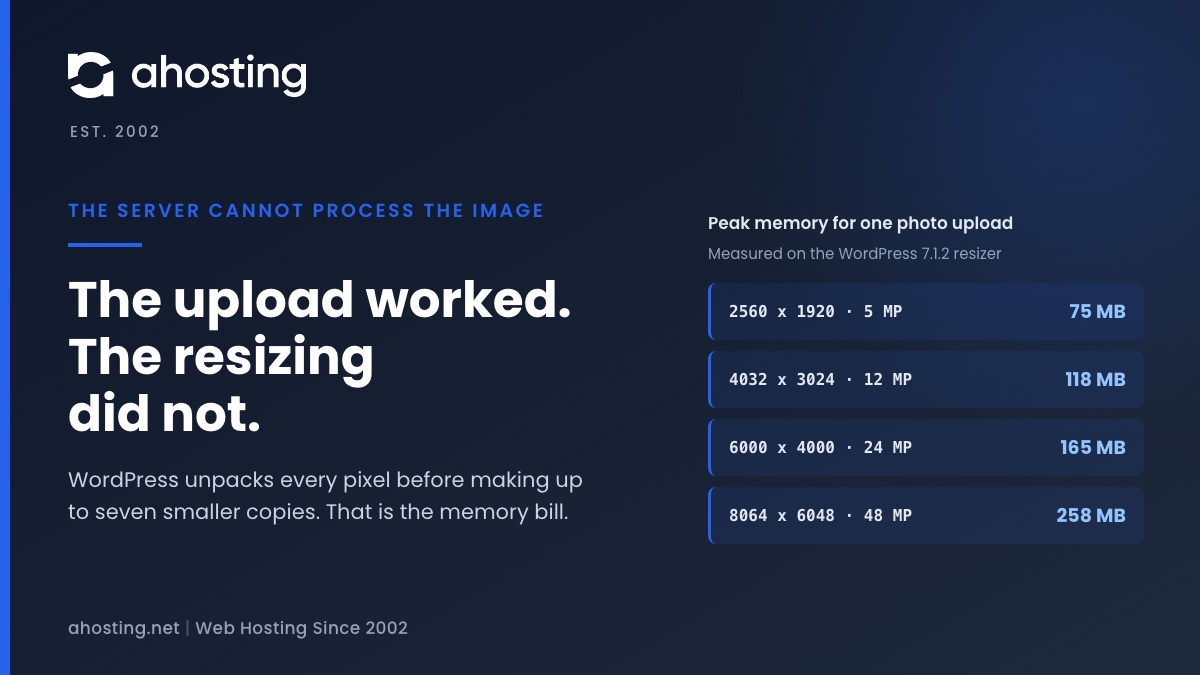
    When WordPress says the server cannot process the image, the upload almost always worked. What failed is the resizing that follows, which unpacks every pixel of the photo into memory before making up to seven smaller copies. We measured that at about a quarter of a gigabyte for a 48 megapixel phone photo. Since WordPress 7.1 the block editor can do the resizing in your browser instead, while the Media Library still does it on the server, so the same photo can fail in one and work in the other. The fix depends on which limit stopped the resize, and your error log usually says which.
    September 24, 2026

Categories

  • CMS
  • Concrete5
  • Drupal
  • FFmpeg / Video Hosting
  • Hosting Guides
  • How To
  • Joomla
  • Security
  • SEO
  • Uncategorized
  • Video Content
  • Web Hosting News
  • WooCommerce
  • WordPress

Lets Connect!

  • X
  • Facebook
  • LinkedIn
  • Instagram
  • YouTube
  • Pinterest
  • Page Cache Is Not Detected: What WordPress Site Health Actually Checks

    TL;DR

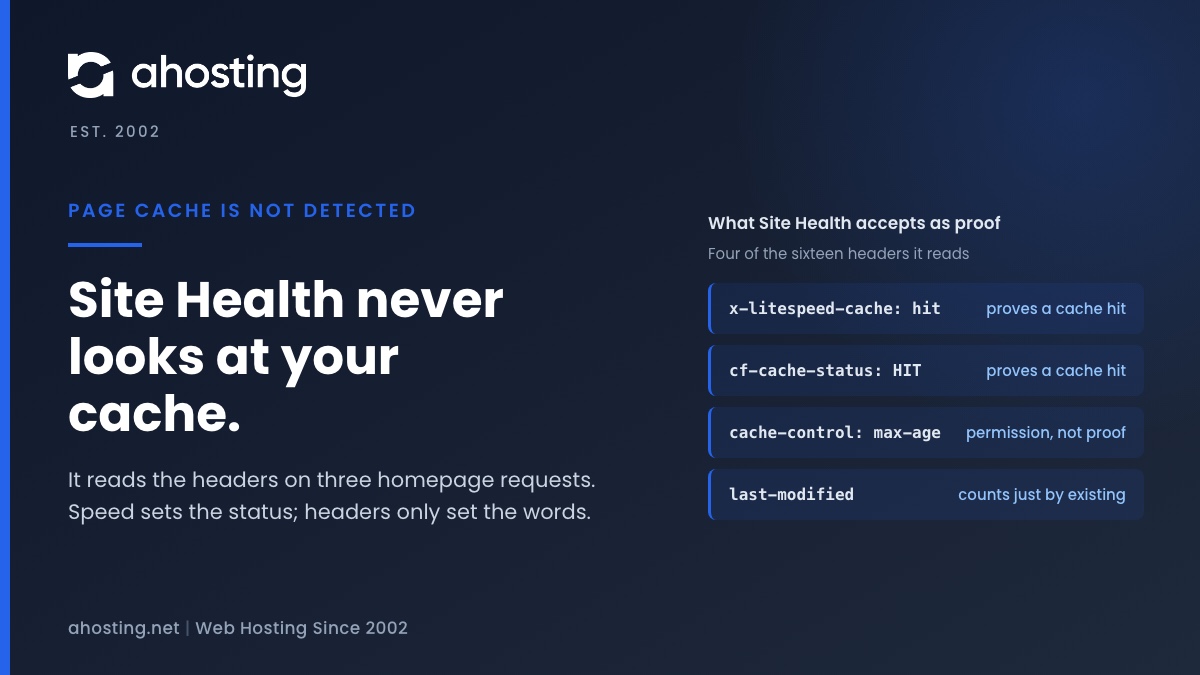
    Site Health decides whether you have a page cache by requesting your homepage three times from your own server and looking for a caching header, or for a cache drop-in file. It never looks at the cache itself. So the message can appear on a site that is cached perfectly well, and it can stay silent on a site with no cache at all. Response time alone decides whether the result is a recommendation or critical. Read the headers your homepage actually returns and you will know in a minute which of the two you have.

    September 23, 2026
    AHosting card on page cache is not detected in WordPress Site Health, showing four of the sixteen homepage headers the test accepts as proof.
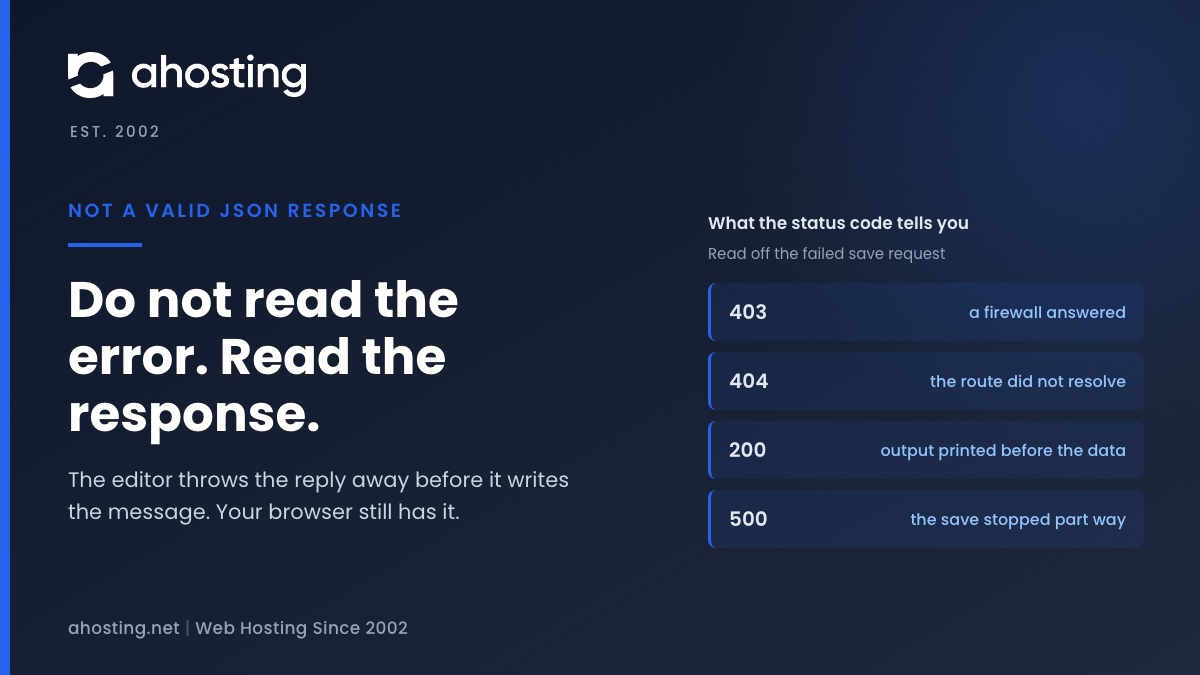
  • Updating Failed: The Response Is Not a Valid JSON Response — Read the Response, Not the Checklist

    TL;DR

    The block editor saves your post by asking the server for structured data, and this message means the reply was not structured data — it was a web page, or it had something printed in front of it. The editor cannot tell you which, because the code that catches the failure throws the reply away before composing the message. So do not work through a list of ten fixes: open the browser network panel, save again, and read the failed request. Its status code, content type and first characters name the cause in about a minute.

    September 17, 2026
    AHosting diagram of a not a valid JSON response error, showing what each status code on the failed save request reveals about which layer answered.
  • The Link You Followed Has Expired: What WordPress Really Means, and How to Fix It on Shared Hosting

    TL;DR

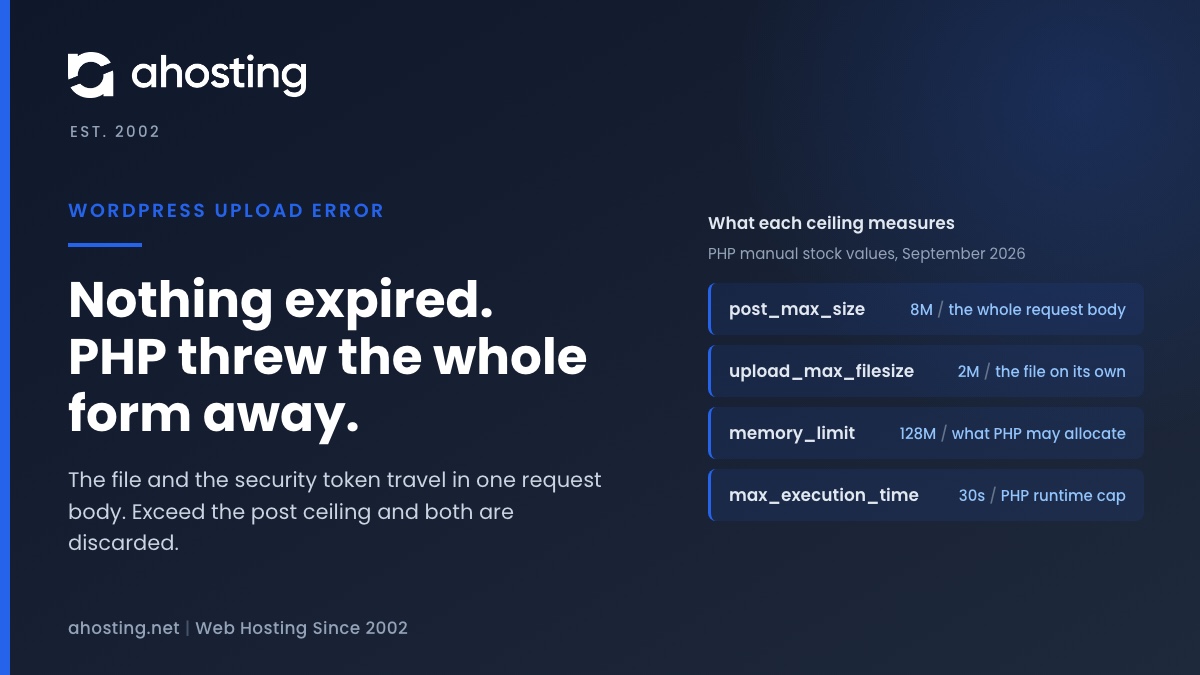
    Nothing expired. WordPress prints this sentence when a form arrives without a security token it can verify, and on a theme or plugin upload the usual reason the token is missing is that PHP discarded the entire request body for exceeding post_max_size — the file and the token travel together, so both went. Raise the post ceiling above the upload ceiling in cPanel and the message stops. If the file was small, the cause is one of three others, and none of them is a timeout.

    September 16, 2026
    AHosting diagram of why the link you followed has expired appears on an upload: the file and the security token share one request body, and PHP empties it.
  • An Active PHP Session Was Detected: What WordPress Site Health Is Really Telling You, and How to Fix It on Shared Hosting

    TL;DR

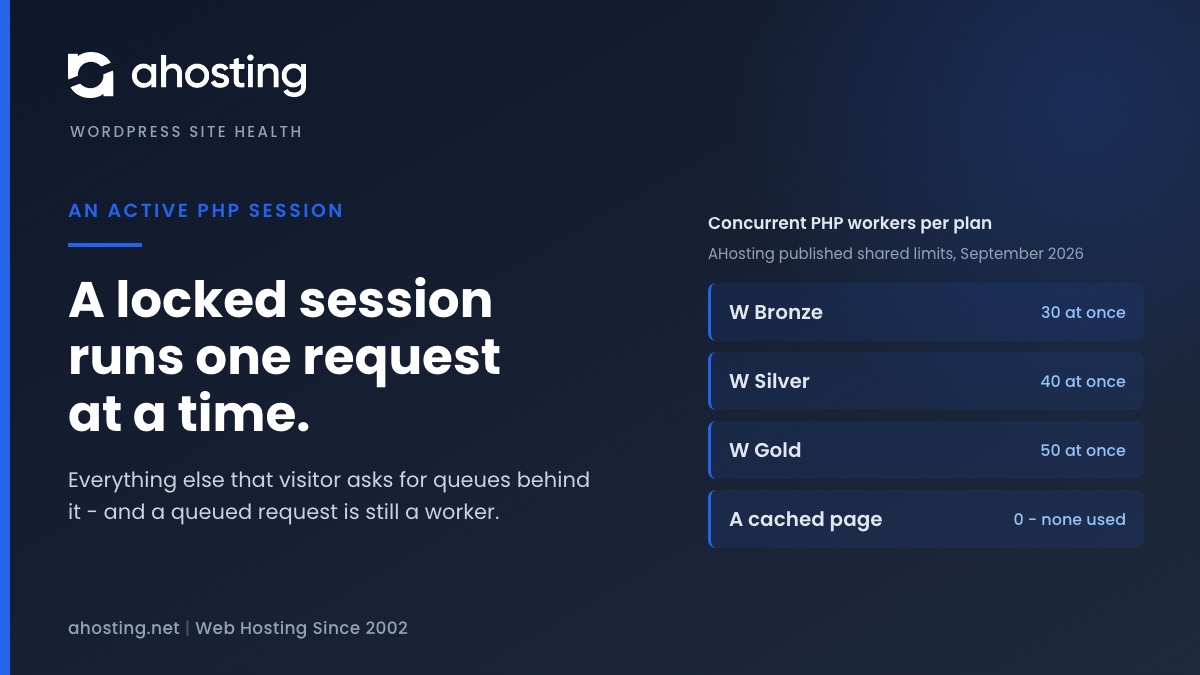
    WordPress core never opens a PHP session, so an active PHP session on your site was opened by a plugin, a theme or a server directive. The cost is not the warning: PHP locks the session file for the whole request, so every other request from that visitor queues behind it, and the session cookie stops the page being cached at all. The fix is to close the session as soon as the last write is done — not to delete the code that needed it, and not to hide the test.
    September 15, 2026
    AHosting diagram of what an active PHP session costs: a locked session file runs one request at a time while the rest of that visitor queues.
1 2 3 … 29
Next Page
Ahosting Logo

Hosting

  • WordPress Hosting
  • Web Hosting
  • FFmpeg Hosting
  • WooCommerce Hosting
  • Reseller Hosting
  • VPS Hosting
  • Dedicated Server

Domain

  • Register a Domain
  • Domain Transfer
  • Premium SSL Certificate

Support

  • Knowledge Base
  • Abuse Report
  • Submit A Ticket

Company

  • Compare Hosts
  • About Us
  • Datacenter
  • Contact Us
  • Blog
  • Sitemap

Legal

  • Privacy Policy
  • Terms of Service
  • Acceptable Use Policy
  • Service Level Agreement
  • Resource Abuse Policy
  • Hosting
    • WordPress Hosting
    • Web Hosting
    • FFMpeg Hosting
    • WooCommerce Hosting
    • Reseller Hosting
    • VPS Hosting
    • Dedicated Server
  • Domain
    • Register a Domain
    • Domain Transfer
    • Premium SSL Certificate
  • Support
    • Knowledge Base
    • Abuse Report
    • Submit A Ticket
  • Company
    • About Us
    • Datacenter
    • Contact Us
    • Blog
    • Sitemap
  • Legal
    • Privacy Policy
    • Terms of Service
    • Acceptable Use Policy
    • Service Level Agreement
    • Resource Abuse Policy

Copyright © 2026 All Rights Reserved

Ahosting, Inc. BBB Accredited Business, A+ rating
Facebook X/Twitter Instagram LinkedIn YouTube