
- Listen to the Podcast!
- What WordPress Hosting Security Actually Means in 2026
- Why WordPress Sites Get Hacked With Every Security Plugin Installed
- The Bad-Neighbor Problem: WordPress Hosting Security Risk #1
- Account Isolation: How CageFS Contains the Spread
- Firewall at the Door: Blocking Attacks Before WordPress Loads
- Shared vs VPS vs Dedicated: How Much Isolation You Actually Need
- Host vs Plugin: Who Protects What
- The AHosting Approach: 22 Years of WordPress Hosting Security
- A Practical WordPress Hosting Security Checklist
- Conclusion: Real WordPress Hosting Security Starts Below the Plugin Layer
- FAQ
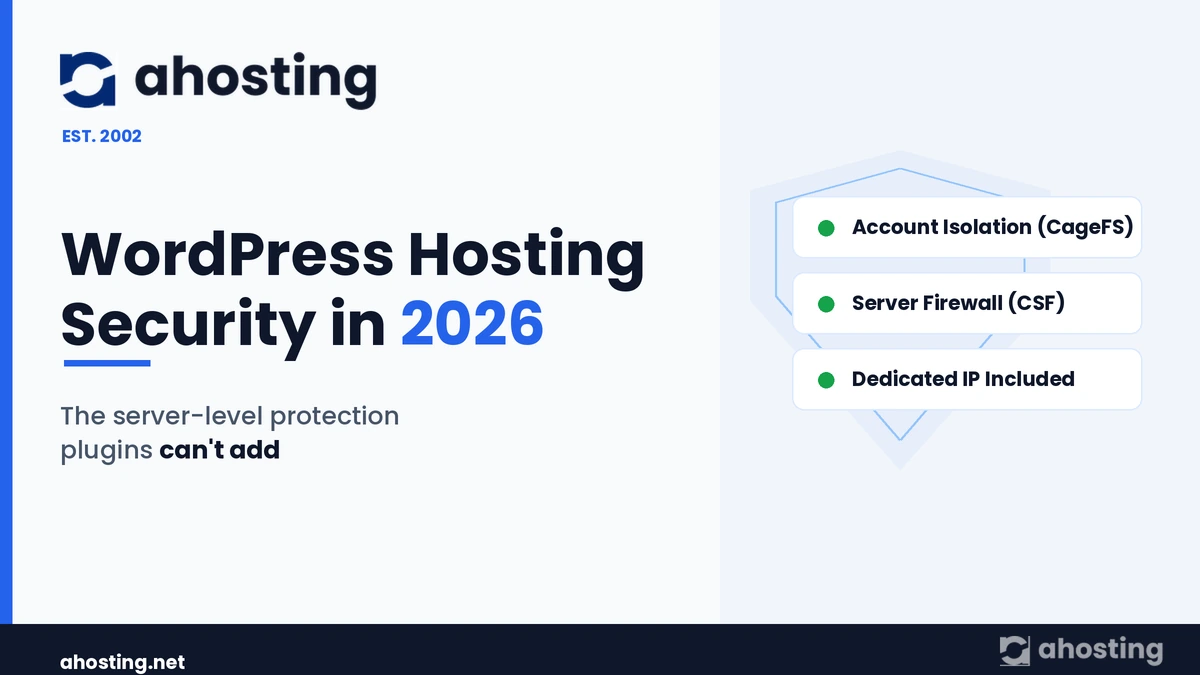
WordPress hosting security in 2026 is decided below the plugin layer: account isolation, a server firewall, and a clean dedicated IP stop the cross-site hacks and brute-force floods that no plugin inside WordPress can reach.
Listen to the Podcast!
You did everything the guides told you to do. You installed a security plugin, enabled two-factor login, set a long password, and kept WordPress core updated — yet the site still got defaced, or the host still suspended the account for sending spam. WordPress hosting security is the part of that story almost nobody explains, because the failure rarely happens inside WordPress at all. It happens one layer down, on the server, where your plugins have no visibility and no control.
WordPress now powers a huge share of the web — around 43% of all websites — which also makes it the single most probed application on the internet. Consequently, the attacks that matter most in 2026 are automated, relentless, and aimed at the server first. This guide explains what your host controls that your plugins cannot, why shared servers leak from neighbor to neighbor, and how to tell whether your provider is actually protecting you.
What WordPress Hosting Security Actually Means in 2026
WordPress hosting security is the protection delivered by the server beneath your site — isolation, firewalling, secure PHP, and IP reputation — not the plugins running inside WordPress. In other words, it is everything that happens before a request reaches wp-load.php, plus everything that contains the damage if a site is ever compromised.
Definition: WordPress hosting security is the set of server-level controls — per-account isolation, a network firewall, hardened PHP handling, and dedicated IP reputation — that protect a WordPress site from threats that application plugins cannot see or stop. It operates beneath WordPress, not inside it.
Plugins, by contrast, defend the application layer: login forms, file changes, and known vulnerability signatures. That work is genuinely useful. However, a plugin only runs once WordPress has already loaded, which means it cannot stop traffic that never reaches PHP, and it cannot police the account next to yours. Therefore the two layers are complementary — and the lower layer is the one most site owners never see.
Why WordPress Sites Get Hacked With Every Security Plugin Installed
Most compromised sites were running a security plugin at the time. Typically, the breach arrives through a path the plugin was never positioned to guard: a single outdated component, a stolen credential, or a neighbor on the same machine.
According to industry clean-up reports, the large majority of WordPress hacks trace back to a vulnerable plugin or theme rather than to WordPress core. Furthermore, credential attacks have industrialized: bots spray reused passwords against wp-login.php thousands of times a day, and a security plugin must wake up, evaluate, and respond to each attempt — consuming the very server resources the attacker is trying to exhaust.
The Three Failure Points Plugins Can’t Reach
First, there is traffic that never reaches your site logic. Brute-force and denial-of-service floods are most cheaply stopped at the network edge, before PHP spins up. Second, there is the neighbor problem, where another account on a shared server is breached and the infection walks across the file system. Third, there is IP reputation, where a stranger’s spam blacklists an address you happen to share. Notably, all three live below WordPress — so a plugin, however good, simply cannot intervene.

The Bad-Neighbor Problem: WordPress Hosting Security Risk #1
The bad-neighbor effect is the biggest WordPress hosting security risk that site owners never think about. Specifically, it is what happens when a different site on your shared server is hacked or blacklisted and the consequences spill onto you.
On a poorly isolated shared server, every account can read across the same file system. As a result, when one site is compromised, the attacker scans the machine for other WordPress installations and harvests their databases — a documented, common shared-hosting attack pattern. Meanwhile, if a neighbor’s site starts blasting spam, the shared IP address lands on a blocklist, and suddenly your contact-form replies and password resets vanish into spam folders too.
This is the failure mode that makes “is shared hosting safe?” the wrong question. The right question is whether the shared hosting is isolated. AHosting addresses the IP half of this problem directly: a dedicated IP is included with every WordPress hosting plan, so your reputation is never pooled with strangers. We covered the search-and-deliverability side of IP reputation in our earlier piece on how your hosting IP affects AI search
Account Isolation: How CageFS Contains the Spread
Account isolation is the server feature that stops one hacked site from reaching another, and it is the most important WordPress security control most buyers never check for. Essentially, it gives every account its own sealed environment so a breach stays contained.
AHosting runs CloudLinux with CageFS on its WordPress servers. In practice, CageFS places each account inside a virtualized file system: from inside your cage, the other accounts on the machine do not appear to exist. Consequently, a compromised neighbor cannot read your wp-config.php, cannot reach your database credentials, and cannot list your files — the exact moves that turn one hacked site into ten.
Isolation Also Stops the Resource Attack
CloudLinux adds a second benefit that doubles as security. Because each account gets capped CPU, memory, and process limits, a neighbor under attack — or mining cryptocurrency after a breach — cannot starve your site of resources. Therefore the “noisy neighbor” crash and the “compromised neighbor” breach are contained by the same architecture. As AHosting’s own platform notes, every site “runs in its own secure environment, unaffected by traffic spikes or security issues on neighboring accounts,” on a LiteSpeed and LSCache stack. This server-side foundation is also why raw speed is a hosting decision, not a plugin one — a theme we detailed in the seven server-side speed factors no plugin can fix.
Firewall at the Door: Blocking Attacks Before WordPress Loads
A server firewall stops malicious traffic before it ever reaches PHP, which makes it the most efficient WordPress defense layer of all. Directly put: it is far cheaper to drop a brute-force flood at the network than to let WordPress and a plugin evaluate every request.
AHosting uses ConfigServer Security & Firewall (CSF) at the server level. It watches for the signatures of automated abuse — repeated failed logins, request floods, and known scanner patterns — and blocks the source before the traffic touches your site. In Q1 2026, the average low-traffic site on our servers saw 50+ brute-force attempts blocked at this layer; higher-traffic sites saw exponentially more. A login plugin could, in theory, react to each of those attempts — but only after they had already consumed PHP workers and database connections.
Real Operational Hardening, Not Just Defaults
Furthermore, a firewall is only as good as how it is run. When a scanning subnet repeatedly probed our network, we blocked the entire range rather than chasing individual addresses, and we raised our deny-list capacity so that persistent offenders stay blocked rather than aging out. This is the kind of day-to-day operational work that WordPress’s own hardening guidance assumes a host is doing — and that no plugin can perform on your behalf.
Shared vs VPS vs Dedicated: How Much Isolation You Actually Need
The right amount of isolation depends on your traffic and your need for control, not on fear. For most WordPress sites, isolated shared hosting is genuinely secure; for large or sensitive workloads, a private environment adds a further wall.
| Factor | Isolated Shared (CageFS) | VPS | Dedicated Server |
|---|---|---|---|
| Neighbor isolation | Per-account cage | Full OS-level container | Entire physical machine |
| Root / config control | Managed by host | Full root access | Full root access |
| Best for | Blogs, business sites, small stores | Growing stores, membership sites | High-traffic or compliance-bound sites |
| Resource limits | Capped per account | Guaranteed allocation | All hardware is yours |
| Dedicated IP | Included | Included | Included |
| Winner for typical WordPress site | ✅ Sufficient for most | Step up under load | Maximum isolation |
In short, if you run a brochure site, a blog, or a modest store, isolated shared hosting with CageFS already gives you VPS-style separation. By contrast, once you need guaranteed resources, custom server software, or root-level control, a VPS adds a full container around your stack, and a dedicated server gives you the whole machine. All three include a dedicated IP as standard.
Host vs Plugin: Who Protects What
The clearest way to think about WordPress security is as a division of labor between two layers that cannot do each other’s jobs. Specifically, the host owns the server perimeter and isolation, while the plugin owns the application interior.
| Threat | Stopped by the host | Stopped by a plugin |
|---|---|---|
| Brute-force login floods | ✅ Firewall drops at the edge | Partial — reacts after PHP loads |
| Cross-site (neighbor) infection | ✅ CageFS isolation | ❌ No visibility outside WordPress |
| Blacklisted shared IP | ✅ Dedicated IP | ❌ Cannot change your IP |
| Outdated plugin/theme exploit | Partial — secure PHP limits blast radius | ✅ Vulnerability scanning, virtual patching |
| Weak admin password | ❌ | ✅ 2FA, login limits |
| Resource-exhaustion abuse | ✅ CloudLinux limits | ❌ |
Clearly, neither layer is optional. However, the layer most site owners never evaluate — the host — is the one that decides whether a single mistake becomes a single hacked site or a server-wide disaster.
The AHosting Approach: 22 Years of WordPress Hosting Security
AHosting’s approach to WordPress hosting security is to make isolation and firewalling the default, not an upsell. Fundamentally, we have operated multi-tenant servers since 2002, and that longevity is itself a security signal.
“Security you can’t see is the kind that works. Isolation, a firewall, and a clean IP do their job silently — long before any plugin would have a chance to react.” — Matt Chrust, Director of Business Development
Across our plans, every WordPress account runs inside CloudLinux with CageFS isolation, behind CSF at the network layer, on LiteSpeed with LSCache, with a dedicated IP included as standard. Together, these close the three gaps plugins cannot: the neighbor, the flood, and the shared reputation. For teams managing many client sites, the same isolation model underpins our web hosting plans, so one compromised client never threatens the rest.
Is Your Host Actually Protecting You?
Answer 6 questions about your current WordPress host’s server-level security.
A Practical WordPress Hosting Security Checklist
Use this checklist to judge whether your current host is doing the server-level work that plugins cannot. Generally, a “no” on any of the first four is a reason to move.
Server-level (the host’s job):
- Does every account run in its own isolated environment (CloudLinux / CageFS or equivalent)?
- Is there an active server firewall dropping brute-force and scanner traffic before PHP?
- Do you get a dedicated IP, so a neighbor’s reputation is never yours?
- Are current, supported PHP versions available and enforced?
Application-level (your job — and your plugin’s):
- Are WordPress core, plugins, and themes updated promptly?
- Is two-factor authentication enabled on every admin account?
- Are unused plugins and themes removed entirely, not just deactivated?
- Do you keep tested, off-site backups you could actually restore from?
Importantly, the top group is the half most people skip — and the half a plugin can never cover for you.
Conclusion: Real WordPress Hosting Security Starts Below the Plugin Layer
For two decades the WordPress security conversation has pointed inward, toward plugins and passwords. Those things matter. Ultimately, though, the attacks that take sites down in 2026 — automated brute-force floods, cross-site neighbor infections, and shared-IP blacklisting — all strike below the application, where only the host can answer.
AHosting was built for that layer. Since 2002, every WordPress site we host has run isolated by CageFS, guarded by CSF, and given its own dedicated IP — the protection plugins can’t add. To put that foundation under your site, explore our WordPress hosting plans and see what your current host has been leaving to chance.
FAQ
Related posts:
 WordPress LiteSpeed Hosting 2026: Why Server-Level Caching Changes Everything
 Web Hosting Industry Trends in 2026: What Is Actually Changing at the Server Level
 WordPress TTFB Too High? How to Tell If It’s Your Server (Not Your Plugins)
 Why It’s Now More Important Than Ever To See To Security On Your WordPress Blog