- Why More FFmpeg Threads Stop Making Encodes Faster
- What Actually Sets Your Useful FFmpeg Thread Count
- The AHosting FFmpeg Thread Budget
- Jobs, Not Threads: The Split That Uses the Box You Paid For
- When FFmpeg Threads Are Not Your Problem At All
- What Guaranteed vCPU Changes
- A Practical Checklist: Setting FFmpeg Threads on Your Plan
- Frequently Asked Questions About FFmpeg Threads
- Does setting FFmpeg threads to 16 speed up a 1080p x264 encode on 8 vCPU?
- How many threads should I use for FFmpeg encoding in 2026?
- How many FFmpeg threads can an AHosting FFStart plan actually use in 2026?
- FFmpeg threads vs parallel jobs: which finishes a batch of encodes faster?
- AHosting FFStart vs FFPower: how many parallel jobs and FFmpeg threads each in 2026?
- Why does raising the x265 frame thread count sometimes reduce performance?
- What is the FFmpeg thread budget, and how do I calculate mine?
- What does the FFmpeg threads option actually control during encoding?
- How should I set FFmpeg threads for a five-rung HLS ladder on 4 vCPU?
- Does AHosting FFmpeg hosting throttle vCPU during long encodes in 2026?
Useful FFmpeg threads are capped by the video, not by your core count. At 1080p that cap is about four, so spare vCPU buys a second job rather than a bigger thread number.
You moved the work onto a server with eight dedicated cores, set FFmpeg threads to eight to match, and the encode finished barely faster than it did on four. Nothing is throttling you, the machine is genuinely yours, and half of it looks busy doing very little. That is not a misconfiguration, and it is not a bad plan. It is the point at which the number of cores stops being the number that matters.
Specifically, the thing that decides how many workers an encoder can keep busy is the video, not the processor. A codec parallelises by splitting the picture into pieces that can be worked on independently, and there are only so many pieces in a frame. Once you have a worker for each one, another worker has nothing to pick up. The codec projects publish this openly, in numbers, and almost nobody writing about encoding performance quotes them.
Therefore this article does two things. It gives you the ceiling for your output resolution and the arithmetic that turns it into a per-job thread count, and it shows what to do with the cores that ceiling leaves over. If your encode is slow on a shared plan rather than a server of your own, start with the three-number diagnostic for slow FFmpeg encoding instead, because a capped container changes the answer completely. For the buying side of the question, our guide to FFmpeg hosting for video creators covers what to look for before you have a server at all.
Why More FFmpeg Threads Stop Making Encodes Faster
In practice, extra threads stop helping at the point where the encoder runs out of independent work to hand them. That point arrives well before most people expect, and it has nothing to do with how much CPU you bought. An encoder cannot invent parallelism that is not in the source.
Notably, the default hides this. Left alone, FFmpeg picks a thread count from the machine, so on an eight-core server you get eight workers whether or not there is eight workers’ worth of work. The command looks correct, the process starts, every core shows activity in a monitor, and the result is a modest gain over half as many FFmpeg threads. Nothing reports the waste, because from the operating system’s point of view nothing is wrong.
The Two Ceilings, and Only One of Them Is Your CPU
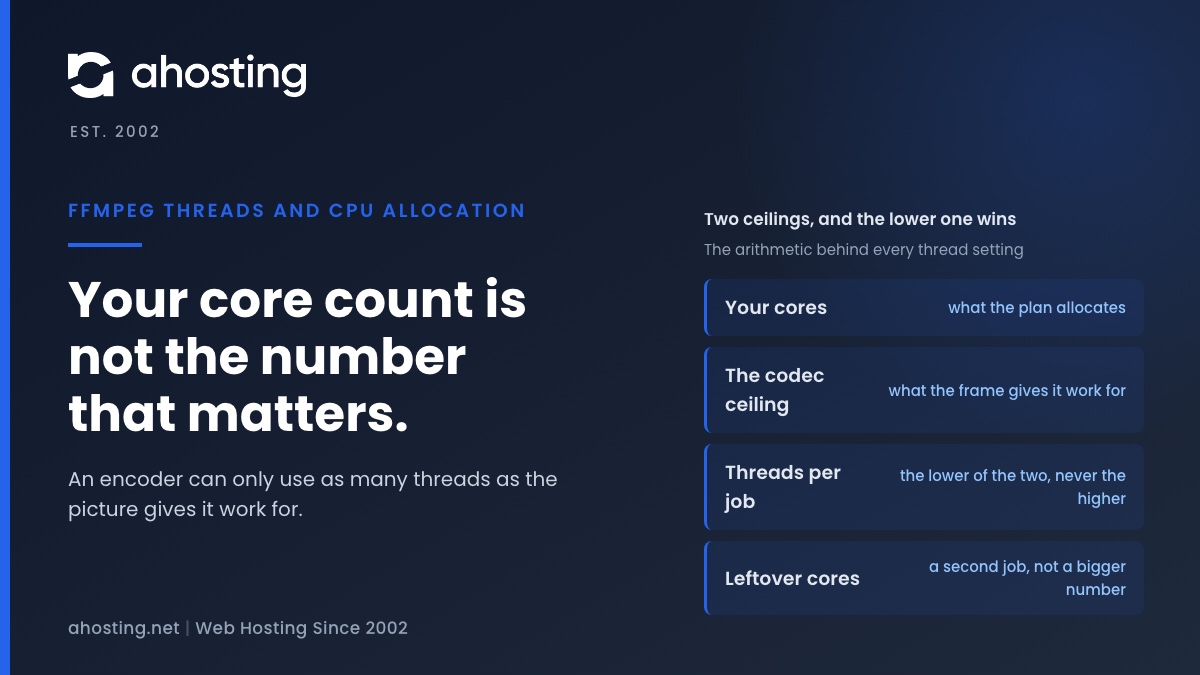
Fortunately, the situation resolves into two numbers. One is familiar: the cores your plan allocates, a hard limit on how much CPU time you can spend per second. The second is the one that gets missed: the number of threads the codec can actually put to work on a frame of a given size. Your per-job thread count is the lower of the two, and which one is lower changes the advice completely, because setting FFmpeg threads to your core count is only correct when the cores are the smaller number.
By contrast, most tuning guidance addresses only the first. Our own knowledge base article on FFmpeg presets, CRF and command-level tuning is the right reference once you know which ceiling binds you, and it covers the levers that genuinely reduce the CPU cost of an encode. This article is upstream of it: before choosing a preset, work out whether the machine or the material is the constraint, because that decides whether you are looking for a faster command or a different way to run it.

What Actually Sets Your Useful FFmpeg Thread Count
Frame Geometry Caps Useful FFmpeg Threads, Not Your Core Count
Ultimately, the cap comes from how the codec divides a picture. Google publishes recommended settings for VP9 video on demand, and the table is a resolution ladder rather than a hardware one: 640×360 and 640×480 get two threads, 1280×720 and 1920×1080 get four, and 2560×1440 and 3840×2160 get eight. The figure moves with frame size, and it stops moving well below the core count of an ordinary server. The same page notes that “there is limited value to multiple threads when the output frame size is very small.”
Similarly, the WebM project states the general recommendation as the number of real cores minus one, and explains the mechanism plainly: rows of macro-blocks are encoded simultaneously on different threads. Rows are the unit of parallelism, so a frame with few rows has few pieces to hand out. That is why a 4K encode can keep eight threads busy while a 480p encode of the same length cannot keep three busy, on identical hardware, with an identical command.
x265 Picks Its Own Frame Threads and Warns You Off More
Interestingly, the clearest statement of the problem comes from an encoder that already solves it for you. The x265 project allocates one thread per CPU core by default and auto-detects a frame-thread count from the core count — two frame threads at four cores, three at eight, five at sixteen. It then warns against overriding that upward, because frame threads “each allocate a large amount of memory” and the reference lag between frames limits how much of the work is genuinely independent.
Above all, note how the project phrases the consequence: beyond the auto-detected count you get limited benefit, and “often the extra frame encoders reduce performance.” Not the same speed for more memory, but slower. An encoder shipping a conservative default and a written warning against raising it is a strong signal that the received wisdom about matching threads to cores is wrong.
Why the Scheduler Makes Extra FFmpeg Threads Cost You
Consequently, threads you cannot feed are not free. The Linux scheduler documentation describes its model as an ideal CPU running every task in parallel at 1/nr_running speed — as the number of runnable tasks rises, each one’s share falls proportionally. Sixteen threads on eight cores do not get sixteen cores’ worth of time. They get eight cores’ worth, cut into sixteen thinner slices, with the switching between them charged to you.
For example, the same counting error shows up elsewhere on a server. Our post on how many concurrent users WordPress shared hosting can handle works through the identical mistake in PHP workers: raising the worker count past what the CPU can serve does not raise throughput, it just spreads the same capacity thinner and adds contention. Encoders are the same arithmetic with a different unit of work.
The AHosting FFmpeg Thread Budget
Accordingly, the two ceilings combine into one table. The AHosting FFmpeg Thread Budget below sets each plan’s effective cores against the useful thread ceiling for 1080p output, and reads off the per-job thread count and the split that follows from it. Shared tiers take their core figure from the CloudLinux CPU speed allocation, where 100 percent is one core; the FFmpeg plans take theirs from the vCPU on the plan page.
| AHosting tier | Effective cores | Useful threads per 1080p job | The split that follows |
|---|---|---|---|
| Bronze shared | 1 | 1 | 1 job at 1 thread |
| Silver shared | 2 | 2 | 1 job at 2 threads |
| WooStart shared | 3 | 3 | 1 job at 3 threads |
| Gold shared | 4 | 4 | 1 job at 4 threads |
| FFStart | 4 vCPU, guaranteed | 4 | 1 job at 4 threads |
| FFPower | 8 vCPU, guaranteed | 4 (capped by the codec) | 2 jobs at 4 threads |
Read the last row first, because it is where the argument lands. FFPower is the only tier whose core count exceeds the codec ceiling, which means it is the only tier where adding threads to a single job cannot spend what you are paying for. Everywhere above it, one job at the full thread count already uses the plan. The shared rows come from the shared plan allocations, and they carry a caveat the FFmpeg rows do not: a container reaches its cap only while its neighbors leave it free.
Two Assumptions Behind the FFmpeg Threads Column
Two assumptions are printed rather than buried. The ceiling column is for 1920×1080; at 1440p and above it rises to eight and the FFPower row becomes one job at eight threads. And every figure here is arithmetic over published numbers, not a measurement — we have benchmarked no encodes and are not implying otherwise.
Jobs, Not Threads: The Split That Uses the Box You Paid For
That said, a ceiling is only useful if it tells you what to do with the headroom. The answer is that spare cores go to another job, because a second file arrives with a full set of frames of its own and none of the dependencies that limit the first.
Why One Job at Eight FFmpeg Threads Leaves an 8 vCPU Box Idle
Indeed, the diagram is the whole finding. On eight vCPU encoding 1080p, a single job with eight threads has genuine work for about four of them; the rest wait on frame dependencies and get scheduled anyway. Two concurrent jobs at four threads each have eight threads’ worth of real work, because file B’s frames do not have to wait for file A’s.
In fact, this is why throughput and latency pull in opposite directions here. One file that has to be finished as fast as possible should take every thread the codec can use and no more. A queue of twenty files should be run as several concurrent jobs, because total elapsed time for the queue is what you are minimising, and that is a throughput problem rather than a latency one.
Running the Split with xargs
Typically, you do not need a job runner to do this. The xargs -P option runs up to that many processes at a time, and it is present on every Linux server you are likely to meet. Piping a file list into it with -P set to your job count and -threads set to your per-job figure is the entire implementation.
However, the detail of doing that safely — output naming, failure handling, keeping a long queue from swamping the box — is its own subject, and our knowledge base covers it in how to run FFmpeg jobs in parallel without overloading. What this article contributes is the number to put after -P, which that article reasonably leaves to you. The planner further down produces both figures and the command line that carries them.
Adaptive Bitrate Ladders Are the Clearest Case
For example, a five-rung ladder encodes one source at five bitrates, and the rungs do not depend on each other at all. Research on multi-representation encoding treats this as the standard approach: with multi-core CPUs, multiple representations of the same content can be encoded in parallel. Five concurrent single-threaded encodes on four cores will finish a ladder sooner than five four-threaded encodes run one after another.
| Shape of the work | What you are minimising | The split | Why |
|---|---|---|---|
| One file against a deadline | Elapsed time for that file | All useful threads on one job | Latency. Spare cores have no second source of work. |
| A batch or queue of files | Elapsed time for the whole queue | Cores divided by the ceiling | Throughput. Each file brings its own frames. |
| An adaptive bitrate ladder | Elapsed time for the full ladder | One job per rendition | The renditions are independent encodes of one source. |
| A heavy filter graph | Elapsed time for that file | Fewer jobs, more threads | Filtering is a separate stage with its own threading. |
Above all, batch work is where the difference compounds rather than appearing once. A ladder or a nightly queue runs the same arithmetic every night, and the gap between a saturated box and a half-used one is the whole reason sustained encoding workloads justify their own hardware rather than sharing capacity with anything else.
When FFmpeg Threads Are Not Your Problem At All
Honestly, none of this applies if something else is capping you first, and the failure looks identical from the outside. An encode that is slow because a container limits CPU speed does not get faster from a better thread split, because the constraint is the total CPU time you are permitted rather than how you divide it.
Therefore check that before you act on anything above. The three-number diagnostic in the previous post in this series separates a throttled container from a disk bottleneck from a genuinely single-threaded encode, and it costs one timed run. If it tells you that you are throttled, the split in this article is the right plan for after you move, not a fix for where you are.
Similarly, storage can be the real limit. A job reading and writing over a network mount will show idle cores no matter how the threads are arranged, and adding concurrent jobs makes it worse rather than better by putting more pressure on the same device. Where the diagnosis points at the plan rather than the command, no arrangement of FFmpeg threads recovers it, and the shared hosting versus VPS comparison and the VPS plan range set out what changes and what does not.
What Guaranteed vCPU Changes
In particular, a thread plan is only worth making if the cores it assumes are actually yours for the duration. On a shared container the allocation is a share of a core that you reach when the neighbors are quiet, so a split calculated against four effective cores can find two on a busy evening. The plan is not wrong; the input moved.
Specifically, that is what the FFmpeg plans allocate. FFStart ships four vCPU and FFPower eight, both described on the plan page as guaranteed and unthrottled, with no cron time limits — so a six-hour batch is not slowed as an allowance runs down or cut off when a wall-clock limit arrives. Encoding the way this article describes needs CPU that stays where you put it, and that is the difference the plans are actually selling.
Furthermore, both plans ship FFmpeg and FFprobe pre-built with full root and SSH access, on Ubuntu 24.04.3 LTS with CloudPanel by default, and cover H.264, H.265, VP9 and AV1 with HLS and DASH output. Work out your own split first with the planner below, then check it against what each tier can hold, since the plan decides the cores and the cores cap the FFmpeg threads.
FFmpeg Job and Thread Planner
Give it the cores you have, the resolution you are writing out, and the shape of the work. It returns the per-job thread count, how many jobs to run at once, and the command that runs them.
Arithmetic over published figures: the ceiling is the VP9 VOD recommendation for that frame size, and the core count is yours. It is a starting point to measure from, not a prediction of encode time.
A Practical Checklist: Setting FFmpeg Threads on Your Plan
Finally, work through this in order. Each item is answerable from the numbers this article has produced, and the sequence matters — a split calculated before the ceiling is known is a guess with arithmetic attached to it.
- Throttling ruled out first, with a timed run, before any thread number is chosen.
- Output resolution written down, since that is what sets the ceiling.
- Codec ceiling read off for that resolution: two below 720p, four at 720p and 1080p, eight above.
- Effective cores known from the plan allocation rather than from the processor count reported by the machine.
- Per-job thread count set to the lower of those two figures, never to the higher.
- Work classified as one deadline file, a queue, or a ladder, because each takes a different split.
- Leftover cores assigned to concurrent jobs rather than to a larger thread number.
- Source and destination confirmed to sit on local storage before concurrency is raised.
- The chosen split timed once against the previous arrangement, so the change is measured rather than assumed.
Overall, the discipline this article asks for is small: read one published ceiling, compare it against one allocation, and spend the difference on jobs instead of on FFmpeg threads. That is a few minutes of arithmetic, and on an eight-core box running routine 1080p work it is the difference between using half the machine and using all of it.
Frequently Asked Questions About FFmpeg Threads
Does setting FFmpeg threads to 16 speed up a 1080p x264 encode on 8 vCPU?
Typically, no, and it can cost you a little. The useful thread count at 1080p is set by how the codec divides the frame, not by how many cores you own, and Google publishes four threads as the recommended figure at that resolution. Threads beyond the point the encoder can use still get scheduled, which spends CPU on switching between them rather than on encoding. The budget table below gives the ceiling for each AHosting tier.
How many threads should I use for FFmpeg encoding in 2026?
Specifically, start at the lower of two numbers: your available cores, and the useful ceiling for your output resolution. At 720p and 1080p that ceiling is four; at 1440p and above it rises to eight. The WebM project puts the general recommendation at the number of real cores minus one. Anything above the lower of those two figures buys scheduling overhead rather than speed.
How many FFmpeg threads can an AHosting FFStart plan actually use in 2026?
Notably, FFStart ships four vCPU, described on the plan page as guaranteed and unthrottled, so four is both the core count and the practical ceiling for a single 1080p job. One encode at four threads therefore uses the whole plan. Above 1080p the codec can use more threads than the plan has cores, which makes four the binding limit rather than the codec.
FFmpeg threads vs parallel jobs: which finishes a batch of encodes faster?
In practice, parallel jobs win once your core count exceeds the codec’s useful thread ceiling. A single job cannot spend cores the encoder has no work for, whereas a second independent job has its own frames to divide and starts using them immediately. Below the ceiling the two are equivalent, which is why the crossover lands at eight cores for ordinary 1080p work.
AHosting FFStart vs FFPower: how many parallel jobs and FFmpeg threads each in 2026?
Ultimately, FFStart’s four vCPU suit one 1080p job at four threads, while FFPower’s eight vCPU suit two concurrent jobs at four threads each. That difference is the whole argument for the larger plan on batch work: the second job is what converts the extra four vCPU into finished files. Both plans advertise guaranteed, unthrottled vCPU and no cron time limits.
Why does raising the x265 frame thread count sometimes reduce performance?
Fortunately, the x265 project states this outright rather than leaving it to be discovered. Frame threads each allocate a large amount of memory, and the reference lag between frames limits how much genuine parallelism is available, so beyond the auto-detected count the extra frame encoders often reduce performance. The encoder already reads your core count and picks a figure from it.
What is the FFmpeg thread budget, and how do I calculate mine?
Accordingly, the thread budget is two numbers compared: the cores your plan allocates, and the useful thread ceiling for your output resolution. The lower one is your per-job thread count, and the cores left over are what you fill with a second job rather than with more threads. The named table below works this through for all six AHosting tiers.
What does the FFmpeg threads option actually control during encoding?
Indeed, it controls how many workers the encoder is permitted to start, not how much parallel work exists for them to do. The available work comes from the video itself, through the rows, tiles and frames the codec can process independently. Where the option is left at its default it resolves to the machine’s processor count, which is why it so often exceeds what the content can use.
How should I set FFmpeg threads for a five-rung HLS ladder on 4 vCPU?
For example, run the five renditions as five concurrent jobs at one thread each rather than five jobs in sequence at four threads. Each rendition is an independent encode of the same source, so the renditions supply the parallelism the frames cannot. Research on multi-representation encoding treats parallel renditions on multi-core CPUs as the standard approach for exactly this reason.
Does AHosting FFmpeg hosting throttle vCPU during long encodes in 2026?
Additionally, no: the FFStart and FFPower plan pages state guaranteed, unthrottled vCPU and no cron time limits, so a long encode is not slowed or cut short by an allowance running out. That is the difference from a shared container, where CPU speed is capped as a share of a core. Which situation you are in decides whether this article or the diagnostic in the previous post applies.