
-

The Server Cannot Process the Image: What WordPress Is Telling You
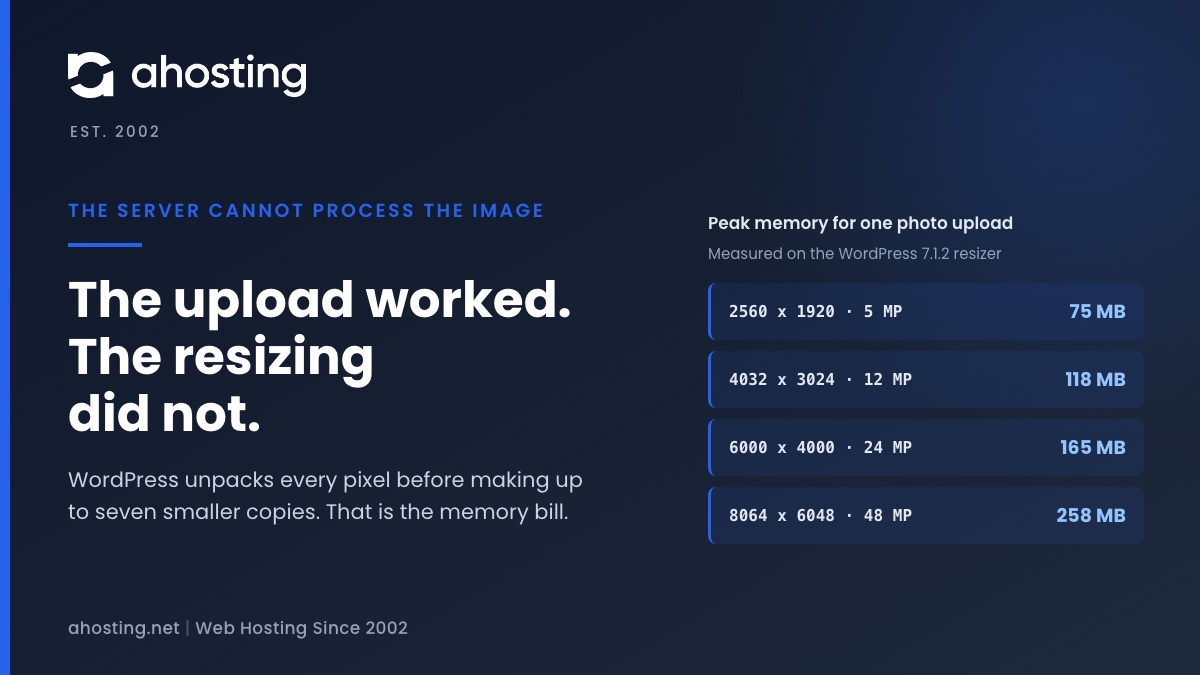
TL;DRWhen WordPress says the server cannot process the image, the upload almost always worked. What failed is the resizing that follows, which unpacks every pixel of the photo into memory before making up to seven smaller copies. We measured that at about a quarter of a gigabyte for a 48 megapixel phone photo. Since WordPress 7.1 the block editor can do the resizing in your browser instead, while the Media Library still does it on the server, so the same photo can fail in one and work in the other. The fix depends on which limit stopped the resize, and your error log usually says which.
Categories
- CMS
- Concrete5
- Drupal
- FFmpeg / Video Hosting
- Hosting Guides
- How To
- Joomla
- Security
- SEO
- Uncategorized
- Video Content
- Web Hosting News
- WooCommerce
- WordPress
Lets Connect!
-
Take Control of Video Comments
If you’re a regular YouTube user and even if you’re not, you have probably noticed the recent comments controversy. Google, in an effort to sanitize the comments that appear beneath videos and integrate YouTube with their social networking platform,…
-
Video Sharing Sites For Educators
The Internet has had a huge impact on many areas of the educational world. Whether you teach grade school, post-docs, or anyone in-between, you’ll be expected to take account of new technologies in your teaching practice. If educators are…
-
6 Tools For Creating Awesome Educational Screencasts
If you want to create an educational video sharing site, screencasts are an essential component. Since video has become so much more popular and affordable, many content creators are turning from the traditional text tutorial with screenshots to the…
-
Choosing Reliable FFmpeg Hosting
FFmpeg hosting clients have very specific needs, and those needs are not always met by standard shared hosting providers. To offer the best possible experience to a site’s users, it’s necessary to ensure that the hosting platform that webmasters…