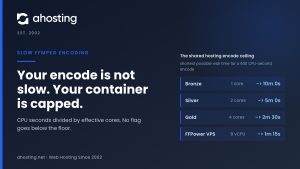
- FFmpeg Server Requirements Start With One Number, and It Is Not Cores
- What Shared Hosting Clears Against Real FFmpeg Server Requirements
- What a VPS Actually Guarantees: Cores, Threads and vCPUs
- The Measured Constant: What One Minute of 1080p Costs
- One Source Is Not One Encode: The FFmpeg Server Requirements Multiplier
- The AHosting FFmpeg Encode Capacity Ladder
- Matching Your Queue to a Tier: FFmpeg Server Requirements by Workload
- A Practical Checklist: Are Your FFmpeg Server Requirements Covered?
- Frequently Asked Questions About FFmpeg Server Requirements
- What are the FFmpeg server requirements for encoding 1080p video in 2026?
- What are the CPU and RAM requirements to run FFmpeg?
- FFmpeg server requirements on VPS vs dedicated hardware: which is right in 2026?
- Is shared hosting vs a VPS a real choice for FFmpeg encoding work?
- When do FFmpeg server requirements push you past AHosting's 8 vCPU FFPower plan?
- Can a 4 vCPU plan hold a continuous 1080p live transcode at real time?
- How do I convert my encode queue into FFmpeg server requirements in core-hours?
- What is the AHosting FFmpeg Encode Capacity Ladder and how do I read it?
- Do AHosting FFmpeg hosting plans meet the FFmpeg server requirements for HEVC output?
- Do FFmpeg server requirements change if I add a three-rung HLS ladder in 2026?
FFmpeg server requirements come from one number: finished encode-minutes per day. Measure a single job, multiply by your rendition ladder, then read off the tier that clears it. The plan name is the last decision, not the first.
Most FFmpeg hosting advice ends at a recommendation: start with four to eight cores and see how it goes. That is not a specification, it is a guess with a number attached, and it fails in the two directions that cost money. Real FFmpeg server requirements are arithmetic, and the inputs are things you already know about your own queue. This post supplies the arithmetic, the measured constants it runs on, and the two boundaries the usual recommendation hides. It is the third in a series: post one found your CPU cap, post two set the per-job thread ceiling, and this one sizes the machine. If you are still deciding whether server-side media processing is the right shape for your project at all, the buyer-side guide to FFmpeg hosting covers that ground first.
FFmpeg Server Requirements Start With One Number, and It Is Not Cores
FFmpeg server requirements reduce to finished encode-minutes per day. Everything else — cores, threads, tier names, price — is downstream of it. Count what your pipeline has to produce in 24 hours, and the hardware question answers itself.
Encode-Minutes In, Core-Hours Out
Encoding is one of the few web workloads with an honest unit. A visitor is unpredictable; an encode is not. Given the same source, the same codec and the same preset, a machine finishes a fixed number of output minutes per hour, and that rate barely moves. Therefore capacity planning here is closer to a factory line than to traffic estimation: throughput in, throughput out, and a queue that either drains or grows.
The unit that matters is output, not input. A single 10-minute upload that becomes three delivery renditions is 30 encode-minutes of work, not 10. Consequently the first thing to establish is your daily output figure, and the multiplier that produces it is covered further down.
Why Shared, VPS or Dedicated Is the Last Question
Tier names describe how a machine is sold, not what it finishes. Two plans with the same core count can differ in whether you are permitted to hold those cores for four hours, which is the variable that actually decides whether an encode completes. In practice the sequence runs the other way round from how it is usually presented: work out the daily figure, check which tiers are allowed to sustain that kind of load at all, and only then compare prices among the ones that clear it.

What Shared Hosting Clears Against Real FFmpeg Server Requirements
Shared hosting runs FFmpeg perfectly well for the cheap half of a media pipeline and cannot run the expensive half at all. That boundary is set by policy and by process limits rather than by raw speed, which is why adding cores to a shared plan would not move it.
Three Ceilings, and Only One of Them Is CPU
CloudLinux expresses a shared account’s CPU allowance as a percentage of one core — the documentation states that a SPEED limit of 100% means one core, so 400% means four. Notably, hitting that ceiling does not kill anything: the account simply runs slower. The two limits that actually stop an encode are different. Entry processes cap how many concurrent connections, SSH sessions and cron jobs an account may hold at once, and the execution-time limit stops a long-running job part-way.
That last one produces the symptom people misdiagnose most often. Furthermore, a truncated output file with no error message from FFmpeg reads exactly like a bad command, because FFmpeg did not fail — it was terminated. Our knowledge base article on what you can and cannot do with FFmpeg on shared hosting walks through the symptom set in detail. Worth stating plainly: a temporary entry-process increase is not a thing that exists. It is a plan change.
The Work That Does Fit on a Shared Plan
Anything that does not decode and re-encode a whole video is usually fine. Probing a file with ffprobe returns in milliseconds. Pulling a thumbnail reads a small part of the file. Stream copies — trimming, joining, remuxing — move data rather than processing it, so a two-hour source is handled in seconds. Short audio conversion is comparatively light. In fact a well-designed pipeline often keeps all of that on a standard hosting plan and sends only the encoding elsewhere.
Bronze to Gold, Translated Into Cores
AHosting’s four shared tiers carry LVE SPEED allocations of 100, 200, 300 and 400 — one through four cores — with entry-process allowances of 20, 30, 40 and 50. Those figures are read from the server configuration rather than from a plan page, and no shared plan page publishes them. Ultimately they are beside the point for this decision: the ceiling that stops sustained encoding is the execution-time limit, and it applies at every one of those tiers. If you want to see where your own account’s cap sits before deciding anything, post one in this series shows you how to find your CPU cap on shared hosting with two commands.
What a VPS Actually Guarantees: Cores, Threads and vCPUs
A VPS removes the policy ceiling and replaces it with a scheduling guarantee. That is a real change, and it is worth understanding precisely what is being guaranteed, because the words on plan pages across this industry are not consistent.
A vCPU Is a Scheduled Process, Not a Piece of Silicon
Under KVM, the project’s own documentation is blunt about this: once running, a virtual machine is just a regular process on the host, managed with ordinary tools. A guaranteed vCPU is therefore a promise about how the host scheduler treats your machine, not a physical core welded to your name. In practice that promise is what matters, and it is verifiable: AHosting’s published encode test recorded CPU steal time at zero throughout on both plans, which is the measurement that shows nothing was taking the cores back.
Six Cores or Twelve? Encoding Cares Which
Bare-metal listings across this industry mix cores and threads freely, and for encoding the difference is not cosmetic. Intel’s specification for the Xeon E-2136 gives six cores and twelve threads, while the Xeon Silver 4114 is ten cores and twenty threads per socket. A dual-4114 machine is therefore a 20-core, 40-thread box. Additionally, a second hardware thread on a busy encoder adds far less than a second core does, so a listing that prints only the larger number is describing something you will not get. AHosting’s dedicated listings print both, which is the format to insist on wherever you buy.
FFStart and FFPower Are KVM-4 and KVM-8 With FFmpeg Pre-Built
Worth knowing before you compare line items: the two FFmpeg plans are the same machines as the four- and eight-core tiers of the general VPS range, at the same prices, shipped with FFmpeg and FFprobe already compiled and on your PATH. FFStart is 4 vCPU, 8 GB and 75 GB of SSD; FFPower is 8 vCPU, 16 GB and 100 GB. Above them the KVM line continues to 16 vCPU and 32 GB. Specifically what the FFmpeg plans add is the build, not the hardware, so the sizing arithmetic below applies identically across both ranges.
The Measured Constant: What One Minute of 1080p Costs
Every FFmpeg server requirements calculation in this post rests on one measured constant, and it is published rather than estimated. AHosting Technical Operations ran the same source file and the same command on both FFmpeg plans, varying only the core count.
| Job | FFStart — 4 vCPU | FFPower — 8 vCPU |
|---|---|---|
| Down to 720p, H.264 | 51.5 s — 1.16x real time | 27.6 s — 2.18x real time |
| Stay at 1080p, H.264 | 88.8 s — 0.67x real time | 47.5 s — 1.26x real time |
| 1080p, HEVC (x265) | 110.5 s — 0.54x real time | 67.7 s — 0.88x real time |
| Decoding the source alone | 17.0 s | 10.7 s |
What the Test Did Not Cover
Three limits are worth stating before the numbers get multiplied. Firstly, the test covers four and eight vCPUs only, so every other figure in this post is arithmetic from those two rows and says so. Secondly, source complexity moves results by roughly 30% between a detailed live-action shot and a flat animated one, which is a wider band than most tier differences. Thirdly, the preset matters as much as the plan: the same job dropped from 50.3 s to 29.4 s on four cores purely by moving from preset medium to preset veryfast, and for delivery renditions that trade is usually worth taking.
Measuring Your Own FFmpeg Server Requirements Constant
Your files are not our files, so the honest version of this exercise replaces our constant with yours. Take a representative source, run your real command on your current box, and record wall-clock seconds against source seconds. That ratio is your throughput multiplier, and it slots into every calculation below in place of ours. Post one in this series covers the measurement itself, including how to tell a throttled result from a genuine one.
One Source Is Not One Encode: The FFmpeg Server Requirements Multiplier
The single most common error in estimating FFmpeg server requirements is counting uploads instead of outputs. A rendition ladder multiplies your daily figure by the number of rungs, and it does so before any hardware decision is made.
A Three-Rung Ladder Is Three Encodes
Adaptive streaming works by offering the same content at several bit rates. RFC 8216 defines the master playlist as one that references media playlists, each of which specifies media encoded at a particular bit rate, in a particular format, and at a particular resolution. Accordingly a 1080p, 720p and 480p ladder is three separate encodes of every source you accept. For example, 100 source minutes a day is 100 encode-minutes with a single output and 300 with three, and the hardware requirement triples with it.
Jobs or Threads? Both Our Numbers Are Right
Two AHosting measurements look, at first glance, as though they disagree. Our published plan test found that four simultaneous encodes on four cores returned only 1.08x the throughput of running them one after another. Post two in this series argues that past a codec’s useful thread ceiling the win comes from more jobs rather than more threads. In fact both hold, and the variable is core count: on four cores a single 1080p x264 job already occupies everything available, so fanning out buys nothing, while the parallel win appears only once a machine has more cores than one job can usefully consume. That is exactly the 16-core and bare-metal case, and it is why the thread ceiling governs the top of the ladder and not the bottom. When you do reach the point of running a queue in parallel, the knowledge base covers how to run FFmpeg jobs in parallel without overloading the box.
The AHosting FFmpeg Encode Capacity Ladder
Below is every AHosting tier on one scale, which is where FFmpeg server requirements stop being a category question and become a lookup. Two rows are measured on plans we sell; the rest are arithmetic from them, and every row says which it is. A day is 1,440 minutes, so a throughput multiplier above 1.0x means the machine finishes faster than real time.
| Tier | Guaranteed cores | Sustained encoding? | 1080p H.264 throughput | Finished 1080p minutes / 24 h | Basis |
|---|---|---|---|---|---|
| Bronze (shared) | 1 (SPEED 100) | No — execution-time limit | — | — | Policy |
| Silver (shared) | 2 (SPEED 200) | No | — | — | Policy |
| WooStart (shared) | 3 (SPEED 300) | No | — | — | Policy |
| Gold (shared) | 4 (SPEED 400) | No | — | — | Policy |
| KVM-2 | 2 vCPU | Yes | 0.35x | 504 | Derived |
| FFStart / KVM-4 | 4 vCPU | Yes | 0.67x | 964 | Measured |
| FFPower / KVM-8 | 8 vCPU | Yes | 1.26x | 1,814 | Measured |
| KVM-16 | 16 vCPU | Yes | 1.81x | 2,606 | Derived |
| Dedicated, 6 cores / 12 threads | 6 cores | Yes | 0.67x–1.26x | 964–1,814 | Derived, bracketed |
| Dedicated, 20 cores / 40 threads | 20 cores | Yes | 2 concurrent 8-core jobs | 3,628 | Derived, concurrency |
| Dedicated, 32 cores / 64 threads | 32 cores | Yes | 4 concurrent 8-core jobs | 7,256 | Derived, concurrency |
How the Derived FFmpeg Server Requirements Rows Were Derived
Three assumptions carry the derived rows, and each is printed so you can disagree with it. Doubling from four to eight cores measured 1.88x, so the KVM-2 row divides the FFStart figure by that same factor. AHosting states that going from eight to sixteen returns only half as much again, so the KVM-16 row applies 1.44x to FFPower rather than another 1.88x. The bare-metal rows do not scale a single job at all; instead they count how many 8-core jobs fit, because a single encode stops using extra cores long before 20 of them. Above all, one thing these rows cannot model is clock speed: a 3.2 GHz bare-metal core and a virtualized core are not interchangeable, and the concurrency multiples are upper bounds rather than promises.
When Bare Metal Is the Answer
Two conditions push past the KVM range, and neither is single-job speed. The first is job count: a live channel plus a VOD queue is two sustained workloads competing for one machine, and past a point the only fix is more cores to divide between them. The second is the physical layout that comes with them. Kernel documentation notes that memory access by CPUs attached to the same node is faster and higher-bandwidth than access to remote nodes, so a dual-socket box is not two independent machines for one job that spans both. By contrast, it is close to two independent machines for two jobs pinned one per socket — which is the argument for a whole physical machine once your workload is genuinely several parallel pipelines rather than one large one.
Matching Your Queue to a Tier: FFmpeg Server Requirements by Workload
Four shapes cover most real pipelines, and each one turns FFmpeg server requirements into a single row. Each row multiplies daily source minutes by renditions, divides by a 60% duty target, and reads down the ladder to the first tier that clears it.
| Workload shape | Source min/day | Renditions | Finished min/day | Capacity needed at 60% duty | Tier |
|---|---|---|---|---|---|
| Podcast, three 45-minute episodes a week | 19 (audio) | 1 | Negligible | Below the first tier | Shared Gold, or KVM-2 if the queue is automated |
| Course platform, four 20-minute lectures a day | 80 | 3 | 240 | 400 | FFStart — clears at 964 |
| VOD library, thirty 10-minute uploads a day | 300 | 3 | 900 | 1,500 | FFPower — clears at 1,814 |
| One continuous 1080p live channel | 1,440 | 1 | 1,440 at real time | Sustained 1.0x or better | FFPower minimum — FFStart runs at 0.67x and falls behind |
| Live channel plus a VOD queue | 1,440 + 200 | 1 and 3 | 2,040 | 3,400 | Dedicated, 20 cores — clears at 3,628 |
Run your own numbers below. The calculator uses the same measured constants and prints them, so nothing about the arithmetic is hidden.
Encode Capacity Calculator
Enter the queue you actually have. Every constant below is the measured AHosting figure for that codec, printed in the note so the arithmetic is auditable.
One honest note on where this lands commercially. The measurement that anchors every row here was run on the plans we sell, and the tier that clears your FFmpeg server requirements without throttling is what the FFmpeg plans allocate: guaranteed vCPU, no cron time limits, and FFmpeg already built. Therefore the four- and eight-core rows are ours and measured; the rest is arithmetic from them, and the plan that clears your number is the one to order.
A Practical Checklist: Are Your FFmpeg Server Requirements Covered?
- You have a daily figure in finished encode-minutes, not in uploads or gigabytes.
- The figure includes every rung of your rendition ladder, plus thumbnails and preview clips.
- You have measured your own throughput multiplier on a representative source, with your real command.
- You have sized to roughly 60% duty, so a heavy day drains instead of accumulating.
- Live work, if any, is sized on the peak and needs a sustained rate above 1.0x real time.
- Your chosen tier is permitted to hold CPU for hours — that rules out every shared plan.
- You have checked cores against threads on any bare-metal listing, not just the larger number.
- Storage is sized for a working set rather than an archive, with object storage behind it if needed.
- You know whether your codec is H.264 or HEVC, because HEVC needs roughly a quarter more capacity.
- You have a queue, so nothing encodes inside a web request.
Frequently Asked Questions About FFmpeg Server Requirements
What are the FFmpeg server requirements for encoding 1080p video in 2026?
Specifically, they are the number of finished encode-minutes your queue produces each day, divided by the throughput a plan sustains. AHosting measured a 4 vCPU plan at 0.67x real time and an 8 vCPU plan at 1.26x on 1080p H.264, so a 4 vCPU machine finishes about 964 minutes of 1080p in a day and an 8 vCPU machine about 1,814. Work out your own daily figure first; the capacity ladder in this post then reads off which tier clears it.
What are the CPU and RAM requirements to run FFmpeg?
Specifically the CPU side is set by your daily output minutes, and on the AHosting plans the RAM arrives with the tier rather than being chosen separately. Measured 1080p H.264 throughput is 0.67x real time on the four dedicated vCPUs of FFStart, which ships 8 GB, and 1.26x on the eight vCPUs of FFPower, which ships 16 GB. Because encoding throughput scales with cores rather than with memory, size the tier on finished encode-minutes per day and let the memory follow it; in practice it is the number of concurrent jobs that consumes RAM, not a single encode.
FFmpeg server requirements on VPS vs dedicated hardware: which is right in 2026?
In practice a VPS is right until one machine can no longer run enough concurrent jobs, which is usually somewhere past 16 cores. A single encode stops using extra cores well before that point, so the reason to buy bare metal is job count and sustained live work, not single-job speed. Dedicated hardware also brings a second socket into play, and two sockets are not two independent machines.
Is shared hosting vs a VPS a real choice for FFmpeg encoding work?
Notably it is not a real choice for encoding, and the constraint is policy rather than arithmetic. Shared plans exist on the assumption that nobody holds a core for hours, so the execution-time limit stops a long encode part-way and leaves a truncated file that looks like a command error. Shared hosting handles probing, thumbnails, stream copies and short audio work perfectly well; sustained transcoding needs a machine you are allowed to saturate.
When do FFmpeg server requirements push you past AHosting's 8 vCPU FFPower plan?
Ultimately at the point where one machine cannot hold your live stream and drain your VOD queue at the same time. A continuous 1080p transcode consumes real-time throughput all day, and FFPower sustains about 1.26x real time, so a single live channel leaves roughly 374 finished minutes a day for everything else. Anything larger than that is a job-count problem, which is what a 20-core or 32-core machine solves.
Can a 4 vCPU plan hold a continuous 1080p live transcode at real time?
However tempting the price is, no. The measured 1080p H.264 rate on four dedicated vCPUs is 0.67x real time, which means the encoder falls a third of a minute behind for every minute of broadcast and never recovers. Eight vCPUs measure 1.26x, which clears real time with about a quarter of headroom. Live work is sized on the peak, never on the average.
How do I convert my encode queue into FFmpeg server requirements in core-hours?
First and foremost, count outputs rather than inputs. Take your daily source minutes, multiply by the number of renditions each source produces, and you have finished encode-minutes per day. Divide that by the throughput multiplier a tier sustains for your codec and resolution, then divide again by your target duty cycle. The result is the daily capacity the plan has to carry, and it is the only number that decides the tier.
What is the AHosting FFmpeg Encode Capacity Ladder and how do I read it?
Accordingly it is a table that puts every AHosting tier on one scale: guaranteed cores, whether sustained encoding is permitted at all, the 1080p throughput multiplier, and the finished 1080p minutes a tier clears in 24 hours. Two rows are measured on plans we sell and the rest are arithmetic from them, and every cell says which it is. Read down to the first row whose daily figure exceeds your own.
Do AHosting FFmpeg hosting plans meet the FFmpeg server requirements for HEVC output?
Indeed they do, with the caveat that HEVC costs noticeably more CPU than H.264. The same measured test put 1080p HEVC at 0.54x real time on four vCPUs and 0.88x on eight, against 0.67x and 1.26x for H.264. Both plans ship libx265 pre-built, so nothing needs compiling; the practical effect is that an HEVC queue needs roughly a quarter more capacity than the same queue in H.264.
Do FFmpeg server requirements change if I add a three-rung HLS ladder in 2026?
For example, a library of 100 source minutes a day becomes 300 finished minutes the moment you publish three variant streams instead of one. HLS master playlists reference several media playlists, each encoded at its own bit rate and resolution, and every rung is a separate encode. Adding a rung is therefore a capacity decision rather than a packaging one, which is why the multiplier belongs in the arithmetic before the tier is chosen.