- How WordPress Sends Email — and Where It Breaks
- What SPF, DKIM, and DMARC Actually Do for WordPress Email
- The WordPress Email Deliverability Stack: What Your Hosting Must Provide
- Why WooCommerce Stores Feel This Most Acutely
- AHosting's Approach to WordPress Email Infrastructure
- How to Check Your WordPress Hosting Email Setup Right Now
- WordPress Email Deliverability: Hosting Setup Checker
- Frequently Asked Questions: WordPress Email Deliverability and Hosting
- How does a dedicated IP differ from a shared IP for WordPress email deliverability in 2026?
- What is the difference between PHP mail() and an authenticated SMTP relay for WordPress?
- Why did Google and Yahoo change their email sender requirements in 2024 and what does it mean for WordPress sites today?
- Which WordPress email deliverability hosting setup meets inbox provider standards in 2026?
- When should a WooCommerce store upgrade from shared hosting to fix transactional email deliverability?
- What happens to my WordPress emails if a neighboring site on my shared IP gets blacklisted?
- How does a PTR record affect WordPress email delivery and why does it require a dedicated IP?
- What SPF, DKIM, and DMARC DNS records does a WordPress site need to pass inbox authentication checks?
- Can an SMTP plugin fix WordPress email deliverability without a dedicated IP address?
- Why are my WordPress emails going to spam even after installing an SMTP plugin?
WordPress email deliverability hosting failures almost always start with a shared IP address, not your plugin settings. A dedicated IP, correct reverse DNS, and SPF/DKIM/DMARC records fix the root cause. AHosting includes a dedicated IP on every WordPress plan at no extra cost.
Your WordPress email deliverability hosting setup is broken — and your email plugin is not the reason. Every week, WooCommerce store owners and membership site managers contact hosting support with the same complaint: order confirmations land in spam, password reset emails never arrive, contact form replies disappear. The instinct is to install a new plugin or switch SMTP providers. However, the real problem is sitting at the server level, invisible to every plugin on your dashboard.
This guide explains exactly what is happening at the infrastructure layer, why shared hosting IP reputation is the root cause most guides never mention, and what your WordPress hosting setup needs to fix it permanently in 2026.
Last Updated: June 2026
How WordPress Sends Email — and Where It Breaks
WordPress does not have a built-in mail server. By default, it hands outgoing email to a PHP function called mail(), which passes the message to whatever mail transfer agent (MTA) is running on your web server. That MTA then attempts to deliver the message directly to Gmail, Outlook, Yahoo, or wherever your customer’s inbox lives.
This approach was acceptable in 2008. It is not acceptable in 2026. Modern inbox providers run multi-layer filtering before accepting a single byte of incoming mail. The first check is not your subject line — it is the sending IP address.
WordPress Email Deliverability Hosting Factor One: The Shared IP Problem
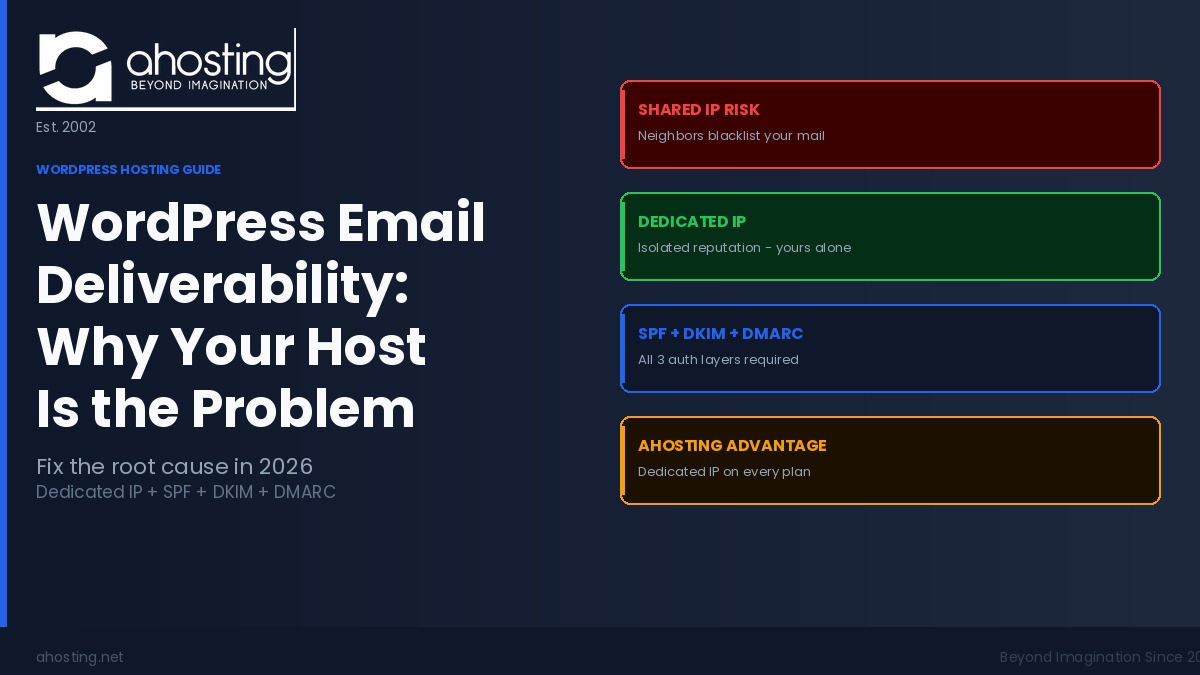
On shared hosting, your site shares a server — and a single IP address — with hundreds of other websites. When any one of those sites sends spam, gets hacked, or triggers a blacklisting, every site on that IP inherits the damaged reputation. Gmail, Outlook, and Proton Mail all check sending IP reputation in real time against public blacklists including Spamhaus, Barracuda, and SORBS. If your shared IP appears on any of them, your legitimate order confirmation emails filter directly to spam.
According to Spamhaus listing statistics, shared hosting environments account for a disproportionate share of listed IPs precisely because one compromised neighbor can affect the entire block. A dedicated IP removes you from that risk entirely — your IP’s reputation is yours alone.
WordPress Email Deliverability Hosting Factor Two: Missing PTR Records
A PTR record — reverse DNS — maps an IP address back to a hostname. When Gmail receives a message from an IP, it performs a reverse DNS lookup. If the result does not match the domain in the email’s From header, Gmail treats it as a red flag — before SPF, DKIM, or content analysis even begins.
Shared hosting IPs typically resolve to a generic hostname such as shared-203-0-113-45.hostingprovider.com, which has no relationship to yourstore.com. Consequently, the reverse DNS check fails on every email your site sends. A dedicated IP lets your host set a PTR record that resolves directly to your domain, passing this check cleanly. That single change improves deliverability before a single DNS authentication record is even touched.
WordPress Email Deliverability Hosting Factor Three: No Authentication Headers
PHP mail() sends email without SPF, DKIM, or DMARC authentication. Since February 2024, Google and Yahoo require all bulk senders to have all three authentication records in place. Sites sending WooCommerce order confirmations, newsletter sequences, or membership emails qualify as bulk senders by volume. Without authentication, your emails arrive unsigned — and 2026 inbox providers now actively reject or quarantine unsigned mail from new or low-reputation IPs.
What SPF, DKIM, and DMARC Actually Do for WordPress Email
These three DNS records form the passport system inbox providers use to verify mail is legitimate. Understanding what each one does helps you set them up in the right order — and explains why your plugin configuration may still be failing even after installation.
SPF: Authorizing Which Servers Send for Your Domain
SPF (Sender Policy Framework) is a DNS TXT record that lists the IP addresses and services authorized to send email from your domain. When a receiving mail server sees an email from yoursite.com, it checks your SPF record against the sending IP. If the IP is not listed, the message fails the SPF check and is treated as unauthorized.
The critical hosting detail: your SPF record must include your server’s IP address. On shared hosting, that IP can change when your host reshuffles the server. On a dedicated IP, the address is stable — and your SPF record stays accurate indefinitely.
DKIM: Proving Your Message Was Not Tampered With in Transit
DKIM (DomainKeys Identified Mail) adds a cryptographic signature to every outgoing message. The signature is generated using a private key on your sending server and verified using a public key stored in your DNS. If the message is altered in transit, the signature fails. Gmail displays a DKIM pass or fail in the full headers view — and a fail is an immediate trust penalty.
Importantly, DKIM requires your mail to pass through a signing server — not raw PHP mail(). This is why an authenticated SMTP relay is a necessary second layer on top of your hosting infrastructure. Your host provides the clean IP; the SMTP relay provides the signing.
DMARC: Enforcement Policy and Spoofing Protection
DMARC (Domain-based Message Authentication, Reporting, and Conformance) ties SPF and DKIM together into an enforceable policy. Your DMARC record tells receiving providers what to do when mail claiming to be from your domain fails authentication: deliver it, quarantine it, or reject it outright. DMARC also sends you aggregate reports showing which servers are sending mail in your name — invaluable for catching spoofing attempts before they damage your domain reputation.
According to DMARC.org deployment data, domains without a DMARC record are significantly more likely to be exploited in phishing attacks, which further damages the sending domain’s reputation over time regardless of the site owner’s own practices.
The WordPress Email Deliverability Stack: What Your Hosting Must Provide
Reliable WordPress email delivery requires three infrastructure layers working together. Each layer depends on the one below it — and all three begin with your hosting environment.
| Layer | What It Provides | Hosting Requirement | Shared IP Result | Dedicated IP Result |
|---|---|---|---|---|
| Layer 1: IP Reputation | Clean sender history with inbox providers | Dedicated IP address | Shared with 100–1,000+ sites; neighbor can blacklist your mail | Isolated — your reputation only |
| Layer 2: Reverse DNS | PTR record matching your domain | Host sets PTR for your IP | Generic hostname; mismatch with your domain | Custom PTR resolves to your domain |
| Layer 3: Authentication | SPF, DKIM, DMARC DNS records | Stable IP for accurate SPF | IP changes can break SPF silently | Stable IP keeps SPF accurate permanently |
Most email deliverability guides start at Layer 3 — SMTP plugins, SPF records, DKIM configuration. However, Layers 1 and 2 are prerequisites. An SMTP plugin routing mail through an authenticated service improves delivery, but if your hosting IP is actively blacklisted, messages still fail at the receiving server’s IP reputation check before authentication is even examined. Fix the layers in order, not in reverse.
WordPress Email Deliverability Hosting: The Five-Step Fix Sequence
The correct order for solving WordPress email deliverability is infrastructure first, authentication second, relay third.
First Step — Confirm you have a dedicated IP. Check your hosting plan or contact your host. AHosting includes a dedicated IP on every WordPress hosting plan at no extra cost — most budget hosts charge $2–5 per month additional for this feature.
Second Step — Set your PTR record. Ask your host to configure your IP’s reverse DNS record to resolve to your primary domain. On a dedicated IP, your host can complete this in minutes. On a shared IP, this is structurally impossible — you share the IP with other customers.
Third Step — Publish SPF, DKIM, and DMARC DNS records. Your SMTP provider supplies the SPF include value and DKIM public key. Publish both in your DNS panel. Add a DMARC record starting at p=none (monitoring mode), then tighten to p=quarantine after 30 days of clean aggregate reports.
Fourth Step — Replace PHP mail() with an authenticated SMTP relay. Install WP Mail SMTP, FluentSMTP, or a similar plugin. Route WordPress mail through a transactional sending service — SendGrid, Mailgun, or Postmark all work well. This step ensures DKIM signing happens on every outgoing message.
Fifth Step — Test and monitor continuously. Use MXToolbox Blacklist Check to confirm your IP is clean. Use Mail-Tester.com to send a test email and score your full authentication setup. Check Google Postmaster Tools monthly for domain reputation signals with Gmail specifically.
Why WooCommerce Stores Feel This Most Acutely
WooCommerce sends email automatically on nearly every customer action: order confirmation, payment receipt, shipping notification, refund confirmation, account registration, and password reset. For a store processing 50 orders per week, that is 200–300 transactional emails per month — all originating from your server IP.
Transactional emails carry the highest open rates of any email category — typically above 50% according to Mailchimp’s email benchmark research. Customers expect them immediately after purchase. When a WooCommerce order confirmation lands in spam or fails to arrive, customers open support tickets, initiate chargebacks, and leave negative reviews — all of which affect revenue directly.
Furthermore, WooCommerce’s High Performance Order Storage (HPOS), fully active in 2026, moves orders to dedicated database tables for speed. However, the email triggers still fire from your server’s PHP layer — meaning the deliverability problem is completely unchanged by HPOS alone. Your WooCommerce hosting must solve the IP layer problem directly.
Shared IP vs. Dedicated IP: Complete WordPress Email Deliverability Comparison
| Factor | Shared Hosting IP | Dedicated IP — AHosting |
|---|---|---|
| IP reputation ownership | Shared with 100–1,000+ sites | Your reputation only |
| Neighbor contamination risk | High — any hack triggers shared blacklisting | Zero — fully isolated |
| PTR / reverse DNS | Generic hostname; fails domain match check | Custom PTR set to your domain |
| SPF record stability | IP may change; SPF breaks silently | IP is permanent; SPF stays accurate |
| Blacklist exposure | High — shared IPs appear on Spamhaus, Barracuda regularly | Low — isolated IPs rarely appear |
| SMTP relay benefit | Partial — improves DKIM; IP reputation still shared | Full — clean IP + relay = maximum inbox rate |
| Additional monthly cost | $0 (hidden cost is deliverability failure) | $0 — included on every AHosting WordPress plan |
If you are unsure whether your site has already outgrown shared hosting in other ways, the pattern of symptoms is similar across performance and deliverability: see our guide to signs your WordPress site has outgrown shared hosting for the full picture. For membership platforms — another category where transactional email reliability is critical — the specific requirements are covered in our post on what your WordPress membership site hosting actually needs. For multisite network administrators sending notifications across multiple subsites, the infrastructure requirements are higher still — see our guide on WordPress multisite hosting server requirements.
AHosting’s Approach to WordPress Email Infrastructure
At AHosting, every WordPress hosting plan has included a dedicated IP as standard since the company launched in 2002. The reasoning is straightforward: a hosting company operating for over 22 years has seen, many times over, the support cost of cleaning up email deliverability problems caused by shared IP contamination. Giving each account its own isolated IP address removes an entire category of problem before it starts.
Matt Chrust, Director of Business Development at AHosting, explains: “We made dedicated IPs a standard inclusion on all plans because we kept seeing the same support pattern — a customer’s WooCommerce store would be running perfectly, and then one day order confirmations stopped arriving. Nine times out of ten, a neighboring site on the shared IP had been compromised. The customer had done nothing wrong. The only durable fix was isolation.”
For larger operations — membership platforms, WooCommerce stores processing high order volumes, or multisite networks sending notifications across multiple subsites — AHosting’s VPS hosting provides complete server resource isolation alongside the dedicated IP, eliminating both shared-IP reputation risk and shared-server resource contention simultaneously.
For organizations with the highest transactional email volumes — agencies managing multiple client stores, or enterprise WooCommerce installations — dedicated server hosting provides maximum isolation: your own physical hardware, your own IP block, and zero shared-infrastructure risk. For sites in this category, deliverability is a revenue-protection question, not just a technical configuration task.
How to Check Your WordPress Hosting Email Setup Right Now
Before changing anything, audit your current situation. Three tools deliver the information you need in under ten minutes, and all are free.
WordPress Email Deliverability Hosting Check One: MXToolbox Blacklist Lookup
Navigate to MXToolbox Blacklist Check and enter your server’s IP address — available in your hosting control panel under account details. The check runs your IP against over 100 public blacklists simultaneously. A clean result confirms your IP is not currently listed, though it does not confirm whether you have a dedicated IP.
Additionally, run the MXToolbox SuperTool against your domain to check SPF, DMARC, and MX record presence in a single view.
WordPress Email Deliverability Hosting Check Two: Mail-Tester Scoring
Mail-Tester.com provides a temporary email address. Send a test message from your WordPress site — using the same plugin and From address your site uses for real emails — and the tool returns a score out of 10 with a full breakdown: SPF pass or fail, DKIM pass or fail, DMARC presence, SpamAssassin score, and content analysis. A score below 8/10 almost always indicates infrastructure problems, not content issues.
WordPress Email Deliverability Hosting Check Three: Google Postmaster Tools
Google Postmaster Tools provides domain-level and IP-level reputation data specifically for Gmail — the inbox provider your customers most likely use. Set it up by verifying your domain in the Google Postmaster Tools dashboard. After seven days of sending, it shows your domain reputation (Good, Medium, Low, or Bad) and your IP reputation. A Low or Bad IP reputation means Gmail is filtering your mail regardless of your DKIM and SPF configuration.
WordPress Email Deliverability: Hosting Setup Checker
Use this interactive checklist to audit your current WordPress hosting email setup. Tick each item your setup has in place and your deliverability score updates in real time.
WordPress Email Deliverability Hosting Checker
Tick each item your current setup has in place. Your score updates as you go.
Frequently Asked Questions: WordPress Email Deliverability and Hosting
How does a dedicated IP differ from a shared IP for WordPress email deliverability in 2026?
Specifically, a dedicated IP is assigned exclusively to your hosting account, so your email sender reputation is entirely your own. In contrast, a shared IP is used by hundreds of other sites simultaneously — meaning a single compromised neighbor can trigger a blacklisting that blocks your legitimate WordPress emails too. Furthermore, only a dedicated IP allows your host to set a PTR reverse-DNS record matching your domain, which major inbox providers check before examining SPF or DKIM. In 2026, with Google and Yahoo enforcing strict sender requirements, this infrastructure gap is a hard inbox or spam binary.
What is the difference between PHP mail() and an authenticated SMTP relay for WordPress?
Essentially, PHP mail() is the default WordPress email function — it asks the web server to send messages directly without any authentication layer. As a result, receiving servers have no way to verify the sender is legitimate and typically filter or reject the mail. An authenticated SMTP relay, by contrast, routes WordPress mail through a dedicated sending service that signs each message with DKIM, passes SPF checks, and enforces DMARC — meeting the requirements Google and Yahoo now mandate from all bulk senders. Both layers are necessary; neither alone is sufficient.
Why did Google and Yahoo change their email sender requirements in 2024 and what does it mean for WordPress sites today?
Consequently, Google and Yahoo tightened their bulk sender requirements in February 2024 because unauthenticated email had become the primary vehicle for phishing and large-scale spam operations. Today, any WordPress site sending order confirmations, membership notices, or newsletters must have SPF, DKIM, and DMARC records in place — or risk systematic filtering to spam folders. Additionally, sites sending from shared hosting IPs with damaged reputations face rejection regardless of whether their individual DNS records are technically correct, because the IP reputation check happens first.
Which WordPress email deliverability hosting setup meets inbox provider standards in 2026?
Overall, the setup that meets 2026 inbox provider standards combines three layers: a dedicated IP at the hosting level for isolated sender reputation and correct PTR records, SPF and DKIM DNS records tied to that stable IP, and an authenticated SMTP relay plugin replacing PHP mail(). AHosting includes a dedicated IP on every WordPress hosting plan, providing the infrastructure foundation the other two layers depend on. Add an SMTP plugin routing through SendGrid, Mailgun, or Postmark, publish your three DNS records, and your WordPress email deliverability is solved at every layer inbox providers check.
When should a WooCommerce store upgrade from shared hosting to fix transactional email deliverability?
Specifically, a WooCommerce store should evaluate its hosting the moment order confirmation emails, shipping notifications, or account registration emails begin landing in customer spam folders. At that point, the shared IP is likely already damaged and the problem compounds as more customers mark emails as spam — further degrading the IP’s reputation. Migrating to hosting with a dedicated IP addresses the root infrastructure cause rather than adding more plugins on top of a broken foundation. For growing stores, this transition typically coincides with moving from shared hosting to a VPS plan anyway.
What happens to my WordPress emails if a neighboring site on my shared IP gets blacklisted?
Unfortunately, your outgoing mail begins failing inbox filters at major providers — even though your site did nothing wrong. Spamhaus, Barracuda, and similar blacklists list IPs, not domains. Therefore, when a neighbor triggers a listing, every site on that shared IP inherits the block immediately. You will likely not know until a customer reports missing order confirmations, or until you run a manual MXToolbox blacklist check. The only durable fix is a dedicated IP, which removes you from the shared pool entirely so your reputation can never be affected by another account’s activity.
How does a PTR record affect WordPress email delivery and why does it require a dedicated IP?
Essentially, a PTR record maps an IP address back to a hostname through reverse DNS. When Gmail receives a message, it performs a reverse-DNS lookup on the sending IP before examining SPF or DKIM. If the PTR hostname does not match the domain in the From header, Gmail treats the mismatch as a trust signal failure. A PTR record can only be set to your domain on a dedicated IP — shared IPs resolve to a generic hosting hostname such as server123.hostingprovider.com, which has no relationship to your domain and fails the check on every outgoing email.
What SPF, DKIM, and DMARC DNS records does a WordPress site need to pass inbox authentication checks?
Together, three DNS TXT records are required. An SPF record lists the IP addresses and services authorized to send mail for your domain — typically an include value from your SMTP provider plus your server’s dedicated IP. A DKIM record publishes the public key your sending service uses to cryptographically sign each outgoing message. A DMARC record sets enforcement policy: start at p=none for monitoring, review 30 days of aggregate reports, then advance to p=quarantine or p=reject. All three records are mandatory for Google and Yahoo bulk sender compliance as of February 2024.
Can an SMTP plugin fix WordPress email deliverability without a dedicated IP address?
Partially, but not completely. An SMTP plugin routes WordPress mail through an authenticated sending service, which adds DKIM signing and improves the authentication layer — a real improvement over PHP mail(). However, if your hosting IP is actively blacklisted, receiving servers reject mail at the IP reputation check before authentication is examined. Additionally, without a dedicated IP your PTR record will never match your domain, which is a separate trust failure. Consequently, a clean dedicated IP is the prerequisite foundation; the SMTP plugin is the second layer built on top of it. Both are required for complete inbox reliability.
Why are my WordPress emails going to spam even after installing an SMTP plugin?
Typically, this happens because the SMTP plugin solves the authentication layer but not the IP reputation layer. If your hosting IP is blacklisted or resolves to a generic PTR hostname, Gmail and Outlook filter the message before the DKIM signature is ever examined. Additionally, missing or misconfigured DMARC records can cause Gmail to distrust the domain even when SPF and DKIM pass individually — the domain alignment check requires all three to agree. The complete fix requires all three layers in order: clean dedicated IP, correct PTR and DNS records, and authenticated SMTP routing.