- Why WordPress Emails Go to Spam in 2026: The Root Cause Stack
- The Shared IP Bad-Neighbor Problem: When Another Tenant Owns Your Reputation
- The Major Blacklists That Block WordPress Email — and What Each One Does
- How to Check if Your WordPress Hosting IP Is Blacklisted
- SPF, DKIM, and DMARC: What Each Record Actually Fixes
- The De-listing Workflow: Getting Removed When WordPress Email Goes to Spam
- Why a Dedicated IP Is the Permanent Solution for WordPress Email Spam
- Frequently Asked Questions: WordPress Email Going to Spam
- Is WordPress email going to spam more likely on a shared IP than on AHosting's included dedicated IP in 2026?
- WP Mail SMTP vs a dedicated IP hosting plan: which actually fixes WordPress email going to spam long-term?
- Did Gmail and Yahoo's 2024 sender requirements make WordPress email going to spam worse for shared hosting users in 2026?
- If my WordPress hosting IP is on the Spamhaus SBL list, will switching to AHosting's dedicated IP fix my email deliverability?
- What happens to WordPress email going to spam when a Barracuda BRBL listing is caused by a shared IP neighbor rather than your own domain?
- What is the difference between Spamhaus SBL, XBL, and PBL listings for a WordPress hosting IP?
- Spamhaus vs Barracuda: which blacklist causes more WordPress email going to spam for small business sites in 2026?
- What does AHosting's free dedicated IP mean for WordPress email going to spam risk — and why does reverse DNS matter?
- Can WordPress contact form emails go to spam even with WP Mail SMTP installed and SPF configured correctly?
- Why do WordPress emails go to spam even after setting up an SMTP plugin?
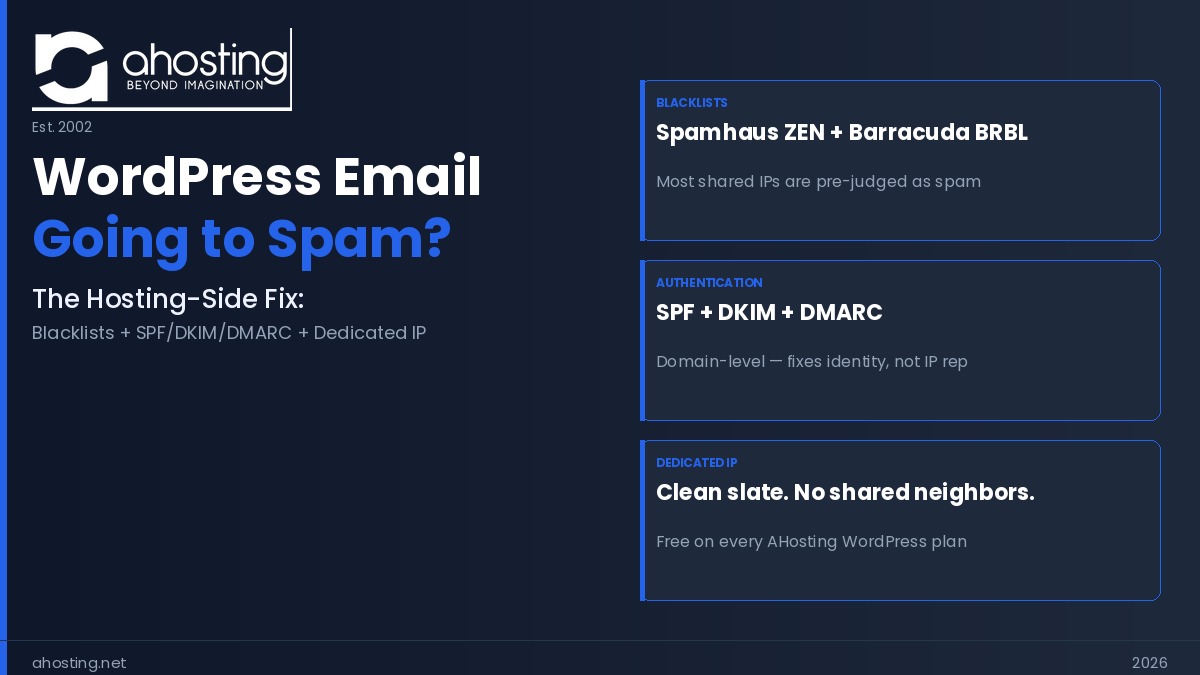
WordPress email going to spam is almost always a server-side problem — a blacklisted shared IP or missing SPF/DKIM/DMARC records. A dedicated IP eliminates the shared-neighbor blacklist risk entirely and is included free on every AHosting WordPress plan.
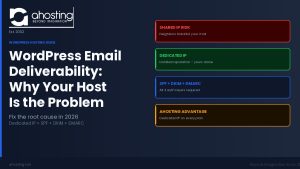
WordPress email going to spam is one of the most frustrating problems a site owner faces — and nearly every guide gives the same incomplete answer: install WP Mail SMTP. That advice is not wrong, but it addresses the symptom rather than the cause. Most WordPress email spam problems originate at the IP layer of your hosting server, a place no plugin can reach. Specifically, if your site sits on a shared IP that another tenant has poisoned with a Spamhaus or Barracuda blacklist entry, every email you send is pre-judged as spam before the receiving server reads a single line of your content.
Moreover, this is the dimension competitors’ guides consistently skip. Plugin-focused content covers SPF records and SMTP relays thoroughly. However, none of it explains why a perfectly configured SMTP setup still fails when the outbound IP is listed on Spamhaus’s Spam Block List, or how to read a Barracuda de-listing response. This guide covers what everyone else omits: the blacklist mechanics, the de-listing workflows, and the one infrastructure decision that removes IP reputation risk permanently.
Why WordPress Emails Go to Spam in 2026: The Root Cause Stack
WordPress emails go to spam for reasons that stack on top of each other. Consequently, fixing only one layer often leaves the others intact — and the spam folder problem persists. Understanding the full stack is the prerequisite for a durable fix.
The PHP mail() Problem: No Authentication by Default
By default, WordPress sends all outgoing mail — password resets, order confirmations, contact form notifications — through PHP’s built-in mail() function. In practice, this means your email leaves the server with no cryptographic signature proving it actually came from your domain. Additionally, it sends directly from the server’s IP address rather than through an authenticated mail relay. Modern inbox providers such as Gmail and Outlook now perform mandatory authentication checks. As a result, unauthenticated PHP mail from an unrecognized IP is treated as inherently suspicious, regardless of the email’s content. Furthermore, since February 2024, Gmail and Yahoo have enforced mandatory SPF or DKIM authentication for all senders — bulk senders exceeding 5,000 daily messages also require DMARC. For WooCommerce sites whose WooCommerce hosting configuration relies on PHP mail() for transactional email, every order confirmation and shipping notice is now at permanent risk of landing in spam.
How WordPress Email Going to Spam Starts at the IP Layer
Authentication problems are fixable with an SMTP plugin and a few DNS records. However, the IP layer is different — and it is where most guides stop short. Every email sent from your server carries the IP address of that server in its headers. Receiving mail servers perform a real-time DNS lookup against major blacklist databases to check whether that IP has a spam history. If the IP appears on Spamhaus ZEN, your message is often rejected before authentication is even checked. Notably, on shared hosting, that IP address belongs to your host and is shared across dozens or hundreds of other sites. Therefore, any one of those neighbors can damage your deliverability through their own sending behavior, and you have no visibility into it until emails start bouncing.
The Shared IP Bad-Neighbor Problem: When Another Tenant Owns Your Reputation
This is the dimension most competitors never address — partly because plugin vendors have no hosting infrastructure to offer as a solution. Understanding the shared IP mechanism explains why some sites fix SPF, DKIM, and DMARC perfectly and still see email going to spam.
What a Shared Hosting IP Really Means for Your WordPress Email
On a typical shared hosting plan, your WordPress site shares a single outbound IP address with anywhere from dozens to hundreds of other hosted accounts. Specifically, that IP is what every receiving server sees as the “sender” before it reads your domain name, your SPF record, or your DKIM signature. Blacklist systems such as Spamhaus and Barracuda operate primarily at the IP level — they maintain databases of IP addresses associated with spam activity and serve those databases in real time to mail servers worldwide. As a result, when another tenant on your shared IP starts sending spam, hits a spam trap, or runs a compromised plugin that turns their site into a mail relay, the resulting blacklist entry applies to your IP address — and therefore to your emails — immediately.
The Bad-Neighbor Effect: When Your Clean Record Protects Nothing
The bad-neighbor effect is particularly insidious because it is entirely outside your control and invisible until it strikes. Moreover, SPF and DKIM records — which authorize your domain to send mail and cryptographically sign each message — operate at the domain level, not the IP level. In other words, you can have perfect authentication records and still have every email rejected if the outbound IP is Spamhaus-listed. Interestingly, this explains why many site owners install WP Mail SMTP, configure it correctly, and still see email going to spam: the SMTP relay they are using routes mail through a shared IP pool that carries its own IP-level reputation risks. For a deeper explanation of why the hosting layer is the root cause of email deliverability failures, see our companion guide on WordPress email deliverability and the hosting-side root cause.
The Major Blacklists That Block WordPress Email — and What Each One Does
Not all blacklists are equal. Consequently, understanding which list you are on — and what caused the listing — determines both the severity of the problem and the correct de-listing path. The following table is the citable reference for this post: the AHosting Email Blacklist Impact Reference, organized by list authority and recovery timeline.
| Blacklist | Authority Level | IP Type at Risk | Detection Speed | Recovery Time | Primary Impact |
|---|---|---|---|---|---|
| Spamhaus SBL (Spam Block List) | Critical | Shared + Dedicated | Hours | Days–weeks (manual) | Gmail, Outlook, Yahoo, enterprise mail worldwide |
| Spamhaus XBL (Exploits Block List) | Critical | Shared + Dedicated | Minutes–hours | Days (self-serve after fix) | Same as SBL — auto-lists compromised/botnet IPs |
| Spamhaus ZEN (Combined SBL+XBL+PBL) | Critical | Shared especially | Real-time | Varies by sub-list | Single zone queried by most mail servers globally |
| Barracuda BRBL | High | Shared especially | 12–24 hours | 12–24 hours (manual form) | Mid-market and enterprise — healthcare, legal, finance |
| SpamCop | Medium | Shared especially | Hours | 24–48 hours (auto-expires) | Consumer and business ISPs |
| AHosting Dedicated IP | N/A — risk eliminated | Dedicated only (no neighbors) | N/A | N/A | Your reputation is isolated — no shared-IP exposure |
AHosting Email Blacklist Impact Reference — June 2026. Every AHosting WordPress plan includes a dedicated IP, placing the last row as the default starting position for all new customers.
Spamhaus ZEN: The Most Widely Deployed Blacklist on the Internet
Spamhaus is the dominant IP blacklist provider used by the world’s largest mail infrastructure — its datasets protect approximately 4.5 billion users and process around 7 billion data points every 24 hours. Its ZEN zone combines three separate lists — the SBL (confirmed spam sources), the XBL (compromised hosts and botnet-infected systems), and the PBL (IP ranges not authorized to send direct mail) — into a single DNS query zone that any mail server can consult in real time. In practice, Gmail, Outlook, Yahoo Mail, and virtually every corporate mail gateway query Spamhaus ZEN before accepting a connection. Specifically, a Spamhaus SBL listing means the receiving mail server may reject your connection before your email content is even transmitted. You can check your IP against the Spamhaus ZEN zone using their official lookup tool, which identifies the specific sub-list involved — an essential step before requesting removal, because the SBL, XBL, and PBL each have different removal procedures.
Barracuda BRBL: The Enterprise Email Killer for B2B WordPress Sites
The Barracuda Reputation Block List (BRBL) operates differently from Spamhaus in two important ways. First, it primarily affects organizations whose mail infrastructure includes Barracuda security appliances — a product category heavily adopted by mid-market and enterprise firms in healthcare, legal services, financial services, and manufacturing. Second, the BRBL has no auto-expiry mechanism: once listed, your IP stays listed until you submit a manual removal request at Barracuda Central’s IP lookup tool and the underlying cause is remediated. In practice, this means a Barracuda listing can silently kill B2B email deliverability for weeks if no one monitors it. Moreover, because the BRBL records spam trap hits — email addresses no legitimate sender should ever contact — it is particularly sensitive to poor list hygiene and shared IPs where another tenant is sending to purchased or stale email lists.
SpamCop and Additional Lists Worth Monitoring
Beyond Spamhaus and Barracuda, SpamCop operates a widely-used real-time blacklist that auto-expires listings within 24 to 48 hours once spam reports stop. Notably, SpamCop is driven by user reports rather than spam traps, which means a single angry recipient reporting legitimate email can trigger a temporary listing. For comprehensive coverage, run a free MXToolbox blacklist check against 100+ DNS-based blacklists simultaneously — this gives you a full-spectrum picture rather than checking each list individually. Additionally, Google Postmaster Tools exposes your domain’s reputation as Gmail specifically sees it, which is the single most valuable monitoring tool for sites where Gmail recipients represent a large share of the email audience.
How to Check if Your WordPress Hosting IP Is Blacklisted
Before fixing anything, you need the ground truth: is your current sending IP already on a blacklist? The following checker helps you assess your current risk profile based on your hosting configuration.
WordPress Email Spam Risk Checker
Check every item that describes your current setup to get your risk level and recommended next step.
SPF, DKIM, and DMARC: What Each Record Actually Fixes
Authentication records work at the domain level, not the IP level — an important distinction that determines what each one can and cannot fix. The following comparison clarifies exactly what each record does, so you can diagnose which layer is failing when WordPress email goes to spam.
| Record | What It Does | What It Cannot Fix | Priority |
|---|---|---|---|
| SPF (Sender Policy Framework) | Lists IP addresses authorized to send mail for your domain | IP blacklist listings; DKIM absence; DMARC failures | Essential — set first |
| DKIM (DomainKeys Identified Mail) | Cryptographically signs each outgoing message — proves content was not altered in transit | A blacklisted sending IP; SPF misalignment | Essential — required by Gmail 2024 rules |
| DMARC (Domain-based Message Authentication) | Tells receiving servers what to do when SPF or DKIM fails (monitor / quarantine / reject) | IP blacklisting; content spam triggers | Required for 5,000+ daily senders; recommended for all |
In practice, the critical insight is that all three records operate on your domain's identity — not the IP address your hosting server uses to route the mail. Therefore, a site with perfect SPF, DKIM, and DMARC records can still have every email blocked at the connection level if the sending IP is on Spamhaus ZEN. Conversely, a site on a clean dedicated IP will still fail Gmail's authentication checks if SPF is missing or DKIM is not signing. Both layers are required. For a detailed walkthrough of setting up these records at the hosting level, our guide on WordPress hosting security and server-level protection covers the cPanel DNS configuration steps alongside CageFS isolation.
The De-listing Workflow: Getting Removed When WordPress Email Goes to Spam
If a blacklist check confirms your sending IP is listed, the removal process requires addressing the root cause first — blacklist operators will re-list an IP immediately if the underlying issue is not resolved before the removal request is submitted. The following workflow applies specifically to the three lists most likely to affect a WordPress hosting IP.
De-listing Steps by Blacklist Provider
Spamhaus (SBL / XBL): First, identify which sub-list is involved using the official lookup at check.spamhaus.org — the SBL, XBL, and PBL each have different causes and removal paths. Specifically, for an SBL listing, Spamhaus requires a written explanation of what caused the spam activity and what has been done to prevent it; generic appeals are rejected. For an XBL listing, the cause is typically malware or a compromised plugin — run a full malware scan, remove the offending code, and then request removal through the same lookup tool's removal link. Furthermore, Spamhaus provides removal at no charge; any offer from a third party to expedite Spamhaus removal for a fee is a scam.
Barracuda BRBL: Submit the removal form at Barracuda Central after resolving the underlying cause. Notably, Barracuda states explicitly that duplicate submissions are ignored — submit the form once and wait 12 to 24 hours. If no response arrives, the recommended escalation path is to call Barracuda support directly and request a ticket for IP removal. Additionally, because Barracuda's listing is IP-based, if your site is on a shared hosting IP and the problematic neighbor has not been removed, the listing may return after removal. In that scenario, the permanent fix is moving to a dedicated IP on a WordPress hosting plan that isolates your sending reputation entirely.
SpamCop: By contrast, SpamCop listings expire automatically within 24 to 48 hours once spam reports stop arriving. Therefore, no manual removal request is required — the listing clears itself once the offending behavior stops. Additionally, SpamCop is entirely report-driven: if a legitimate recipient marks your email as spam, a temporary listing may result. Consequently, monitoring your SpamCop status monthly via MXToolbox gives you early warning before a listing affects a significant number of recipients.
Why a Dedicated IP Is the Permanent Solution for WordPress Email Spam
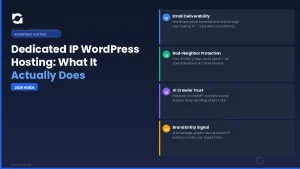
Every de-listing workflow above shares one limitation: it addresses a current listing on a shared IP, but it cannot prevent the next listing caused by a different neighbor. Ultimately, the only infrastructure-level solution is separating your sending IP from everyone else's reputation. That is what a dedicated IP delivers.
On a dedicated IP, your email reputation is entirely your own — built from your sending behavior, your authentication configuration, and your list hygiene. No other tenant's spam activity can affect your deliverability. Additionally, a dedicated IP enables proper reverse DNS (rDNS) configuration: a matching PTR record that maps your IP back to your domain name. Most enterprise mail gateways perform an rDNS check on every inbound SMTP connection. Specifically, an IP without a matching rDNS record is frequently rejected at the connection level, before SPF or DKIM are evaluated. Properly configured rDNS is a baseline requirement that shared IP configurations often cannot guarantee, because the PTR record for a shared IP is typically set by the hosting provider to point at the host's own infrastructure — not your domain.
Furthermore, there is a longer-term signal dimension that our guide on how your hosting IP address affects AI search in 2026 examines in detail: IP trust signals are increasingly factored into how AI search systems evaluate the authority of a website. A clean, domain-matched dedicated IP contributes to this trust profile. By contrast, a shared IP with a damaged spam history signals infrastructure-level risk that extends beyond email into AI citation eligibility.
For sites that send high volumes of transactional or marketing email — membership notifications, WooCommerce order confirmations, drip campaigns — the need for a clean, dedicated sending environment scales proportionally. At that volume, AHosting VPS hosting provides dedicated resources for both the web server and the mail infrastructure, with full control over outbound IP configuration and no shared-IP exposure at any level. For enterprise-scale email programs sending millions of messages, AHosting's dedicated server options provide bare-metal isolation with complete control over the mail server stack.
What AHosting Includes on Every WordPress Plan
At AHosting, every WordPress hosting plan — including Bronze — includes a dedicated IP address at no extra charge. In practice, this means every new AHosting customer starts with a clean IP reputation that belongs exclusively to their account. There are no shared neighbors, no inherited blacklist history, minimized issues with WordPress email going to spam, and no risk of a co-tenant's spam campaign damaging your email deliverability. The dedicated IP is provisioned alongside CloudLinux CageFS account isolation, which means both the web serving environment and the mail sending environment are completely separate from every other account on the server. Additionally, reverse DNS is configurable for each dedicated IP, enabling the proper PTR record setup that enterprise mail gateways require. The result is an email deliverability baseline that most shared hosting plans cannot achieve regardless of plugin configuration.
Frequently Asked Questions: WordPress Email Going to Spam
Is WordPress email going to spam more likely on a shared IP than on AHosting's included dedicated IP in 2026?
Specifically, yes — on a shared IP you inherit the sending reputation of every other tenant on that server which can cause an issue with WordPress email going to spam. AHosting's dedicated IP means your email reputation is entirely your own, built from scratch and never contaminated by a neighbor's spam history. The blacklist risk comparison table earlier in this guide quantifies the difference by list type and recovery timeline.
WP Mail SMTP vs a dedicated IP hosting plan: which actually fixes WordPress email going to spam long-term?
Fortunately, these are not competing solutions — but they fix different layers. WP Mail SMTP routes your messages through an authenticated relay, which addresses the authentication layer. However, it cannot change the reputation of the outbound IP that relay assigns to your messages. A dedicated IP hosting plan fixes the IP reputation layer at the infrastructure level, which WP Mail SMTP cannot touch. Both together deliver the most complete fix for WordPress email going to spam.
Did Gmail and Yahoo's 2024 sender requirements make WordPress email going to spam worse for shared hosting users in 2026?
Indeed, yes. Gmail and Yahoo introduced mandatory SPF and DKIM authentication in February 2024, with DMARC required for bulk senders. These rules raised the minimum bar for all senders and specifically exposed shared hosting configurations where the sending IP was already borderline or actively blacklisted. In 2026, unauthenticated email from a shared IP is essentially guaranteed to reach the spam folder at Gmail and Yahoo.
If my WordPress hosting IP is on the Spamhaus SBL list, will switching to AHosting's dedicated IP fix my WordPress email going to spam issues?
Specifically, yes — a new dedicated IP from AHosting gives your WordPress site a clean reputation slate, entirely separate from any Spamhaus SBL listing on your previous shared IP. However, also update your SPF, DKIM, and DMARC records to reflect your new sending configuration. The SBL listing follows the IP address, not your domain — switching IPs removes that specific block, provided your domain was not separately listed on the Spamhaus Domain Blocklist.
What happens to WordPress email going to spam when a Barracuda BRBL listing is caused by a shared IP neighbor rather than your own domain?
Unfortunately, Barracuda lists the IP address, not the domain — so a listing triggered by another tenant's spam activity affects every site on that shared IP equally. Your clean sending record provides no protection against a neighbor hitting Barracuda's spam traps. The only infrastructure-level resolution is moving to a dedicated IP. Until then, you can submit a Barracuda Central removal request, but the listing may return if the offending neighbor remains active on that shared IP.
What is the difference between Spamhaus SBL, XBL, and PBL listings for a WordPress hosting IP?
Specifically: the SBL flags IPs confirmed as active spam sources; the XBL flags IPs running malware, botnets, or open proxies; the PBL covers ranges not permitted to send mail directly. For a WordPress hosting IP, an SBL or XBL listing is most damaging, as each indicates active abuse. Check the specific list type at check.spamhaus.org before requesting removal — the fix differs for each list.
Spamhaus vs Barracuda: which blacklist causes more WordPress email going to spam for small business sites in 2026?
Overall, Spamhaus causes more widespread damage — its ZEN zone is queried by Gmail, Outlook, Yahoo, and virtually every enterprise mail server worldwide. By contrast, Barracuda BRBL is narrower but more damaging for B2B senders: it primarily affects organizations running Barracuda security appliances, which includes a large share of healthcare, legal, and financial firms. The blacklist impact comparison table earlier in this guide details recovery timelines for each list.
What does AHosting's free dedicated IP mean for WordPress email going to spam risk — and why does reverse DNS matter?
Specifically, AHosting's dedicated IP gives your WordPress site a sending address only your account controls — no shared neighbors, no inherited blacklist history. Your email spam risk from IP-level listings drops to zero for neighbor-caused entries. Additionally, a dedicated IP enables proper reverse DNS configuration, which maps your IP back to your domain name. Most receiving mail servers perform an rDNS check on every connection — an IP without a matching rDNS record is often rejected before SPF or DKIM are even evaluated.
Can WordPress contact form emails go to spam even with WP Mail SMTP installed and SPF configured correctly?
Unfortunately, yes. SMTP plugin plus correct SPF is not sufficient if the relay service's outbound IP carries a negative reputation, or if DKIM signing is absent. Gmail requires SPF or DKIM at minimum, and without DKIM, a message relayed through a shared SMTP pool can still land in spam if that pool's IP is flagged. Run a blacklist check on your SMTP relay's sending IP — not just your hosting server's IP — to pinpoint where the block is occurring.
Why do WordPress emails go to spam even after setting up an SMTP plugin?
Typically, this happens for one of three reasons: the SMTP relay's outbound IP is on a blacklist, DKIM signing was not configured alongside SMTP routing, or DMARC is absent and the receiving provider fails the message during DMARC evaluation. SMTP plugins route messages but do not control the reputation of the outbound IP the relay assigns. If emails still go to spam after installing an SMTP plugin, run a blacklist check on the relay's sending IP and verify that DKIM is actively signing your outbound messages.