
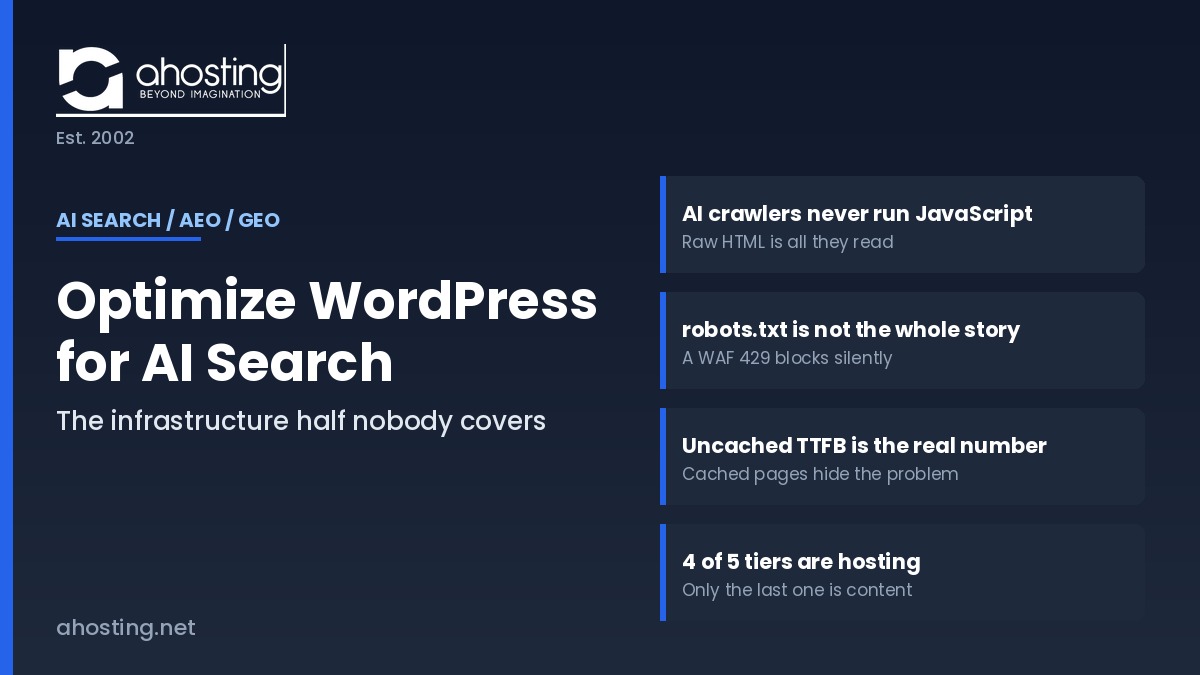
- What "Optimize WordPress for AI Search" Actually Means in 2026
- Optimize WordPress for AI Search Factor 1: AI Crawlers Never Run Your JavaScript
- Optimize WordPress for AI Search Factor 2: Crawler Access — robots.txt, WAF Rules, and the Silent 429
- Server Speed Is Factor 3: TTFB and the Retrieval-Time Budget
- Factor 4: Uptime, Crawl Consistency, and Why Sampling Punishes Flapping
- IP Identity Is Factor 5: What a Shared IP Costs in AI Search
- The AI Crawler Reachability Ladder: Blocked to Citable
- Does llms.txt Help You Optimize WordPress for AI Search?
- How AHosting Covers the Server Half of AI Search Optimization
- The Server-Side Audit: Is Your WordPress Hosting AI-Search Ready?
- Frequently Asked Questions About Optimizing WordPress for AI Search
- How do I optimize WordPress for AI search in 2026 if my site already ranks well on Google?
- What is the difference between AEO and GEO when you optimize WordPress for AI search?
- Do GPTBot, ClaudeBot, and PerplexityBot render JavaScript on a WordPress site?
- My WordPress site uses a page builder that loads FAQs with JavaScript — will AI crawlers see them?
- Blocking GPTBot vs blocking OAI-SearchBot: which one actually removes you from ChatGPT answers?
- What is the AI Crawler Reachability Ladder AHosting uses to optimize WordPress for AI search?
- Does AHosting hosting help you optimize WordPress for AI search in 2026?
- Can a Web Application Firewall or rate limit block AI crawlers my robots.txt already allows?
- Is llms.txt worth adding to a WordPress site in 2026?
- Which AHosting plan features matter most when you optimize WordPress for AI search?
To optimize WordPress for AI search, start at the server: AI crawlers never run JavaScript, so whatever your server returns in that first response is the only content ChatGPT, Claude, and Perplexity can ever cite.
Almost every guide that tells you how to optimize WordPress for AI search stops at the content layer: write direct answers, add FAQ schema, build topical authority. That advice is correct, and it is also only half the job. Notably, the other half happens before a single word of your content is read — in the HTTP response your server hands back when an AI crawler knocks.
Specifically, this guide covers the five server-side factors that decide whether an answer engine can reach, read, retrieve, and cite your pages at all. Notably, none of them are plugin settings. Every one of them is a hosting decision, and the first alone silently deletes a large share of WordPress sites from AI search results without raising one error in Google Search Console.
Written by Matt Chrust, Director of Business Development at AHosting, drawing on infrastructure we have run since 2002.
What “Optimize WordPress for AI Search” Actually Means in 2026
In practice, to optimize WordPress for AI search means making your pages eligible to be quoted inside a generated answer rather than merely ranked in a list of links. Answer engines do not rank pages the way Google does. Instead, they retrieve candidate passages, evaluate them, and cite a handful. Consequently, the unit of competition shifts from the page to the passage — and from position to eligibility.
AEO, GEO, and the Retrieval Pipeline in One Pass
Typically, the two acronyms get treated as rival disciplines. In fact, they describe the same work at different scopes. Answer Engine Optimization aims at being the extracted answer to one question. Generative Engine Optimization aims at being a cited source inside a longer response. Both sit downstream of one four-stage pipeline: fetch, parse, retrieve, cite. Furthermore, a failure at stage one makes stages two through four unreachable, however good the content is.
The Content Half Everyone Writes About — and the Server Half Nobody Does
Additionally, it helps to name the split plainly. The content half is structure, schema, entity clarity, freshness, and originality — covered thoroughly by plugin vendors and SEO publishers. By contrast, the server half is crawler access, rendering mode, response time, availability, and IP identity. Ultimately, when you optimize WordPress for AI search the server half is a prerequisite rather than an optimization: it does not improve your odds so much as decide whether you have odds at all.
Optimize WordPress for AI Search Factor 1: AI Crawlers Never Run Your JavaScript
In fact, this is the highest-leverage thing you can fix when you optimize WordPress for AI search. Googlebot renders JavaScript in a headless browser. The AI retrieval crawlers do not. Therefore, whatever text sits in your raw HTML response is the complete set of content an answer engine can ever consider — and anything the browser assembles afterward does not exist to them.
Notably, this is binary rather than gradual. There is no partial credit, no second rendering pass, and no retry. Consequently, a WordPress page can hold position one on Google while being functionally empty to ChatGPT, Claude, and Perplexity at the same moment.
How to See Exactly What GPTBot Sees
Specifically, use view-source, not the DevTools Elements panel. The Elements panel shows the rendered DOM after JavaScript has run — precisely the view an AI crawler never gets. Press Ctrl+U (Cmd+Option+U on macOS), then Ctrl+F, and search for a distinctive sentence from the middle of your article.
Similarly, a command-line check gives you the same answer without a browser. Running curl -s https://example.com/your-post/ | grep "a sentence from your post" returns the line if the content is server-rendered, and returns nothing if it is not. For a more faithful test, add a crawler user agent with curl -A "GPTBot" — which also reveals whether anything on your stack treats that user agent differently.
Where WordPress Sites Break This
Fortunately, standard WordPress is server-rendered by default, so most sites start well placed to optimize WordPress for AI search. However, several common additions undo it. Page builders that hydrate tabs, accordions, and FAQ blocks client-side move that text out of the server response. Similarly, “load more” pagination and JavaScript-driven comparison tables leave the initial HTML thinner than the visible page. In particular, an FAQ rendered by JavaScript is costly, because FAQ text is exactly the passage shape answer engines prefer to quote.
Moreover, headless WordPress setups deserve a direct warning. A decoupled front end built on client-side rendering serves an empty shell to every AI crawler. Accordingly, server-side rendering or static generation is not a performance preference — it is the difference between being quotable and being invisible.

Optimize WordPress for AI Search Factor 2: Crawler Access — robots.txt, WAF Rules, and the Silent 429
Consequently, the second question when you optimize WordPress for AI search is whether the crawler is allowed to make the request at all. Access failures are quieter than rendering failures, because nothing on your side reports them. Your analytics show normal traffic, your uptime monitor shows green, and your pages simply stop appearing in generated answers.
Training Bots, Search Bots, and User-Fetch Agents Are Not the Same Thing
Above all, stop treating “AI bots” as one category. Each operator now runs several crawlers with separate jobs and separate robots.txt tokens, and blocking one does not block the others. Notably, OpenAI’s crawler documentation states that sites opted out of OAI-SearchBot will not be shown in ChatGPT search answers, while GPTBot governs training only. Similarly, Anthropic’s crawler documentation separates ClaudeBot, Claude-SearchBot, and Claude-User, and Perplexity’s crawler documentation splits PerplexityBot from Perplexity-User.
In other words, the costly mistake is blocking a search-tier crawler while believing you only opted out of model training. For example, a blanket block on ClaudeBot leaves Claude-SearchBot untouched, and a blanket block on GPTBot leaves your ChatGPT citations intact — which is the opposite of what most site owners assume.
| User agent | Operator | Job | What blocking it costs you |
|---|---|---|---|
OAI-SearchBot | OpenAI | ChatGPT search index | Removal from ChatGPT search answers |
GPTBot | OpenAI | Model training | Future training inclusion only |
ChatGPT-User | OpenAI | User-triggered fetch | Live page fetches on user request |
Claude-SearchBot | Anthropic | Search indexing | Reduced visibility in Claude results |
ClaudeBot | Anthropic | Model training | Future training inclusion only |
Claude-User | Anthropic | User-triggered fetch | Page fetches on user request |
PerplexityBot | Perplexity | Search indexing | Removal from Perplexity citations |
Perplexity-User | Perplexity | User-triggered fetch | Live fetches on user request |
Google-Extended | Gemini and AI grounding | Gemini grounding; not Google ranking |
Rate Limits and Firewall Rules That Block Crawlers robots.txt Allows
Indeed, this is the failure mode almost nobody audits. A permissive robots.txt is a request, not a guarantee. A Web Application Firewall rule, a bot-fight mode, or an aggressive rate limit sits above robots.txt and can return HTTP 429 Too Many Requests or a 403 to a crawler you explicitly welcomed. As a result, the crawler classifies your site as unavailable and backs off.
Furthermore, the operators themselves treat this as a known problem: Perplexity publishes explicit WAF allow-list instructions alongside its robots.txt guidance. Accordingly, the audit is a log query rather than a file read. Search your access log for the user agent and check the status codes it received, not merely whether it appeared.
Additionally, the same tuning that protects you from genuine abuse can catch legitimate crawlers, which is why blanket bot rules are risky. If you have previously tightened bot filtering to deal with automated traffic — the approach we describe in our guide to stopping an XML-RPC bot flood without breaking Jetpack — re-check those rules against the crawler list above before assuming your access posture is clean.
Verifying Real Crawlers Against Spoofed Ones
Notably, the user-agent header is trivially forged, so raw log counts overstate real AI crawl volume. Each major operator publishes a machine-readable IP list for verification. Therefore, treat a hit as genuine only when the token matches and the source IP falls inside the published range. Requests that pass the first test and fail the second are impostors, and you can block them without touching AI search visibility.
Finally, the underlying access contract is older than any of this. The Robots Exclusion Protocol was standardized as RFC 9309 in 2022, and the major AI operators document compliance with it. In other words, the mechanism is stable and well specified; the errors come from applying it to the wrong token, or from a layer above it overriding the answer.
Server Speed Is Factor 3: TTFB and the Retrieval-Time Budget
Specifically, speed changes category when you optimize WordPress for AI search: retrieval crawlers work to a tighter time budget than Googlebot does. A live answer engine assembles a response while a user waits, so a slow origin is not merely penalized — it is skipped. Consequently, Time to First Byte stops being a Core Web Vitals metric and becomes an eligibility threshold.
In practice, the number to watch is uncached TTFB, not cached. Cached pages are fast almost everywhere; the honest measurement is what your server does when the cache misses, which is what a crawler hitting a deep archive page will experience. Moreover, TTFB is largely a server property rather than a plugin property — a point we work through in detail in our guide to telling whether high WordPress TTFB is your server or your plugins.
Additionally, concurrency matters as much as raw speed. When every PHP worker is occupied, new requests queue and eventually time out — and a crawler that times out records a failure rather than a slow success. Therefore sites with sustained concurrent load should size for headroom, which is the point at which VPS hosting with guaranteed dedicated resources starts to pay for itself.
Factor 4: Uptime, Crawl Consistency, and Why Sampling Punishes Flapping
Ultimately, AI crawlers build their picture of your site by sampling it repeatedly over time, which changes what downtime costs when you optimize WordPress for AI search. A traditional search engine that finds your site down will retry and usually recover its index position. By contrast, a retrieval crawler that finds your site down simply builds its answer from a source that responded.
Furthermore, the damaging pattern is not one long outage but frequent short ones. Intermittent 5xx responses during traffic peaks — the classic symptom of exhausted PHP workers on an undersized plan — produce exactly the inconsistency that lowers crawl frequency. As a result, fewer crawls mean fewer opportunities to be sampled, which compounds quietly over months.
In fact, the arithmetic is worth internalizing: a 99.9% uptime guarantee still permits roughly 8 hours 45 minutes of downtime per year, and we break down what each SLA tier really delivers in our analysis of what a 99.9% WordPress hosting uptime SLA actually delivers. Accordingly, sites that cannot absorb that window — or that have outgrown shared infrastructure entirely — belong on a dedicated server with isolated resources.
IP Identity Is Factor 5: What a Shared IP Costs in AI Search
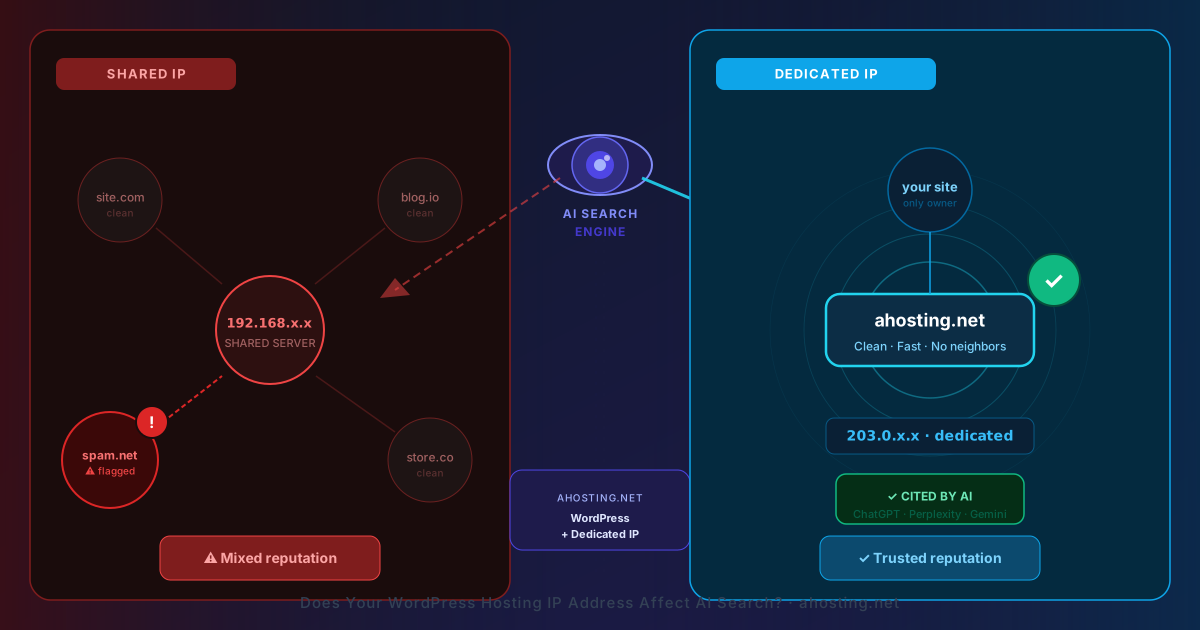
Notably, the last factor is the one AHosting has argued longest. On a shared IP, your server-level identity is pooled with every other account on that address. Consequently, response-time variability, abuse history, and reputation signals attached to that address are not exclusively yours — and neither is the crawl treatment they attract.
However, it is worth stating the limits of this claim honestly. No AI operator publishes an “IP reputation” ranking factor, and we do not claim one exists. Instead, the mechanism is indirect and mundane: a shared address is likelier to sit behind aggressive rate limiting, likelier to be caught by a blanket firewall rule, and likelier to deliver inconsistent response times — all three of which are the failures described in Factors 2 through 4. In other words, a dedicated IP buys no ranking boost; it removes a class of shared failure modes you cannot otherwise control.
For example, we examined the underlying reputation mechanics in detail in our earlier piece on whether your WordPress hosting IP address affects AI search. Accordingly, every one of our WordPress hosting plans includes a free dedicated IP rather than charging it as an add-on.
The AI Crawler Reachability Ladder: Blocked to Citable
Therefore the five factors resolve into one ordered model, which is the fastest way to optimize WordPress for AI search in the right order. We call it the AI Crawler Reachability Ladder, and the sequence matters: each tier is a precondition for the one above it. Notably, most WordPress sites that fail at AI search are not losing on content quality at tier five — they are stalled at tier two or three and have never checked.
| Tier | State | Server-side condition | The check that proves it |
|---|---|---|---|
| 1 | Blocked | robots.txt, WAF, or rate limit denies the crawler | Access log shows 403 or 429 for the crawler user agent |
| 2 | Reachable | Crawler receives HTTP 200 from the origin | curl -A "GPTBot" -I https://example.com/ returns 200 |
| 3 | Readable | Main content is present in the raw HTML response | curl -s URL | grep "a sentence from the post" returns a line |
| 4 | Retrievable | Response is fast and consistent enough to be fetched during answer assembly | Uncached TTFB measured under load; uptime above 99.9% |
| 5 | Citable | Passages are self-contained, structured, and attributable | Section answers its heading in the first two sentences |
Does llms.txt Help You Optimize WordPress for AI Search?
Fortunately, this one has a clear answer that has sharpened considerably over the past year. The llms.txt proposal is a Markdown index file placed at your domain root, intended to help language models find your most useful content without crawling everything. Notably, it is a community convention rather than a ratified standard.
However, the evidence on retrieval impact is thin. Google Search does not consume it, and no major AI provider has committed to using it as a citation input. Large-scale traffic studies published in 2026 found that the overwhelming majority of published llms.txt files were never requested by an AI retrieval bot. Consequently, treating it as a way to optimize WordPress for AI search overstates what it does.
That said, there is a real and growing use case, and it is not the one most guides describe. Coding agents, documentation assistants, and agentic browsers do read the file, and Chrome’s Lighthouse now audits for it under agentic browsing. Accordingly, our position is measured rather than dismissive: publish one if you have structured documentation an agent would benefit from, keep it accurate, and do not expect it to move citations. Above all, spend the effort on Factors 1 through 4 first — those are load-bearing, and this is not.
How AHosting Covers the Server Half of AI Search Optimization
Specifically, four of the five factors are configuration decisions your host either makes for you or leaves to you, which is why the platform matters when you optimize WordPress for AI search. On our shared WordPress platform, standard rendering keeps content server-side by default, robots.txt ships permissive rather than restrictive, and no blanket AI-bot rule sits in front of customer sites. Additionally, every plan includes a free dedicated IP.
In practice, the measured numbers are these. Our LiteSpeed stack with LSCache delivers a median cached TTFB of about 16 ms across production accounts, while uncached WordPress on the same hardware measures 700 ms to 1,400 ms — which is why cache coverage on deep archive pages matters for crawler-facing performance. Furthermore, entry processes are tiered by plan: 15 on Bronze, 25 on Silver, and 40 on Gold, with container memory and CPU scaling alongside. Cached pages consume zero entry processes, because LiteSpeed serves them before PHP runs.
Moreover, agencies managing many client sites face this audit repeatedly rather than once, which is a reason to consolidate onto infrastructure where the crawler-access posture is consistent — our reseller hosting platform for agencies is built for exactly that pattern.
Finally, use the auditor below to score your own site against the ladder. It asks six questions and returns your weakest tier first, because fixing tier two before tier five is the whole point.
AI Crawler Visibility Auditor
Six server-side questions. Your score is weighted by how much each item blocks retrieval, and the result names your weakest tier first.
—
Answer the six questions to score your site
Each answer updates the score immediately.
The Server-Side Audit: Is Your WordPress Hosting AI-Search Ready?
Finally, here is the sequence to work through when you optimize WordPress for AI search, in the order that matters. Notably, each step is either a browser action or a one-line command, and none require a plugin.
- View-source a published post and confirm your body text is present in the raw HTML.
- Repeat that check on a page whose FAQ, tabs, or accordions come from a page builder.
- Fetch your robots.txt and confirm no search-tier crawler is disallowed.
- Confirm OAI-SearchBot, Claude-SearchBot, and PerplexityBot each have their own directive, not an inherited one.
- Grep your access log for those user agents and read the status codes they received.
- Verify apparent crawler hits against each operator's published IP ranges.
- Review firewall, bot-fight, and rate-limit rules for anything that catches crawler traffic.
- Measure uncached TTFB on a deep archive URL, not the cached homepage.
- Check whether concurrency peaks are producing 5xx responses.
- Review your 12-month uptime record for frequent short outages, not just total minutes.
- Confirm whether your site has a dedicated or shared IP address.
- Only then move to content: check that each section answers its heading within two sentences.
Ultimately, if steps one through eleven pass, your content is competing on its merits and you have done the hard part of optimizing WordPress for AI search. If any of them fail, no amount of schema markup compensates, because the crawler never reached the schema.
Frequently Asked Questions About Optimizing WordPress for AI Search
How do I optimize WordPress for AI search in 2026 if my site already ranks well on Google?
Specifically, start with the server response rather than the content. Googlebot renders JavaScript; the AI retrieval crawlers do not. A page that ranks well on Google can still be blank to ChatGPT and Perplexity if its main content is assembled in the browser. Check view-source first, then robots.txt, then your firewall rules.
What is the difference between AEO and GEO when you optimize WordPress for AI search?
In practice, the two labels describe the same work at different scopes. Answer Engine Optimization focuses on being the extracted answer to one specific question. Generative Engine Optimization focuses on being a cited source inside a generated response. Both depend on the same prerequisite: a crawler must be able to fetch and read your raw HTML.
Do GPTBot, ClaudeBot, and PerplexityBot render JavaScript on a WordPress site?
In fact, none of the major AI retrieval crawlers execute JavaScript. They read only the HTML your server returns in the first response, so anything a page builder assembles in the browser is invisible to them. Google Gemini is the one exception, because it draws on Googlebot's rendering infrastructure.
My WordPress site uses a page builder that loads FAQs with JavaScript — will AI crawlers see them?
Typically, no. If the FAQ text is injected after page load, it does not exist in the server response an AI crawler reads. Press Ctrl+U and search for one of your answers. Text that appears only in DevTools and not in view-source is invisible to every retrieval crawler.
Blocking GPTBot vs blocking OAI-SearchBot: which one actually removes you from ChatGPT answers?
Specifically, OAI-SearchBot is the one that matters. OpenAI's crawler documentation states that sites opted out of OAI-SearchBot will not be shown in ChatGPT search answers, though they can still appear as navigational links. GPTBot governs training data only, so blocking it does not remove existing citations.
What is the AI Crawler Reachability Ladder AHosting uses to optimize WordPress for AI search?
Notably, it is a five-tier model that ranks a site from Blocked to Citable: Blocked, Reachable, Readable, Retrievable, Citable. Each tier names one server-side condition and one command that proves it. Most WordPress sites that fail at AI search stall on tier two or three, not at the content layer.
Does AHosting hosting help you optimize WordPress for AI search in 2026?
Fortunately, most of the server half is handled by default. Every AHosting WordPress plan includes a free dedicated IP, LiteSpeed with LSCache, and a 99.9% uptime guarantee. Median cached TTFB measured across production accounts is about 16 ms, which keeps retrieval crawlers well inside their fetch budget.
Can a Web Application Firewall or rate limit block AI crawlers my robots.txt already allows?
Indeed, this is one of the most common silent failures. A firewall rule or a rate limit can return 403 or 429 to a crawler your robots.txt explicitly welcomes. Perplexity's own documentation ships WAF allow-list instructions for exactly this reason. Check your firewall logs, not only robots.txt.
Is llms.txt worth adding to a WordPress site in 2026?
Overall, it is low cost and low risk, but it is not a citation lever. Google Search does not use it, and no major AI provider has committed to reading it for retrieval. That said, coding agents and agentic browsers do read it, so publishing one is defensible as an agent-facing convenience rather than an AI search tactic.
Which AHosting plan features matter most when you optimize WordPress for AI search?
Above all, three of them: the free dedicated IP included on every plan, LiteSpeed with LSCache for fast cached and uncached response times, and the entry-process allocation that keeps the server answering during traffic spikes. Bronze provides 15 entry processes, Silver 25, and Gold 40.
Related posts:
 Does Your WordPress Hosting IP Address Affect AI Search? The 2026 Answer Will Surprise You
 WordPress Reseller Hosting for Agencies: Plans, Margins and White-Label WHM (2026)
 7 Signs Your WordPress Site Has Outgrown Shared Hosting (Is It Time for WordPress VPS Hosting?)
 WordPress Staging Site: What Your Hosting Plan Needs to Make It Work (2026 Guide)