
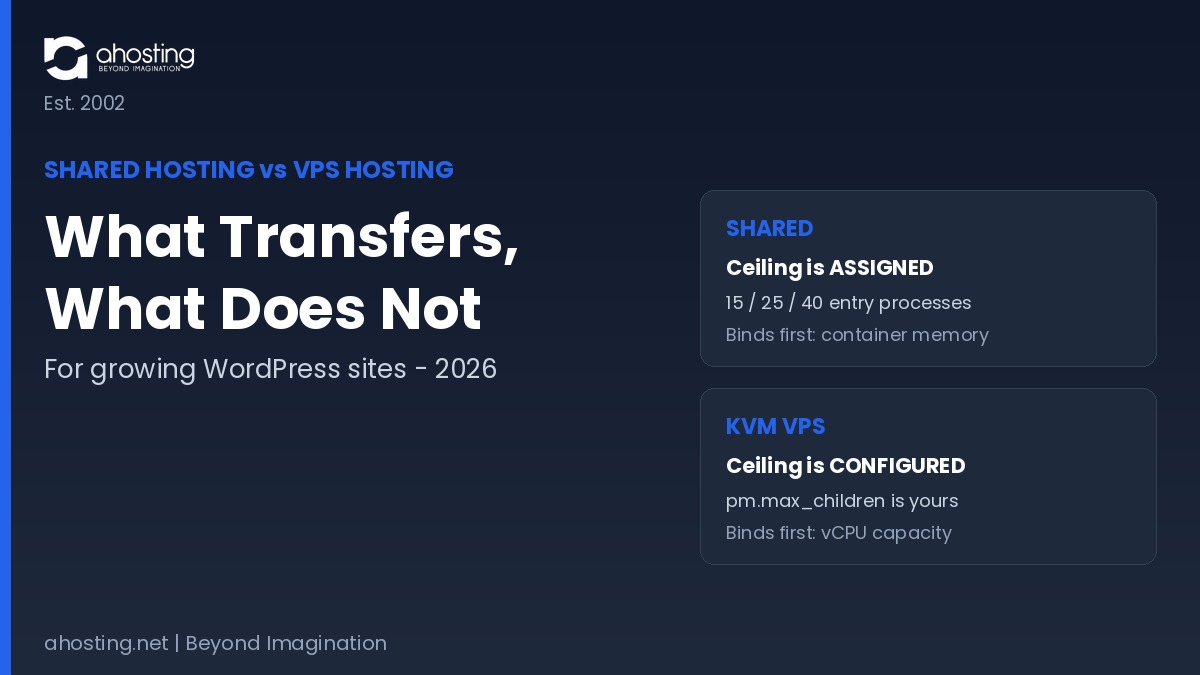
- Shared Hosting vs VPS Hosting: The Constraint Changes Kind, Not Size
- Shared Hosting vs VPS Hosting Factor by Factor: The Four Specifications That Differ
- The AHosting Shared-to-VPS Equivalence Map
- Shared Hosting vs VPS Hosting: What Transfers and What You Take Over
- Shared Hosting vs VPS Hosting Equivalence Calculator
- When the Shared Hosting vs VPS Hosting Math Says Stay Put
- A Practical Checklist: Sizing Your First VPS
- Frequently Asked Questions About Shared Hosting vs VPS Hosting
- Shared hosting vs VPS hosting: what actually changes for a growing WordPress site in 2026?
- Does shared hosting vs VPS hosting change how many concurrent requests my site can serve?
- How many PHP-FPM children replace AHosting's 15, 25, or 40 entry processes?
- Why does AHosting Bronze run out of container memory before it runs out of workers?
- Shared hosting vs VPS hosting vs dedicated server: which tier fits a growing site in 2026?
- What protections do I lose when moving from AHosting shared hosting to a KVM VPS?
- Shared hosting vs VPS hosting in 2026: does an upgrade automatically increase concurrency?
- Is CloudLinux CageFS available on an AHosting VPS, or only on shared plans?
- Shared hosting vs VPS hosting: how do I measure my average PHP process size?
- When does shared hosting vs VPS hosting come down to root access rather than resources?
Shared hosting vs VPS hosting is not a bigger-number choice. Shared assigns you a fixed entry-process ceiling; a VPS gives you an unassigned pool you size yourself, and hands back the guardrails too.
Shared hosting vs VPS hosting is usually sold as a volume decision — more memory, more CPU, more room to grow. However, the two products do not measure capacity in the same unit. On an AHosting shared plan, concurrency is an integer the platform assigns to your account. On a KVM virtual server, no such integer exists until you create one. Consequently, comparing the two by their headline specifications answers a question nobody asked.
This guide does the conversion instead. Specifically, it maps AHosting’s published entry-process allocations onto its KVM virtual server tiers, shows which constraint actually binds on each side, and lists what stops being someone else’s job the moment you get root.
One caveat before the numbers. Every figure below for the shared side comes from AHosting’s own container configuration on its WordPress hosting servers, and every VPS figure comes from the published plan specifications. Neither set is an industry estimate. Consequently the conversion holds precisely for AHosting accounts and directionally for any host running CloudLinux, which is the majority of the cPanel shared market.
Shared Hosting vs VPS Hosting: The Constraint Changes Kind, Not Size
The single most useful thing to understand about shared hosting vs VPS hosting is that the ceiling is a different type of object on each side. In one case it is a number handed to you. In the other it is a number you are responsible for choosing, and choosing badly is entirely possible.
On Shared Hosting Your Ceiling Is Assigned
CloudLinux allocates every AHosting shared account a fixed count of entry processes — simultaneous PHP request slots. Bronze receives 15, Silver 25, and Gold 40, with WooCommerce plans set at 25. Notably, exceeding that count does not produce an instant error: LVE queues the surplus, and LiteSpeed holds the connection for up to 120 seconds before a 503 is served. In practice, visitors experience the ceiling as sluggishness long before they see a failure, which is why the limit is often diagnosed late. For a fuller treatment of that failure mode, see our guide to what entry process limits really mean.
On a VPS Your Ceiling Is Something You Configure
A KVM virtual server has no entry-process counter. KVM gives each instance private virtualized hardware — its own CPUs, memory, and disks — and then steps back. Therefore your concurrency ceiling becomes whatever pm.max_children you set in PHP-FPM. The PHP manual is explicit that this directive sets the limit on simultaneous requests served. Ultimately it is the same job the entry-process count performed, relocated from your host’s configuration into yours.
Shared Hosting vs VPS Hosting Factor by Factor: The Four Specifications That Differ
Four specifications genuinely change across the boundary. Interestingly, the two most heavily advertised — storage and monthly transfer — are almost never the ones that decide anything for a growing WordPress site.
Factor 1: The Concurrency Unit
On shared hosting the unit is the entry process, capped per account and invisible from inside WordPress. On a VPS the unit is the PHP-FPM child, capped by a directive in a file you own. Accordingly, the first number is a fact about your plan and the second is a decision about your server. Our breakdown of concurrent user capacity by plan tier covers how to derive the shared-side figure from real traffic.
Factor 2: The Memory Model
Shared accounts sit inside a container with a hard memory cap — 512MB on Bronze, 1024MB on Silver, 2048MB on Gold. That cap is a kernel control-group limit, and the kernel documentation describes memory.max as the final protection mechanism, invoking the out-of-memory killer when usage cannot be reduced. By contrast, VPS memory is guaranteed and unshared. Furthermore, this is the layer that surprises people most often, as our post on why raising the WordPress memory limit fails documents in detail.
Factor 3: The Privilege Boundary
Shared hosting grants configuration without administration. AHosting enables the cPanel PHP INI Editor, so raising memory_limit or switching PHP versions needs no support ticket. However, installing a system daemon, compiling an extension, or running a persistent queue worker sits on the far side of the boundary. A VPS moves that boundary: root access makes all of it possible, and equally makes all of it your responsibility.
Factor 4: The Tenancy Model
Shared accounts are neighbors under one kernel, separated by CloudLinux. Its documentation describes CageFS as a virtualized file system locking each user in a cage, with LVE partitioning CPU, memory, and connections per tenant. Consequently the noisy-neighbor problem on a well-run CloudLinux server is a contention problem, not a security one. A VPS removes contention entirely by giving you a hardware-level slice.
The AHosting Shared-to-VPS Equivalence Map
Here is the conversion nobody publishes, because it requires both datasets at once: the container limits behind a shared plan and the hardware behind a virtual server. Both are AHosting’s own numbers.
| AHosting shared plan | Entry processes | Container memory | MB per saturated worker | Nearest KVM tier | vCPU / RAM | Practical child ceiling |
|---|---|---|---|---|---|---|
| WP Bronze | 15 | 512 MB | 34 MB | KVM-2 | 2 / 4 GB | ~16 |
| WP Silver | 25 | 1024 MB | 41 MB | KVM-2 to KVM-4 | 2-4 / 4-8 GB | ~16-32 |
| WooCommerce (WooStart) | 25 | 1024 MB | 41 MB | KVM-4 | 4 / 8 GB | ~32 |
| WP Gold | 40 | 2048 MB | 51 MB | KVM-4 | 4 / 8 GB | ~32 |
| Beyond Gold | n/a | n/a | n/a | KVM-8 | 8 / 16 GB | ~64 |
Read the fourth column first. It is the one figure in this comparison that no plan page on any host publishes, and it reframes what the upgrade is actually for.
Converting Entry Processes into PHP-FPM Children
Two bounds govern the VPS side, and the lower one wins. The memory bound divides usable RAM — total RAM less roughly 1.5GB for the operating system, database, and web server — by your measured average process size. The CPU bound is a heuristic band of four to eight children per vCPU, because PHP that blocks on database input and output can safely exceed its core count while CPU-bound PHP cannot. Notably, on every AHosting KVM tier the CPU bound is the lower of the two.
Why Bronze Runs Out of Memory Before It Runs Out of Workers
Now run the same arithmetic on the shared side and the symmetry inverts. Bronze allocates 15 entry processes against a 512MB container: about 34MB per worker at full saturation. Silver affords 41MB and Gold 51MB. Meanwhile AHosting sets PHP’s default memory_limit to 256MB per request. In other words, a single request is permitted roughly seven times more memory than the container can afford it if the account is busy. Therefore the entry-process number was rarely the real ceiling — the container was.
This inversion is the whole decision in one line. On shared hosting memory binds before workers; on a VPS CPU binds before memory. Consequently the upgrade does not primarily buy more concurrent requests. Instead, it buys far more memory per concurrent request — from 34MB on Bronze to well over 100MB on a KVM-2. Ultimately you get bigger workers, not a proportionally larger number of them.
Shared Hosting vs VPS Hosting: What Transfers and What You Take Over
Capacity is only half the trade. The other half is operational, and it moves in the opposite direction to the resources.
| Layer | On AHosting shared hosting | On an AHosting KVM VPS |
|---|---|---|
| Tenant isolation (CageFS) | Running by default | Available if you select CloudLinux; you configure it |
| Resource capping (LVE) | Enforced per account | No equivalent unless you build one |
| Web server and page cache | LiteSpeed with LSCache available | Your choice of stack; you install and tune it |
| Kernel and OS patching | AHosting | You |
| PHP version management | cPanel MultiPHP, no ticket needed | You, at the package-manager level |
| Firewall policy | Managed at server level | You |
| Backups | Daily, included | Daily offsite, included |
| Dedicated IP | Included | Included |
| Uptime commitment | 99.9% SLA | 99.9% SLA |
Patching deserves particular attention, because it is the row people discover last. CISA maintains a catalog of vulnerabilities under active exploitation and recommends every organization monitor it and prioritize remediation. On shared hosting the operating-system half of that work is already being done for you. Furthermore, on a VPS it becomes a recurring task with a real cadence, not a one-time setup step.
Shared Hosting vs VPS Hosting Equivalence Calculator
Enter your current plan and your measured average PHP process size. The tool applies both bounds and reports the lower one, which is your real ceiling.
Shared-to-VPS Equivalence Calculator
Both bounds are applied. The lower one is your ceiling.
Choose your plan and tier, then calculate.
When the Shared Hosting vs VPS Hosting Math Says Stay Put
Frequently the map argues against moving. If your traffic is largely cacheable, the entry-process ceiling barely engages: LiteSpeed serves cached responses before PHP runs, consuming no worker at all, and AHosting measures roughly 16ms cached time to first byte against 700 to 1,400ms uncached on the same hardware. Accordingly, enabling LSCache can be worth more than a tier change.
Similarly, if the symptom is intermittent rather than structural, diagnose before you buy. Our companion post on the signs a WordPress site has outgrown shared hosting covers the trigger conditions in depth, and it is the better starting point if you are still establishing whether a move is warranted. Conversely, when the hypervisor layer itself becomes the constraint, a bare-metal dedicated server is the next honest step rather than a larger virtual one.
There is also a staffing question hiding inside the technical one. A virtual server is a machine somebody has to own, and the guardrail table is really a list of recurring responsibilities rather than a list of features. In practice, teams without a named person for that work tend to run a well-specified VPS worse than a modest shared plan, because an unpatched server with generous resources is a worse outcome than a constrained one that is maintained.
A Practical Checklist: Sizing Your First VPS
Work through these in order. Above all, resist provisioning first and measuring afterwards.
- Measure your average PHP process resident size across a busy hour, not an idle one.
- Record your current cache-bypass rate; cached traffic never touched a worker anyway.
- Divide usable RAM by measured process size to get the memory bound.
- Multiply vCPU by four to eight for the CPU band, and take the lower figure.
- Set
pm.max_childrento that number, then re-measure before raising it. - Decide your operating system and control panel before migration, not during.
- Schedule kernel patching as a recurring task with an owner.
- Confirm your backup restore actually works, rather than that backups exist.
Frequently Asked Questions About Shared Hosting vs VPS Hosting
Shared hosting vs VPS hosting: what actually changes for a growing WordPress site in 2026?
Specifically, the unit of concurrency changes. Shared hosting assigns a fixed entry-process count that you cannot alter, while a KVM VPS has no equivalent counter at all — you set pm.max_children yourself against the vCPU and RAM you bought. Everything else, including storage and bandwidth, rarely decides the outcome. The AHosting Shared-to-VPS Equivalence Map in this guide converts one unit into the other tier by tier.
Does shared hosting vs VPS hosting change how many concurrent requests my site can serve?
Notably, not as much as most buyers expect. An upgrade raises the memory available to each concurrent request far more than it raises the number of requests, because a VPS ceiling is bounded by vCPU rather than by an assigned integer. The practical result is bigger workers, not necessarily more of them.
How many PHP-FPM children replace AHosting’s 15, 25, or 40 entry processes?
Typically, a KVM-2 sustains roughly 16 children, a KVM-4 roughly 32, and a KVM-8 roughly 64, using a starting band of four to eight children per vCPU. Consequently AHosting Bronze at 15 entry processes maps closely to a KVM-2, while Gold at 40 lands near a KVM-4 — a match on capacity, not a multiplication of it.
Why does AHosting Bronze run out of container memory before it runs out of workers?
In fact, the arithmetic is unforgiving: Bronze allocates 15 entry processes against a 512MB container cap, which affords about 34MB per worker if all fifteen run at once. Meanwhile PHP’s default memory_limit on AHosting is 256MB per request. Therefore the container ceiling, not the worker count, is what a memory-heavy plugin stack hits first.
Shared hosting vs VPS hosting vs dedicated server: which tier fits a growing site in 2026?
In practice, the tiers answer three different questions. Shared hosting suits sites whose traffic is mostly cacheable and whose stack is standard. A VPS suits sites that need root, a custom stack, or guaranteed memory per request. A dedicated server suits workloads where the hypervisor layer itself is the constraint, which is rare below sustained enterprise load.
What protections do I lose when moving from AHosting shared hosting to a KVM VPS?
In particular, the ones you never had to think about. CageFS isolation, LVE resource capping, LiteSpeed with LSCache, kernel patching, and firewall policy are all operated for you on shared plans. On a VPS every one of those becomes a decision you own. The Guardrail Transfer Table in this guide lists each item and who holds it after the move.
Shared hosting vs VPS hosting in 2026: does an upgrade automatically increase concurrency?
Ultimately, no — not by itself. A freshly provisioned VPS runs whatever PHP-FPM defaults its control panel shipped, and those defaults are frequently lower than the entry-process count you left behind. Concurrency rises only after you size the pool deliberately, which is why the migration is a configuration exercise rather than a purchase.
Is CloudLinux CageFS available on an AHosting VPS, or only on shared plans?
Fortunately, CloudLinux is one of the operating systems AHosting offers and licenses on its VPS plans, so CageFS and LVE remain available. However, availability is not configuration: on shared hosting those layers are already running, whereas on a VPS you choose the OS and then set them up. The protection is offered rather than inherited.
Shared hosting vs VPS hosting: how do I measure my average PHP process size?
First and foremost, measure before you size anything. On a running server, list the resident set size of every PHP-FPM process and take the mean across a busy period rather than an idle one. That single number divides your usable RAM into a defensible child count, and it is the input the calculator in this guide asks for.
When does shared hosting vs VPS hosting come down to root access rather than resources?
Indeed, this is the clearer of the two cases. If the blocker is a system-level daemon, a non-standard PHP extension, a custom web server module, or a queue worker that must persist between requests, no amount of shared-plan headroom resolves it. In contrast, if the blocker is simply concurrency, caching and a plan upgrade often close the gap for less effort.
Related posts:
 Shared vs Cloud vs Dedicated Hosting: What Isolation Actually Buys You (2026)
 Why Raising the WordPress Memory Limit Doesn’t Work on Shared Hosting (and What Does)
 How Many Concurrent Users Can WordPress Shared Hosting Handle? The PHP Worker Math (2026)
 What’s The Difference Between Reseller And Shared Hosting?