
- What an XML-RPC Bot Flood Actually Costs Your WordPress Site
- What 23,993 Real XML-RPC Requests Look Like in 2026
- Why the Advice You Will Find Is Describing a 2015 Vulnerability
- How to Stop an XML-RPC Bot Flood in Five Steps
- Estimate Your Own XML-RPC Bot Flood Worker Cost
- When Blocking Is Not Enough
- Your XML-RPC Bot Flood Checklist
- Frequently Asked Questions: Stopping an XML-RPC Bot Flood
- How do I stop an XML-RPC bot flood without breaking Jetpack in 2026?
- Is the system.multicall XML-RPC amplification attack still a threat in 2026?
- Why does my site show a 503 error instead of a 508 during an XML-RPC flood?
- How many PHP workers does an XML-RPC flood consume on AHosting shared hosting plans?
- Should I block xmlrpc.php with a plugin or with .htaccess on AHosting WordPress hosting?
- Does blocking xmlrpc.php at Cloudflare protect the plain HTTP port 80 path too?
- What percentage of XML-RPC bot requests hit a file that does not even exist?
- When should I disable XML-RPC entirely versus allowlisting Jetpack on a WordPress site?
- How do I confirm an XML-RPC block is actually working on my WordPress site?
- Does an XML-RPC bot flood hurt cache hit ratio on AHosting LiteSpeed hosting in 2026?
To stop an XML-RPC bot flood, allowlist Jetpack first, then deny xmlrpc.php in .htaccess so LiteSpeed refuses the request before WordPress loads and no PHP worker is consumed.
An XML-RPC bot flood is the most expensive WordPress problem that never shows up on an uptime monitor. Your site responds. Your homepage loads. Yet your cache hit ratio quietly collapses, your entry process graph pegs at its ceiling, and real visitors start seeing errors during exactly the minutes you care about most. Meanwhile the traffic responsible is invisible in analytics, because bots do not fire JavaScript.
Furthermore, most of the fix advice you will find is describing an attack that WordPress patched over a decade ago. This guide is built on 23,993 XML-RPC requests captured across roughly 200 WordPress accounts on a single AHosting shared server during one 18-hour window in July 2026 — what the traffic actually looks like now, what it costs in PHP workers, and the one trap that turns the standard fix into a self-inflicted outage.
What an XML-RPC Bot Flood Actually Costs Your WordPress Site
An XML-RPC bot flood costs you one uncacheable PHP worker per request. That single sentence explains every downstream symptom. Specifically, xmlrpc.php is a POST endpoint that no cache layer can serve from storage, so every request that reaches it bypasses LiteSpeed Cache entirely and executes PHP against your account’s concurrency ceiling.
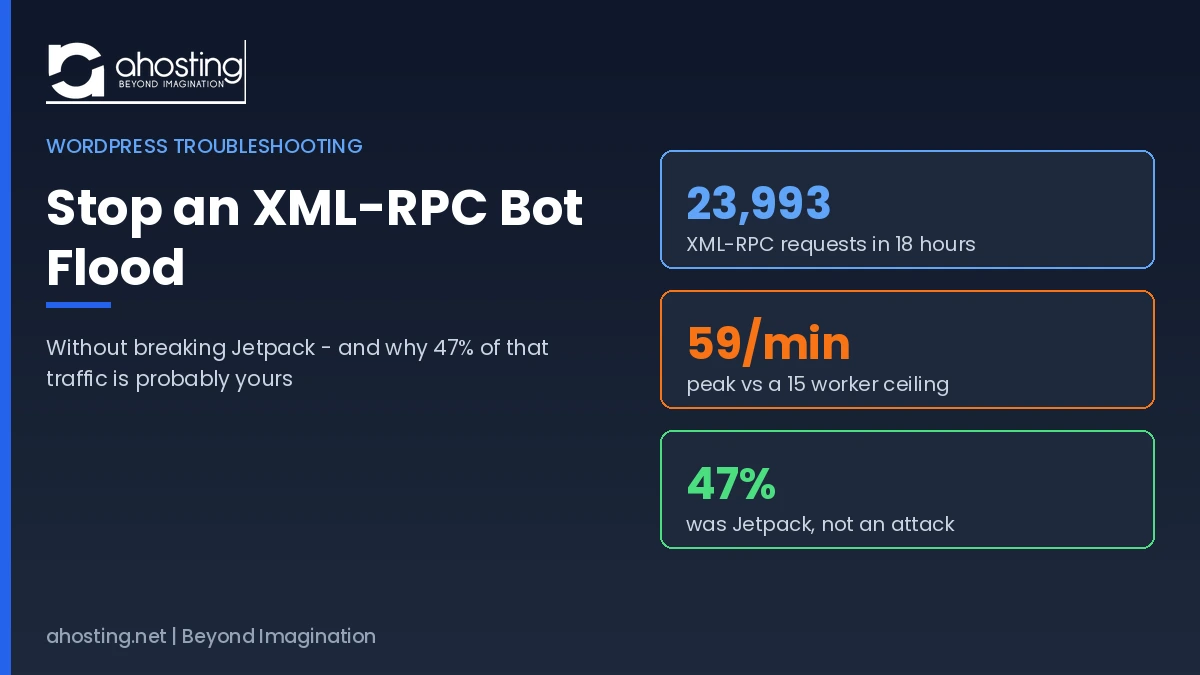
Therefore the arithmetic is unforgiving. In our July 2026 measurement window, the busiest single account sustained 59 XML-RPC POSTs per minute for a continuous fifteen-minute stretch. That account runs on a plan with 15 entry processes. In other words, the flood alone was requesting nearly four times the account’s entire concurrent capacity every minute, before a single genuine visitor was counted.
Why the XML-RPC Bot Flood Symptom Is Usually a 503, Not a 508
Notably, the error you actually see depends on your web server. On Apache-based cPanel hosts, hitting the entry process ceiling produces the familiar 508 Resource Limit Reached page. On LiteSpeed, which is what AHosting runs, requests are queued first — so the visitor experiences a slowdown and only receives a 503 if the queue window expires before a worker frees up.
Consequently, if you have been searching for why your resource graphs are pegged but you never see a literal 508 page, this is the answer. Our sample logged 50 genuine 503 responses against XML-RPC endpoints during the window. For the full mechanics of that ceiling, our guide to what entry process limits really mean when you hit a 508 resource limit covers how concurrency is calculated and why page generation time is the hidden multiplier.
The Three Symptoms That Identify an XML-RPC Bot Flood
Typically, the pattern is recognizable before you ever open a log file. Firstly, your cache hit ratio drops sharply while total traffic appears flat or even low in analytics. Secondly, your cPanel entry process graph shows sustained plateaus rather than the brief spikes normal traffic produces. Thirdly, wp-admin becomes sluggish or briefly unreachable at moments when your public pages still load instantly, because cached pages need no worker while your admin session does.
What 23,993 Real XML-RPC Requests Look Like in 2026
Most published guidance on this topic reasons from a single incident report. In contrast, we measured every XML-RPC request arriving at one shared AHosting server across an 18-hour window on 20–21 July 2026 — roughly 200 WordPress accounts, no sampling. The response code distribution is the part nobody publishes, and it changes what the correct fix looks like.
| Response | Count | Share | What it means |
|---|---|---|---|
| 404 Not Found | 13,566 | 56.5% | File already removed or blocked — bots scanning blindly |
| 200 OK | 10,025 | 41.8% | WordPress loaded and a PHP worker was consumed |
| 301 Redirect | 535 | 2.2% | Scheme or host redirect before processing |
| 503 Unavailable | 50 | 0.2% | Queue window expired — no worker available |
Interestingly, the 404 majority reframes the whole problem. Most of this traffic is indiscriminate scanning against sites that already removed the file, which means the bots are not selecting targets intelligently. As a result, the accounts that genuinely matter are the ones behind those 10,025 successful responses — each one a PHP worker allocated to answer a bot.
Nearly Half of XML-RPC Traffic Is Jetpack, Not an Attack
Here is the finding that should stop you before you paste any blocking rule. Of the 23,993 requests we captured, 11,388 — roughly 47 percent — carried Jetpack or WordPress.com user agents. Jetpack uses XML-RPC as its transport to communicate with WordPress.com, and it has done so for years.
Consequently, the advice to simply deny xmlrpc.php would have broken nearly half of the observed traffic on this server — taking down Jetpack stats, backups, Publicize, and mobile app publishing for every affected customer. Notably, this caution is not new: the security researchers who originally disclosed XML-RPC brute-force amplification revised their own guidance for exactly this reason, recommending a full block only where Jetpack and similar plugins are not in use.
Additionally, the remaining traffic tells its own story. We recorded requests presenting Chrome, Firefox, and Opera browser user agents against an API-only endpoint that no browser ever posts to — spoofed headers, in other words. The top single source address issued 1,372 requests on its own, and the top twelve addresses together accounted for roughly 35 percent of all XML-RPC traffic on the server.
The Port 80 Gap That Edge-Only Blocking Misses
Specifically, one account in our sample recorded 2,296 XML-RPC POSTs on plain HTTP alongside 964 on HTTPS. That distribution matters enormously for anyone relying on a CDN or edge firewall rule scoped to HTTPS traffic, because it demonstrates the plain HTTP path can carry more than twice the volume of the encrypted one.
Therefore any block you apply must be verified on both schemes. In practice this is the single most common reason a site owner reports that “blocking did not work” — the rule was real, but it only ever covered one door.

Why the Advice You Will Find Is Describing a 2015 Vulnerability
Search this problem and you will repeatedly read that a single POST can carry hundreds or thousands of password attempts through the system.multicall method, with amplification figures of 100x or 500x quoted confidently. That mechanic was real. It was also patched more than ten years ago.
Specifically, WordPress core addressed it in version 4.4, released December 2015, through Trac ticket 34336, which disables XML-RPC system.multicall authenticated requests after the first authentication failure. Once one credential attempt inside a batch fails, every remaining attempt in that batch fails with it. Consequently the amplification window closed for any site running WordPress 4.4 or newer, which in 2026 is effectively all of them.
In contrast, what our logs show is the attack that replaced it: slow, distributed, sequential requests. No batching is required when you control enough source addresses to simply issue 23,993 individual POSTs. Ultimately this distinction matters because it changes the correct defense. Method-level filtering of system.multicall addresses a patched problem, whereas the 2026 problem is request volume reaching PHP at all.
Additionally, it is worth knowing why the endpoint still exists at all. XML-RPC predates the WordPress REST API, which is now the supported interface for remote applications. Modern integrations use the REST API, yet xmlrpc.php remains enabled by default for backward compatibility — which is precisely why it stays a standing target on sites that never knowingly use it.
Where WordPress Core Says This Problem Belongs
Notably, the WordPress project has been explicit about ownership of this issue. Responding to a request that core mitigate XML-RPC flooding, a core developer noted that a denial of service against xmlrpc.php is no different from one against the homepage or the login page, that preventing it falls outside the scope of WordPress and needs to be handled at the server level.
That is the entire argument for fixing this in your web server configuration rather than with a plugin, stated by the people who maintain the software. For the broader picture of which protections belong below the application layer, our guide to the server-level WordPress protection plugins cannot add covers the same principle across firewalls and account isolation.
How to Stop an XML-RPC Bot Flood in Five Steps
Deny xmlrpc.php in .htaccess so the web server returns 403 before WordPress loads — but allowlist Jetpack first if you use it. The steps below establish which case you are in before you change anything.
First Step: Confirm the Flood Exists in Your Raw Access Log
Firstly, establish the problem is real rather than assumed. In cPanel, open Metrics → Raw Access and download the current log for your domain, or run the count directly over SSH if you have shell access.
grep -c 'xmlrpc.php' ~/access-logs/yourdomain.com-ssl_log
Specifically, a healthy site with Jetpack installed shows a steady low-hundreds count over a day. Anything in the thousands within a single log window is a flood. Additionally, run the same count against the non-SSL log, because the port 80 gap described above is easy to miss.
Second Step: Split Your Traffic Into Jetpack and Everything Else
Secondly, and this is the step almost every guide omits, find out how much of that traffic is your own. This single command answers the question that determines which fix you apply.
grep 'xmlrpc.php' ~/access-logs/yourdomain.com-ssl_log | grep -c 'Jetpack'
Therefore compare that figure against your total. In our server-wide sample the Jetpack share was 47 percent. If your own ratio is similarly high and you actively use Jetpack features, proceed to the allowlist method. If it is near zero and nothing else on your site consumes XML-RPC, the full deny is simpler and stronger.
Third Step: Choose Your Blocking Method
Thirdly, pick the method that matches what you found. The table below states the trade-off for each so the decision takes seconds rather than an afternoon of reading.
| Method | Runs before PHP? | Jetpack survives? | Best for |
|---|---|---|---|
| .htaccess full deny | Yes | No | Sites with zero XML-RPC dependency |
| .htaccess with Jetpack allowlist | Yes | Yes | Most sites — the recommended default |
| Security plugin block | No | Varies | Nothing — still consumes the worker |
| Rename or delete xmlrpc.php | Yes | No | Nothing — core updates restore it |
| Edge or CDN rule only | Yes | Configurable | Layered defense, never the sole block |
Notably, the security plugin row is the one that surprises people. A PHP-based plugin must boot WordPress in order to decide the request should be refused, so the entry process you were trying to protect is consumed regardless. The block works; the resource saving does not materialize.
Fourth Step: Apply the Rule in .htaccess
Fourthly, edit the .htaccess file in your WordPress root directory. Place this block above the # BEGIN WordPress marker so core updates never overwrite it. For a full deny, use the first form, which applies the Apache 2.4 Require directive for unconditional access denial.
<Files "xmlrpc.php">
  Require all denied
</Files>
Alternatively, to keep Jetpack working, allow Automattic’s ranges before denying everything else. Importantly, Jetpack publishes these ranges and warns that they are subject to change, so verify the current list before deploying and re-check it periodically.
<Files "xmlrpc.php">
  <RequireAny>
    Require ip 122.248.245.244
    Require ip 54.217.201.243
    Require ip 54.232.116.4
    Require ip 192.0.80.0/20
    Require ip 192.0.96.0/20
    Require ip 192.0.112.0/20
  </RequireAny>
</Files>
Importantly, LiteSpeed reads Apache-style .htaccess directives natively, so this rule takes effect on AHosting WordPress hosting plans without any server restart. Furthermore, because the rule is evaluated at the web server layer, a denied request never reaches PHP and never touches your entry process allocation.
Fifth Step: Verify the Block on Both HTTP and HTTPS
Finally, prove it worked. Request the file on both schemes and confirm each returns 403 rather than 200 or 405.
curl -s -o /dev/null -w "%{http_code}\n" https://yourdomain.com/xmlrpc.php
curl -s -o /dev/null -w "%{http_code}\n" http://yourdomain.com/xmlrpc.php
Consequently both commands should print 403. Additionally, check your raw access log an hour later and confirm new xmlrpc.php entries now carry 403 status codes rather than 200. In practice your cache hit ratio and entry process graph should visibly recover within the same day.
Estimate Your Own XML-RPC Bot Flood Worker Cost
Specifically, this calculator converts your raw log count into the concurrency figure that actually matters — how much of your plan’s entry process ceiling the flood is consuming. Enter the number you measured in the first step.
XML-RPC Worker Cost Calculator
Convert your log count into entry process pressure.
Importantly, this estimate assumes roughly one second of uncached execution per request, which is typical for WordPress on shared infrastructure. Furthermore, if your result exceeds your ceiling, blocking is urgent rather than optional — and if it still exceeds capacity after blocking, the underlying concurrency headroom is the real constraint. Our guide to how many PHP workers your WordPress site actually needs covers how to size that properly.
When Blocking Is Not Enough
Ultimately, an .htaccess deny returns 403 cheaply, but the request still arrives, still occupies a connection slot, and still appears in your logs. For the volumes in our sample this is entirely sustainable. However, at sustained rates well beyond what we measured, the connection handling itself becomes the constraint.
Therefore the escalation path runs in three stages. Firstly, add an edge or firewall rule so the traffic is refused before it reaches your server at all — layered with, never instead of, the origin rule. Secondly, if a small number of source addresses dominate as they did in our sample, block those ranges at the firewall level. Thirdly, if your site genuinely needs more concurrent capacity for legitimate traffic, dedicated server infrastructure removes the shared ceiling entirely.
Notably, agencies managing many client sites face this at multiplied scale, since every unprotected client site is an independent target. Applying the same rule across a portfolio at provisioning time is far cheaper than diagnosing it per site later, which is one practical argument for isolated per-client hosting accounts.
Your XML-RPC Bot Flood Checklist
- Count
xmlrpc.phphits in both your SSL and non-SSL raw access logs - Measure what share carries a Jetpack user agent before deciding the method
- Confirm you are on WordPress 4.4 or newer, so the multicall amplification window is closed
- Apply the rule in
.htaccessabove the# BEGIN WordPressmarker - Allowlist Automattic ranges first if Jetpack handles your stats, backups, or Publicize
- Verify 403 on both HTTPS and plain HTTP
- Re-check the access log an hour later for 403 status codes on new entries
- Watch entry process usage and cache hit ratio recover over the following day
- Never rely on a PHP security plugin alone — it consumes the worker it blocks
Frequently Asked Questions: Stopping an XML-RPC Bot Flood
How do I stop an XML-RPC bot flood without breaking Jetpack in 2026?
Specifically, allowlist Jetpack’s Automattic IP ranges first, then deny xmlrpc.php for everyone else in .htaccess so the request is refused at the web server before WordPress loads. In our July 2026 server logs, Jetpack accounted for 47 percent of all XML-RPC traffic, so a blanket deny would have broken nearly half the observed requests. The full allowlist syntax appears in the numbered fix section.
Is the system.multicall XML-RPC amplification attack still a threat in 2026?
Notably, no. WordPress core patched it in version 4.4, released December 2015, via Trac ticket 34336: once one authentication attempt inside a system.multicall batch fails, every remaining attempt in that batch fails too. Much of the advice ranking for this problem still describes the pre-4.4 mechanic. The 2026 problem is sequential request volume, not batched credential amplification.
Why does my site show a 503 error instead of a 508 during an XML-RPC flood?
Specifically, LiteSpeed queues requests when your entry process ceiling is reached rather than rejecting them instantly, so the visitor waits and then receives a 503 only if the queue window expires first. Apache-based hosts surface the same underlying concurrency event as a literal 508 page. Both errors mean the same thing: no free PHP worker.
How many PHP workers does an XML-RPC flood consume on AHosting shared hosting plans?
Specifically, one uncacheable PHP worker per request that reaches WordPress. In our July 2026 measurement window the busiest account sustained 59 XML-RPC POSTs per minute against a 15 entry process ceiling, the AHosting Bronze allocation. Consequently the flood alone can saturate the plan’s entire concurrency allocation before a single real visitor is served.
Should I block xmlrpc.php with a plugin or with .htaccess on AHosting WordPress hosting?
Therefore use .htaccess. A PHP-based security plugin still boots WordPress to decide the request should be denied, which consumes the entry process you were trying to protect. A web server rule refuses the request before PHP ever loads, so the worker is never allocated. WordPress core developers state the same thing: denial of service against xmlrpc.php needs handling at the server level.
Does blocking xmlrpc.php at Cloudflare protect the plain HTTP port 80 path too?
Importantly, not necessarily. One account in our July 2026 logs recorded 2,296 XML-RPC POSTs on port 80 alongside 964 on port 443. Consequently an edge rule scoped only to HTTPS traffic can leave the plain HTTP path fully open. Always verify the block returns 403 on both schemes.
What percentage of XML-RPC bot requests hit a file that does not even exist?
Interestingly, 56 percent in our July 2026 sample: 13,566 of 23,993 requests returned 404 because xmlrpc.php had already been removed or blocked on those accounts. In other words most of this traffic is indiscriminate scanning rather than targeted attack, and the accounts that matter are the 10,025 that returned 200.
When should I disable XML-RPC entirely versus allowlisting Jetpack on a WordPress site?
Specifically, deny it outright when nothing on the site uses XML-RPC: no Jetpack, no WordPress mobile app publishing, no remote editor, and no pingbacks you rely on. Allowlist instead when Jetpack handles your stats, backups, or Publicize. The comparison table in this guide names the trade-off for each method.
How do I confirm an XML-RPC block is actually working on my WordPress site?
Specifically, request the file and confirm the response is 403 rather than 200 or 405. Then grep your raw access log for xmlrpc.php and confirm new entries show 403 status codes. Additionally, watch your cPanel entry process graph and cache hit ratio recover over the following hours.
Does an XML-RPC bot flood hurt cache hit ratio on AHosting LiteSpeed hosting in 2026?
Fundamentally, yes. Every XML-RPC POST is uncacheable by definition, so it bypasses LiteSpeed Cache on AHosting entirely and executes PHP. As a result your cached-to-uncached ratio collapses in reporting, and the workers those requests occupy are unavailable to visitors whose pages would otherwise have been generated quickly.
Related posts:
 WordPress 503 Errors Explained: How Many WordPress PHP Workers Your Site Actually Needs (2026)
 “508 Resource Limit Reached” on WordPress: What Entry Process (EP) Limits Really Mean
 WordPress Staging Site: What Your Hosting Plan Needs to Make It Work (2026 Guide)
 WordPress Hosting Security in 2026: The Server-Level Protection Plugins Can’t Add