- What WordPress Asking for FTP Credentials Actually Means
- The Two Tests WordPress Runs Before It Asks for FTP
- Why the Same Check Quietly Turns Off Automatic Updates
- How to Tell Which Test Failed Without Writing Code
- What the Popular Fixes for WordPress Asking for FTP Credentials Actually Do
- What You Can Fix Yourself on Shared Hosting
- What Only Your Host Can Fix, and Why
- When FS_METHOD Set to direct Is the Right Answer
- Frequently Asked Questions: WordPress Asking for FTP Credentials
- Why is WordPress asking for FTP credentials when I try to install a plugin?
- Is FS_METHOD direct a safe fix for WordPress asking for FTP credentials in 2026?
- FS_METHOD direct vs fixing file ownership: which stops WordPress asking for FTP credentials?
- FTP vs FTPS in the WordPress Connection Information box: is the password encrypted?
- What causes WordPress asking for FTP credentials after moving a site to AHosting?
- Why do I see WordPress asking for FTP credentials when Site Health says Writable?
- Does WordPress store the FTP username and password typed into the Connection Information box?
- Why does Site Health report background updates not working as expected in 2026?
- Can AHosting support fix WordPress asking for FTP credentials on a CageFS account?
- Should I move to an AHosting VPS to stop WordPress asking for FTP credentials in 2026?
WordPress asking for FTP credentials means one of two tests failed: it could not create a test file in the folder it wants to change, or that new file did not belong to the same user as WordPress’s own files. It is an ownership check, not a missing password. The popular FS_METHOD fix only switches the check off. The same failure quietly stops automatic updates, so find which test failed, fix that, and leave ownership to your host.
What WordPress Asking for FTP Credentials Actually Means
When you see WordPress asking for FTP credentials in the middle of a plugin install or an update, it is easy to read the box as a login you forgot to set up. It is not. WordPress did not lose a password. It ran a safety check on the folder it was about to change, the check failed, and FTP is the fallback it reaches for when it cannot prove that writing files directly is safe. Every useful fix starts from knowing which part of that check failed, and the most popular one skips the check instead of answering it.
The Box, Word for Word
The heading reads Connection Information. Underneath, WordPress 7.1.2, the current release on 30 September 2026, prints To perform the requested action, WordPress needs to access your web server. Please enter your FTP credentials to proceed. It then adds a sentence most readers skip: If you do not remember your credentials, you should contact your web host. Those words come from one function in wp-admin/includes/file.php, and that function prints the form only after a second function has already decided that writing directly is not an option. The form is a consequence. What this guide takes apart is the decision behind it.
The Two Tests WordPress Runs Before It Asks for FTP
Behind every case of WordPress asking for FTP credentials is one decision, made by get_filesystem_method, which returns one of four transports: direct, ssh2, ftpext or ftpsockets. Direct means PHP writes the files itself. The other three mean WordPress needs a login to a file-transfer service, and that is when the box appears. Direct is chosen only when two tests pass, one after the other.
Test One: Can PHP Create a File in That Folder?
WordPress creates a small file named temp-write-test- followed by a unique string in the folder it is about to change, wp-content by default. If PHP cannot open that file for writing, the first test fails and the second is never reached. Three things cause that: the folder’s permissions do not let the PHP user write, the folder belongs to someone else, or the account has no room for one more file. The last one surprises people, because nothing about the folder looks wrong.
Test Two: Does the New File Have the Right Owner?
If the file was created, WordPress asks PHP’s fileowner function for two numbers: the owner of the test file it just made, and the owner of file.php itself, one of WordPress’s own core files. Equal numbers mean PHP is creating files as the same user that owns WordPress. The source comment states the reasoning plainly: that is when it is “safe to modify & create new files via PHP.” Different numbers mean a write would leave files owned by the wrong user, so WordPress refuses and falls back to FTP. The test file is deleted either way.
Where FS_METHOD Sits in That Order
Before either test runs, WordPress checks whether wp-config.php defines FS_METHOD. If it does, that value wins and neither test runs. This is the whole reason define(‘FS_METHOD’, ‘direct’) makes the box disappear. It does not make the tests pass. It stops WordPress from asking the question. A value of ftpext left behind by a previous host does the opposite and forces the box on a server that does not need it.

Why the Same Check Quietly Turns Off Automatic Updates
Most guides treat WordPress asking for FTP credentials as an install problem and stop at the box, because the box is what the reader sees. The check behind it does more damage out of sight. WordPress’s automatic background updater runs the same filesystem test before every unattended update, and when it fails there is nobody there to type a password. So the update simply does not happen. Site Health notices: its Background updates item turns critical with the label Background updates are not working as expected and a note that reads, in part, Your site is performing updates over FTP due to file ownership. Talk to your hosting company.
| Update type | Runs the ownership test | When the test fails |
|---|---|---|
| Manual install or update from the dashboard | Yes | The Connection Information box |
| Automatic core update that adds new files | Yes | Skipped; WordPress emails the admin instead |
| Automatic core update that only changes existing files | Relaxed: writability only | Can still run if the folder is writable |
| Automatic plugin and theme updates | Yes | Skipped, with no email |
| Automatic translation updates | Yes | Skipped, with no email |
The Silent Rows: Plugin and Theme Updates
The plugin row is the costly one. In its State of WordPress Security in 2026 report, Patchstack found that 91% of the new WordPress vulnerabilities it recorded in 2025 were in plugins and 9% in themes. A site whose files fail the ownership test stops receiving automatic plugin fixes and gets no email saying so. It is the same kind of silent failure as the WordPress.org connection warning that stops update checks, and it is found the same way: by reading Site Health rather than waiting for a symptom.
How to Tell Which Test Failed Without Writing Code
Diagnosing WordPress asking for FTP credentials needs no terminal. Three screens you already have answer it, and the order matters, because a constant in wp-config.php overrides everything the other two would tell you.
- Open
wp-config.phpin cPanel File Manager and search forFS_METHODandFTP_. Any match is forcing the method before the tests run. - In WordPress, go to Tools, then Site Health, then the Info tab, and open Filesystem Permissions. It lists the main WordPress directory,
wp-content, uploads, plugins and themes as Writable or Not writable. - On the cPanel home screen, read Disk Usage and File Usage together. Either one at its limit fails the first test even when every folder says Writable.
Reading the Three Screens Together
The detail that makes this work is what Site Health leaves out. Its Filesystem Permissions panel reports writability only; it never shows who owns anything. So a site that reads Writable everywhere, has room on the account and carries no constant, yet still shows the box, has narrowed the problem to the second test. A full account is the one trap in that logic, and the file-count limit on shared hosting is the version of it people miss.
| wp-config.php | Site Health: wp-content | cPanel usage | Test that failed | Who fixes it |
|---|---|---|---|---|
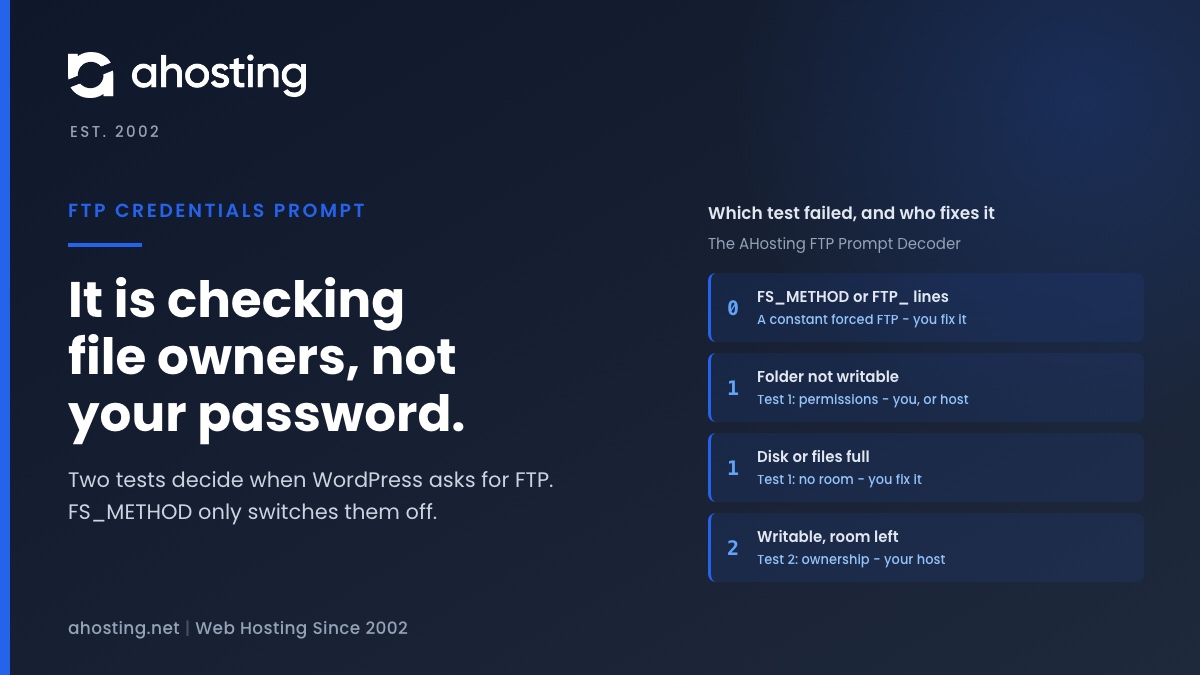
| FS_METHOD or FTP_ lines | Any | Any | Neither ran; a constant forced FTP | You |
| Clean | Not writable | Room left | Test 1: permissions | You, or the host if the folder is not yours |
| Clean | Writable | Disk or files full | Test 1: no room for the test file | You |
| Clean | Writable | Room left | Test 2: ownership mismatch | Your host |
FTP Prompt Diagnoser
Answer three questions from screens you already have: wp-config.php, Site Health and the cPanel home page. This tells you which of the two tests failed and who can fix it.
What is happening:
Who can fix it:
Do this next:
Read from the WordPress 7.1.2 source. It cannot see your server, so treat the answer as where to start, not as a diagnosis.
What the Popular Fixes for WordPress Asking for FTP Credentials Actually Do
Search results for the box repeat three fixes almost word for word, and a fourth turns up in older forum threads. Read against the source, each one does something different from what it promises.
| Popular fix | Box goes away | Background updates return | What it costs |
|---|---|---|---|
| FS_METHOD set to direct | Yes | Only if the owners already matched | Writes files as whoever PHP runs as, and hides the mismatch |
| Hand the files to www-data or apache | Only where PHP runs as that user | Only on that kind of server | Creates the mismatch where PHP runs as your account |
| FTP_USER and FTP_PASS in wp-config.php | Yes | Yes, over FTP | Your FTP password in plain text, in a file PHP reads constantly |
| chmod 777 on wp-content | Only if test 1 was the problem | Only if test 1 was the problem | Every process on the server can write there |
| Correct the ownership | Yes | Yes | Nothing, but on shared hosting it takes your host |
FS_METHOD Set to direct
It removes the box by deleting the question. If the owners already matched, the line was never needed. If they did not, WordPress now writes as the PHP user anyway: some writes fail with a less helpful error further along, and the rest create files the rightful owner may not be able to edit. Nothing about the mismatch changes, so the next person to read Site Health still finds it.
Handing the Files to www-data
That advice comes from servers where PHP runs as the web server’s own user, so giving that user the files makes the owners match. Plenty of shared hosts run PHP as each customer’s own account instead. There, handing the files to the web server user does not fix the mismatch. It creates one. On shared hosting you usually cannot run the command at all, which is a clue that the advice was written for a different kind of server.
FTP_USER and FTP_PASS in wp-config.php
This works, and it is the one to think hardest about. Your FTP password sits in plain text in a file PHP reads on every request, so any flaw that exposes that file exposes the password too. WordPress then logs in over FTP for every update. Pure-FTPd’s own TLS documentation spells out what encryption changes: with it, logins and passwords are no longer sent as cleartext. WordPress offers FTPS only when PHP’s ftp extension is loaded; its fallback client has no encryption at all.
What You Can Fix Yourself on Shared Hosting
Most cases of WordPress asking for FTP credentials end here. Three of the four outcomes in the decoder are yours to fix, and none of them needs more than cPanel. Work through them in this order, because each one can hide the next.
- Remove any
FS_METHOD,FTP_USER,FTP_PASSorFTP_HOSTline fromwp-config.php, after saving a copy. Sites moved from another host often carry these for a server that needed them. - Free room if Disk Usage or File Usage is at its limit: old backups, cache folders and unused plugins are the usual weight. The test file needs one free file slot.
- Put folder and file modes back to the defaults: 755 for folders and 644 for files, set with Change Permissions in File Manager. Never 777.
Those two numbers are not arbitrary. Red Hat’s guide to file system permissions shows that the default umask on RHEL-family systems, which include CloudLinux, is 0022, and that is what produces 755 folders and 644 files when an owner creates them. If File Manager refuses to change a mode, the file is not yours, and that is the moment to stop. Our knowledge base article on permissions and ownership explains why no amount of chmod fixes a file someone else owns. The same distinction sits behind the Missing a temporary folder upload error, where the create step fails for reasons the error message never names.
What Only Your Host Can Fix, and Why
If the decoder lands on the last row, ownership has to change, and that is not a policy choice on the host’s part. The POSIX specification for chown allows only processes “with appropriate privileges” to change a file’s owner once restricted ownership is in effect, as it is on Linux. A hosting account does not have those privileges, and on our shared web hosting plans root access is not available, by design. So the one step that actually fixes a mismatch is the one step a customer cannot take.
How AHosting Servers Avoid the Mismatch
On our shared servers, LiteSpeed runs PHP through lsphp, and each PHP process runs as the site’s own cPanel user. Files you upload, install or restore belong to that same user, so both tests pass and WordPress chooses direct without a constant. We checked rather than assumed. Asked directly, the filesystem method returned direct on our live WordPress plan sites with no FS_METHOD defined. A scan of all 530 docroots on one shared server found exactly two files owned by anyone other than the account, both one-off manual uploads. In twelve months of AHosting support tickets, not one customer has reported WordPress asking for FTP credentials.
On AHosting shared and WordPress hosting plans, PHP already runs as your own cPanel user, so a correctly owned site never sees this box. If it does appear, ownership is the one part of the fix you cannot do yourself, because only a privileged user can change a file’s owner. Open a ticket and we will look at it, before you edit wp-config.php.
When FS_METHOD Set to direct Is the Right Answer
There is a place for the constant: a server where you decide which user PHP runs as and who owns every file. On a VPS with full root access, a container, or a local development machine, you can make PHP and the files share one owner and then set FS_METHOD to direct knowing the check would have passed. That is a decision made with the facts in hand, not a way around them.
What does not justify a move is WordPress asking for FTP credentials on its own. A mismatch on shared hosting is a ticket, not a migration. Move when you need that control repeatedly: custom services, your own deploy tools, or a PHP user you choose yourself.
Frequently Asked Questions: WordPress Asking for FTP Credentials
Why is WordPress asking for FTP credentials when I try to install a plugin?
In practice it means WordPress could not prove that it is safe to write files directly. Before any install or update, it creates a small test file in the folder it is about to change, then compares the owner of that new file with the owner of its own core files. If the file cannot be created, or the two owners differ, WordPress falls back to FTP and asks you for a login. The box is the result of a failed ownership or write test, not a request for a missing password.
Is FS_METHOD direct a safe fix for WordPress asking for FTP credentials in 2026?
Typically it hides the problem rather than fixing it. Setting FS_METHOD to direct in wp-config.php makes WordPress skip both of its tests and write files as whatever user PHP runs as. If the tests were failing because the owners differ, the writes then either fail with a new error or create files owned by the wrong user. On a server where PHP runs as your own account and your files are yours, the tests already pass and the line is unnecessary. In WordPress 7.1.2 the logic is unchanged.
FS_METHOD direct vs fixing file ownership: which stops WordPress asking for FTP credentials?
Above all, fixing ownership, because only that removes the reason the box appeared. FS_METHOD direct tells WordPress to stop checking. Correcting the owner, so that the WordPress files belong to the same user PHP runs as, makes the check pass on its own, and it also brings back automatic background updates, which the same failed check had switched off. The constant leaves the mismatch in place for the next plugin, theme or core update to trip over.
FTP vs FTPS in the WordPress Connection Information box: is the password encrypted?
In particular, only if you choose FTPS and the server can actually offer it. WordPress shows the FTPS option only when the PHP ftp extension is loaded, because its fallback FTP client has no encryption at all. Plain FTP sends the login and password across the network as readable text. On AHosting servers the ftp and openssl extensions are both loaded, so FTPS is genuinely available, but a correctly owned site on our servers should never show the box in the first place.
What causes WordPress asking for FTP credentials after moving a site to AHosting?
Typically a line in wp-config.php that the previous host needed and this one does not. Some hosts run PHP as a shared web server user, so their sites carry FS_METHOD set to ftpext or FTP_USER and FTP_PASS lines to force updates over FTP. Copied across unchanged, those lines force the box on a server that does not need it. Remove them first. If the box stays, check for files a restore or copy left owned by another user, which only support can change.
Why do I see WordPress asking for FTP credentials when Site Health says Writable?
Specifically because Site Health reports only whether each folder is writable, never who owns the files inside it. WordPress passes its first test, creating a file, and fails the second, comparing owners. That combination points at ownership. One exception is worth ruling out first: an account at its disk or file limit can still show Writable, because the folder permissions are fine even though no new file fits. Check Disk Usage and File Usage in cPanel before you conclude it is ownership.
Does WordPress store the FTP username and password typed into the Connection Information box?
In fact only partly. WordPress saves the hostname and username in its options table so the form is prefilled next time, and it deliberately leaves out the password, the port and any SSH keys. The password is used for that one request and not kept. That is a real difference from typing the same password into wp-config.php as FTP_PASS, which stores it permanently as plain text in a file that PHP reads on every page load.
Why does Site Health report background updates not working as expected in 2026?
Notably, the same check that produces the FTP box is a common cause. Site Health runs the filesystem test itself, and when it fails the Background updates item turns critical with a note that the site is performing updates over FTP due to file ownership, telling you to talk to your hosting company. Automatic core updates then stop and WordPress emails the admin instead. Plugin and theme auto updates stop too, and those send no email at all.
Can AHosting support fix WordPress asking for FTP credentials on a CageFS account?
Indeed it can, and ownership is the part only support can do, because changing who owns a file needs privileges no customer account has. On AHosting shared and WordPress plans PHP already runs as your own cPanel user, so a correctly owned site never sees the box. When we scanned every docroot on one of our shared servers, only two files across 530 docroots belonged to anyone else. If you do see it, open a ticket and we will look at it, before you edit wp-config.php.
Should I move to an AHosting VPS to stop WordPress asking for FTP credentials in 2026?
Ultimately no, not for this reason alone. WordPress asking for FTP credentials is caused by a file ownership mismatch, and on shared hosting that is a ticket, not a migration. A VPS makes sense when you need control you will use again and again: choosing which user PHP runs as, owning the whole file tree with root access, and running your own deploy tools. On a VPS you can also set FS_METHOD to direct safely, because you decide who the PHP user is.