- Not Allowed to Access This Page: What WordPress Actually Checks
- Cause 1: Not Allowed to Access This Page Because the Page Is Not Registered
- Cause 2: Not Allowed to Access This Page Because the Account Lost Its Role
- Cause 3: Not Allowed to Access This Page Because the Role Is Too Low
- Which Cause Do You Have? Check Your Symptoms
- What the Lab Measured About Not Allowed to Access This Page
- What Your Host Can and Cannot Change
- Frequently Asked Questions: Not Allowed to Access This Page
- What does the 403 error mean in WordPress when you are not allowed to access this page?
- Why does WordPress 7.1 say you are not allowed to access this page after a plugin is deactivated in 2026?
- Is a missing role vs a missing plugin page the reason you are not allowed to access this page in 2026?
- Editor vs Administrator: which WordPress screens say you are not allowed to access this page?
- Can I fix not allowed to access this page errors in phpMyAdmin on an AHosting cPanel account?
- Does AHosting WordPress hosting include WP-CLI access to change a user role in 2026?
- Which two database records decide whether WordPress 7.1.3 treats a user as an administrator?
- Why does every wp-admin screen say you are not allowed to access this page after a migration to a new cPanel host?
- Will AHosting support look at a not allowed to access this page error with me if I open a ticket?
- How can I tell a WordPress 403 vs a web server 403 when I am not allowed to access this page?
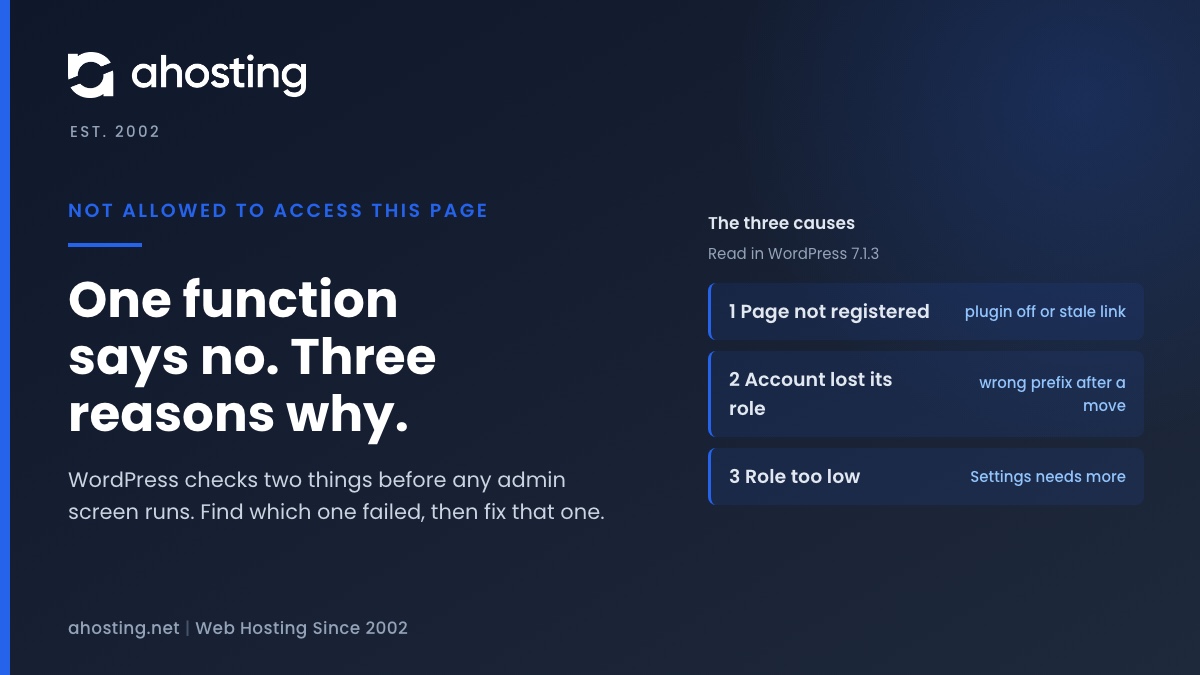
WordPress prints "Sorry, you are not allowed to access this page." from one line in core, after one function answers no. That function refuses for three reasons: the page is not registered, your account has no role, or your role is too low. Open the Dashboard first. If it loads, check the plugin behind the address. If it fails too, the role records carry the wrong prefix.
Not Allowed to Access This Page: What WordPress Actually Checks
When WordPress says you are not allowed to access this page, it has already decided, and it decided before the screen you asked for ran any code. The full sentence is “Sorry, you are not allowed to access this page.” It arrives with an HTTP 403 status and a plain error page.
In WordPress 7.1.3, which I read and ran for this guide, one line in menu.php prints it. That line sits right after an if test. Therefore the real question is never why WordPress printed the message. It is why the function in that test returned false.
The Two Questions Behind the Message
The function is user_can_access_admin_page(), and its source in plugin.php asks two things. First, is the page registered? Second, does your account hold the capability that the menu entry demands?
A page counts as registered when a plugin or core added it to the admin menu during that request. If the lookup finds no match, the function returns false at once. Otherwise it returns the result of current_user_can() for the capability stored on the menu entry. As a result, a stale bookmark and a low role end in the same sentence even though they have nothing in common.
The Three Causes at a Glance
Every case I reproduced falls into one of three rows. Match your symptom in the first column, then jump to the section that carries the fix.
| What you see | What core checked | Cause | Where the fix is |
|---|---|---|---|
| One plugin screen fails; the Dashboard opens | Is the page in the registered list? | The plugin is deactivated, removed or renamed, or the address is wrong | Cause 1: plugins screen or menu |
| Every screen fails, Dashboard included | Does the account hold the read capability? | The account has no role: capabilities or roles records carry the wrong prefix | Cause 2: two database records |
| Settings or Tools fails; Posts opens | Does the role hold manage_options? | The role is real but too low for that menu entry | Cause 3: role change by an Administrator |
Cause 1: Not Allowed to Access This Page Because the Page Is Not Registered
This is the cheapest cause to check, so check it first. A plugin adds its screen to the menu only while it is active. Deactivate the plugin, and the screen vanishes from the registered list on the next request.
In the lab, an Administrator opened a test plugin page and got a normal 200. After I deactivated the plugin, the same address returned a 403 with the exact message. The Dashboard still returned 200 in the same session. An address that never existed, such as page=does-not-exist, produced the identical result.
How to Confirm Cause 1 in Under a Minute
- Open the Dashboard at
/wp-admin/. If it loads, your account still has a role, so cause 2 is unlikely. - Open the Plugins screen and look for the plugin that owns the address. Compare the page name in the URL, after
page=, with the plugin you expect. - Reactivate the plugin, or reinstall it if an update removed it, then open its screen from the left menu instead of the saved bookmark.
- If the plugin is active and the screen is still refused, read cause 3. A plugin can register a page and still demand a capability you lack.
Notably, a plugin update can rename its menu slug. Old emails and bookmarks then point at a slug that no longer exists. The message looks like a permissions problem, but nothing about your account changed.

Cause 2: Not Allowed to Access This Page Because the Account Lost Its Role
The second cause is the one that locks out an owner, and it can follow a migration. WordPress stores your role in the database, under a key that begins with the table prefix. If the prefix changes and the key does not, WordPress looks for your role under the new name and finds nothing.
Where WordPress Stores Your Role
Two records matter. The user meta table holds one row per user whose key is the prefix plus capabilities, and core builds that key at class-wp-user.php line 488. The options table holds one row whose name is the prefix plus user_roles, built at line 342 of class-wp-roles.php.
With the default prefix those names are wp_capabilities and wp_user_roles. After a move to a site whose prefix is different, WordPress reads the new names. Specifically, the old rows stay in the tables under the old names, and nothing reads them.
I tested all three combinations in the lab, after rewriting the stored keys from wp_ to xy_ while the tables kept wp_. An Administrator got a 403 with the exact message on the Dashboard, on Settings and on Plugins whether the old prefix sat on the user meta rows only, on the roles option only, or on both. In other words, either record alone is enough to lock you out.
Repair the Prefix in phpMyAdmin
The AHosting shared hosting plan page lists phpMyAdmin, and cPanel opens it from the Databases section. Work through these steps in order, and stop after the export if anything looks unfamiliar.
- Export the whole database from the Export tab. The UPDATE statements below cannot be undone.
- Read
$table_prefixinwp-config.php. That is the prefix your tables use, and it is the one the keys must carry. Call it NEWPREFIX. - In the users meta table, find a row whose key ends in
_capabilitiesand read its prefix. That is your old prefix. Call it OLDPREFIX. - Open the SQL tab, paste the two statements below with both prefixes replaced, and run them one at a time.
- Reload
/wp-admin/. The Dashboard should open at once, because the rows are read on every request.
UPDATE NEWPREFIX_usermeta
SET meta_key = REPLACE(meta_key, 'OLDPREFIX_', 'NEWPREFIX_')
WHERE meta_key LIKE 'OLDPREFIX\_%';

UPDATE NEWPREFIX_options
SET option_name = 'NEWPREFIX_user_roles'
WHERE option_name = 'OLDPREFIX_user_roles';
The first statement renames every user meta key that starts with the old prefix, which includes the capabilities and user level rows. The second renames the roles option. In the lab, the same two statements, written for SQLite and with the prefixes swapped, returned the Dashboard and Settings to 200 after the break. SQLite’s replace() function works the way the MySQL one does here, but I did not run the statements on MySQL itself.
Or Use WP-CLI Where the Plan Lists It
The AHosting WordPress hosting page lists WP-CLI access and a jailed SSH shell. The documented command is wp user set-role, which sets the role of one user. It repairs that user only. It does not touch the roles option, and the lab showed that a stale roles option alone locks everyone out.
Therefore, use WP-CLI for a single account whose own row is wrong, and use the SQL for a whole site that moved. If you are unsure which describes you, the Dashboard test in the widget below usually decides it. For the move itself, the migration walkthrough compares four ways to migrate WordPress to a new host. For a first look at phpMyAdmin queries, the autoloaded options guide shows the tool in use.
Cause 3: Not Allowed to Access This Page Because the Role Is Too Low
The third cause is the least dramatic. Your account has a role, and the role is simply too low for that menu entry. WordPress is doing exactly what it should.
In core, Settings requires manage_options (wp-admin/menu.php line 405), while the Dashboard needs only read (line 29). In the lab, an Editor opened Posts with a 200 and was refused on Settings with a 403 and the exact message. The same Editor was refused on a test plugin page registered with manage_options.
Why the Exact Sentence Matters
Other refusals use other words. For example, the Editor who asked for the Users screen got a 403 with “Sorry, you are not allowed to list users.” from a different line of core. The sentence you read therefore points at a mechanism, so copy it exactly when you search or write to anyone.
Give the Smallest Role That Works
Raising everyone to Administrator makes the message disappear, and it is the wrong fix. NIST defines least privilege as granting each user the minimum authorizations needed for the job. An Editor who needs one plugin screen should get that capability through a role plugin or a custom role, not the keys to the whole site.
Agencies meet this case directly when a client holds an Editor account and asks for Settings. If you manage many client sites, the reseller hosting page describes the account structure, and the open registration guide explains why the default role for new users must stay low.
Which Cause Do You Have? Check Your Symptoms
The four questions below follow the decision table. The result names the likeliest cause and points at the section with the fix. It reads nothing from your site, so every answer comes from you.
Find Your Cause in Four Questions
What the Lab Measured About Not Allowed to Access This Page
The numbers below come from a lab on one workstation, not from an AHosting server. I installed WordPress 7.1.3 on PHP 8.5.10 with the SQLite database plugin from WordPress.org, created an Administrator, an Editor and a user with no role, and requested each page with curl. The results are about how core behaves, and they say nothing about our hosting accounts.
| State | Request | Status | Exact message |
|---|---|---|---|
| Administrator | Settings screen | 200 | No |
| Editor | Settings screen | 403 | Yes |
| User with no role | Dashboard | 403 | Yes |
| Editor | Dashboard | 200 | No |
| Editor | Plugin page needing manage_options | 403 | Yes |
| Administrator, plugin active | That plugin page | 200 | No |
| Administrator, plugin deactivated | That plugin page | 403 | Yes |
| Administrator | Address that never existed | 403 | Yes |
| Administrator, old prefix on either or both records | Dashboard, Settings, Plugins | 403 | Yes |
| Editor | Users screen | 403 | No: a different sentence |
Two limits apply. I did not test multisite, a real migration plugin, or MySQL, and I did not test an HTTPS or domain change. Therefore this guide makes no claim about those cases.
What Your Host Can and Cannot Change
No host can change which roles may open which screens, because that logic lives in WordPress. A host can give you the tools to repair the records, and it can read the evidence with you. That is the useful boundary.
If the login itself loops instead of refusing you, that is a different failure. In that case read the redirect loop guide, because the fix lives in a redirect rule, not in a role.
If the fix above did not work, open a ticket with the exact address you were opening and the role your account shows on the Users screen, and we will look at it with you. Please leave out passwords and database exports. Neither is needed to read the cause.
Frequently Asked Questions: Not Allowed to Access This Page
What does the 403 error mean in WordPress when you are not allowed to access this page?
Specifically, the 403 is the HTTP status WordPress sends with the message after it checks your account against the admin menu. It means WordPress ran, found the page, and refused you, so the cause sits in your plugins, your role or your database, not in the web server. The decision table in this guide matches each symptom to its fix.
Why does WordPress 7.1 say you are not allowed to access this page after a plugin is deactivated in 2026?
In practice, a deactivated plugin stops registering its menu page, so the saved bookmark points at a page WordPress no longer knows. In the lab, an administrator got a 403 with the exact message on that URL and a normal 200 on the Dashboard. Reactivate the plugin, or open the screen from the menu instead of the bookmark.
Is a missing role vs a missing plugin page the reason you are not allowed to access this page in 2026?
Specifically, you can tell them apart with one request. A missing role fails every wp-admin screen including the Dashboard, while a missing plugin page fails only that one address and the Dashboard still opens. Open the Dashboard first, then read the rest of the guide for the matching fix.
Editor vs Administrator: which WordPress screens say you are not allowed to access this page?
For example, an Editor can open Posts but gets the message on Settings, because the Settings menu entry requires the manage_options capability and the Editor role does not carry it. An Administrator opens both. The lab table in this guide lists the exact requests and the results.
Can I fix not allowed to access this page errors in phpMyAdmin on an AHosting cPanel account?
Specifically, yes, when the cause is a prefix mismatch. The AHosting plan pages list phpMyAdmin, so two UPDATE statements can rewrite the old prefix in the user meta table and in the roles option. Export the database first, because an UPDATE cannot be undone, and replace the example prefixes with your own.
Does AHosting WordPress hosting include WP-CLI access to change a user role in 2026?
Specifically, the AHosting WordPress hosting page lists WP-CLI access and a jailed SSH shell, so the documented command wp user set-role can change one account. It writes only that user, though, and the lab showed a stale roles option alone is enough to lock out every user. Check the plan page for your own account before relying on it.
Which two database records decide whether WordPress 7.1.3 treats a user as an administrator?
Specifically, one is the user meta row named after the table prefix plus capabilities, and the other is the options row named after the prefix plus user_roles. The first says which role the user holds, and the second says what that role may do. If either row carries the wrong prefix, WordPress finds no capabilities and refuses every admin screen.
Why does every wp-admin screen say you are not allowed to access this page after a migration to a new cPanel host?
Specifically, the likely cause is a table prefix that changed in the move, or tables imported under a different one, while the stored keys still carry the old prefix. WordPress builds the capabilities key from the current prefix, finds nothing, and treats your account as having no role. All three prefix cases in the lab returned the message on the Dashboard, the Settings screen and the Plugins screen.
Will AHosting support look at a not allowed to access this page error with me if I open a ticket?
Specifically, yes. Open a ticket with the exact address you were opening and the role your account shows on the Users screen, and we will look at it with you. Please leave out passwords and database exports, because neither is needed to read the cause.
How can I tell a WordPress 403 vs a web server 403 when I am not allowed to access this page?
In practice, read the page itself. The WordPress version carries the sentence Sorry, you are not allowed to access this page and the browser title WordPress Error, because WordPress printed it. A 403 page without that sentence was produced before WordPress ran, so changing roles or prefixes will not help.