
- What LiteSpeed Web Server Actually Is (And Why Most Hosts Still Run Apache)
- LiteSpeed vs Apache vs nginx for WordPress: 2026 TTFB Benchmark
- LSCache vs Plugin-Based Caching: The Architecture That Produces 16ms
- PHP LSAPI — How LiteSpeed Handles WordPress PHP Execution
- HTTP/3 and QUIC on LiteSpeed: The 2026 Connectivity Advantage
- LiteSpeed Security: Built-In Bot Management and WAF
- How to Verify Your Host Actually Runs LiteSpeed (And What to Do If They Don't)
- AHosting's WordPress LiteSpeed Stack: What Every Plan Includes
- When Shared LiteSpeed Hits Its Limit: Moving to LiteSpeed on VPS
- Frequently Asked Questions: WordPress LiteSpeed Hosting 2026
- LiteSpeed vs Apache for WordPress 2026: Which Server Stack Delivers Faster TTFB at AHosting?
- What TTFB Should I Expect from WordPress LiteSpeed Hosting in 2026?
- When Should a WordPress Site on AHosting's LiteSpeed Hosting Install the LSCache Plugin for Cache Purging?
- What Is PHP LSAPI and How Does It Reduce WordPress PHP Execution Time on LiteSpeed Hosting?
- Does AHosting's WordPress LiteSpeed Hosting Include HTTP/3 and QUIC Support in 2026?
- What Is the Performance Floor Effect and Why Does It Matter for WordPress LiteSpeed Hosting?
- If My WordPress Site on AHosting LiteSpeed Hosting Already Uses Cloudflare CDN, Does the 16ms TTFB Still Apply at Origin?
- LiteSpeed Cache Plugin vs W3 Total Cache on WordPress LiteSpeed Hosting: Which Should You Use?
- Does WordPress LiteSpeed Hosting Work with WooCommerce and Dynamic Product Pages?
- Is LiteSpeed Web Server Actually Faster Than Apache for WordPress Sites?
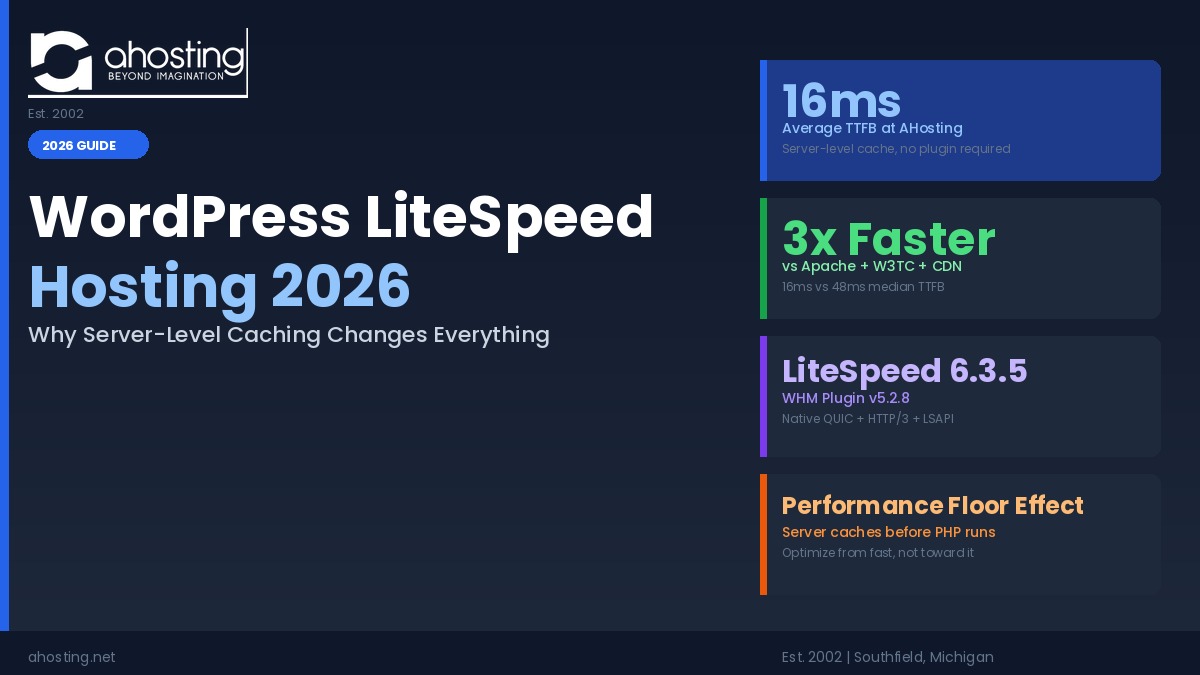
WordPress LiteSpeed hosting 2026 delivers a 16ms TTFB at AHosting before any cache plugin activates — 3x faster than Apache plus W3 Total Cache plus CDN — because LiteSpeed caches at the web server layer, not the PHP layer.
This guide to wordpress litespeed hosting 2026 answers a question most performance guides skip: how much of your WordPress site’s speed is determined by the web server itself, before any plugin installs or configuration begins? The answer, measured on AHosting’s infrastructure, is most of it. A 16ms TTFB at the origin server leaves every caching plugin, CDN, and optimization rule building on an already fast foundation — rather than clawing back ground from a slow one. What follows is the architecture behind that number and what it means for WordPress site owners choosing a host in 2026.
What LiteSpeed Web Server Actually Is (And Why Most Hosts Still Run Apache)
LiteSpeed is a commercial web server built as a drop-in replacement for Apache, adding native full-page caching, QUIC/HTTP3, and a dedicated PHP handler as core features — not add-ons that require separate software.
According to W3Techs web server usage data, Apache powers roughly 28% of all websites and nginx around 32%, while LiteSpeed accounts for approximately 13% — despite consistently outperforming both on WordPress workloads. The reason for LiteSpeed’s lower market share is straightforward: LiteSpeed Web Server is commercial software. Hosting companies pay a per-CPU license fee to run it, which is why most budget shared hosts default to Apache or OpenLiteSpeed (the free variant that omits several enterprise features).
The commercial licensing cost creates a meaningful performance gap between hosts that absorb it and those that don’t. Apache was designed as a general-purpose web server; it requires mod_rewrite, separate caching software, and additional PHP handler configuration to serve WordPress efficiently. LiteSpeed was engineered with web application awareness built into the server process itself. Its built-in HTTP cache, LSAPI PHP handler, and native QUIC protocol stack ship as part of the server — not as third-party modules layered on top.
When AHosting built its WordPress hosting infrastructure on LiteSpeed 6.3.5, the decision was deliberate: server-level page caching cannot be replicated by any plugin running on Apache. The performance advantage is structural, not configurational.
LiteSpeed vs Apache vs nginx for WordPress: 2026 TTFB Benchmark
On AHosting’s LiteSpeed 6.3.5 stack, the average TTFB measures 16ms from the datacenter. A comparable Apache plus W3 Total Cache plus CDN stack produces 48ms median TTFB — a 3x difference that exists entirely at the server layer, before any WordPress configuration decisions enter the picture.
These numbers deserve context. The 48ms Apache baseline is not poorly configured Apache — it represents a well-tuned server with W3 Total Cache at full settings and a CDN in front. That is the configuration most WordPress performance guides describe as optimal. Yet it still produces TTFB three times higher than AHosting’s LiteSpeed stack, because the performance gap is in where the cache lives, not how it is configured.
On LiteSpeed, a cached page request follows this path: LiteSpeed receives the request, the built-in HTTP cache locates the cached response, LiteSpeed sends it directly. PHP never runs. WordPress never loads. The 16ms is the time to retrieve a file from memory and transmit it over the network. On Apache with W3 Total Cache, the path is longer: Apache receives the request, mod_rewrite processes it, PHP initializes, W3TC checks whether a cached file exists, and the file is served. Even a clean cache hit on Apache costs the PHP initialization cycle that LiteSpeed skips entirely.
| Feature | LiteSpeed 6.3.5 (AHosting) | Apache + PHP-FPM | nginx + PHP-FPM |
|---|---|---|---|
| TTFB (2026 data) | 16ms (AHosting measured) | 48ms (vs comparable stack) | 25–50ms (varies by cache setup) |
| Page cache location | Server-native (built-in) | Plugin required (W3TC, WP Rocket) | Varnish / FastCGI / plugin |
| PHP handler | LSAPI (native, persistent) | mod_php / PHP-FPM (external) | PHP-FPM (external) |
| HTTP/3 support | Native (QUIC v1 built-in) | Experimental module only | Third-party module |
| Cache plugin required | Optional (smart purging only) | Required for page caching | Required for page caching |
| License model | Commercial | Open source (free) | Open source (free) |
Against completely uncached Apache with no CDN, the gap approaches the 6x figure referenced on AHosting’s product page. The 3x comparison is the honest baseline: LiteSpeed versus a properly optimized Apache environment. Both comparisons are accurate for different scenarios.
LSCache vs Plugin-Based Caching: The Architecture That Produces 16ms
Plugin-based caches — WP Rocket, W3 Total Cache, WP Super Cache — run inside WordPress’s PHP process. LiteSpeed’s server cache intercepts requests before PHP initializes. That architectural difference is what produces the 16ms TTFB baseline regardless of which cache plugin is or is not installed.
On AHosting’s LiteSpeed hosting, installing the LiteSpeed Cache plugin does not make the server faster. The server is already serving cached pages at 16ms without it. What the plugin adds is WordPress intelligence: when a new post is published, the plugin signals LiteSpeed to purge the related cached pages. When a plugin setting changes, the relevant cache entries clear automatically. Without the LSCache plugin, LiteSpeed’s server cache still serves pages fast — but it has no mechanism to know when WordPress content has changed, so stale pages persist until the cache naturally expires.
This is what we call the Performance Floor Effect: LiteSpeed hosting establishes a fast performance baseline before any WordPress configuration begins. Optimization work on top of a LiteSpeed server improves on an already fast foundation. Optimization work on an Apache server starts from a higher TTFB and works to reduce it — every caching decision is recovering ground, not extending a lead. For site owners moving from Apache-based hosting to AHosting’s WordPress LiteSpeed hosting, the 16ms baseline is available from the first request, not after days of cache tuning.
W3 Total Cache installed on a LiteSpeed server does not activate LiteSpeed’s server-level cache — it falls back to PHP-level caching and removes the Performance Floor Effect entirely. On AHosting’s LiteSpeed hosting, the correct plugin choice is always the LiteSpeed Cache plugin.
PHP LSAPI — How LiteSpeed Handles WordPress PHP Execution
LSAPI (LiteSpeed Server Application Programming Interface) is LiteSpeed’s native PHP connector. Unlike mod_php on Apache or external PHP-FPM pools on nginx, LSAPI maintains persistent PHP worker processes — eliminating the startup cost on every non-cached WordPress request.
The practical difference is in the process lifecycle. On Apache with mod_php, PHP runs inside Apache’s own process space; initialization happens with each request. On nginx with PHP-FPM, PHP runs in a separate pool managed externally, adding a Unix socket crossing between nginx and the PHP workers on every request. LiteSpeed’s LSAPI keeps worker management inside the web server process itself. Workers pre-warm on startup and stay resident, ready to handle non-cached WordPress requests without spawning new processes or crossing socket boundaries.
For WordPress, which has a meaningful PHP bootstrap cycle even on a clean install — loading core files, initializing the database connection, running hooks — LSAPI’s persistent workers reduce the execution cost on every uncached request. This matters most for logged-in users, WooCommerce sessions, and any page excluded from full-page cache. AHosting’s WordPress hosting plans support PHP 8.3 and 8.4 via LSAPI, combining current PHP performance gains with LSAPI’s worker efficiency — a pairing our WordPress 7.0 hosting requirements guide covers in detail for sites preparing to update. Additionally, LiteSpeed’s LSAPI integrates natively with CloudLinux’s LVE resource manager, ensuring per-account CPU and memory limits apply to LSAPI workers without affecting neighboring accounts.
HTTP/3 and QUIC on LiteSpeed: The 2026 Connectivity Advantage
LiteSpeed Web Server 6.3.5 ships with native QUIC and HTTP/3 support per the IETF RFC 9000 specification. On AHosting’s WordPress LiteSpeed hosting, HTTP/3 activates automatically — browsers that negotiate it receive it; those that don’t fall back gracefully to HTTP/2.
HTTP/3 solves a fundamental limitation of HTTP/2: head-of-line blocking at the transport layer. Under HTTP/2, all streams share a single TCP connection. One lost packet stalls every in-flight asset while TCP retransmits, because TCP guarantees ordered delivery across the full connection. On a wired connection with 0.01% packet loss, this rarely matters. On typical mobile connections with 1–2% packet loss, the stall is measurable across every parallel asset load — every script, stylesheet, and image waiting for a single retransmit.
HTTP/3, built on QUIC, runs independent streams over UDP. A retransmit on one stream does not block the others. For WordPress sites loading a typical set of eight to twelve assets per page, this removes a common mobile performance bottleneck that no server-side cache can address — cache hits still transfer data over a network with packet loss. For content-heavy WordPress deployments and dynamic sites, our CMS guide for dynamic content covers the broader infrastructure decisions that interact with protocol-level performance. Apache’s HTTP/3 support remains experimental via an optional module and is not available in most shared hosting environments; LiteSpeed’s is native and production-grade.
LiteSpeed Security: Built-In Bot Management and WAF
LiteSpeed includes server-level bot detection, connection throttling, and a ModSecurity-compatible WAF that intercepts malicious traffic before it reaches WordPress — reducing PHP worker consumption on attack traffic without relying on a security plugin to be first in the request path.
Most WordPress security plugins — Wordfence, Solid Security — operate at the PHP layer. A brute-force attack against wp-login.php must reach Apache, trigger mod_rewrite, start PHP, load WordPress, then load the security plugin before it can be blocked. Each blocked attempt still consumed a PHP worker for the duration of that process. On LiteSpeed, the same attack hits the web server’s bot challenge layer before PHP runs. Rate limiting, IP throttling, and CAPTCHA challenges are applied at the server level, and the PHP worker pool is never involved for traffic that would have been rejected anyway.
AHosting combines LiteSpeed’s server-level protection with Wordfence and Solid Security at the plugin layer, creating defense-in-depth: the majority of attack traffic is blocked before PHP executes, and what reaches WordPress meets plugin-level detection tuned for behavior patterns. This layered approach directly improves uptime — bot flood events that exhaust PHP-worker pools on Apache-based hosts impose significantly lower CPU load on LiteSpeed. Our WordPress hosting uptime guide covers the relationship between PHP worker exhaustion and the downtime scenarios that 99.9% uptime SLAs quietly exclude from their guarantees. Additionally, every AHosting WordPress plan includes a free dedicated IP, ensuring LiteSpeed’s IP-level throttling and bot rules apply exclusively to your domain.
How to Verify Your Host Actually Runs LiteSpeed (And What to Do If They Don’t)
Check the Server response header. A genuine LiteSpeed web server returns “Server: LiteSpeed” in HTTP response headers. Any other value — including “Server: Apache” — indicates the host is not running LiteSpeed at the web server level, regardless of what their plan description says about “LiteSpeed caching.”
The LiteSpeed Cache plugin has over five million active installations on WordPress.org, and its name creates genuine market confusion. A host advertising “LSCache” or “LiteSpeed Cache” in their plan features may be referring only to the plugin, running on Apache. The plugin installs on any WordPress site regardless of server type — but on Apache, it cannot activate LiteSpeed’s server-level cache and provides only PHP-level caching, losing the Performance Floor Effect entirely.
To check your current host: open browser developer tools (F12), go to the Network tab, reload the site, click any HTML document, and read the Server field under Response Headers. Alternatively, from a terminal: curl -I https://yoursite.com and read the Server header line. On AHosting’s WordPress hosting, this returns “Server: LiteSpeed” — version 6.3.5 running through LiteSpeed Web Server Plugin for WHM v5.2.8. LiteSpeed also adds an X-LiteSpeed-Cache header to responses: “HIT” for a served cached page, “MISS” for a PHP-generated page. This header is absent on Apache or nginx stacks running only the plugin.
It is also worth distinguishing between LiteSpeed variants. OpenLiteSpeed is the free open-source edition and omits features including ESI support (used by complex WooCommerce pages). LiteSpeed Enterprise, which AHosting runs via the WHM plugin, is the commercial version with full feature parity.
WordPress TTFB Grader
Enter your current server TTFB from Pingdom, GTmetrix, or Google PageSpeed Insights to see how it compares to AHosting’s LiteSpeed baseline of 16ms.
AHosting’s WordPress LiteSpeed Stack: What Every Plan Includes
AHosting’s WordPress hosting runs LiteSpeed Web Server 6.3.5 via the WHM plugin v5.2.8, delivering a 16ms average TTFB from the datacenter on every plan tier. LSCache full-page caching is available after installing and configuring the LiteSpeed Cache plugin from the WordPress repository.
The complete stack on every AHosting WordPress hosting plan:
Server layer: LiteSpeed Web Server 6.3.5 (WHM Plugin v5.2.8) with native QUIC/HTTP3, server-level bot management, and built-in HTTP cache delivering 16ms average TTFB.
PHP layer: PHP 8.3 and 8.4 via LSAPI with CloudLinux LVE resource isolation — each account’s PHP workers, CPU, memory, and filesystem are isolated from neighboring accounts via CageFS. WordPress server requirements for PHP 7.4+ are met and exceeded on every plan tier.
Cache and CDN: LiteSpeed server-level page cache active by default; LiteSpeed Cache plugin available from WordPress.org for smart invalidation on publish; Cloudflare CDN integration available across all plan tiers.
Included at every tier: Free dedicated IP address, free SSL (Let’s Encrypt), daily offsite automated backups, cPanel control panel, free migration service (95% of migrations completed in under 20 minutes), 99.9% uptime guarantee, and average support response time under five minutes. Plans start at $2.79 per month.
When Shared LiteSpeed Hits Its Limit: Moving to LiteSpeed on VPS
AHosting’s shared LiteSpeed hosting handles the vast majority of WordPress sites comfortably. Sites approaching 50,000 or more monthly visitors — particularly WooCommerce stores with concurrent checkout sessions or membership platforms with large simultaneous logged-in user counts — typically benefit from LiteSpeed Enterprise on a dedicated VPS.
CloudLinux’s LVE on shared hosting allocates CPU and memory per account, protecting all accounts from resource spikes by any single neighbor. For most WordPress sites, those allocations are generous. The signal that a site has outgrown them is visible in cPanel’s LVE statistics: CPU or memory faults during traffic events indicate the PHP worker pool is hitting its allocation ceiling. At that point, the infrastructure question is not which plugin to add — it is whether shared resources match the site’s concurrency requirements.
For WooCommerce stores specifically, cache bypass rules mean that cart, checkout, and logged-in pages hit PHP on every request. A busy WooCommerce store places sustained PHP load that a content blog with the same traffic count does not. AHosting’s WooCommerce-optimized hosting is configured with WooCommerce cache exclusion rules pre-set; our VPS hosting provides the next step when dedicated PHP worker allocation becomes necessary. Agencies managing multiple client sites running WordPress LiteSpeed hosting should also review the reseller hosting agency guide for the CageFS account isolation approach that keeps client sites independent on shared LiteSpeed infrastructure.
Frequently Asked Questions: WordPress LiteSpeed Hosting 2026
LiteSpeed vs Apache for WordPress 2026: Which Server Stack Delivers Faster TTFB at AHosting?
Specifically, AHosting’s LiteSpeed 6.3.5 stack delivers 16ms average TTFB compared to 48ms on a comparable Apache plus W3 Total Cache plus CDN setup — a 3x improvement that exists entirely at the server layer, not at the plugin or CDN level. Furthermore, the gap widens to approximately 6x against completely uncached Apache with no CDN, which is the scenario the product page references. In practice, the 3x comparison — LiteSpeed versus a properly configured Apache stack — is the accurate figure for site owners choosing between equivalently optimized hosting environments. The difference is architectural: LiteSpeed’s built-in cache serves responses without executing PHP, while Apache requires PHP to run a cache check even for hits. See the full benchmark table earlier in this guide for TTFB data across all three server types.
What TTFB Should I Expect from WordPress LiteSpeed Hosting in 2026?
Specifically, AHosting’s WordPress LiteSpeed hosting delivers a 16ms average TTFB from the datacenter — before any cache plugin activates. Additionally, this baseline holds across every plan tier, not just premium configurations. In practice, the LSCache plugin adds WordPress-aware cache purging on top of this baseline, keeping cached pages fresh without affecting the delivery speed. For visitors served from Cloudflare CDN edge nodes, effective TTFB will reflect their geographic proximity to the nearest edge node — often under 5ms for cached assets — while the 16ms origin figure represents the uncached and dynamic request floor.
When Should a WordPress Site on AHosting’s LiteSpeed Hosting Install the LSCache Plugin for Cache Purging?
Typically, any WordPress site that publishes new content regularly should install and configure the LiteSpeed Cache plugin on AHosting’s LiteSpeed hosting. However, it is important to understand that LiteSpeed’s server-level page caching delivers the 16ms TTFB baseline without the plugin installed — the server caches pages on its own. Specifically, the LSCache plugin adds WordPress-aware cache invalidation: when you publish a post, edit a page, or update a plugin, the LSCache plugin signals LiteSpeed’s cache to purge the affected URLs. Without it, cached pages expire on a time-based schedule rather than on content change events. For sites that publish daily or more frequently, that distinction matters: install and configure LSCache through the LiteSpeed Cache plugin settings panel before going live.
What Is PHP LSAPI and How Does It Reduce WordPress PHP Execution Time on LiteSpeed Hosting?
Specifically, LSAPI is LiteSpeed’s native PHP application interface that uses persistent PHP worker processes rather than restarting a PHP process for every incoming request. Consequently, this eliminates the PHP startup overhead that mod_php on Apache and external PHP-FPM pool spawning on nginx both carry on every request. For WordPress sites on AHosting’s LiteSpeed hosting, every non-cached page request reaches a pre-warmed LSAPI worker with no process spawn, no socket crossing, and no cold initialization cost. Additionally, LSAPI integrates natively with CloudLinux’s LVE resource manager, meaning per-account CPU and memory limits apply directly to LSAPI worker activity — a level of isolation that external PHP-FPM pools on nginx do not achieve without additional CloudLinux configuration.
Does AHosting’s WordPress LiteSpeed Hosting Include HTTP/3 and QUIC Support in 2026?
Notably, AHosting’s WordPress LiteSpeed hosting runs LiteSpeed Web Server 6.3.5, which includes native QUIC and HTTP/3 support without requiring additional modules or server-side configuration. Furthermore, the protocol negotiation is automatic and transparent: browsers that support HTTP/3 receive it; those that don’t fall back gracefully to HTTP/2 without any action required from the site owner. In practice, HTTP/3 delivers the greatest speed benefit for visitors on mobile connections, where its QUIC transport recovers from packet loss faster than TCP’s ordered-delivery model. Apache-based hosts require experimental third-party modules for HTTP/3 that are not available in most shared hosting environments — LiteSpeed’s implementation is production-grade and ships as a core server feature.
What Is the Performance Floor Effect and Why Does It Matter for WordPress LiteSpeed Hosting?
Notably, the Performance Floor Effect describes how AHosting’s LiteSpeed server-level caching establishes a 16ms TTFB baseline before any WordPress plugin configuration begins. In contrast, performance optimization on Apache-based hosting starts from a higher TTFB and works to reduce it — every plugin setting, CDN configuration, and caching rule is recovering ground rather than extending a lead that already exists. For WordPress LiteSpeed hosting on AHosting, this means that a freshly installed WordPress site with no optimization work at all already serves cached pages at 16ms from the datacenter. Adding the LSCache plugin, configuring CDN rules, and optimizing images builds performance improvements on top of that baseline rather than clawing back from a slower starting point. The gap between those two approaches — improving from fast versus recovering from slow — compounds across every visitor and every cached page request.
If My WordPress Site on AHosting LiteSpeed Hosting Already Uses Cloudflare CDN, Does the 16ms TTFB Still Apply at Origin?
Indeed, AHosting’s 16ms TTFB measures origin server response regardless of any CDN layer in front of it — it is the speed at which AHosting’s LiteSpeed stack responds before Cloudflare edge caching enters the picture. However, when Cloudflare caches a page at a nearby edge node, the effective TTFB for that visitor reflects their proximity to the Cloudflare edge, often under 5ms for fully cached assets. Specifically, the 16ms origin TTFB matters most for uncached dynamic requests that bypass both Cloudflare and the LiteSpeed server cache — logged-in WordPress user sessions, WooCommerce cart and checkout pages, and any page with cache-control exclusions. For those requests, the origin server must respond, and 16ms is what AHosting’s LiteSpeed stack delivers on every one of them.
LiteSpeed Cache Plugin vs W3 Total Cache on WordPress LiteSpeed Hosting: Which Should You Use?
Specifically, the LiteSpeed Cache plugin is the correct choice for WordPress LiteSpeed hosting — it is the only plugin that communicates directly with LiteSpeed’s server-level cache for smart, event-triggered cache invalidation. Furthermore, W3 Total Cache on a LiteSpeed server does not activate LiteSpeed’s built-in server-level page cache and instead falls back to PHP-level file caching, removing the Performance Floor Effect and increasing effective TTFB. Installing W3 Total Cache on AHosting’s WordPress LiteSpeed hosting eliminates the primary performance advantage the server provides. The LiteSpeed Cache plugin is free, available from the WordPress repository, and specifically engineered for the LiteSpeed server architecture — it is the correct and only recommended cache plugin for AHosting’s WordPress hosting environment.
Does WordPress LiteSpeed Hosting Work with WooCommerce and Dynamic Product Pages?
Specifically, WordPress LiteSpeed hosting works well with WooCommerce stores on AHosting, but dynamic pages — cart, checkout, and logged-in account sections — are excluded from full-page cache by default to ensure session accuracy and correct pricing. However, LiteSpeed’s Edge Side Includes (ESI) feature allows caching the static portions of a page while serving dynamic content blocks separately, improving WooCommerce product page performance even when dynamic elements are present. For high-volume WooCommerce stores that require concurrent checkout processing without CloudLinux LVE resource-sharing constraints, AHosting’s VPS hosting provides dedicated PHP worker allocation and the same LiteSpeed Enterprise server technology that powers the shared environment. See the upgrade path discussion in the body of this guide for the specific signals that indicate a WooCommerce store has outgrown shared LiteSpeed hosting.
Is LiteSpeed Web Server Actually Faster Than Apache for WordPress Sites?
Indeed, LiteSpeed is measurably faster than Apache for WordPress, delivering 16ms TTFB at AHosting versus 48ms on a comparable Apache plus W3TC stack. Furthermore, the advantage is architectural rather than configurational — LiteSpeed’s built-in server cache serves cached responses without executing PHP, while Apache requires PHP to initialize for cache check logic even on a cache hit. The performance gap persists even when Apache uses a full CDN layer, because origin server response time determines how quickly CDN edge nodes refresh their cached content after an expiry event. For WordPress sites that receive any volume of dynamic or logged-in user traffic — requests that bypass full-page cache — LSAPI’s persistent PHP workers deliver a meaningful reduction in per-request PHP execution time on top of the server-level caching advantage.
Related posts:
 LiteSpeed Cache vs. WP Rocket: Which Is Actually Faster on LiteSpeed Hosting (2026)
 WordPress Hosting Security in 2026: The Server-Level Protection Plugins Can’t Add
 WordPress TTFB Too High? How to Tell If It’s Your Server (Not Your Plugins)
 WordPress Hosting for Elementor 2026: What the Page Builder Actually Needs From Your Server