- What Server Location and Website Speed Actually Measures
- The Five Terms Between a Click and a Painted Page
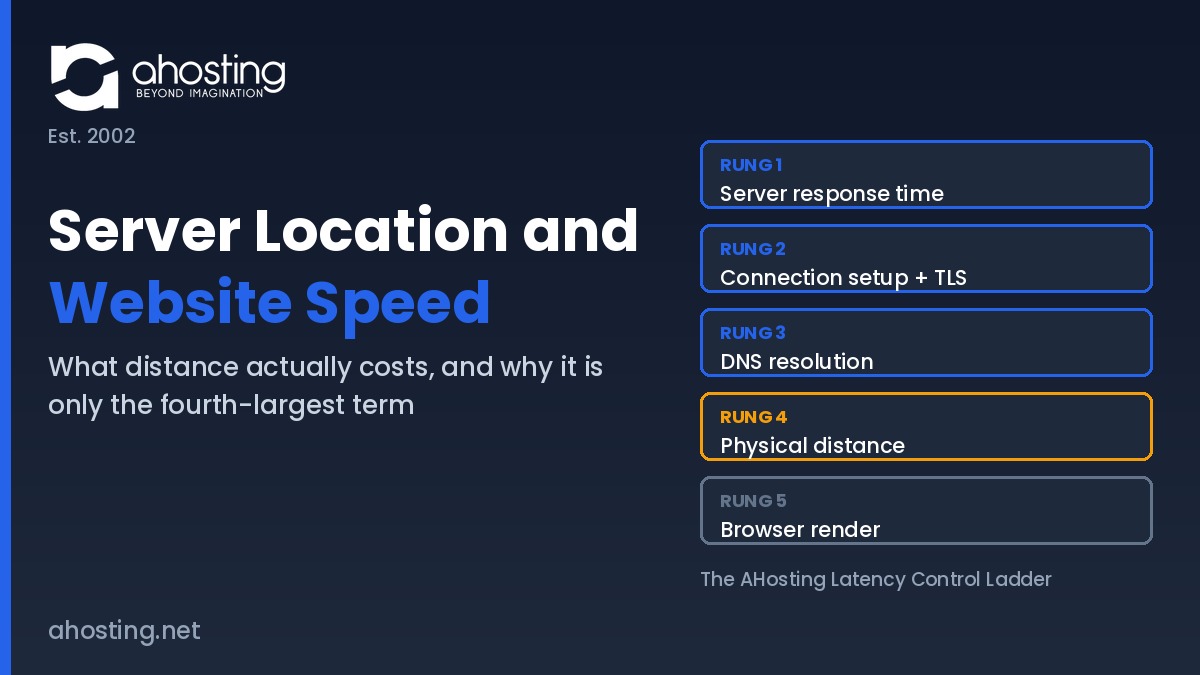
- The AHosting Latency Control Ladder
- Why Distance Sits Fourth in Server Location and Website Speed
- Peering Quality vs Raw Proximity: The Server Location Trade-off
- When Server Location and Website Speed Genuinely Matter
- What a Delivery Network Fixes and What It Leaves Untouched
- Where the AHosting Network Actually Sits
- A Practical Checklist: Is Server Location Your Website Speed Problem?
- Conclusion: Buy the Terms You Can Move
- Frequently Asked Questions About Server Location and Website Speed
- How much does server location and website speed actually matter in 2026?
- Server location and website speed vs server hardware: which matters more?
- What is the physics ceiling on server location and website speed gains?
- Should a WooCommerce store with logged-in checkout traffic pick a closer AHosting server?
- Does a CDN fix server location and website speed for dynamic pages?
- How does AHosting's Southfield data center reduce network hops for Midwest visitors?
- When does server location and website speed matter for real-time apps in 2026?
- Can I choose an AHosting server location to improve website speed?
- Server location vs page weight: which slows a site down more in 2026?
- What should I ask a host about server location and website speed?
Server location and website speed are linked, but distance is only the fourth-largest term in page latency. Fiber physics caps the gain near ten milliseconds per thousand kilometers.
Every hosting comparison page tells you the same thing about server location and website speed: closer is faster, so buy closer. Notably, that advice is true and almost useless, because it never says how much closer buys how much faster. Distance is a real cost with a hard physical ceiling, and that ceiling turns out to be small next to the other things a hosting purchase can change.
This guide prices the distance term honestly. Specifically, it breaks server location and website speed into the five things that happen between a click and a painted page, ranks them by how much your choice of host actually moves each one, and shows where geography genuinely decides the outcome. For the server-side terms that sit above distance, the companion guide to the seven server-side speed factors no plugin can fix goes deeper.
What Server Location and Website Speed Actually Measures
Server location describes one coordinate: the building your origin server sits in. Website speed describes a sequence of events that begins when a visitor clicks and ends when the page is usable. Consequently the two are related through exactly one mechanism, which is the time a signal spends traveling between the visitor and that building.
That travel time is measured as round-trip time, the interval for a packet to reach the destination and for the acknowledgment to come back. Mozilla documents network latency the same way, as a round-trip delay rather than a one-way figure. In practice the distinction matters because a page load is not one trip. Furthermore, a browser opens a connection, negotiates encryption, requests a document, then requests everything the document references.
Therefore the honest version of the question is not whether distance costs time. Distance always costs time. The useful question is how that cost compares with the other four terms, and whether changing hosting company moves it at all. Ultimately, server location and website speed is a question about one term out of five rather than about the whole page.

The Five Terms Between a Click and a Painted Page
Ultimately every millisecond a visitor waits belongs to one of five buckets. Similarly to a budget, the buckets are not equal in size and are not equally under your control.
Term One: Server Response Time
Server response time covers everything that happens after the request arrives and before the first byte leaves. Specifically that means the web server, the PHP process, the database, and whatever cache layer sits in front of them. On a cached page this term collapses toward the low tens of milliseconds; on an uncached WordPress page it routinely runs into the high hundreds.
Notably this is the term with the widest spread, which makes it the term a hosting decision moves most. A server-level cache such as LiteSpeed with LSCache answers below the PHP layer entirely, and adequate worker allocation stops requests queueing behind each other. Managed WordPress hosting plans differ from one another here by an order of magnitude more than they differ by geography.
Term Two: Connection Setup and TLS
Before any content moves, the browser and server perform a transport handshake and then a security handshake. Additionally each of those handshakes costs at least one full round trip, which means the distance term is multiplied here rather than merely added.
Fortunately protocol choices cut the multiplier. TLS 1.3 completes a full handshake in one round trip instead of two and supports a zero round-trip resumption mode for returning visitors. Modern HTTP versions reduce the number of connections needed in the first place. Interestingly, all of that is server configuration rather than server placement, so it is bought from a host without moving anything.
Term Three: DNS Resolution
Before the browser can open a connection it must turn the hostname into an address. Typically that lookup walks a hierarchy that starts at the DNS root zone, continues to the top-level domain servers, and ends at your authoritative nameservers. Each step is its own round trip when nothing is cached.
However this term is usually invisible, because resolvers cache aggressively and most visitors never perform the full walk. In contrast the first visit of the day from a cold resolver pays the whole sequence. Moreover, DNS is normally supplied by a separate vendor, so changing hosting company often does not change this term at all.
Term Four: Physical Distance
Physical distance is the propagation delay of the signal itself, and it is the only term in the list that no software can negotiate away. Light in vacuum moves at a defined 299,792,458 meters per second, and it moves roughly thirty percent slower through the silica core of single-mode fiber. Consequently a signal covers something close to two hundred kilometers per millisecond in one direction.
In other words a thousand kilometers of fiber path costs about ten milliseconds of round-trip time. That figure is a floor rather than a forecast, because real fiber routes bend around geography and because every router along the way adds its own small delay. Even so, the arithmetic sets a ceiling on what relocating a server can ever return.
Term Five: Browser Render
Finally the browser has to parse, style, script and paint what it received. Above all this term is governed by page weight, third-party scripts, font loading and the visitor device, none of which a hosting company supplies. Indeed a single oversized hero image can cost more than an entire transatlantic round trip.
As such the render term belongs on the list for honesty rather than for shopping. Overall it is often the largest number on a slow page and the one least affected by which company invoices you.
The AHosting Latency Control Ladder
Together the five terms form a ladder, and the rungs are ordered by a single question: does changing hosting company move this? Notably that ordering is different from the usual diagnostic ordering, which ranks terms by size. In practice the ladder below is the shortest honest answer to how server location and website speed relate. For a buyer comparing providers, size matters less than leverage.
| Rung | Latency term | What sets it | Does changing host move it? | Practical ceiling on the gain |
|---|---|---|---|---|
| 1 | Server response time | Cache layer, PHP handler, database, worker allocation | Decisively | Hundreds of milliseconds on an uncached page |
| 2 | Connection setup and TLS | TLS version, HTTP version, session resumption, certificate chain | Yes, by configuration | One round trip per new connection |
| 3 | DNS resolution | DNS vendor, record TTL, number of lookups, anycast footprint | Rarely, DNS is usually a separate vendor | One to several round trips on a cold lookup |
| 4 | Physical distance | Fiber path length and route quality between visitor and origin | Only if the host offers a placement choice | About ten milliseconds per thousand kilometers |
| 5 | Browser render | Page weight, scripts, fonts, visitor device | Essentially never | Unbounded, but no hosting plan changes it |
Reading the ladder downward is the whole argument. Specifically, the two rungs a host controls outright sit above the rung geography controls, and the rung nobody controls sits at the bottom. Therefore a buyer who optimizes for the map before the stack has spent the decision on the fourth-largest lever.
Why Distance Sits Fourth in Server Location and Website Speed
Distance sits fourth because its ceiling is fixed and modest while the ceiling above it is neither. Consider a concrete comparison. Moving an origin from the West Coast to the Midwest shortens the path by roughly three thousand kilometers, which returns something in the region of thirty milliseconds of round-trip time.
Now consider the same site with no server-level cache. In that state the origin can spend several hundred milliseconds assembling each page before a single byte moves, and our own measurements put uncached WordPress responses in a seven hundred to fourteen hundred millisecond range against roughly sixteen milliseconds when the cache answers. Consequently the cache decision is worth an order of magnitude more than the geography decision on the same site.
Furthermore the distance gain is bounded on both ends. In contrast to a cache, which can eliminate most of its term, relocation can never take propagation below the physical minimum for the remaining distance. Anyone still carrying a diagnostic question about which term dominates their own site should work through how to tell whether high TTFB is the server or the plugins before shopping for a new city.
That said, none of this makes distance irrelevant. Ultimately it makes distance a tiebreaker that becomes decisive once the terms above it are already handled, which is precisely the situation of a well-tuned site chasing its last hundred milliseconds.
Peering Quality vs Raw Proximity: The Server Location Trade-off
Raw distance on a map is not the distance a packet travels. Interestingly, two servers the same number of kilometers from a visitor can differ substantially in round-trip time, because the packet follows the network topology rather than the terrain.
Specifically, a network that hands traffic to its upstream carriers inside its own building puts a visitor closer, in time, than a network that must haul every packet to another metro before it reaches a carrier at all. AHosting’s Southfield facility also houses the Detroit Internet Exchange, and several of its upstream carriers take handoff on site rather than in Chicago or Ashburn. Consequently a regional visitor crosses fewer networks to arrive.
One customer story makes the point better than a diagram. A metro Detroit auto parts supplier moved off a Seattle provider onto a Detroit dedicated server with the same application, the same database and the same code. Their measured end-user latency fell by more than forty percent, and the only variable that changed was the network path. The full infrastructure story sits in our guide to the Detroit dedicated server and the DET-iX advantage.
Therefore the server location and website speed question is not only which city. Moreover it is which carriers the network uses and where each of them takes the handoff, because that pair of answers describes the route your traffic genuinely takes.
When Server Location and Website Speed Genuinely Matter
Three situations flip the ranking, and in each of them geography stops being a tiebreaker and starts being the decision. Notably none of the three is about a general audience reading an article.
Data Residency and Jurisdiction
Sometimes the requirement is legal rather than technical. Specifically, contracts, sector regulation and regional privacy law can require that personal data rests inside a defined territory, and in that case the location of the server is a compliance fact rather than a performance tuning knob.
Accordingly the speed argument becomes secondary. Ultimately no amount of caching satisfies a residency clause, so the placement decision gets made first and the performance work happens inside whatever territory the contract allows.
Real-Time and Interactive Workloads
Interactive applications pay the distance cost repeatedly rather than once. In particular, collaborative editors, live dashboards, chat features and payment flows perform many sequential round trips inside a single user action, so a modest per-trip floor compounds into a visible delay.
Consequently a twenty millisecond round trip becomes two hundred milliseconds across ten exchanges, and the user perceives the total rather than the unit. Applications of that shape usually belong on VPS hosting or better, placed deliberately near the people using them.
Audiences Outside Practical Delivery Reach
Edge networks are dense in some regions and thin in others. For example, a visitor in a market with few nearby edge locations effectively talks to the origin for everything, which returns the full distance term on every request rather than only on dynamic ones.
In that situation origin placement is the only lever left. Similarly, an audience concentrated in one distant region makes a second origin a more honest answer than a delivery network that does not reach them well.
What a Delivery Network Fixes and What It Leaves Untouched
A content delivery network is usually offered as the answer to the distance problem, and it solves exactly half of it. Specifically, it caches copies of your static files at locations near visitors so those files stop traveling from the origin. Notably it does nothing of the kind for content that has to be generated per visitor.
| Request type | Served from | Distance term applies? | What actually reduces it |
|---|---|---|---|
| Images, CSS, JavaScript, fonts | Nearby edge cache after first fetch | No, after the cache fills | Any delivery network |
| Anonymous cached HTML page | Edge or server-level cache | No, on a cache hit | Server-level caching, edge HTML caching |
| Logged-in page or dashboard | Origin server, every time | Yes, in full | Faster origin, closer origin |
| Cart, checkout, account pages | Origin server, every time | Yes, and multiplied by request count | Faster origin, closer origin |
| Search results and filtered listings | Origin server, usually uncached | Yes, in full | Query tuning, object cache, closer origin |
Therefore the practical reading is that a delivery network protects anonymous readers and leaves signed-in users exposed. Stores feel this most sharply, because the pages that convert are precisely the pages that cannot be cached. Notably this is where server location and website speed stops being theoretical and starts costing revenue. Anyone running one should read where the seconds actually go in a slow WooCommerce checkout alongside this guide, and treat WooCommerce hosting as an origin-speed decision rather than an edge decision.
Where the AHosting Network Actually Sits
Transparency about the path is more useful than a marketing claim about the city, so here is ours. AHosting runs its flagship Tier III facility in Southfield, Michigan, an eighty thousand square foot building that also hosts the Detroit Internet Exchange, alongside additional strategic locations across the EU. Details of the Michigan data center including the full carrier list are published rather than described.
Notably the carrier list is the part worth reading. The network buys transit from ten upstream providers, and the handoff point differs by carrier: several take traffic on site in Southfield, others in Chicago, and one in Ashburn. Additionally the facility reaches three peering fabrics, one of them inside the same building. Consequently the effective distance from a visitor depends on which carrier carries them, not only on where the rack is.
Compliance context follows the same building. Specifically the facility carries SOC 2 Type II, SOC 3, HIPAA, PCI-DSS and SSAE-18 attestations, and service availability is covered at 99.9% under our terms of service. For audiences outside North America, ask before purchase rather than assuming placement, since that conversation runs through the sales team.
Where Your Latency Actually Goes
Pick the three that describe your site. The tool names the rung that dominates and says whether moving the server would change anything.
A Practical Checklist: Is Server Location Your Website Speed Problem?
Work down this list in order before concluding that server location and website speed is your bottleneck. Notably each step is cheaper than the one below it, and most sites stop before reaching the geography question.
- Measure an uncached page first. If time to first byte exceeds several hundred milliseconds, rung one owns the problem and the map is irrelevant.
- Confirm a server-level cache is active and actually serving. Plugin caching that never reaches the server layer leaves rung one wide open.
- Check which TLS and HTTP versions your host negotiates. Older versions cost an extra round trip on every new connection.
- Count third-party domains on the page. Each one adds its own DNS lookup and its own connection setup.
- Look at where your traffic really comes from before assuming. Analytics by country settles the placement question faster than intuition.
- Separate cached traffic from logged-in traffic. Only the second group pays the distance term on every request.
- Ask the provider which carriers it uses and where each hands traffic off. That answer describes the path, unlike a city name.
- Weigh the page against the path. Trimming a heavy hero image usually beats relocating a server, and costs nothing.
Conclusion: Buy the Terms You Can Move
Server location and website speed are genuinely connected, and the connection is smaller and more bounded than the hosting industry likes to admit. Roughly ten milliseconds per thousand kilometers is the whole prize, and it arrives fourth in a list of five.
Above all, spend the hosting decision on the rungs a hosting decision actually moves. Get the response time and the connection setup right, understand which of your pages can never be cached, and then treat geography as the tiebreaker it is. Finally, when placement does decide the outcome, ask about carriers and handoff points rather than about the city on the invoice.
Frequently Asked Questions About Server Location and Website Speed
How much does server location and website speed actually matter in 2026?
Typically it matters less than buyers expect and less than most hosting pages imply. Fiber propagation costs roughly ten milliseconds of round-trip time per thousand kilometers of path, so a coast-to-coast move buys tens of milliseconds while an uncached page can spend hundreds of milliseconds inside the server itself. The Latency Control Ladder in this guide ranks all five terms by how much a hosting decision moves each one.
Server location and website speed vs server hardware: which matters more?
In practice hardware and the software stack running on it dominate, because they govern the term that is measured in hundreds of milliseconds rather than tens. Distance sets a fixed floor that no configuration removes, yet that floor is small next to an uncached database query or a missing cache layer. Consequently the correct sequence is to fix the response time first and treat placement as the tiebreaker.
What is the physics ceiling on server location and website speed gains?
Specifically the ceiling is set by the speed of light in glass. Light moves at a defined 299,792,458 meters per second in vacuum and roughly thirty percent slower through the silica core of single-mode fiber, which works out near two hundred kilometers per millisecond one way. Therefore relocating a server two thousand kilometers closer returns about twenty milliseconds of round-trip time at best, before any real routing detour is counted.
Should a WooCommerce store with logged-in checkout traffic pick a closer AHosting server?
Indeed proximity earns more on a checkout flow than on a brochure site, because logged-in and cart pages bypass full-page caching and every one of them makes a fresh round trip to the origin. Multiply the round-trip cost by the number of sequential requests a checkout performs and a small per-request number becomes a visible delay. That said, the same multiplication makes server response time the larger prize.
Does a CDN fix server location and website speed for dynamic pages?
By contrast with static assets, a content delivery network does very little for dynamic pages. Images, stylesheets and scripts are cached at edge locations near the visitor, whereas a logged-in dashboard, a cart, or a search result is generated by the origin and must travel the full distance in both directions. Accordingly a CDN narrows the gap for anonymous readers and leaves it almost untouched for signed-in users.
How does AHosting's Southfield data center reduce network hops for Midwest visitors?
Notably the Southfield building also houses the Detroit Internet Exchange, so regional traffic can hand off inside the same facility instead of being carried to another metro first. Several of the network's upstream carriers take that handoff on site rather than in Chicago or Ashburn. As a result a Michigan or Ontario visitor often crosses fewer networks than they would reaching a server that looks closer on a map.
When does server location and website speed matter for real-time apps in 2026?
Above all it matters when the application makes many sequential round trips rather than one. Collaborative editors, live dashboards, chat, multiplayer features and payment flows all pay the distance cost repeatedly within a single user action, so a twenty millisecond floor becomes a two hundred millisecond delay across ten exchanges. Interactive workloads are therefore the clearest case for placing the origin near the audience.
Can I choose an AHosting server location to improve website speed?
Ultimately AHosting operates its flagship Tier III facility in Southfield, Michigan and additional strategic locations across the EU, and placement questions are handled by the sales team rather than as a self-service toggle at checkout. Ask before you buy if your audience sits outside North America. The checklist later in this guide lists the exact questions worth asking any provider.
Server location vs page weight: which slows a site down more in 2026?
Overall page weight wins by a wide margin on most sites. A single oversized hero image or a blocking third-party script routinely costs more than the entire transatlantic round trip, and unlike distance it can be fixed without moving anything. First and foremost, audit the front end before you audit the map.
What should I ask a host about server location and website speed?
Furthermore, go past the city name and ask which carriers the network buys from, where each one hands traffic off, and which internet exchanges the building reaches. Those answers describe the path your packets actually take, whereas a city name describes only the starting point. The practical checklist in this guide turns those questions into a short pre-purchase script.