Ahosting Logo
  • Hosting
    • WordPress Hosting
      Fast, secure hosting for WordPress sites
    • Web Hosting
      Reliable, affordable hosting for sites
    • FFMpeg Hosting
      Fast hosting for FFmpeg projects
    • Reseller Hosting
      Start hosting biz with white-label plans
    • VPS Hosting
      Scalable VPS with full control & power
    • Dedicated Server
      High-power servers for max security
    • WooCommerce Hosting
      Fast hosting for WooCommerce shops
  • Domain
    • Register a Domain
      Secure your domain name in minutes
    • Domain Transfer
      Move domains to Ahosting with ease
    • Premium SSL Certificate
      Enterprise SSL to build customer trust
  • Support
    • Submit A Ticket
      Expert 24/7 help from our support team
    • Abuse Report
      Report abuse to keep network safe
    • Knowledge Base
      Quick answers via step-by-step guides
  • Company
    • Blog
      Expert articles to power your online growth
    • Compare Hosts
      Side-by-side comparison
    • Datacenter
      Secure, high tech datacenter for hosting
    • About Us
      Learn about our mission, values & team
    • Contact Us
      Contact sales for plans, pricing & advice
    • Sitemap
      Find info fast with our clear site map
My Account
Ahosting Logo
  • Hosting
    • Web Hosting
    • WordPress Hosting
    • FFMpeg Hosting
    • Reseller Hosting
    • VPS Hosting
    • Dedicated Server
    • WooCommerce Hosting
  • Domain
    • Register a Domain
    • Domain Transfer
    • Premium SSL Certificate
  • Support
    • Knowledge Base
    • Abuse Report
    • Submit A Ticket
  • Company
    • About Us
    • Contact Us
    • Blog
    • Sitemap
    • Datacenter
  • Legal
    • Privacy Policy
    • Terms of Service
    • Acceptable Use Policy
    • Service Level Agreement
    • Resource Abuse Policy
My Account

AHosting Blog

  • missing the mysql extension

    Your PHP Installation Appears to Be Missing the MySQL Extension: What It Means and How to Fix It (2026)

    TL;DR

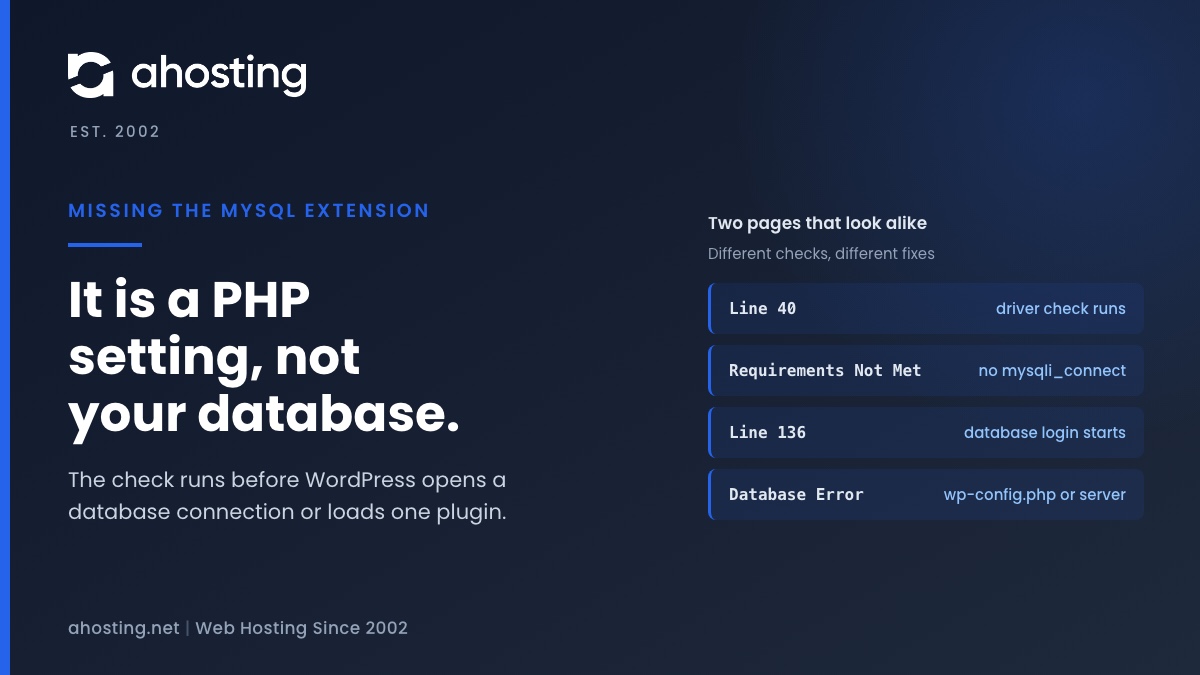
    The missing the MySQL extension message means PHP cannot find the function mysqli_connect, so WordPress stopped before it touched your database. Check the PHP version and the extension list for the account, choose one MySQL driver set, and reload. Plugins, themes and wp-config.php are not the cause.
    November 9, 2026

Categories

  • CMS
  • Concrete5
  • Drupal
  • FFmpeg / Video Hosting
  • Hosting Guides
  • How To
  • Joomla
  • Security
  • SEO
  • Uncategorized
  • Video Content
  • Web Hosting News
  • WooCommerce
  • WordPress

Lets Connect!

  • X
  • Facebook
  • LinkedIn
  • Instagram
  • YouTube
  • Pinterest
  • The REST API Encountered an Error? WordPress Never Reached It

    TL;DR

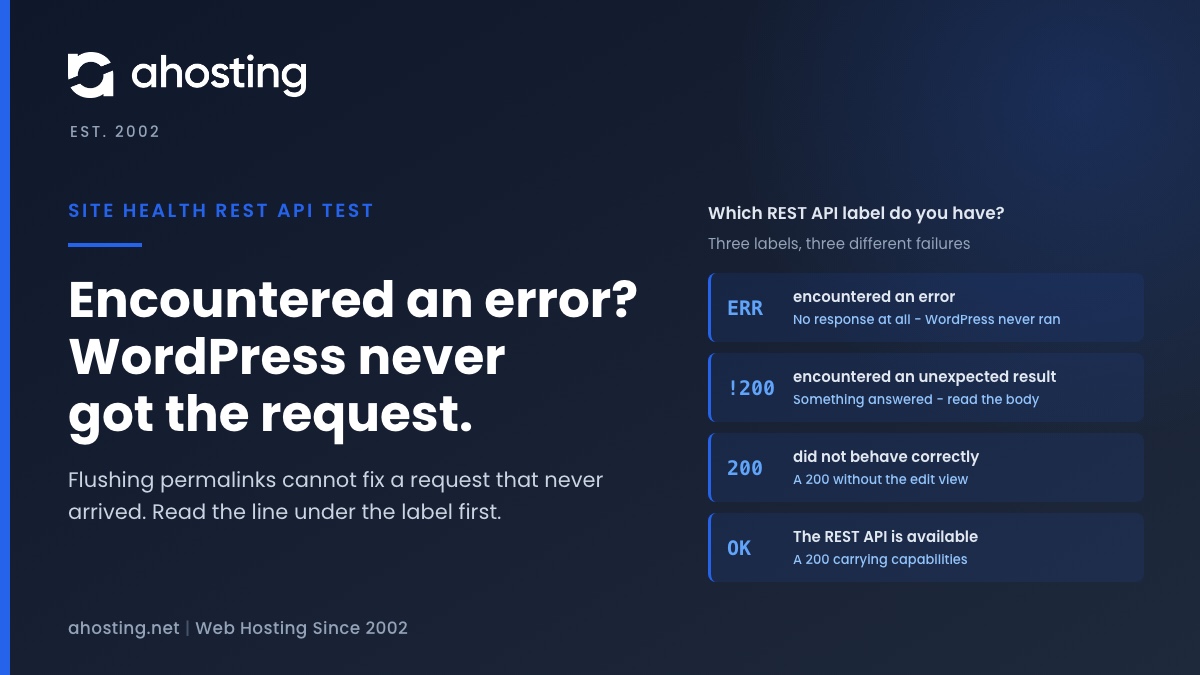
    The REST API encountered an error means Site Health’s test request got no answer at all, so the REST API never ran. Permalinks and plugins cannot cause that; DNS, a firewall or a timeout can. The two other labels are different failures: “unexpected result” is a status code, and “did not behave correctly” is a 200 that was not WordPress’s answer. Read the line under the label, then read the code inside the response body, which Site Health never shows you.

    October 3, 2026
    AHosting card on the REST API encountered an error, showing the three Site Health REST labels and what failed for each one.
  • Briefly Unavailable for Scheduled Maintenance? WordPress Gives Up After 10 Minutes

    TL;DR

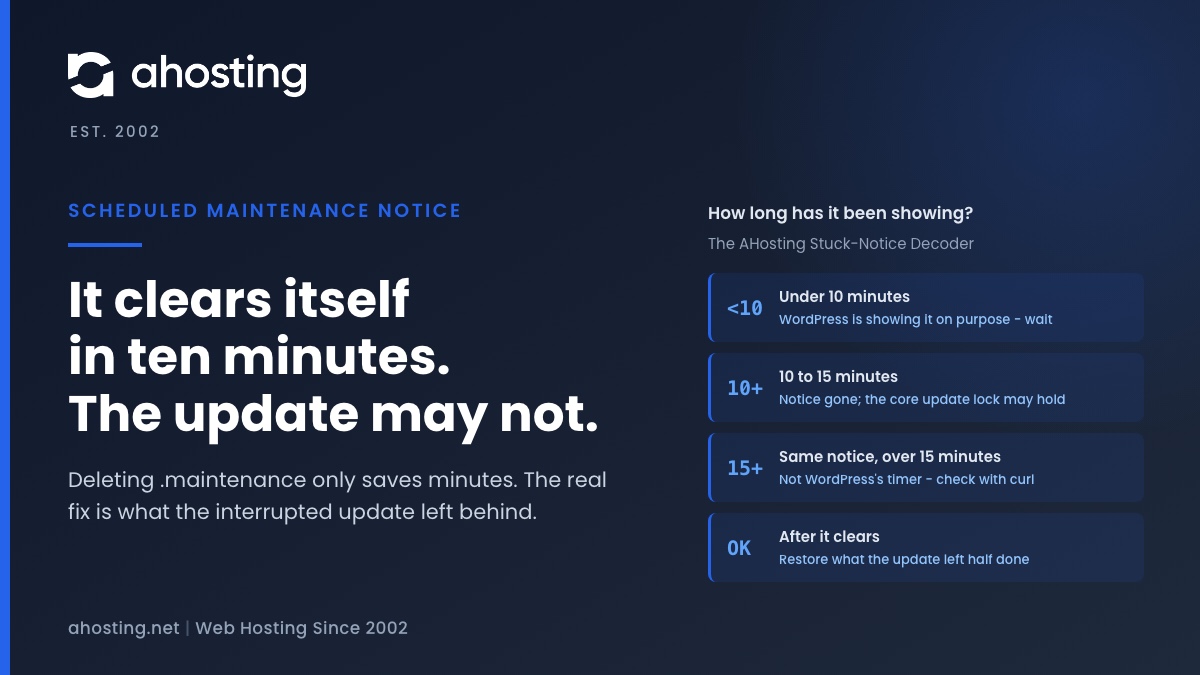
    Briefly unavailable for scheduled maintenance means a WordPress update was running and did not finish cleanly. WordPress stops honoring the notice by itself ten minutes after the update began, so deleting .maintenance only saves you those ten minutes. The real job is what the interrupted update left behind: a plugin folder moved aside, a half-copied core, or a lock that blocks the next attempt. Fix that, then update in smaller batches.

    October 2, 2026
    AHosting card on briefly unavailable for scheduled maintenance, showing what the notice means at each point after a WordPress update starts.
  • WordPress Asking for FTP Credentials? It’s a File-Owner Check, Not a Password Problem

    TL;DR

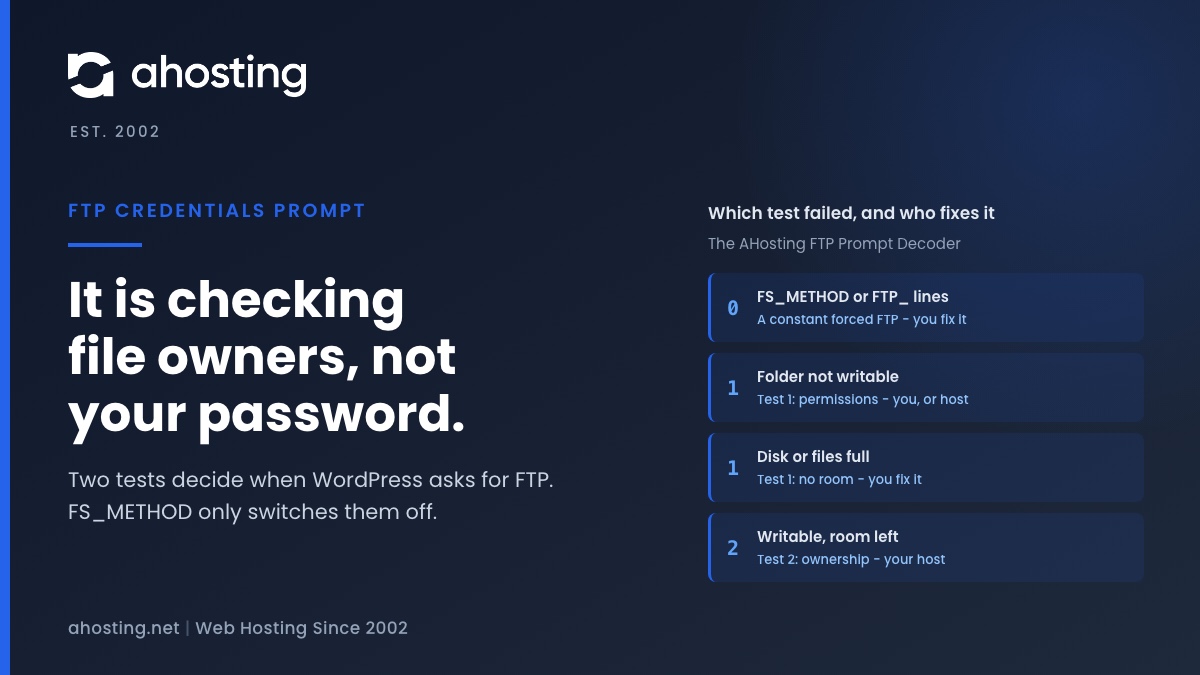
    WordPress asking for FTP credentials means one of two tests failed: it could not create a test file in the folder it wants to change, or that new file did not belong to the same user as WordPress’s own files. It is an ownership check, not a missing password. The popular FS_METHOD fix only switches the check off. The same failure quietly stops automatic updates, so find which test failed, fix that, and leave ownership to your host.

    October 1, 2026
    AHosting card on WordPress asking for FTP credentials, showing the two tests behind the prompt and who fixes each failure.
  • Missing a Temporary Folder: Why WP_TEMP_DIR Won’t Fix This WordPress Upload Error

    TL;DR

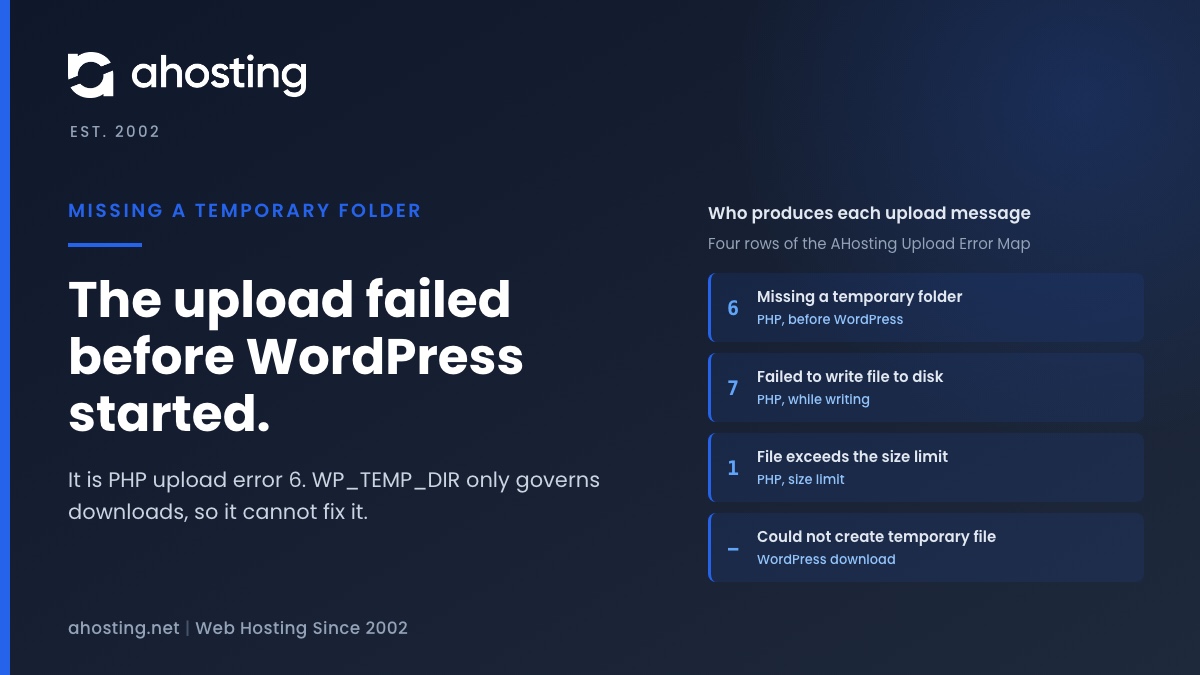
    Missing a temporary folder is PHP upload error 6, set before WordPress loads, when PHP cannot create the temporary file an upload is written into. WordPress only prints the text. That is why the popular WP_TEMP_DIR fix cannot touch it: that constant governs downloads, not uploads. Check whether the account is out of files or space, then read the PHP error log. PHP lets only the server configuration set the upload directory, so on shared hosting what remains is your host’s to fix.
    September 30, 2026
    AHosting card on the WordPress upload error missing a temporary folder, showing which layer produces each upload message.
Previous Page
1 … 5 6 7 8 9 … 37
Next Page
Ahosting Logo

Hosting

  • WordPress Hosting
  • Web Hosting
  • FFmpeg Hosting
  • WooCommerce Hosting
  • Reseller Hosting
  • VPS Hosting
  • Dedicated Server

Domain

  • Register a Domain
  • Domain Transfer
  • Premium SSL Certificate

Support

  • Knowledge Base
  • Abuse Report
  • Submit A Ticket

Company

  • Compare Hosts
  • About Us
  • Datacenter
  • Contact Us
  • Blog
  • Sitemap

Legal

  • Privacy Policy
  • Terms of Service
  • Acceptable Use Policy
  • Service Level Agreement
  • Resource Abuse Policy
  • Hosting
    • WordPress Hosting
    • Web Hosting
    • FFMpeg Hosting
    • WooCommerce Hosting
    • Reseller Hosting
    • VPS Hosting
    • Dedicated Server
  • Domain
    • Register a Domain
    • Domain Transfer
    • Premium SSL Certificate
  • Support
    • Knowledge Base
    • Abuse Report
    • Submit A Ticket
  • Company
    • About Us
    • Datacenter
    • Contact Us
    • Blog
    • Sitemap
  • Legal
    • Privacy Policy
    • Terms of Service
    • Acceptable Use Policy
    • Service Level Agreement
    • Resource Abuse Policy

Copyright © 2026 All Rights Reserved

Ahosting, Inc. BBB Accredited Business, A+ rating
Facebook X/Twitter Instagram LinkedIn YouTube