- Blocked by CORS Policy: What the Font Error Means
- Why a Font Is Blocked by CORS Policy When an Image Loads Fine
- Nine Setups Blocked or Allowed: Our Lab Results
- Fix a Blocked Font: Read the Reason First
- Where to Add the Header for a Font Blocked by CORS Policy
- Triage a Font Blocked by CORS Policy in Two Questions
- The WWW Mismatch That Gets a Font Blocked by CORS Policy
- A Cached Font Still Blocked by CORS Policy After the Fix
- What WordPress Sends for REST and admin-ajax, and Why Fonts Differ
- When a Font Blocked by CORS Policy Points to a Bigger Plan
- Frequently Asked Questions: Blocked by CORS Policy
- How do you fix a font blocked by CORS policy on a WordPress site in 2026?
- Is Access-Control-Allow-Origin * vs a single origin the safer choice for a font blocked by CORS policy?
- Does the AHosting plan I choose change whether a font is blocked by CORS policy in 2026?
- Why does a WordPress font show a CORS error when the real problem is a 404 or 500 response?
- What should I send AHosting support when a font is still blocked by CORS policy after I add the header?
- Does Vary: Origin matter when a font is blocked by CORS policy behind a cache or CDN?
- Can a www vs non-www mismatch leave a font blocked by CORS policy even on one domain in 2026?
- Why does an image from another host load while a font from that host is blocked?
- Does WordPress core send an Access-Control-Allow-Origin header for font files like it does for the REST API?
- What is the simplest way to keep a font from being blocked by CORS policy on an AHosting WordPress site?
A font blocked by CORS policy means the browser asked another origin for the font file and the response did not carry an Access-Control-Allow-Origin header that matches the page. In our Chrome 158 lab, 6 of 9 font setups failed, and a missing file or a server error printed the same console line as a missing header. Read the reason, run curl -I on the font URL, then add the header on the host that serves the font.
Blocked by CORS Policy: What the Font Error Means
When Chrome reports that a font has been blocked by CORS policy, it asked another origin for a font file and the answer did not include permission. The console line names the font URL, the page origin and a reason. The reason is the part that tells you what to fix. Meanwhile the page falls back to a default font, so the site looks wrong but keeps working.
An origin is the scheme, host and port taken together, so the apex host and the www host of one domain are two origins. The CSS Fonts specification says a font is fetched with CORS mode set to cors, and adds a note that fonts are not loaded cross-origin unless the author permits it with the Access-Control-Allow-Origin header. That one rule is why fonts and icon fonts fail after a CDN, a subdomain or a www change.
We reproduced the error on purpose instead of repeating advice. Everything below comes from nine font setups in Chrome 158 against nginx 1.31.6 on one Mac. It is a lab, not an AHosting server.
Why a Font Is Blocked by CORS Policy When an Image Loads Fine
A page can display an image from any host, yet it cannot read a font from just any host. We tested both against one cross-origin URL with no header on the response. A plain img tag loaded the file. The same URL requested with the crossorigin attribute set to anonymous failed with a CORS line that read Access to image instead of Access to font.
WordPress is not in this conversation. A font is a static file, so the web server answers without starting PHP. In the three core files we read, the only code that sends an Access-Control-Allow-Origin header serves the REST API and admin-ajax.php. Both run PHP, and a font request never does, so a PHP filter cannot fix a blocked font.
Nine Setups Blocked or Allowed: Our Lab Results
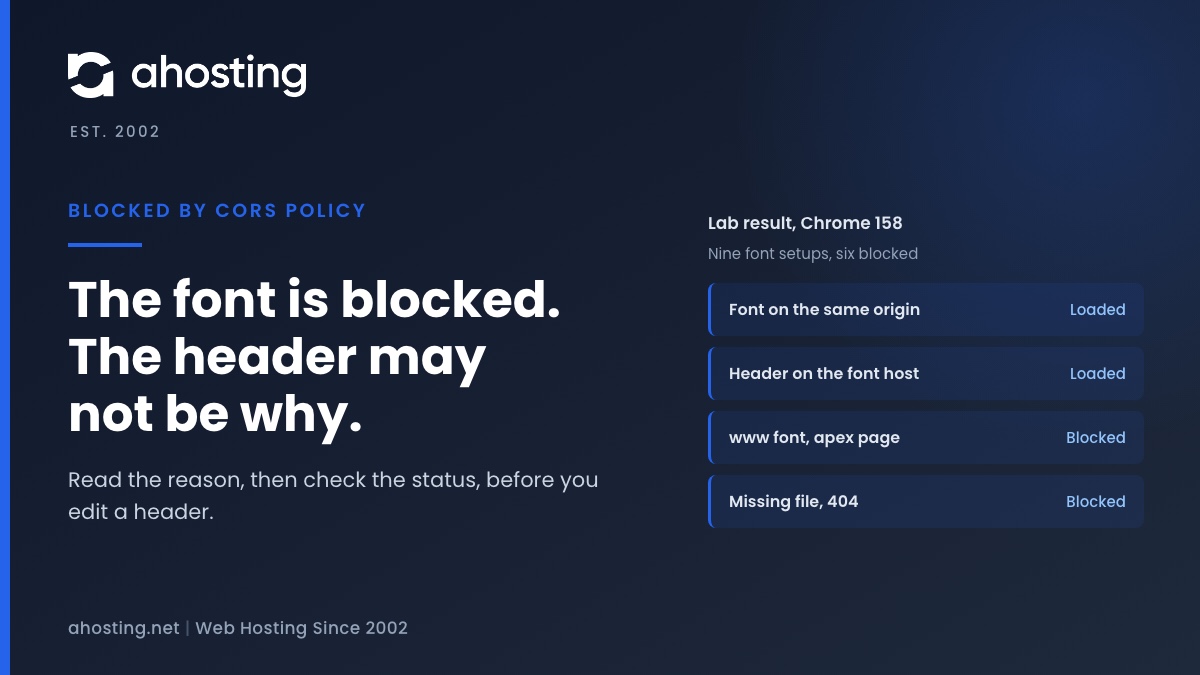
We loaded one small font nine ways and recorded every console line. Three setups loaded and six failed, and five of the six printed a CORS line. The table is the AHosting CORS Font Decoder, and the right column is the one to match against your own console.
| Setup | What the server sent | Result | What Chrome printed |
|---|---|---|---|
| Font on the same origin as the page | 200, no header needed | Loaded | Nothing |
| Font on www while the page is on the apex host | 200, no header | Blocked | No Access-Control-Allow-Origin header is present |
| Font on a CDN host, header set to * | 200, header * | Loaded | Nothing |
| Font on a CDN host, header set to the exact page origin | 200, exact origin | Loaded | Nothing |
| CDN host, header names the www origin instead | 200, wrong value | Blocked | Header has a value that is not equal to the supplied origin |
| CDN host, file missing, header added without always | 404, no header | Blocked | Missing-header line, though the 404 is the cause |
| CDN host, file missing, header added with always | 404, header * | Blocked | No CORS line; the 404 is the cause |
| CDN host answers with a server error | 500, no header | Blocked | Missing-header line, though the 500 is the cause |
| Same-origin URL that redirects to a host without the header | 301, then 200 with no header | Blocked | Missing-header line plus redirected from |
Three Findings From Our Blocked by CORS Policy Test
Three findings matter more than the rest. A missing file and a server error print the same line as a missing header, so the console alone cannot tell you which one you have. Adding the header to the 404 made the CORS line vanish, which proves the failure was the 404. And the redirect line names the original URL, which is your clue that the final host is the one to fix.
Limits: static files, one browser, one server, localhost names. No Apache, LiteSpeed, Firefox, Safari, CDN or credentialed requests were tested.

Fix a Blocked Font: Read the Reason First
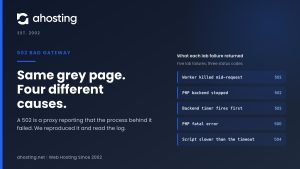
Four reasons produced the six failures, and each has a different fix.
A Font Blocked by CORS Policy Because the Header Is Missing
Confirm it from a terminal instead of the browser. Run curl -sI -H "Origin: https://your-site.example" https://cdn.example/font.woff2 with your own page origin and font URL, and look for an access-control-allow-origin line. If it is absent, add the header on the host that serves the font.
A Font Blocked by CORS Policy Because the Header Names the Wrong Origin
Here the header exists but names a different origin. In our lab it named the www host while the page sat on the apex host, and Chrome said the value was not equal to the supplied origin. The value must match the page scheme, host and port exactly, or you can send * for a public font.
A Font Blocked by CORS Policy That Is Really a 404 or 500
Check the status first. A 404 or 500 without the header prints the same line as a missing header, so editing headers changes nothing. In nginx, add_header skips error responses unless you add always, which is why our 404 with always printed no CORS line at all. Fix the URL or the server error.
A Redirect Behind the Blocked by CORS Policy Line
When Chrome adds the words redirected from, follow the redirect to its last host. That host needs the header, or the stylesheet should point straight at the final URL. A plugin that rewrites asset URLs to a CDN can add this hop.
Where to Add the Header for a Font Blocked by CORS Policy
Add the header on the server that serves the font, never on the page that asks for it. The MDN reference for the missing-header reason shows the Apache form, Header set Access-Control-Allow-Origin 'https://example.com' in an .htaccess file or the server configuration, and the nginx form with always on the end. We ran only the nginx form. We did not run the Apache directive, so test it with curl after you add it.
If the font lives in your own hosting account, the .htaccess file in that site folder is the file the Apache example targets. On a CDN, the setting is in its dashboard.
| Header value | Font loaded in our lab | Safe behind a cache | Note |
|---|---|---|---|
| * | Yes | Yes, one value for every origin | MDN limits the wildcard to public resources, and a font file is public by design |
| One exact origin | Yes, and a wrong origin failed | Yes while one site asks | Must match scheme, host and port |
| Reflect the request Origin | Yes | Only with Vary: Origin | Needed when several sites share one font host |
Triage a Font Blocked by CORS Policy in Two Questions
Answer from your own console and curl output. The tool cannot test your site.
CORS Font Triage
See what a hosting plan includesThe WWW Mismatch That Gets a Font Blocked by CORS Policy
A page on the apex host that loads a font from the www host is a cross-origin request, and our lab blocked it. A stylesheet or theme setting that still holds the old host after a move can do exactly this.
Pick one canonical host and make the other redirect to it. In WordPress, Settings then General holds the WordPress Address and the Site Address, and both should name the same host. Our guide to the too many redirects error covers what happens when those settings and the redirect rules disagree. An http font on an https page is a different error, covered in our mixed content warning guide.
A Cached Font Still Blocked by CORS Policy After the Fix
If curl shows the header and Chrome still blocks the font, suspect a cache holding an older response. We tested a cache in front of a server that echoes the request Origin. Without a Vary header, the first origin to ask got a miss, and the second origin got a hit that still carried the first origin value. With Vary: Origin the second origin got its own copy.
The Smashing Magazine explainer on the Vary header describes the mechanism: a cache treats Vary as a validator, and a request that does not satisfy it counts as a miss. After any header change, purge each cache layer, then test in a private window. Our notes on LiteSpeed Cache and Cloudflare explain how those layers stack.
What WordPress Sends for REST and admin-ajax, and Why Fonts Differ
WordPress does send CORS headers, just not for files. In WordPress 7.1.5, send_origin_headers() at line 515 of http.php allows only the host of the admin and home URLs, with no port, and admin-ajax.php calls it at line 25. The send_origin_headers reference documents it. The REST API takes a different route: rest_send_cors_headers() in rest-api.php echoes whatever Origin the request carries and adds Allow-Credentials true and Vary: Origin.
That is core choosing for its own endpoints, and we would not copy it into a rule for static files. If your real problem is a REST call from another site, our guide to the REST API error in Site Health is the better starting point. For fonts, keep the rule at the web server.
When a Font Blocked by CORS Policy Points to a Bigger Plan
A missing header is a configuration change, not a capacity limit, so no plan change clears it. Serving the font from the same host as the page removes the cross-origin request altogether, and a WordPress hosting plan keeps the theme and its font files in one account.
If you run your own web server configuration, a VPS lets you set the header at the server and the CDN edge yourself. If the console still blocks the font after the steps above, open a ticket with the exact console line, the font URL and the curl -I output, and we will look at it with you.
Frequently Asked Questions: Blocked by CORS Policy
How do you fix a font blocked by CORS policy on a WordPress site in 2026?
Typically you add an Access-Control-Allow-Origin header on the server that hosts the font file, then confirm it with curl -I. In our Chrome 158 lab, three of nine font setups loaded and the six failures had four different causes, so read the console reason first.
Is Access-Control-Allow-Origin * vs a single origin the safer choice for a font blocked by CORS policy?
Specifically, both loaded the font in our lab. MDN says the wildcard should only be used for public resources, and a font file is public by design, so in our view the wildcard is reasonable for fonts. One exact origin also works, but it must match the page scheme, host and port.
Does the AHosting plan I choose change whether a font is blocked by CORS policy in 2026?
Overall, no. The error comes from a missing or mismatched header, or from a bad font URL, not from plan size, so a bigger plan will not clear it. Moving the font to the same host as the page removes the cross-origin request entirely.
Why does a WordPress font show a CORS error when the real problem is a 404 or 500 response?
In practice the browser checks the header before it cares about the status. In our lab a missing file and a 500 response both printed the No Access-Control-Allow-Origin line because the error response carried no header. With the header on the 404, Chrome printed no CORS line, so check the status with curl -I first.
What should I send AHosting support when a font is still blocked by CORS policy after I add the header?
Specifically, open a ticket with the exact console line, the font URL and the output of curl -I on that URL, and we will look at it with you. None of those three items contains a password or key.
Does Vary: Origin matter when a font is blocked by CORS policy behind a cache or CDN?
Notably, yes when the header value changes with the caller. In our nginx cache test, a response without Vary: Origin was stored for the first origin and served to the second origin with the first origin value. With Vary: Origin the cache kept one copy per origin. A fixed header value such as * does not need it.
Can a www vs non-www mismatch leave a font blocked by CORS policy even on one domain in 2026?
Indeed, yes. An origin is the scheme, host and port together, so the apex host and the www host are two origins. In our lab a page on the apex host requesting a font from the www host was blocked until that font response carried a matching header.
Why does an image from another host load while a font from that host is blocked?
In other words, the two requests use different modes. A plain img tag does not need permission to display the file, while a font is fetched in CORS mode under the CSS Fonts specification.
Does WordPress core send an Access-Control-Allow-Origin header for font files like it does for the REST API?
In fact, no. In the three core files we read, only the REST API and admin-ajax.php send that header, and both run PHP. A font is a static file, so the header has to come from the server or CDN configuration.
What is the simplest way to keep a font from being blocked by CORS policy on an AHosting WordPress site?
Typically, serve the font from the same host as the page. A same-origin font loaded in every one of our tests and needs no header. If the font must live on another host, the header goes on that host.