
- Before You Limit WordPress Post Revisions: Where WordPress Stores Them
- Why You Should Limit WordPress Post Revisions Before the Database Grows
- What WordPress 7.0 Changed About Revisions, and What It Did Not
- Three Myths That Make People Limit WordPress Post Revisions Incorrectly
- How to Limit WordPress Post Revisions in wp-config.php
- Why You Must Clean Up as Well as Limit WordPress Post Revisions
- Choosing a Number: Limit WordPress Post Revisions to Fit How You Edit
- What the AHosting Stack Changes About Revision Cleanup
- A Practical Checklist: Limit WordPress Post Revisions Safely
- Frequently Asked Questions About WordPress Post Revisions
- How do I limit WordPress post revisions in wp-config.php in 2026?
- Is it true that setting post revisions to a lower number reduces database bloat?
- WP_POST_REVISIONS vs the wp_revisions_to_keep filter: which should I use to limit WordPress post revisions?
- How do I remove old post revisions in WordPress without breaking published content?
- Does the AHosting daily backup protect me if I limit WordPress post revisions incorrectly in 2026?
- Do WordPress autosaves accumulate in the database the same way post revisions do?
- Why are my WordPress revisions not showing up in the 7.0 editor?
- WP-CLI vs raw SQL for revision cleanup: which is safer on shared hosting?
- Should I limit WordPress post revisions on a WooCommerce store with AHosting WooCommerce hosting?
- How many entry processes does a bulk cleanup use when I limit WordPress post revisions on AHosting in 2026?
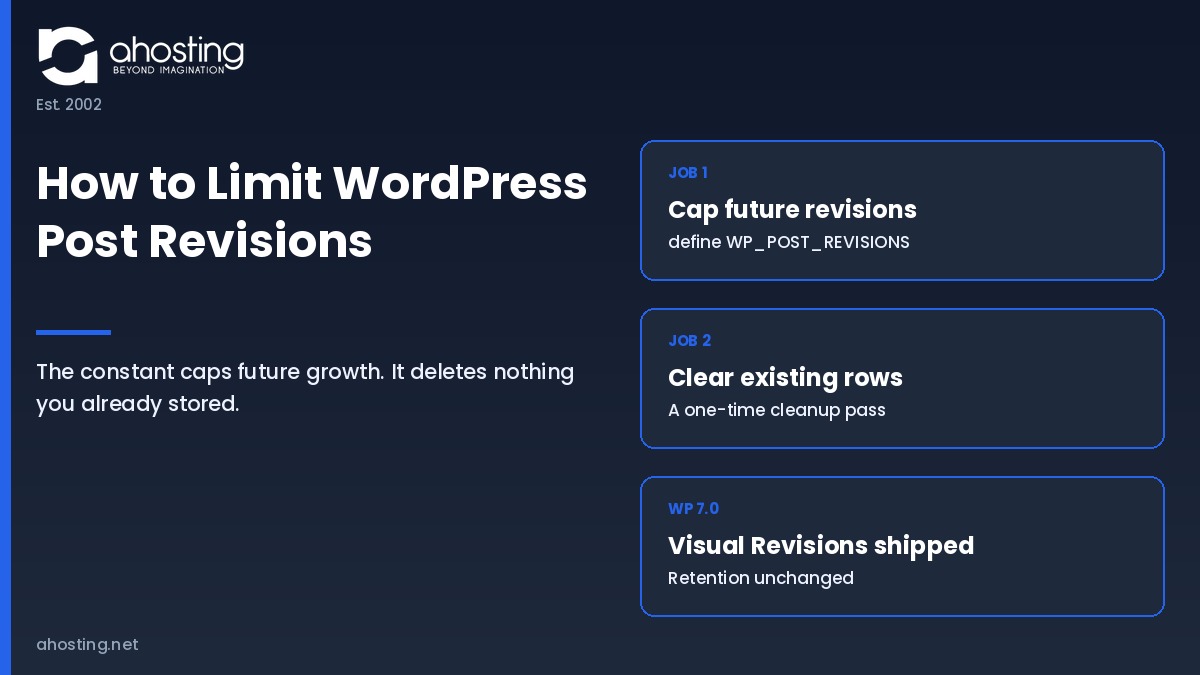
Setting WP_POST_REVISIONS caps future growth only. To limit WordPress post revisions and actually shrink the database, you must also delete the rows already stored, because the constant removes none of them.
If your WordPress database has grown to several times the size of your actual content, stored revisions are the most likely cause. Fortunately, you can limit WordPress post revisions with a single line in wp-config.php. However, that line does something narrower than almost every published guide claims, and understanding the difference is what separates a database that shrinks from one that simply stops growing.
Before You Limit WordPress Post Revisions: Where WordPress Stores Them
A revision is a complete snapshot of a post saved as its own database row. Specifically, WordPress writes a new row every time a revisioned field changes, so a post edited forty times carries forty child rows alongside the one visible version. Notably, the reason to limit WordPress post revisions is a storage question rather than a performance question at first, and it turns into a performance question only once the row count grows large enough to affect scans, exports, and restores.
Revisions Live in wp_posts, Not a Separate Table
Revisions are stored in the same posts table as your published content, distinguished only by their post type value. Consequently, every query that scans that table scans your revision history too, and every database export carries it. In practice, this is why a site with 400 published posts can produce a backup file sized for a site with 12,000. According to the WordPress revisions documentation, revisions are stored in the posts table, and core tracks changes to the title, author, content, and excerpt fields only.
Therefore the postmeta table is largely unaffected by core revision behavior, which contradicts a common claim. Additionally, plugins that hook into the revision save process can add their own meta rows, so a bloated postmeta table points at a plugin rather than at core.
What Triggers a Revision When You Limit WordPress Post Revisions
A revision is written only when one of the tracked fields actually differs from the previous revision. Specifically, core compares the normalized field values before saving and returns early when nothing has changed, a behavior added in version 4.1 and visible in the source of the revision-saving function. As a result, clicking Update ten times without editing anything produces zero new rows.
This matters because it breaks the arithmetic most guides use. In other words, revision counts track meaningful edits rather than save clicks, so estimating your revision debt from publishing activity alone will overstate it. Ultimately, the only reliable number is the one you measure.

Why You Should Limit WordPress Post Revisions Before the Database Grows
Unlimited retention is the default, and nothing in WordPress warns you about it. Specifically, when the constant is left undefined, core treats retention as infinite and keeps every revision a post has ever generated. Consequently, the cost accumulates silently for years, which is why the decision to limit WordPress post revisions is almost always made late.
The visible symptoms arrive indirectly. For example, nightly backups take longer and consume more storage, database exports during a migration time out, search queries against the posts table slow down, and restore operations that once took two minutes take twenty. Notably, none of these symptoms points at revisions, which is precisely why the cause goes undiagnosed. Our guide on moving a WordPress site to a new host covers why export size is the variable that most often breaks a migration window.
Importantly, the fix is cheap and the delay is expensive. A site that decides to limit WordPress post revisions in its first month carries almost no debt. By contrast, a five-year-old publication that has never set the constant may hold tens of thousands of rows that now require a deliberate cleanup with its own risks.
What WordPress 7.0 Changed About Revisions, and What It Did Not
WordPress 7.0 changed how you read revisions and changed nothing about how many are kept. Specifically, the release shipped Visual Revisions, an in-editor comparison view, while leaving retention, autosave behavior, and storage untouched. Therefore the reason to limit WordPress post revisions is exactly as valid after upgrading as it was before.
Visual Revisions Made Revision History Genuinely Useful
Until this release, comparing two versions meant leaving the editor for a separate screen and reading a text diff. In contrast, the WordPress 7.0 Field Guide describes a slider that switches between two versions directly in the editor, a document inspector that summarizes what changed, and color indicators sized to each change that jump to that location when clicked. As a result, revision history moved from a feature most editors ignored to one they will actually open.
Notably, this reframes the retention decision rather than settling it. In other words, keeping history now buys something real, so the reflexive advice to set retention to two or three and move on deserves more thought than it used to.
The Field Guide Documents No Change to Retention or Autosave
The 7.0 Field Guide catalogs more than 419 core tickets and documents Visual Revisions purely as an editor and dashboard change. Importantly, it lists no change to the retention constant, no change to the autosave interval, and no change to how revision rows are written. Consequently, a site that upgraded to 7.0 with unlimited retention still has unlimited retention today.
One caveat belongs here. Specifically, some managed platforms override the retention constant at the hosting layer, so a value you set in wp-config.php may not be the value in force. Therefore confirm with your host before assuming your configuration file is authoritative. On AHosting, no platform-level override is applied, so the constant behaves exactly as core documents it.
Three Myths That Make People Limit WordPress Post Revisions Incorrectly
Each of the three claims below appears in guides that currently rank for this topic, and each is contradicted by core source or by vendor documentation. Notably, each myth leads someone to limit WordPress post revisions in a way that changes nothing, and all three produce the same outcome: a site owner who thinks the problem is solved while the database stays exactly the same size.
Myth 1: The Constant Deletes Revisions You Already Have
Defining the retention constant removes nothing. Specifically, pruning happens inside the function that saves a revision, which subtracts your retention number from the current revision count and deletes the excess. That function runs when a post is updated. Consequently, a post you never edit again keeps every revision it has, permanently, no matter what the constant says.
For example, a site with 800 archived posts averaging 50 revisions each holds 40,000 rows. Setting the constant to five removes zero of them on day one. Ultimately, the number only falls as individual posts are re-saved, which on an archive means never. Therefore capping and cleaning are two separate jobs, and the constant does only the first.
Myth 2: Every Update Click Creates a New Revision Row
As covered above, core compares the revisioned fields first and skips the write when nothing changed. In practice, this means the relationship between editorial activity and row count is looser than the estimates published elsewhere suggest. Additionally, it means a workflow with frequent small saves is far less costly than the arithmetic in most guides implies.
Myth 3: OPTIMIZE TABLE Reclaims Your Space Automatically
This advice predates the storage engine WordPress actually uses. Specifically, modern WordPress installations run InnoDB, and the MySQL reference manual notes that on InnoDB the statement is implemented as a full table rebuild, with disk space returned to the operating system only when each table has its own tablespace file. By contrast, on a shared system tablespace the space is freed inside the database file and never returns to the filesystem.
The rebuild also has a cost worth planning around. According to published testing on InnoDB space reclamation, the operation copies the table row by row into a new file, blocks writes for its duration, and needs roughly twice the table size in temporary space. Therefore run it once, after the deletion, and never on a schedule.
How to Limit WordPress Post Revisions in wp-config.php
Setting the cap takes one line and one rule about placement. Specifically, to limit WordPress post revisions the constant must be defined before WordPress loads its settings file, which means it belongs above the stop editing comment near the bottom of wp-config.php. Notably, a line added below that comment is read after the constant has already been used and has no effect at all.
The Values the Retention Constant Accepts
| Value | What WordPress does | Autosave behavior | Sensible for |
|---|---|---|---|
true or -1 | Stores every revision, forever. This is the default when the constant is undefined | One autosave per post, per user | Nothing on shared hosting |
false or 0 | Stores no revisions at all | One autosave per post is still kept | Sites with an external version-control workflow |
3 | Keeps the three most recent revisions per post | Plus one autosave per user | Low-edit brochure sites |
5 | Keeps the five most recent revisions per post | Plus one autosave per user | Most blogs and business sites |
10 | Keeps the ten most recent revisions per post | Plus one autosave per user | Multi-author editorial teams |
Importantly, disabling revisions entirely does not disable autosave. In other words, a value of false still leaves one autosave row per post, which is the row that recovers a browser crash.
Where the Line Goes, and How to Edit the File Safely
Edit wp-config.php through the cPanel File Manager rather than over FTP, because the built-in editor keeps a copy you can revert and never introduces line-ending corruption. Additionally, a syntax error in this file takes the whole site down, so add the line, save, and load the site in a second tab before closing the editor. Our walkthrough on editing wp-config.php constants through cPanel covers the exact click path and the recovery step if a save goes wrong.
Per-Post-Type Limits With the wp_revisions_to_keep Filter
One number rarely fits every content type on a site. Specifically, the wp_revisions_to_keep filter overrides the constant and receives the post object, so retention can vary by post type, by author, or by any condition you can express in PHP. Furthermore, a post-type-specific variant of the same filter overrides both the constant and the general filter.
For example, a store that edits product copy weekly and blog posts rarely can keep ten revisions on products and three elsewhere. Therefore the filter is the right tool whenever a single site-wide number would either over-retain the quiet content or under-retain the busy content.
Why You Must Clean Up as Well as Limit WordPress Post Revisions
Because the constant is not retroactive, existing rows need a separate deliberate pass. Notably, the four methods available once you limit WordPress post revisions differ in what they remove, not only in how fast they run, and choosing on speed alone is how sites end up with orphaned rows that no cleanup touches afterward.
The AHosting Revision Cleanup Safety Matrix
| Method | Removes revision rows | Fires WordPress hooks | Removes related orphan rows | Main risk on shared hosting |
|---|---|---|---|---|
| Re-saving each post by hand | Only the excess above your cap | Yes | Yes | Impractical beyond a few dozen posts |
| WP-CLI over SSH | Yes, all targeted rows | Yes | Yes | Long run time on very large sites |
| Direct SQL statement | Yes, all targeted rows | No | No, leaves orphaned meta and term rows | A mistyped condition deletes published posts |
| Cleanup plugin in the browser | Yes, all targeted rows | Yes | Varies by plugin | Runs inside a web request and can time out mid-pass |
| Table rebuild after deletion | Removes nothing further | Not applicable | Not applicable | Blocks writes and needs about twice the table size free |
Read the third row carefully. Specifically, a direct statement is the fastest option and the only one that bypasses WordPress entirely, so nothing cleans up the related rows a proper deletion would remove. Therefore it belongs to people who will follow it with a targeted orphan sweep, not to people who want one command and no follow-up.
Running the Cleanup Without Timing Out
A browser-based cleanup runs inside a normal web request, which means it competes with visitor traffic and is subject to the same execution and memory ceilings as any page load. Consequently, on a large site it frequently stops partway with no clear indication of how far it got. Our guide on why raising the memory limit often does not help on shared hosting explains which ceiling actually stops these operations.
By contrast, a command-line run over SSH is not bound to a web request at all, which is why it is the recommended path on AHosting. Additionally, batching the deletion into chunks of a few hundred rows keeps each statement short and leaves the database responsive for live traffic throughout.
Choosing a Number: Limit WordPress Post Revisions to Fit How You Edit
The right retention number is the smallest one that still covers a realistic recovery. Specifically, ask how far back you would ever reach to undo a mistake, then set the cap one step above that. In practice, most site owners answer with one or two edits, which makes three to five the correct range rather than the ten or twenty they were about to choose.
Notably, Visual Revisions changes this calculation slightly. Because comparing versions is now quick and legible, a multi-author team gains real value from a deeper history than a solo publisher does. Therefore an editorial site with several contributors is the one case where ten is defensible.
Revision Debt Estimator
Estimate how many revision rows your posts table is already carrying, and what capping retention today would actually remove.
Estimate only. Rows = posts x meaningful edits per year x years. Capping retention prunes a post only when that post is next updated.
Read the estimator output as an order of magnitude rather than an exact count. Specifically, it multiplies posts by meaningful edits by years, which is the same arithmetic a database query would confirm in seconds. Ultimately, the number that matters is the gap between what you are storing and what you would ever restore.
What the AHosting Stack Changes About Revision Cleanup
Two parts of the hosting environment change how safely a cleanup runs. Specifically, they are the backup that precedes any decision to limit WordPress post revisions and the concurrency budget the cleanup consumes while running.
The Daily Backup Is the Step Most Guides Skip
Every AHosting WordPress plan includes a daily backup, which means the prerequisite for a revision cleanup is already in place rather than something you have to arrange first. Importantly, confirm the most recent backup predates your change, because a backup captured after a destructive pass preserves the mistake rather than the content. Restores are handled through a support ticket.
Additionally, autosave and revision behavior interact with editor traffic in a way worth knowing before you tune anything else. Our measured guide on how the WordPress Heartbeat API drives editor requests covers the autosave interval specifically, which is a separate control from retention and is often confused with it.
Concurrency: What a Cleanup Costs While It Runs
AHosting allocates entry processes by plan tier, at 15 on Bronze, 25 on Silver, and 40 on Gold, and a command-line cleanup over SSH occupies one of them for its duration regardless of how many rows it touches. Consequently, running a cleanup during business hours is safe on any tier. By contrast, a browser-based cleanup plugin runs inside a web request, so a long pass competes directly with visitor traffic for the same pool.
For stores this matters more, because product descriptions are revisioned and edited constantly. Notably, AHosting WooCommerce hosting sets concurrency at the same level as the Silver tier for exactly this reason. Furthermore, agencies running many client sites from one account should read the reseller hosting isolation model before scripting a cleanup across all of them at once.
Finally, there is a threshold where retention tuning stops being the answer. Specifically, a database large enough that a routine rebuild becomes a scheduling problem has outgrown a shared container, and the honest fix is a VPS with dedicated resources or, at genuine scale, a dedicated server. That said, the overwhelming majority of bloated databases are bloated by revisions alone and need nothing more than the two jobs described here.
A Practical Checklist: Limit WordPress Post Revisions Safely
Work through this in order. Notably, the sequence matters more than any individual step, because capping before cleaning leaves rows behind and cleaning before backing up leaves no way out.
- Confirm the most recent daily backup completed and predates any change you are about to make.
- Measure what you actually have, so the cleanup can be verified afterward against a real starting number.
- Set the retention constant in wp-config.php above the stop editing comment, then load the site to confirm no syntax error.
- Decide whether one number fits every post type, and reach for the filter if it does not.
- Choose a cleanup method from the Safety Matrix based on what it leaves behind, not on how fast it runs.
- Run the cleanup from the command line rather than the browser, in batches, so nothing times out mid-pass.
- Rebuild the table once after the deletion, and understand that space returns to the filesystem only under a per-table tablespace.
- Re-measure, and confirm the backup file size fell by roughly the amount you expected.
Ultimately, the goal is not the smallest possible database. In practice, it is a retention setting you chose deliberately, a one-time cleanup that removed the debt accumulated before that decision, and a hosting plan whose backups finish inside their window because the database is the size your content actually justifies.
Frequently Asked Questions About WordPress Post Revisions
How do I limit WordPress post revisions in wp-config.php in 2026?
Specifically, add define( 'WP_POST_REVISIONS', 5 ); above the line that reads stop editing in wp-config.php, then save the file. The constant must be defined before WordPress loads its settings file, so a line placed below that comment is ignored entirely. Importantly, this caps future growth only and deletes nothing that is already stored.
Is it true that setting post revisions to a lower number reduces database bloat?
Notably, only for revisions created from that point forward. The cap is enforced inside the function that saves a revision, which runs when a post is updated, so existing rows survive untouched until each affected post is edited again. Therefore an archive of posts you never touch again keeps every revision it already has, forever. The Cleanup Safety Matrix in this post shows which methods actually remove them.
WP_POST_REVISIONS vs the wp_revisions_to_keep filter: which should I use to limit WordPress post revisions?
Specifically, use the constant for one site-wide number and the filter when different post types need different retention. The filter overrides the constant, and a post-type-specific variant overrides both. In practice, a store that wants five revisions on products and two on blog posts needs the filter, because a single constant cannot express that.
How do I remove old post revisions in WordPress without breaking published content?
Therefore work from a verified backup and delete only rows whose post type is the revision type. A revision row is a child record; removing it never alters the published post, which lives in its own row. However, deleting the parent post by mistake does destroy content, which is why a targeted command that filters on post type is safer than a hand-written query.
Does the AHosting daily backup protect me if I limit WordPress post revisions incorrectly in 2026?
Fortunately, yes. Every AHosting WordPress plan includes daily backups, so a cleanup that removes more than intended can be restored. That said, a backup taken after a destructive cleanup is not a safety net, so confirm the most recent backup predates the change before you run anything. Restore requests go through a support ticket.
Do WordPress autosaves accumulate in the database the same way post revisions do?
In fact, no. WordPress keeps a single autosave row per post per user and overwrites it rather than adding new rows, and the pruning routine explicitly skips autosave rows when it deletes old revisions. Consequently, autosaves are a fixed, tiny cost while revisions are the unbounded one. Guides that blame autosaves for database growth have the mechanism backwards.
Why are my WordPress revisions not showing up in the 7.0 editor?
Typically, the revision panel is empty because retention is switched off, because the post type does not declare revision support, or because fewer than two revisions exist to compare. Additionally, a plugin that adds a metabox to the editor can prevent the new visual comparison from loading. Check the constant first, since a value of false or zero disables storage completely.
WP-CLI vs raw SQL for revision cleanup: which is safer on shared hosting?
As such, WP-CLI is safer and raw SQL is faster. WP-CLI routes each deletion through the standard WordPress functions, so hooks fire and related rows are cleaned up properly, while a direct query does not. By contrast, a single statement finishes in seconds where a command loop can run for many minutes and hold a worker the whole time.
Should I limit WordPress post revisions on a WooCommerce store with AHosting WooCommerce hosting?
Specifically, yes, because products are a revisioned post type and product descriptions get edited far more often than blog posts. A catalog of two thousand products edited quarterly generates revision rows faster than most content sites do. Notably, orders are unaffected, since modern WooCommerce stores order data outside the posts table entirely.
How many entry processes does a bulk cleanup use when I limit WordPress post revisions on AHosting in 2026?
In practice, a command-line cleanup run over SSH consumes one entry process for its duration, not one per row deleted. Because AHosting allocates 15 entry processes on Bronze, 25 on Silver, and 40 on Gold, a single cleanup leaves ample headroom. However, a browser-based cleanup plugin is different, since it runs inside a web request that competes with real visitors.
Related posts:
 “Resource Limit Reached” vs. 503 vs. 500 Error WordPress: A Diagnostic Decision Tree
 WordPress Memory Limit Errors: Why Raising It in wp-config Often Fails (2026)
 Why Raising the WordPress Memory Limit Doesn’t Work on Shared Hosting (and What Does)
 “508 Resource Limit Reached” on WordPress: What Entry Process (EP) Limits Really Mean