Skip to content
Skip to main content
Ahosting Logo
  • Hosting
    • WordPress Hosting
      Fast, secure hosting for WordPress sites
    • Web Hosting
      Reliable, affordable hosting for sites
    • FFMpeg Hosting
      Fast hosting for FFmpeg projects
    • Reseller Hosting
      Start hosting biz with white-label plans
    • VPS Hosting
      Scalable VPS with full control & power
    • Dedicated Server
      High-power servers for max security
    • WooCommerce Hosting
      Fast hosting for WooCommerce shops
  • Domain
    • Register a Domain
      Secure your domain name in minutes
    • Domain Transfer
      Move domains to Ahosting with ease
    • Premium SSL Certificate
      Enterprise SSL to build customer trust
  • Support
    • Submit A Ticket
      Expert 24/7 help from our support team
    • Abuse Report
      Report abuse to keep network safe
    • Knowledge Base
      Quick answers via step-by-step guides
  • Company
    • Blog
      Expert articles to power your online growth
    • Compare Hosts
      Side-by-side comparison
    • Datacenter
      Secure, high tech datacenter for hosting
    • About Us
      Learn about our mission, values & team
    • Contact Us
      Contact sales for plans, pricing & advice
    • Sitemap
      Find info fast with our clear site map
My Account
Ahosting Logo
  • Hosting
    • Web Hosting
    • WordPress Hosting
    • FFMpeg Hosting
    • Reseller Hosting
    • VPS Hosting
    • Dedicated Server
    • WooCommerce Hosting
  • Domain
    • Register a Domain
    • Domain Transfer
    • Premium SSL Certificate
  • Support
    • Knowledge Base
    • Abuse Report
    • Submit A Ticket
  • Company
    • About Us
    • Contact Us
    • Blog
    • Sitemap
    • Datacenter
  • Legal
    • Privacy Policy
    • Terms of Service
    • Acceptable Use Policy
    • Service Legal Agreement
    • Resource Abuse Policy
My Account

Blog Home

Author: Matt Chrust

Matt Chrust

Director of Business Development, AHosting Matt has led business development at AHosting since the company’s founding in 2002. He writes about WordPress hosting infrastructure, server performance, and the evolving requirements of WordPress sites at scale.
  • WooCommerce Hosting 2026: Why Most Stores Fail at Checkout (And How to Fix It)

    WooCommerce Hosting 2026: Why Most Stores Fail at Checkout (And How to Fix It)

    • Introduction: The WooCommerce Hosting 2026 Trap
    • What WooCommerce Actually Demands from WooCommerce Hosting
      • The Caching Divide: Blogs vs. Stores
    • PHP Workers: WooCommerce Hosting Factor 1
      • How to Check Your Current PHP Worker Count
    • Object Caching: WooCommerce Hosting Factor 2
      • What Redis Actually Does for WooCommerce
    • Checkout Isolation: WooCommerce Hosting Factor 3
    • Database Performance: WooCommerce Hosting Factor 4
      • The Autoload Trap
      • MySQL Version and Storage Engine
      • When to Upgrade WooCommerce Hosting from Shared to VPS
    • Resource Isolation: WooCommerce Hosting Factor 5
      • How CloudLinux Protects Your WooCommerce Store
    • The Bad-Neighbor Effect on WooCommerce Sales
      • WooCommerce Hosting: Shared vs. WooCommerce Plan vs. VPS Comparison
    • AHosting WooCommerce Hosting: 22 Years of Store Performance
    • A Practical WooCommerce Hosting Checklist: Is Your Store 2026-Ready?
    • Conclusion: WooCommerce Hosting 2026 Starts at the Infrastructure
    TL;DR
    WooCommerce hosting 2026 demands more than a standard WordPress plan. Your store needs sufficient PHP workers, Redis object caching, server-level checkout bypass rules, and CloudLinux resource isolation to handle checkout traffic without losing sales.
    Listen to WooCommerce Hosting in 2026, Part of the Ahosting WordPress Podcast Series

    Introduction: The WooCommerce Hosting 2026 Trap

    The WooCommerce hosting 2026 landscape has a trap that costs store owners money every day — and most never notice it. Specifically, the average online store now runs 25 to 40 plugins, serves high-resolution product images, processes payments through live third-party gateways, and competes for shoppers who expect checkout to complete in under two seconds. Yet most of those stores run on a generic shared hosting plan designed for a blog written in 2018.

    The result is predictable. Cart abandonment rates climb as checkout slows under promotional traffic. Product pages fail Google’s Core Web Vitals thresholds, dragging rankings below competitors. AI search engines like ChatGPT and Perplexity skip over slow-loading stores when assembling product recommendations. Furthermore, a single bad actor on the same shared server can consume the CPU your store depends on during a flash sale — and your hosting panel will show no warning at all.

    (more…)
    May 25, 2026
  • WordPress 7.0 Real-Time Collaboration: Is Your Hosting Ready?

    WordPress 7.0 Real-Time Collaboration: Is Your Hosting Ready?

    • Introduction: The Collaboration Feature Site Owners Are Scrambling to Understand
    • What WordPress 7.0 Real-Time Collaboration Actually Does
    • The Critical Hosting Gap: HTTP Polling vs WebSocket
    • WordPress Real-Time Collaboration Hosting: The Comparison Table
    • The Shared Hosting Reality in 2026
    • WordPress Real-Time Collaboration Hosting at AHosting: What's Already Supported
    • What Else Your Site Needs for Smooth Collaboration
      • First Check: PHP Version and Memory Allocation
      • Second Check: Heartbeat API Configuration
      • Third Check: Object Caching for Lower Latency
      • Fourth Check: User Roles and Permissions
      • Fifth Check: Caching Layer Compatibility
    • The AHosting Advantage: 23 Years of WordPress Real-Time Collaboration Hosting Ready Infrastructure
    • A Practical Checklist: Is Your WordPress Real-Time Collaboration Hosting Ready?
    • Conclusion: WordPress Real-Time Collaboration Hosting Starts at the Foundation
    TL;DR
    WordPress real-time collaboration hosting determines whether your team can co-edit in WP 7.0 — HTTP polling works on all shared plans out of the box, while WebSocket sync requires VPS or dedicated hosting with persistent connection support.

    Introduction: The Collaboration Feature Site Owners Are Scrambling to Understand

    WordPress 7.0 landed on May 20, 2026 — and it brought the platform’s most significant new capability in years. Specifically, multiple team members can now edit the same post simultaneously, with changes appearing in near-real time for every connected editor. However, most upgrade guides explain what the feature does. This one explains whether your server can actually run it. In short, your WordPress real-time collaboration hosting environment — not the feature itself — is what determines the quality of the experience. For a full list of what shipped, see the official WordPress 7.0 release announcement.

    Furthermore, the answer is not simple. Specifically, WordPress 7.0 ships with two transport modes for syncing collaborative edits, and each mode has very different hosting requirements. Notably, one works everywhere, and one works only on servers with the right infrastructure. Consequently, site owners on shared hosting are not locked out — but they do need to understand which mode they are running and what limitations come with it.


    What WordPress 7.0 Real-Time Collaboration Actually Does

    WordPress 7.0’s collaboration engine works at the block level. Additionally, it uses Conflict-free Replicated Data Types — CRDTs — to resolve simultaneous edits without data loss. Notably, this is the same underlying technology Google Docs and Figma use. Moreover, it means two editors can change the same paragraph at the same time and both changes merge cleanly. The full technical architecture is documented on the Make WordPress Core blog.

    In practice, the collaboration session activates automatically when a second editor opens a post that someone else is already editing. Furthermore, live cursors show each editor’s position in the document. Specifically, inline comments, @mentions, and a revision timeline round out the collaborative experience.

    However, all of that happens through one of two underlying transport layers.

    HTTP Polling (default) fires a POST request to admin-ajax.php every few seconds. Consequently, it works on every hosting environment without any server configuration changes. Additionally, it requires no special port access, no persistent process, and no root-level server configuration.

    WebSocket transport (optional) maintains a persistent, bidirectional connection between the browser and server. Moreover, it delivers near-instantaneous sync — under 100 milliseconds, versus 2–5 seconds for polling. However, it requires hosting infrastructure that explicitly supports WebSocket upgrades and long-lived PHP processes.

    The WordPress core team made a deliberate architectural decision. Specifically, they shipped HTTP polling as the universal default because it works on any host. WebSocket support, in contrast, is an optional upgrade requiring the right server environment.


    The Critical Hosting Gap: HTTP Polling vs WebSocket

    Here is where WordPress real-time collaboration hosting gets technically interesting. Most shared hosting environments impose hard constraints on persistent connections and PHP process lifetimes. Specifically, CloudLinux LVE — Lightweight Virtual Environment — constraints common on cPanel shared hosting cap concurrent PHP workers and terminate idle processes after 30–60 seconds.

    As a result, WebSocket connections typically fail on shared hosting before they can be useful. Additionally, shared hosting typically runs Apache with PHP-LSAPI or mod_php, neither of which supports WebSocket protocol upgrades natively without additional server-side configuration.

    Fortunately, this does not mean collaboration breaks on shared hosting. Instead, the WordPress core automatically detects that WebSocket is unavailable and falls back to HTTP polling. Consequently, the feature still works — it simply runs with 2–5 second latency between edits rather than sub-100ms.

    Furthermore, WordPress 7.0’s HTTP polling transport was a deliberate design choice, not a limitation. The core team explicitly built it to ensure the collaboration feature functions on the broadest possible range of hosting environments from day one.


    WordPress Real-Time Collaboration Hosting: The Comparison Table

    TransportWorks on Shared?Sync SpeedSimultaneous EditorsBest For
    HTTP PollingYes — all shared plans2–5 seconds2–3 editorsSmall teams, content sites
    Server-Sent EventsDepends on host config~1 second3–5 editorsMid-size teams
    WebSocketRarely on shared hostingUnder 100ms10+ editorsAgencies, large newsrooms
    WordPress Real-Time Collaboration Hosting: Transport Mode vs Hosting Type WordPress Real-Time Collaboration Hosting: Transport vs Plan SHARED HOSTING VPS HOSTING DEDICATED SERVER HTTP POLLING + All plans + All plans + All plans SERVER-SENT EVENTS ~ Config needed + Supported + Supported WEBSOCKET TRANSPORT x LVE limits + Root access + Full support POLLING SYNC 2-5 seconds WEBSOCKET SYNC Under 100ms FULL WS SYNC Under 100ms ahosting.net | WordPress Real-Time Collaboration Hosting Guide 2026
    WordPress real-time collaboration hosting transport comparison by plan type — AHosting 2026

    Notably, for the majority of WordPress site owners — individual bloggers, small businesses, and content teams of two or three — HTTP polling delivers a perfectly usable editing experience. Furthermore, it requires zero hosting changes and activates automatically the moment WordPress 7.0 is installed.


    The Shared Hosting Reality in 2026

    Most shared hosting plans run under CloudLinux with CageFS isolation. Specifically, each account operates inside a Lightweight Virtual Environment with defined CPU, RAM, and PHP worker limits. Consequently, persistent WebSocket connections — which require the server to hold an open process for each connected editor indefinitely — exceed these per-account process limits.

    The practical result is straightforward. On shared WordPress real-time collaboration hosting, polling mode activates automatically, and the feature works. However, the latency between a collaborator’s edit and its appearance on your screen is 2–5 seconds rather than under 100ms. For a two-person content team editing a blog post together, this is barely noticeable.

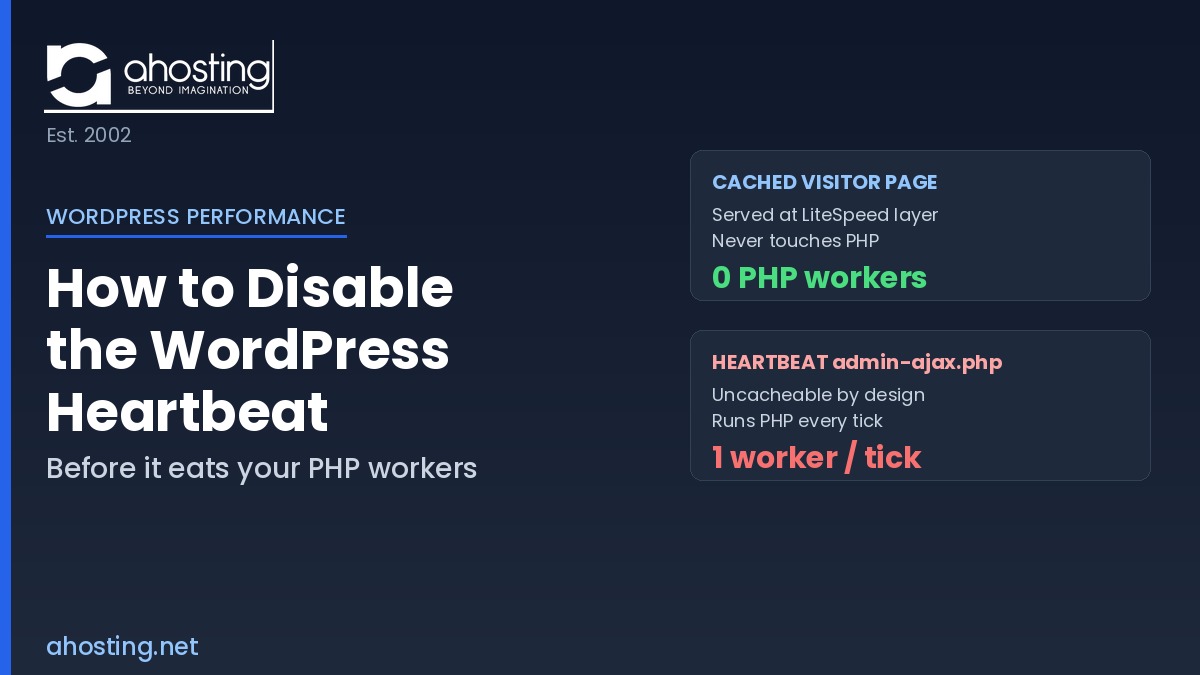
    Additionally, the WordPress Heartbeat API — which powers post locking, autosave, and now collaboration polling — fires more frequently with multiple editors active. Each pulse is an uncacheable POST request to admin-ajax.php. Moreover, ten simultaneous editors on a shared server generate 40+ uncacheable requests per minute. For most shared accounts with 2–3 editors, this load is manageable. However, larger editorial teams will begin to feel the PHP worker ceiling.

    Specifically, site owners expecting to run five or more simultaneous editors in real time should upgrade to VPS hosting. Furthermore, agencies managing multiple client sites with editorial teams should treat WebSocket hosting as a competitive differentiator for their managed WordPress services.


    WordPress Real-Time Collaboration Hosting at AHosting: What’s Already Supported

    AHosting’s WordPress hosting plans support the full HTTP polling collaboration mode out of the box. Specifically, every shared plan ships with PHP 8.1, 8.3, and 8.4 via cPanel’s MultiPHP Manager — the minimum PHP 7.4 requirement is easily met. Moreover, our infrastructure runs PHP-LSAPI on CloudLinux CageFS, delivering stable resource isolation without the aggressive process-killing timeouts found on older shared stacks.

    Additionally, all AHosting WordPress plans include:

    • PHP 8.3 and 8.4 available with no plan upgrade required
    • 512MB PHP memory limit — meets the WP 7.0 WP AI Client requirement
    • W3 Total Cache pre-configured for static asset delivery
    • Cloudflare CDN integration at no extra cost
    • MySQL 8.0 on all plans — recommended by WordPress 7.0

    For teams that require WebSocket-level collaboration speed, AHosting’s VPS hosting provides full root access, configurable persistent processes, and unblocked WebSocket upgrade support. Consequently, agencies and larger editorial teams can unlock sub-100ms collaboration without switching hosting providers.

    Furthermore, AHosting’s WooCommerce hosting customers benefit from the same PHP 8.3 baseline that supports the WP AI Client — the new Abilities API layer introduced alongside collaboration in WordPress 7.0.


    What Else Your Site Needs for Smooth Collaboration

    First Check: PHP Version and Memory Allocation

    Specifically, WordPress 7.0’s real-time collaboration engine requires PHP 7.4 as a minimum. However, the CRDT conflict-resolution library performs significantly better on PHP 8.2 or higher, and the WP AI Client component requires 512MB of PHP memory to run reliably. In cPanel, verify both settings under Software → MultiPHP Manager and Software → MultiPHP INI Editor. Moreover, switching PHP versions in cPanel takes under 60 seconds — no support ticket required.

    Second Check: Heartbeat API Configuration

    The WordPress Heartbeat API is the engine driving collaboration polling. Consequently, its tick rate directly determines how quickly collaborative changes appear for co-editors. By default, Heartbeat fires every 15 seconds. Notably, some performance optimization plugins — including certain configurations of WP Rocket and Perfmatters — reduce this interval to 60 seconds or disable it entirely to save server resources. Therefore, before enabling multi-editor collaboration, verify that Heartbeat is active at its default 15-second interval.

    Third Check: Object Caching for Lower Latency

    HTTP polling responses hit the database on every tick for each active editor. Specifically, without an object cache, each admin-ajax.php request generates multiple database queries for post state, user data, and CRDT merge tables. Moreover, enabling a persistent object cache — Redis or Memcached — reduces this database pressure significantly. However, on shared hosting, object caching typically requires a host that provisions a dedicated Redis instance per account. Indeed, checking with your host before enabling WP_CACHE in wp-config.php is essential.

    Fourth Check: User Roles and Permissions

    Real-time collaboration requires Editor or Administrator role on the post being edited. Additionally, Contributor and Author roles cannot trigger collaborative sessions by default. Consequently, reviewing your editorial team’s user role assignments in Users → All Users before expecting collaboration to work across all accounts prevents frustrating access failures.

    Fifth Check: Caching Layer Compatibility

    Page-level caching — W3 Total Cache, WP Rocket, or LiteSpeed Cache — must exclude the /wp-admin/ directory from all cache rules. Furthermore, the admin-ajax.php endpoint must never be cached at the server, plugin, or CDN level. Otherwise, collaboration polling requests return stale cached responses, effectively breaking the sync loop entirely. Therefore, verify exclusion rules in your caching plugin settings and in your Cloudflare Page Rules before inviting collaborators to a live editing session.


    WordPress Collaboration Hosting Checker

    Answer 4 quick questions to find out which collaboration mode your hosting supports.

    1. What type of hosting plan are you on?
    2. Which PHP version is active on your site?
    3. How many editors will co-edit the same post at once?
    4. Is your Heartbeat API enabled at the default interval?

    The AHosting Advantage: 23 Years of WordPress Real-Time Collaboration Hosting Ready Infrastructure

    AHosting has been operating WordPress hosting since 2002. Consequently, we have navigated every major WordPress infrastructure transition — from MySQL 4 to MySQL 8, from PHP 4 to PHP 8.4, from mod_php to PHP-LSAPI. Furthermore, our shared web hosting plans are built on CloudLinux with per-account CageFS isolation, delivering the stable PHP process environment that WordPress 7.0’s HTTP polling collaboration requires.

    “WordPress 7.0’s real-time collaboration uses HTTP polling as its default transport — which works on any properly configured shared host. Our infrastructure has supported this configuration since Day 1 of the WordPress 7.0 launch.” — Matt Chrust, Director of Business Development, AHosting

    Additionally, AHosting’s reseller hosting customers can offer their clients collaboration-ready WordPress plans without managing server configuration overhead. Moreover, PHP version selection in cPanel’s MultiPHP Manager takes seconds — giving every client account immediate access to PHP 8.3 or 8.4 collaboration performance without a plan change or support ticket.

    Furthermore, for teams ready to unlock WebSocket-level collaboration, AHosting’s VPS plans provide the persistent process control and root access required. Specifically, upgrading from shared to VPS within AHosting means no data migration, no DNS changes, and no downtime — just a faster collaborative editing experience.


    A Practical Checklist: Is Your WordPress Real-Time Collaboration Hosting Ready?

    Server Requirements

    • PHP 7.4 minimum installed — PHP 8.3+ recommended
    • PHP memory limit at 512MB or higher
    • MySQL 8.0 or MariaDB 10.6 installed
    • WordPress 7.0 update applied

    Collaboration Feature Checks

    • Heartbeat API active at 15-second default interval
    • Multiple editor accounts set to Editor or Administrator role
    • /wp-admin/ directory excluded from page caching
    • admin-ajax.php not cached at server, plugin, or CDN level

    For WebSocket Mode (VPS or Dedicated Servers Only)

    • WebSocket support explicitly confirmed with hosting provider
    • PHP 8.2 or higher installed for CRDT fiber support
    • Connection timeout configured at 60 seconds minimum
    • Persistent process manager — PHP-FPM or Node.js bridge — configured

    AHosting-Specific Verification

    • PHP version confirmed in cPanel MultiPHP Manager
    • W3 Total Cache admin exclusion rules verified
    • Cloudflare Page Rules set to bypass /wp-admin/*
    • VPS plan selected if WebSocket transport is required

    Conclusion: WordPress Real-Time Collaboration Hosting Starts at the Foundation

    WordPress 7.0 delivered something the platform has never had in its 23-year history: genuine, built-in collaborative editing. Consequently, every editorial team working on WordPress content can now co-edit in real time without relying on external tools. However, the quality of that experience depends entirely on what sits beneath the site.

    For most editorial teams, shared WordPress real-time collaboration hosting with HTTP polling performs adequately. Moreover, it activates automatically on any properly configured shared plan running PHP 7.4 or higher, with no hosting changes required. Furthermore, AHosting’s shared plans already meet every requirement WordPress 7.0 sets for polling-mode collaboration from Day 1.

    For agencies and newsrooms with five or more simultaneous editors, VPS is the right path. Specifically, WebSocket transport eliminates the latency ceiling that polling mode introduces, delivering the sub-100ms sync experience teams expect from modern collaborative tools. Additionally, AHosting’s VPS plans provide the full root access and persistent process control this requires.

    In either case, the hosting foundation matters. Specifically, a properly configured server — PHP 8.3, correct memory limits, Heartbeat active, cache exclusions verified — is the difference between a smooth collaborative editing experience and a frustrating one full of sync delays. Ultimately, WordPress real-time collaboration hosting is not just an infrastructure checkbox. It is the foundation every WP 7.0 editorial team is building on right now.

    Frequently Asked Questions
    Everything you need to know about WordPress real-time collaboration hosting
    0 of 10 answered
    May 24, 2026
  • WordPress Hosting Speed in 2026: The 7 Server-Side Factors No Plugin Can Fix

    WordPress Hosting Speed in 2026: The 7 Server-Side Factors No Plugin Can Fix

    • Listen to the Podcast!
    • Why Your Plugins Have Hit a WordPress Hosting Speed Wall
    • What “WordPress Hosting Speed” Actually Measures
    • Time to First Byte: Hosting Speed Factor 1
    • PHP Workers: Hosting Speed Factor 2
    • Database Server Performance: Hosting Speed Factor 3
    • Storage Tier: Hosting Speed Factor 4
    • Server-Level Caching vs Plugin Caching: Hosting Speed Factor 5
    • IP Environment and Network Congestion: Hosting Speed Factor 6
    • Resource Isolation: Hosting Speed Factor 7
    • AHosting’s WordPress Hosting Speed Stack: 22 Years of Performance
    • A Practical Checklist: Is Your Hosting Speed Bottlenecked?
      • Check Your TTFB
      • Check Your PHP Environment
      • Check Your Database Health
      • Check Your Server Infrastructure
    • Conclusion: WordPress Hosting Speed Starts at the Foundation

    Why Your Plugins Have Hit a WordPress Hosting Speed Wall

    You’ve done everything right. You installed a caching plugin, compressed your images, minified your CSS, and deferred your JavaScript. A CDN is running too. However, your wordpress hosting speed — specifically your Time to First Byte — stays stubbornly high despite all of it.

    Listen to the Podcast – WordPress Hosting Speed Tips!

    Listen to this post- a part of the AHosting WordPress Hosting series Podcast.
    TL;DR
    WordPress hosting speed is set by your server infrastructure — not your plugins. Seven server-side factors control the performance ceiling, and no plugin configuration raises it. Here’s exactly what those factors are and what good hosting provides for each one.

    However, here’s the part most WordPress speed guides skip entirely.

    Specifically, plugins optimise your server’s output — shrinking file sizes, deferring scripts, and serving pre-built HTML. However, none of that changes how fast your server generates that output in the first place.

    In practice, every WordPress page load starts with a server-side handshake. PHP processes the request, queries a database, and assembles the response. Specifically, that entire chain happens inside your hosting infrastructure. Consequently, no plugin touches it.

    In short, your host sets the performance ceiling. Plugins work within it.

    This post explains the seven server-side factors that control wordpress hosting speed. Moreover, it covers what good hosting looks like for each one — and why AHosting has built its infrastructure around all seven since 2002.


    What “WordPress Hosting Speed” Actually Measures

    Before diving into the factors, it helps to understand what speed testing tools actually measure.

    When you run a speed test, you see several distinct metrics. The most important is Time to First Byte (TTFB). Specifically, TTFB measures the gap between your browser sending a request and receiving the first response byte. Notably, Google recommends keeping TTFB under 800ms, but fast hosting routinely delivers it under 200ms.

    Indeed, TTFB is almost entirely determined by your server. It includes PHP processing time, database query execution, and the network latency of the server itself. Furthermore, a caching plugin can eliminate most TTFB by serving pre-built HTML — but even so, the server-side generation of that cached file still depends on the factors below.

    In 2026, Google’s Core Web Vitals framework measures three signals: Largest Contentful Paint (LCP), Cumulative Layout Shift (CLS), and Interaction to Next Paint (INP). Specifically, INP measures how quickly your page responds to interactions. A slow PHP environment directly inflates it.

    In short, wordpress hosting speed is a server-side measurement first, and a browser-side concern second.


    Time to First Byte: WordPress Hosting Speed Factor 1

    Indeed, TTFB is the single most revealing metric in any WordPress speed audit. A high TTFB confirms the problem lives on the server. Accordingly, no client-side optimization — JavaScript deferral, image compression, font swapping — can reduce it.

    Specifically, what good looks like in 2026: Under 200ms for cached pages. Under 400ms for dynamic, uncached pages. Above 800ms signals a clear hosting bottleneck.

    What drives TTFB on shared hosting:

    Specifically, your server’s PHP version matters enormously. PHP 8.2 and 8.3 are measurably faster than PHP 7.4 on identical hardware. Server location also matters. Indeed, a server in Dallas delivers faster responses to a Dallas visitor than one in Frankfurt does. That physical gap is irreducible.

    However, the biggest TTFB driver on crowded shared hosting is often PHP worker availability — the hidden queue nobody warns new WordPress users about.

    “After 22 years of hosting WordPress sites, we’ve learned that TTFB is the clearest x-ray of a hosting stack. It hides nothing.” — Matt Chrust, Director of Business Development, AHosting

    To test your own TTFB accurately, use WebPageTest’s TTFB report with a server location close to your visitors.


    PHP Workers: Hosting Speed Factor 2

    Notably, every WordPress page load consumes one PHP worker — a process slot that handles one request at a time. When all slots are full, new requests queue. That queue time adds directly to your TTFB.

    On shared hosting, the PHP worker pool is shared across accounts on the server. On CloudLinux-based hosting like AHosting’s plans, however, each account gets its own isolated worker allocation. Even so, that allocation has a ceiling set by the hosting plan tier.

    Why this matters more in 2026: AI plugins, membership areas, WooCommerce checkouts, and dynamic sidebars all hold PHP workers longer than a basic blog post. Furthermore, sites that ran fine at ten concurrent visitors two years ago now struggle because newer plugins make each request more expensive.

    What the fix looks like:

    On a VPS hosting plan, you control the PHP-FPM worker pool directly. Specifically, you set pm.max_children based on available RAM. On shared hosting, however, you work within the plan’s allocation.

    AHosting’s WordPress hosting plans provide higher per-account PHP worker allocations than budget shared plans. Moreover, upgrading to VPS gives you complete, configurable control.

    Signs you’re hitting your worker limit: Intermittent 503 errors during traffic spikes. The admin dashboard feels sluggish even when front-end traffic is low. TTFB spikes randomly without any changes to your site.


    Database Server Performance: Hosting Speed Factor 3

    On shared hosting, multiple accounts share a single MySQL server. Consequently, when a neighbor runs a heavy import or a poorly written plugin loops queries, it slows down the database for everyone on that server.

    Two specific bottlenecks hosting providers see daily:

    The wp_options Autoload Trap

    First, the wp_options autoload trap. WordPress loads every row marked autoload = yes in the wp_options table on every single page load. Notably, some poorly written plugins store large data sets with autoload enabled. After a few years of plugin activity, this table can balloon to 10–50MB of autoloaded data. Accordingly, that adds 200–500ms to every page load — even cached ones. The PHP bootstrapping process runs regardless of whether a page is cached.

    Consequently, this is a silent killer. Your GTmetrix score might look acceptable. However, your real-world TTFB tells a different story.

    MySQL Version and Storage Engine

    Second, storage engine lag. Modern MySQL 8.0+ running InnoDB is significantly faster than older MySQL 5.x with MyISAM tables. Indeed, a quality hosting provider keeps its MySQL version current.

    AHosting’s WordPress hosting plans run MySQL 8 on dedicated database servers. Therefore, your queries compete only with your own site’s traffic — not with 200 neighboring accounts. Additionally, our team can assist with wp_options audits on request.


    Storage Tier: Hosting Speed Factor 4

    Specifically, when PHP reads files — WordPress core files, plugin code, theme templates — it reads from disk. It reads from whatever storage technology your host installed.

    The performance gap is dramatic:

    Storage TypeTypical Read SpeedReal-World Impact
    Spinning HDD80–160 MB/sSlow PHP execution, high TTFB
    SATA SSD500–550 MB/sSignificantly faster startup
    NVMe SSD3,000–7,000 MB/sNear-instant file reads

    Notably, WordPress makes hundreds of file-system reads per request. It loads dozens of PHP files just to bootstrap the framework, before your theme or plugins even run. On HDD-based hosting, those reads introduce measurable latency on every single page load.

    Accordingly, NVMe SSD storage is now the baseline expectation for fast wordpress hosting speed in 2026. AHosting’s servers run NVMe throughout. Furthermore, that hardware advantage is permanent — it exists below any plugin configuration layer.

    The test: Install a clean, plugin-free WordPress site. Measure TTFB. That number is your server’s raw performance floor. No plugin can push below it.


    Server-Level Caching vs Plugin Caching: Hosting Speed Factor 5

    Overall, WordPress caching plugins are powerful tools. However, they operate within a caching stack that your host controls independently.

    Specifically, two server-level caching layers exist that plugin-level tools cannot replicate:

    OPcache: PHP compiles your code every time it runs — unless OPcache is active. OPcache stores pre-compiled PHP bytecode in server RAM. Accordingly, PHP execution time drops by 30–50% even before any WordPress code runs. Notably, OPcache is a server configuration. Plugin developers cannot enable it for you. Your host either runs it correctly or they don’t.

    Server-layer page caching: Some hosts implement full-page caching at the Apache or LiteSpeed layer, before PHP even loads. Furthermore, this server-layer caching handles concurrent traffic bursts that PHP-based plugins struggle with, because the web server responds directly from memory without spawning a PHP process at all.

    AHosting configures OPcache on all WordPress hosting accounts. Additionally, every plan includes W3 Total Cache — so server-level and plugin-level caching work together rather than in isolation.

    Together, this completes the server-side wordpress hosting speed stack for PHP execution. Moreover, combined with NVMe storage and database isolation, it creates a foundation that plugin-only optimisation can never replicate.


    IP Environment and Network Congestion: Hosting Speed Factor 6

    Specifically, your IP address is the connection between your WordPress site and the rest of the internet. On shared hosting, that IP connects many sites to the internet simultaneously.

    Two specific speed and SEO impacts:

    First, the bad neighbor effect. If another site on your shared IP sends spam or triggers a security block, Google may rate-limit crawling for all sites on that IP. Consequently, AI crawlers like PerplexityBot and GPTBot may visit your site less frequently — reducing citation frequency in AI search results. Moreover, Google’s John Mueller confirmed that shared IP neighbors can affect how Google evaluates your site’s environment.

    Accordingly, AHosting provides a dedicated IP address with every WordPress hosting plan. Therefore, your site’s network reputation is entirely your own. No other site can erode it.

    Second, Cloudflare CDN edge caching. AHosting sites integrate with Cloudflare’s global edge network. Accordingly, static assets — images, CSS, JavaScript — serve from edge nodes physically close to each visitor. Moreover, Cloudflare’s edge layer intercepts the majority of static requests before they ever reach your origin server. Notably, this CDN infrastructure operates at the network level — not the plugin level.


    Resource Isolation: Hosting Speed Factor 7

    Overall, every shared hosting environment imposes resource limits. CPU, memory, and I/O bandwidth are shared across accounts. However, how those limits are enforced matters enormously to WordPress hosting speed consistency.

    Without isolation: One account running a heavy WooCommerce import can peg the CPU, slowing every other account on that server. Accordingly, your TTFB spikes with no warning and no changes to your site.

    With CloudLinux CageFS (used on AHosting’s infrastructure): Each account runs in its own container with guaranteed minimum resources. Specifically, if account A consumes its full CPU allocation, account B remains entirely unaffected. Furthermore, I/O bandwidth is isolated too — a heavy backup job on one account doesn’t degrade disk access for others.

    Notably, this isolation makes wordpress hosting speed predictable. Indeed, a well-isolated hosting environment delivers consistent TTFB rather than the “sometimes fast, sometimes slow” pattern that plagues overcrowded shared servers.

    When to Upgrade from Shared to VPS

    Shared hosting with CloudLinux isolation handles the vast majority of WordPress sites comfortably. However, if your site regularly hits CPU limits — visible as persistent 503 errors, TTFB spikes during traffic surges, or admin dashboard lag under load — upgrading to AHosting’s VPS hosting plans gives you fully dedicated resources with no shared limits whatsoever.

    For WooCommerce stores specifically, the database and PHP worker demands of checkout flows often benefit from the step up to AHosting’s WooCommerce hosting.


    The 7 WordPress Hosting Speed Factors ahosting.net — Est. 2002 Your host controls all seven. Plugins control none of them. 1 TTFB Time to First Byte Target: < 200ms Set by server hardware + PHP + database 2 PHP Workers PHP-FPM pool size Controls concurrency Queue → 503 errors Host-set limit 3 Database Server MySQL isolation wp_options autoload Shared MySQL lag MySQL 8.0 required 4 Storage Tier NVMe vs HDD NVMe: 7,000 MB/s HDD: 160 MB/s Affects all file reads 5 Server Cache OPcache + page cache 30–50% faster PHP Below plugin layer Host-configured 6 IP Environment Dedicated IP + CDN No bad-neighbor risk Edge caching via CDN AI crawler frequency 7 Isolation CloudLinux CageFS Guaranteed resources No neighbor impact Consistent TTFB All 7 factors are included in every AHosting WordPress Hosting plan ahosting.net/wordpress-hosting.html · Est. 2002 · Dedicated IP Included

    AHosting’s WordPress Hosting Speed Stack: 22 Years of Performance

    Indeed, AHosting has been hosting WordPress sites since 2002. Over that time, we’ve refined our infrastructure around every aspect of wordpress hosting speed discussed above.

    Every WordPress hosting plan at AHosting includes:

    • Dedicated IP address — isolated network reputation, no bad-neighbor risk
    • PHP 8.1 via lsapi on CloudLinux CageFS — isolated PHP worker allocation per account
    • NVMe SSD storage — near-instant PHP file reads, well below SATA SSD speeds
    • MySQL 8 on dedicated database servers — your queries run in isolation
    • OPcache configured and active — 30–50% faster PHP execution on every request
    • W3 Total Cache included — full plugin-level caching stack, no extra cost
    • Cloudflare CDN integration — static assets served from edge nodes globally

    Furthermore, for sites with higher traffic or custom PHP-FPM requirements, AHosting VPS hosting gives you full control over every server-side variable in this list.

    Additionally, for agencies managing multiple client sites, AHosting reseller hosting provides the same performance infrastructure across an entire portfolio.


    WordPress Speed Bottleneck Diagnostic
    Answer 4 questions. Find out where your speed ceiling actually sits.

    A Practical Checklist: Is Your Hosting Speed Bottlenecked?

    Therefore, use these four checks to diagnose where your speed ceiling actually sits.

    Check Your TTFB

    • Run WebPageTest with a test server location close to your visitors
    • Is TTFB above 400ms on a cached page? Your server hardware or PHP workers are the issue
    • Is TTFB above 800ms? Your host’s infrastructure is fundamentally undersized

    Check Your PHP Environment

    • Go to WordPress → Tools → Site Health — check PHP version
    • Are you running PHP 7.4 or older? Upgrading to 8.1+ is a free, immediate speed gain
    • Are you seeing 503 errors during traffic spikes? You may be hitting PHP worker limits

    Check Your Database Health

    • Run this query in phpMyAdmin: SELECT SUM(LENGTH(option_value)) / 1024 / 1024 AS size_mb FROM wp_options WHERE autoload = 'yes'
    • Is autoloaded data above 1MB? Investigate which plugins are adding large autoloaded rows
    • Ask your host which MySQL version you’re running — MySQL 8.0+ is the 2026 standard

    Check Your Server Infrastructure

    • Does your plan include NVMe SSD? Ask support if you’re unsure
    • Is OPcache enabled? Check WordPress → Tools → Site Health → Info → Server
    • Do you have a dedicated IP? Check your hosting control panel

    Conclusion: WordPress Hosting Speed Starts at the Foundation

    Overall, plugins are genuinely useful tools. However, they operate within the ceiling your host sets. If that ceiling is low, no amount of plugin tuning raises it.

    The seven factors above — TTFB, PHP workers, database performance, storage tier, server-level caching, IP environment, and resource isolation — are all controlled by your host. Specifically, they represent the infrastructure that every WordPress site runs on.

    Indeed, after 22 years of hosting WordPress sites, we’ve built AHosting around all seven. Therefore, when wordpress hosting speed matters — for user experience, Core Web Vitals, and AI search citation frequency — the infrastructure decision comes first.

    Explore AHosting’s WordPress hosting plans and discover the difference a properly built foundation makes.

    Frequently Asked Questions
    Everything you need to know about WordPress hosting speed
    0 of 10 answered
    May 22, 2026
  • WordPress 7.0 Hosting Requirements: Is Your Host Ready?

    WordPress 7.0 Hosting Requirements: Is Your Host Ready?

    TL;DR
    WordPress 7.0 recommends PHP 8.3+ and MySQL 8.0 or MariaDB 10.6. It still runs on PHP 7.2.24+ and MySQL 5.5.5+, but both are end-of-life and a security risk. If your host has not upgraded, you risk a broken dashboard the moment you hit “update.”
    • 🎧 Listen to This Post as a Podcast
    • WordPress 7.0 Hosting Requirements: What Actually Changed
      • The Three Requirements That Changed Everything
    • The Full WordPress 7.0 Hosting Requirements: Minimum Specs
      • How to Check Your Current PHP and MySQL Versions
    • PHP 8.1 Is End-of-Life: The Most Urgent WordPress 7.0 Hosting Requirement
      • Which PHP Version Should You Run on WordPress 7.0?
    • WordPress 7.0 Hosting Requirements for AI Features
      • Why Hosting Quality Affects WordPress 7.0 AI Performance
    • MySQL 8.0: The WordPress 7.0 Hosting Requirement Most Hosts Ignore
    • Does Your Setup Meet the WordPress 7.0 Hosting Requirements?
      • ✅ PHP Version
      • ✅ Database Version
      • ✅ Memory and Resources
      • ✅ Server and IP Setup
    • AHosting: Meeting WordPress 7.0 Hosting Requirements Since 2002
      • What's Included With Every AHosting WordPress Plan
    • How to Upgrade Your Hosting to Meet WordPress 7.0 Requirements
      • First Step: Back Up Everything
      • Second Step: Set Up a Staging Site
      • Third Step: Upgrade PHP on Staging
      • Fourth Step: Upgrade Your Database
      • Fifth Step: Update WordPress 7.0 on Staging, Then Live
    • WordPress 7.0 Hosting Requirements: Quick Reference Table
    • Conclusion: Get Your WordPress 7.0 Hosting Requirements Right Before You Update
    • Frequently Asked Questions About WordPress 7.0 Hosting Requirements

    WordPress 7.0 is officially here. After months of work, two delays, and four release candidates, the biggest WordPress update in years landed on May 20, 2026. It is not just a feature drop. Indeed, it is a platform shift. The new Abilities API, WP AI Client, and DataViews admin redesign all point one way: the bar for hosting just went up. Do you know the WordPress 7.0 hosting requirements and is your host ready?

    However, most upgrade guides cover what WordPress 7.0 does. This one covers whether your hosting can actually run it — and what to do right now if it can’t.

    Whether you are a site owner who clicks “update” and hopes for the best, or a developer with a dozen client sites to manage, this post tells you exactly what to check before you hit that button.


    🎧 Listen to This Post as a Podcast


    WordPress 7.0 Hosting Requirements: What Actually Changed

    In fact, the WordPress 7.0 hosting requirements changed because the platform itself changed. For most of the past decade, hosting specs barely moved. New blocks, better tooling, small tweaks. For example, PHP 8.0 worked fine. MySQL 5.7 kept running. Budget shared hosting plans kept pace without friction.

    However, WordPress 7.0 breaks that pattern. Three things changed at once. Together, they raise the bar for what any host must provide.

    The Three Requirements That Changed Everything

    1. The PHP floor moved up. Specifically, WordPress 7.0 recommends PHP 8.3 or greater. It will still run on PHP 7.2.24+, but that version is end-of-life and WordPress.org warns it may expose your site to security
    vulnerabilities. In particular, PHP 8.3 is the recommended version, with PHP 8.4 offering the best speed of any supported release. If your host still defaults to PHP 8.1, that version went end-of-life on December 31, 2025. Your site is running without security patches.

    2. The database bar rose. Additionally, WordPress 7.0 recommends MySQL 8.0 or MariaDB 10.6. The legacy floor is MySQL 5.5.5+, but anything below 8.0 is end-of-life. MySQL 5.7 lost support in January 2024. Indeed, many budget hosts still run MySQL 5.7. That problem shows up after you update — not before. Database issues on improperly configured environments can be made even worse for sites with dynamic content.

    3. AI features need real memory. Furthermore, the new Abilities API and WP AI Client need at least 512MB of PHP memory to run well. The WordPress default has always been 64MB or 128MB. Plans capped at 256MB will, consequently, see AI features fail silently.

    In practice, none of this is theory. If you upgrade on a host that has not kept up, you will see a broken admin panel, failed plugins, or a white screen from a database conflict. Typically, you will only find out when something breaks.

    Let’s go through each WordPress 7.0 hosting requirement in detail.


    The Full WordPress 7.0 Hosting Requirements: Minimum Specs

    Before diving into the why, here is the complete list of WordPress 7.0 hosting requirements. These align with the official WordPress system requirements published on WordPress.org. Also, print it. Share it with your host. Check it before you update.

    ComponentLegacy floor (EOL/Insecure)RecommendedOptimal
    PHP7.2.24+ (EOL)8.38.4
    MySQL5.5.5+ (EOL)8.08.4
    MariaDB5.5.5 (EOL)10.611.4 LTS
    PHP Memory64MB256MB512MB+
    Disk Space1GB5GB+Varies
    HTTPSRequiredRequiredWith HTTP/2
    PHP Extensionsmod_rewrite, cURL, DOM, Exif, Fileinfo, Hash, Imagick or GD, JSON, Mbstring, OpenSSL, pcre, XMLReader, ZipSameSame

    Notably, the most important row for existing site owners is PHP. Meeting the WordPress 7.0 hosting requirements for PHP means running at least version 7.2.24+. In practice, you want 8.3 or 8.4. Specifically, anything below 8.2 is either end-of-life or close to it.

    However, the database row is the one most people miss. That jump from MySQL 5.7 to MySQL 8.0 is not a small update. It changes how the database handles queries. Moreover, the new DataViews admin is optimized for MySQL 8.0 behavior. If you are on a WordPress hosting plan set up years ago on a cheap shared tier, there is a real chance your host has not upgraded the database. Most do not announce it. Typically, you only find out when something breaks.

    How to Check Your Current PHP and MySQL Versions

    The fastest way to check your WordPress 7.0 hosting requirements is to open Tools → Site Health → Info → Server in your WordPress admin. Your PHP version, database type, and database version are all listed there.

    From the command line, for VPS hosting users:

    php -v          # Shows your PHP version
    mysql -V        # Shows your MySQL/MariaDB version

    By contrast, shared hosting users depend on their host to make upgrades. If your host has not moved to MySQL 8.0, it is time to push them — or find a host that already meets the WordPress 7.0 hosting requirements as standard.


    PHP 8.1 Is End-of-Life: The Most Urgent WordPress 7.0 Hosting Requirement

    Here is the WordPress 7.0 hosting requirement that gets the least attention. PHP 8.1 went end-of-life on December 31, 2025. That means no patches at all — not limited, and not critical-only. PHP 8.1 is therefore fully unsupported now.

    Consequently, many shared hosting plans still default new installs to PHP 8.1. Budget hosts avoid upgrade costs. As a result, you — the site owner — carry the security risk.

    Here is the full PHP lifecycle for 2026, based on the PHP supported versions page:

    PHP VersionActive SupportSecurity SupportStatus in 2026
    PHP 7.4Ended Nov 2021Ended Nov 2022⛔ Critical: unsupported 4+ years
    PHP 8.0Ended Nov 2022Ended Nov 2023⛔ Critical: unsupported 3+ years
    PHP 8.1Ended Nov 2023Ended Dec 31, 2025⚠️ EOL — no patches, active risk
    PHP 8.2Ended Dec 2024Ends Dec 2026⚠️ Security-only until year end
    PHP 8.3Ends Dec 2025Ends Dec 2027✅ Safe through 2027
    PHP 8.4Ends Dec 2026Ends Dec 2028✅ Best — safe through 2028
    PHP 8.5Ends Dec 2027Ends Dec 2029✅ Newest — broadest coverage

    Which PHP Version Should You Run on WordPress 7.0?

    Therefore, the answer for the WordPress 7.0 hosting requirements is clear: skip PHP 8.2 and go straight to 8.3 or 8.4. PHP 8.2 loses all support in December 2026. That is less than seven months away. You would upgrade only to face another upgrade before the year ends.

    As a result, PHP 8.4 is the smarter long-term pick. Security patches run through December 2028. Independent 2026 benchmarks show it delivers a 6.6% speed gain for standard WordPress sites versus PHP 7.4 — and a 21% gain for WooCommerce stores.

    Fortunately, AHosting’s WordPress hosting plans support PHP 8.3 and 8.4 on every tier. You switch versions in seconds via cPanel’s MultiPHP Manager. No support ticket, no wait, and no new plan needed.


    WordPress 7.0 Hosting Requirements for AI Features

    The biggest addition in WordPress 7.0 is not a new block. Specifically, it is the Abilities API and the WP AI Client. Together, they give WordPress a standard way to connect to AI services — OpenAI, Google Gemini, Anthropic Claude, and others — through one shared setup. This changes the WordPress 7.0 hosting requirements in ways most shared plans are not ready for. For more detail on what these tools do, see the WordPress core development blog.

    Specifically, here is what the new AI system includes:

    The Abilities API — A secure framework for AI-powered actions. Plugins use it to run tasks like content writing, image alt text, and translation. They request these through a gated system, so no plugin can grab your credentials directly.

    WP AI Client — The connection layer. Set up your AI service once in Settings → Connectors. After that, every compatible plugin shares those settings. No more entering API keys in five different places.

    AI Experiments Plugin — Ships with WordPress 7.0 core. It requires admin approval before plugins can access your AI setup. This stops a rogue plugin from quietly using your API credits.

    Why Hosting Quality Affects WordPress 7.0 AI Performance

    In practice, the WordPress 7.0 hosting requirements for AI features are not on a spec sheet. They show up in whether the features actually work. The AI tools make outbound calls from your server to an AI provider. As such, your hosting affects every one of those calls:

    • Memory limits: The WP AI Client needs headroom. A 256MB PHP limit may not be enough when several AI tasks run at once. For WooCommerce hosting stores using AI at scale, 512MB is the floor.
    • Response time: Server speed sets how fast your AI calls start and finish. Overloaded shared servers add delay to every AI task. In other words, a slow server means slow AI — every time.
    • Dedicated IP stability: AI providers track request origins. On a shared IP, your calls can be flagged or slowed due to a neighbour site’s activity — not yours. A dedicated IP gives your AI calls a clean identity. Notably, this is why email experts have always backed dedicated IPs: you control your own reputation. AHosting includes a free dedicated IP on every WordPress plan.
    • Uptime: AI workflows depend on your server being up. For example, a host with 99.9% uptime is still down eight hours per year. That gap shows up in the reliability of every AI-powered task.

    MySQL 8.0: The WordPress 7.0 Hosting Requirement Most Hosts Ignore

    Of all the WordPress 7.0 hosting requirements, the MySQL 8.0 recommended minimum gets the least coverage. That is a mistake — and indeed, it carries the potential for, at worst, broken parts of your site.

    Here is what the gap looks like:

    FeatureMySQL 5.7MySQL 8.0MariaDB 10.6
    DataViews admin tables⚠️ Errors possible✅ Full support✅ Full support
    Common Table ExpressionsLimited✅ Full support✅ Full support
    Window functions⚠️ Errors possible✅ Full support✅ Full support
    JSON functionsBasic✅ Enhanced✅ Enhanced
    UTF-8 full supportPartial✅ Full✅ Full
    Security patchesEOL Jan 2024✅ Active✅ Active

    As a result, MySQL 5.7 has been end-of-life since January 2024. Running WordPress on MySQL 5.7 today means an unsupported PHP version and an unsupported database. The combined risk is, consequently, serious.

    Fortunately, if you are on a modern plan, your host handles the MySQL upgrade during a maintenance window. With AHosting, WordPress hosting plans use MySQL 8.0 as standard. The WordPress 7.0 database recommendation is met before you even log in.


    Does Your Setup Meet the WordPress 7.0 Hosting Requirements?

    Therefore, before you update to WordPress 7.0, run through this checklist. Every unchecked box is something to resolve before you proceed. Think of it as the minimum standard for a safe update.

    Is your hosting ready for WordPress 7.0?
    Choose your current server specs below to get an instant readiness score.
    0/5
    0%
    readiness score
    Pick your specs to begin
    Your result will appear here.
    ⓘ
    View AHosting WordPress Plans →

    Manual checklist:

    ✅ PHP Version

    • PHP 8.3 or 8.4 is available on your account
    • You know how to switch PHP versions in cPanel
    • Your key plugins work on PHP 8.3+ (check changelogs)

    ✅ Database Version

    • Your account uses MySQL 8.0+ or MariaDB 10.6+
    • You have checked this via Tools → Site Health → Info → Server
    • You have contacted your host if you are still on MySQL 5.7

    ✅ Memory and Resources

    • PHP memory limit is at least 256MB (512MB for AI features)
    • You have a staging site to test the update before going live
    • You have a full backup from the last 24 hours

    ✅ Server and IP Setup

    • Your site has a dedicated IP address
    • Your server has a valid SSL certificate
    • mod_rewrite is enabled

    Once all four sections are checked, you are ready to update. If PHP or MySQL is the blocker, the fastest fix is a hosting upgrade. Any host that makes PHP switching a support ticket is not meeting the WordPress 7.0 hosting requirements — let alone the spirit of them.


    AHosting: Meeting WordPress 7.0 Hosting Requirements Since 2002

    AHosting has built WordPress-optimized hosting since 2002, right in Detroit, MI. That is more than two decades before “managed WordPress hosting” became a product category. Interestingly, the choices we made long before WordPress 7.0 was announced line up exactly with the WordPress 7.0 hosting requirements.

    “Every WordPress plan at AHosting meets the WordPress 7.0 hosting requirements from day one — PHP 8.3 and 8.4 support, MySQL 8.0, 512MB memory, and a free dedicated IP on every plan. When WordPress 7.0 launched today, our clients were already ready.” — Matt Chrust, Director of Business Development

    What’s Included With Every AHosting WordPress Plan

    Specifically, here is what every AHosting WordPress plan includes:

    • Free dedicated IP — Vital for AI API reliability and email delivery. Included on every plan, not sold as an add-on.
    • PHP 8.3 and 8.4 support — Switch in seconds via cPanel. No downtime, no ticket.
    • MySQL 8.0 as standard — Every new account uses MySQL 8.0. The database requirement is met from the start.
    • 512MB PHP memory — Set at the account level. Enough for the Abilities API and WP AI Client to run well.
    • CloudLinux with CageFS — Each account is isolated. A neighbour site’s spike or breach does not touch your resources.

    Additionally, for sites that need more than shared hosting — heavy AI work, WooCommerce at scale, or custom API setups — our VPS servers and Detroit dedicated server plans give you full control. Set your own PHP, database, and memory limits. No shared resources, no constraints.


    How to Upgrade Your Hosting to Meet WordPress 7.0 Requirements

    If you have found a gap — PHP too old, MySQL too old, memory too low — here is the safest path to meet the WordPress 7.0 hosting requirements before you run the update:

    First Step: Back Up Everything

    First and foremost, this step is non-negotiable. Before touching PHP, MySQL, or WordPress core, take a full backup. Use UpdraftPlus, Solid Backup, or your host’s own tool. Store the backup offsite — not just on the same server.

    Second Step: Set Up a Staging Site

    Next, create a staging copy of your site. Test every hosting change there before it touches live. Most good hosts offer one-click staging. If yours does not, that is worth noting.

    Third Step: Upgrade PHP on Staging

    In cPanel → MultiPHP Manager, switch to PHP 8.3 or 8.4. Then, test right away. The most common issues are:

    • Curly brace syntax in old PHP strings (e.g., $var{0} → use $var[0])
    • Old plugin code using deprecated properties
    • Composer autoloaders that need to be rebuilt for PHP 8.x

    Fourth Step: Upgrade Your Database

    Similarly, if you are on MySQL 5.7, talk to your host. That migration from 5.7 to 8.0 needs a database dump and restore. It also involves checking for old SQL syntax. For reseller hosting users with many client accounts, ask your host directly: “When are you upgrading to MySQL 8.0?”

    Fifth Step: Update WordPress 7.0 on Staging, Then Live

    Finally, once PHP 8.3+ and MySQL 8.0 are confirmed on staging, update WordPress 7.0 there. Check the admin, test DataViews in Posts and Pages, and confirm your theme and plugins are intact. Only then move to live.

    In most cases, the whole process takes two to four hours. Updating directly on a live site, however, risks downtime that takes far longer to fix.


    WordPress 7.0 Hosting Requirements: Quick Reference Table

    For reference, here is a one-page summary of every WordPress 7.0 hosting requirement, why it matters, and what happens if you skip it. Share this with your developer or host.

    RequirementWP 7.0 MinimumWhy It MattersRisk if Ignored
    PHP 7.2.24 (EOL)Hard minimumCore will not load below thisWhite screen / fatal error
    PHP 8.3+RecommendedBest plugin support + security patchesSecurity gaps, warnings
    MySQL 5.7Hard minimumMin spec, but EOLBroken admin, query errors
    MariaDB 10.6MySQL alternativeFull support for all WP 7.0 featuresSame as MySQL 5.7
    512MB MemoryAI recommendationAbilities API / WP AI Client need roomAI features fail silently
    Dedicated IPBest practiceStable AI API identityRate limiting from neighbors
    HTTPS/SSLRequiredAI Connectors need itAI connections refused
    Staging siteBest practiceTest before going liveAvoidable production downtime

    In other words, every row in this table is a specific WordPress 7.0 hosting requirement that affects whether the platform runs, stays secure, and uses AI features fully.


    Conclusion: Get Your WordPress 7.0 Hosting Requirements Right Before You Update

    WordPress 7.0 is the biggest infrastructure shift the platform has made in years. The PHP jump, the MySQL 8.0 recommendation, and the 512MB memory recommendation are not soft suggestions. They mark the direction the platform is heading. Moreover, every release from here will build on this base.

    As a result, sites that check their WordPress 7.0 hosting requirements before updating will have a smooth upgrade. Those that update first and fix hosting second will face downtime, bugs, and unhappy users.

    Ultimately, twenty-four years of WordPress hosting has taught us one thing at AHosting: hosting quality is the multiplier on everything else. Indeed, a well-tuned site on solid hosting will always beat a perfectly optimized site on weak hosting.

    Consequently, if your host does not include PHP 8.3, MySQL 8.0, and a dedicated IP as standard, WordPress 7.0 is the right moment to switch. Every AHosting WordPress plan meets the WordPress 7.0 hosting requirements and recommendations from day one — free dedicated IP included, for the AI API reliability and email delivery that other hosts charge extra for.

    Explore AHosting WordPress Hosting Plans →


    Frequently Asked Questions About WordPress 7.0 Hosting Requirements

    Frequently Asked Questions
    Everything you need to know about WordPress 7.0 hosting requirements
    0 of 10 answered
    May 20, 2026
  • Does Your WordPress Hosting IP Address Affect AI Search? The 2026 Answer Will Surprise You

    Does Your WordPress Hosting IP Address Affect AI Search? The 2026 Answer Will Surprise You


    Listen to podcast!

    Why AI requires Dedicated IP Address

    Introduction: The Old Debate Is Dead. AI Killed It.

    Let me guess. You’ve heard it a hundred times: “A dedicated IP address doesn’t help your SEO.”

    And honestly? For traditional Google rankings, that’s mostly true. Google’s own John Mueller confirmed it years ago. Thousands of Fortune 500 companies run on shared IPs without losing a single ranking position. The dedicated IP vs. shared IP SEO debate has been closed for a decade.

    So why am I bringing it up in 2026?

    (more…)
    March 28, 2026
  • How Can You Tell If You’ve Got Negative SEO?

    How Can You Tell If You’ve Got Negative SEO?

    In any field, there will be unscrupulous people who use underhanded tactics to get ahead. The web is no different, especially where search engine optimization is concerned. There exists a ton of black hat SEO tactics that people try to use to get ahead. (more…)

    January 16, 2019
  • Why SEO Is About More Than Just Getting Higher Website Traffic

    Why SEO Is About More Than Just Getting Higher Website Traffic

    Search engine optimization used to be a numbers game. For those of us who can remember them, those were dark times. There was no shortage of underhanded, spammy webmasters who sought to game the system through tactics like hidden backlinks, automated content, link-building schemes, and malicious software. (more…)

    January 14, 2019
  • Why Social Media Management Is Essential For Good SEO

    Why Social Media Management Is Essential For Good SEO

    Search engine optimization has evolved. While keyword research and on-page SEO are still important in terms of how a website will rank, they’re no longer the only things that matter. How people engage with, perceive, and talk about your brand is every bit as important – if not more so. (more…)

    January 10, 2019
  • Five Ways You Can Keep Your WordPress Site Spam-Free

    Five Ways You Can Keep Your WordPress Site Spam-Free

    WordPress and spam go together like highways and traffic jams. Everyone agrees that the former is indispensable, but desperately wishes it could exist without the latter.

    The good news is that unlike with gridlock, there IS something you can do about WordPress spam. Quite a bit, actually. And that’s where we come in. (more…)

    October 6, 2015
  • More WordPress Plugin Vulnerabilities Have Surfaced – Here’s What You Need To Know

    More WordPress Plugin Vulnerabilities Have Surfaced – Here’s What You Need To Know

    We’ve said it before, and we’ll say it again. Even though WordPress is one of the most frequently-targeted platforms for cybercriminals; even though it seems like there’s a new vulnerability connected to the platform every week, WordPress itself is not particularly insecure. Its popular, and its plugin architecture is incredibly open. (more…)

    August 28, 2015
←Previous Page
1 … 4 5 6 7 8 … 10
Next Page→
Ahosting Logo

Hosting

  • WordPress Hosting
  • Web Hosting
  • FFmpeg Hosting
  • WooCommerce Hosting
  • Reseller Hosting
  • VPS Hosting
  • Dedicated Server

Domain

  • Register a Domain
  • Domain Transfer
  • Premium SSL Certificate

Support

  • Knowledge Base
  • Abuse Report
  • Submit A Ticket

Company

  • Compare Hosts
  • About Us
  • Datacenter
  • Contact Us
  • Blog
  • Sitemap

Legal

  • Privacy Policy
  • Terms of Service
  • Acceptable Use Policy
  • Service Legal Agreement
  • Resource Abuse Policy
  • Hosting
    • WordPress Hosting
    • Web Hosting
    • FFMpeg Hosting
    • WooCommerce Hosting
    • Reseller Hosting
    • VPS Hosting
    • Dedicated Server
  • Domain
    • Register a Domain
    • Domain Transfer
    • Premium SSL Certificate
  • Support
    • Knowledge Base
    • Abuse Report
    • Submit A Ticket
  • Company
    • About Us
    • Datacenter
    • Contact Us
    • Blog
    • Sitemap
  • Legal
    • Privacy Policy
    • Terms of Service
    • Acceptable Use Policy
    • Service Legal Agreement
    • Resource Abuse Policy

Copyright © 2026 All Rights Reserved

Facebook X/Twitter Instagram LinkedIn YouTube